

E-commerce websites are prime targets for cyberattacks, making robust security measures essential. If you’re hosting your online store on a Virtual Private Server (VPS), you already have an edge in security compared to shared hosting.
However, not all VPS setups are created equal, and securing your e-commerce website requires implementing specific features.
In this article, we’ll dive into the five must-have security features for e-commerce websites on VPS to ensure your business and customer data remain protected.
Why Security Is Crucial for E-commerce Websites on VPS
The Growing Threat of Cyberattacks
E-commerce websites face increasing risks from cybercriminals who exploit vulnerabilities to steal sensitive data. According to a 2025 cybersecurity report, over 30% of global data breaches targeted e-commerce platforms. Common threats include:
- SQL Injection: Attackers exploit poorly secured databases to access sensitive information, such as customer credentials and payment details.
- Cross-Site Scripting (XSS): Hackers insert malicious scripts into web pages, often leading to stolen session cookies or user data.
- DDoS Attacks: Overwhelms servers, leading to downtime, reduced customer trust, and loss of revenue. For example, a recent study revealed that 42% of small e-commerce sites faced DDoS attempts in the past year.
The Role of VPS Hosting in Enhancing Security
Unlike shared hosting, VPS hosting offers dedicated resources and server isolation, significantly reducing the risk of cross-site contamination. This makes VPS an ideal choice for e-commerce websites needing tailored security configurations. Additionally, VPS allows you to:
- Configure custom firewalls tailored to your site’s needs.
- Install specialized security tools like malware scanners.
- Regularly update server software to patch vulnerabilities and prevent exploit attempts.
5 Must-Have Security Features for E-commerce Websites on VPS
1. SSL Certificates and HTTPS
What It Is
An SSL (Secure Sockets Layer) certificate encrypts the data exchanged between your website and its users, ensuring it remains confidential. HTTPS (Hypertext Transfer Protocol Secure) is the protocol that implements SSL/TLS encryption, indicated by the padlock icon in a browser’s address bar.
Why It’s Critical
- Data Protection: Encrypts sensitive information, such as credit card details and login credentials.
- Trust Factor: Builds customer confidence by showing your site is secure.
- SEO Benefits: Search engines prioritize HTTPS-enabled websites, increasing visibility.
Actionable Tips
- Use certificates from trusted providers like Let’s Encrypt (free) or DigiCert for premium services.
- Ensure your entire website (not just checkout pages) is HTTPS-enabled to prevent data leaks.
- Regularly check for SSL certificate expiration to avoid browser warnings and trust issues.
| Feature | Description |
| Encryption | Protects data in transit |
| Trust Indicator | Displays padlock icon in browser |
| SEO Advantage | Improves rankings on search engines |
2. Web Application Firewalls (WAF)
What It Is
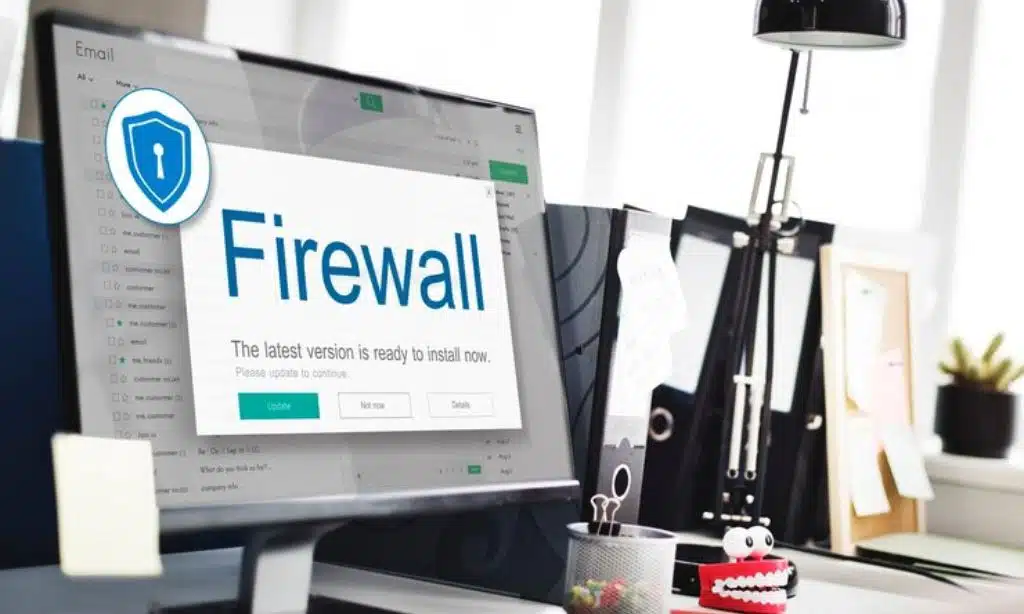
A Web Application Firewall monitors and filters HTTP traffic to your website, blocking malicious requests and safeguarding against common vulnerabilities like SQL injection and cross-site scripting.
Why It’s Critical
- Traffic Monitoring: Detects and blocks suspicious activity, such as brute force login attempts.
- DDoS Mitigation: Protects your site from distributed denial-of-service attacks that can cripple your server.
- Enhanced Security: Adds an additional layer of protection against OWASP’s top vulnerabilities, reducing risks by up to 70%.
Actionable Tips
- Choose VPS solutions with built-in WAF options or integrate third-party tools like Cloudflare or Sucuri for advanced security.
- Regularly update WAF rules to adapt to evolving threats and minimize gaps in coverage.
- Analyze firewall logs frequently to identify and address potential security weaknesses.
| Feature | Description |
| Malicious Block | Stops SQL injection and XSS attacks |
| Traffic Analysis | Monitors and filters incoming requests |
| Scalability | Handles increased traffic securely |
3. Secure Payment Gateways
What It Is
Secure payment gateways are third-party services that process transactions in a PCI-compliant environment, ensuring sensitive financial data is handled securely.
Why It’s Critical
- PCI Compliance: Meets Payment Card Industry standards for data security, avoiding hefty fines.
- Data Safety: Reduces the risk of storing payment information on your server, which is a common target for hackers.
- Customer Trust: Demonstrates a commitment to protecting financial data, increasing conversion rates by up to 35%.
Actionable Tips
- Partner with trusted gateways like Stripe, PayPal, or Square that are widely recognized and reliable.
- Avoid storing payment details on your VPS to minimize liability and meet compliance requirements.
- Test payment gateway integrations regularly to ensure smooth operation and security.
| Feature | Description |
| PCI Compliance | Meets strict payment security standards |
| User Convenience | Seamless checkout experience |
| Data Protection | Safeguards financial information |
4. Regular Data Backups
What It Is
Automated data backups ensure you have up-to-date copies of your website and customer information, which can be restored in case of a breach, server failure, or human error.
Why It’s Critical
- Prevents Data Loss: Protects against ransomware attacks and accidental deletions.
- Minimizes Downtime: Enables quick restoration of services after an incident, ensuring minimal disruption to your business.
- Disaster Recovery: Provides a fail-safe for worst-case scenarios, like a server crash during a sale event.
Actionable Tips
- Schedule daily or weekly backups, depending on transaction volume and site updates.
- Store backups offsite or in the cloud for added security and redundancy.
- Test restoration processes periodically to ensure backups are functional and data integrity is maintained.
| Feature | Description |
| Automation | Regular, scheduled backups |
| Offsite Storage | Protects data in secure external locations |
| Rapid Recovery | Minimizes downtime during incidents |
5. Two-Factor Authentication (2FA)
What It Is
Two-Factor Authentication requires users to verify their identity through a secondary method, such as a one-time code sent to their phone or email, in addition to their password.
Why It’s Critical
- Enhanced Security: Prevents unauthorized access even if passwords are compromised, reducing breach risks by 90%.
- User-Friendly: Adds minimal inconvenience while significantly boosting security for admins and users alike.
- Wide Application: Can be implemented for backend admin panels, customer accounts, and payment portals.
Actionable Tips
- Implement 2FA for all backend admin panels to prevent unauthorized changes to your site.
- Use tools like Google Authenticator or Authy for seamless integration and user convenience.
- Educate staff and customers on the benefits of 2FA to encourage widespread adoption.
| Feature | Description |
| Multi-Layer Auth | Adds a second verification step |
| Ease of Use | Simple apps for generating codes |
| Admin & User Use | Applicable to all login points |
Comparative Table of Security Features
| Security Feature | Purpose | Action Steps | Recommended Tools/Services |
| SSL Certificates | Encrypts data in transit | Use HTTPS across all pages | Let’s Encrypt, DigiCert |
| Web Application Firewall (WAF) | Protects from malicious traffic | Install or configure WAF on VPS | Cloudflare, AWS WAF |
| Secure Payment Gateways | Ensures PCI compliance | Use trusted payment gateways | Stripe, PayPal |
| Data Backups | Prevents data loss | Schedule regular automated backups | BackupBuddy, Acronis |
| Two-Factor Authentication (2FA) | Enhances login security | Enable 2FA for all critical accounts | Google Authenticator, Authy |
Takeaway
Securing your e-commerce website on VPS goes beyond basic measures. Implementing these five must-have security features ensures your business remains safe from cyber threats while providing a seamless shopping experience for your customers.
Whether it’s encrypting data with SSL, leveraging WAF, or using secure payment gateways, proactive steps make all the difference. For more expert tips on VPS security, visit Editorialge’s VPS security guide.

























