

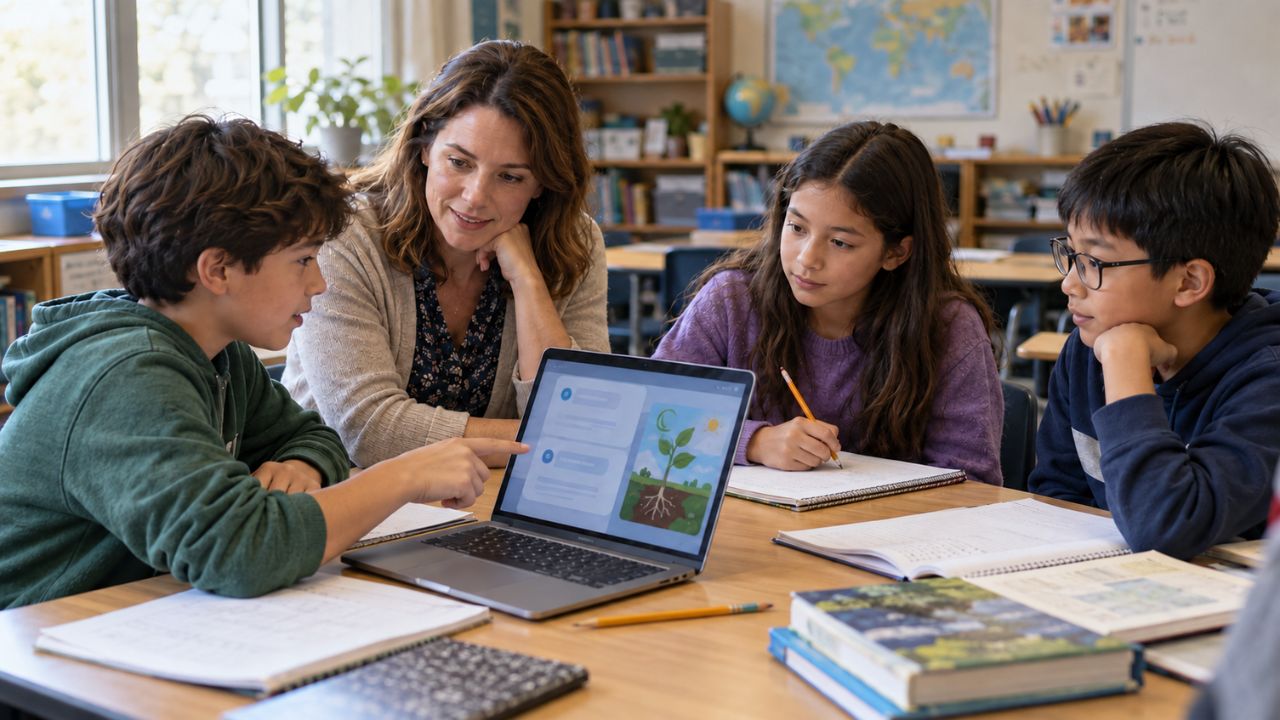
I’m most interested in AI in K-12 classrooms when it addresses a familiar problem: a teacher needs another way to explain a concept, or a student needs help understanding where their writing became unclear. Those are practical uses we can examine beyond the excitement surrounding the technology.
My work with ImagineLab Art, our in-house AI platform at Editorialge, gives me a direct connection to this topic. I have used its Infographic Lab to turn a text brief into a visual. For a teacher preparing lesson materials, a similar workflow could turn a verified explanation into an illustrated resource, followed by careful checking and an activity built around it.
That is one part of a much wider picture. Schools are also using AI for lesson preparation, reading practice, writing feedback, translation, and guided discussion. Each use serves a different purpose and needs its own conditions.
I’ve focused on 12 documented uses that help explain what is happening now. My interest is in what these tools contribute to a lesson, what teachers still need to decide, and whether students develop understanding they can use independently.
1. Planning Lessons and Classroom Activities
Teachers are using generative AI to brainstorm lesson openings, draft activities, organize explanations, and prepare questions that check understanding.
The most useful starting point is a clear brief: the subject, learning objective, students’ existing knowledge, available time, and materials.
An Education Endowment Foundation trial published in December 2024 involved 259 teachers across 68 secondary schools in England. Teachers assigned to use ChatGPT with an implementation guide spent 31% less time, on average, preparing Year 7 and 8 science lessons and resources than the comparison group.
The study measured preparation workload. It did not establish improved student achievement. I find that narrower result valuable. A teacher might use AI to generate three possible activities, select one, and adapt it to the class. The professional decision lies in choosing an activity that will help students understand the topic.
2. Adapting Materials for Different Learning Needs
Teaching the same topic does not always mean giving every student an identical resource. Some students need shorter sentences, clearer instructions, or a vocabulary explanation. Others are ready for an extension task that asks them to apply the concept in a different situation.
Teachers in the EEF trial used ChatGPT to tailor existing materials to groups of pupils. Google Classroom also documents a Gemini feature that simplifies text for a specified reading level.
A teacher could use this approach to prepare several versions of a science passage while preserving the central concept.
The crucial editing task is checking what changed. Simplification can remove an important qualification or turn a careful explanation into an inaccurate statement.
For me, useful adaptation keeps the learning goal intact. The language, examples, and amount of support can change, but the student should still have a worthwhile idea to understand.
3. Creating Quizzes, Practice Questions, and Rubrics
Teachers are also using AI to draft questions and assessment materials. The EEF trial documented question and quiz generation. Google Classroom’s Gemini tools support quizzes, vocabulary lists, and rubrics.
This can help with a quick check during a lesson. For example, a teacher preparing a fractions activity might request questions that test calculation alongside an explanation of why two fractions represent the same amount. The questions need to reveal something about students’ understanding.
For multiple-choice items, the alternatives should be plausible, and there should be one defensible answer. A rubric should describe the skill being assessed clearly enough for students to understand what successful work involves.
I would give the answer key as much attention as the questions. A polished worksheet can still contain an incorrect answer or an ambiguous instruction.
4. Choosing Practice Based on Student Readiness
Adaptive practice systems use information about a learner’s responses to recommend what they should work on next.
Singapore’s Student Learning Space includes an Adaptive Learning System. Its guidance describes customized learning paths, recommended resources and practice questions, and immediate feedback based on student readiness.
This gives independent practice a more responsive structure. A student who needs another explanation can revisit a concept, while someone who is ready can move forward.
However, an incorrect answer does not explain everything. A student might misunderstand the concept, misread the question, or struggle to express what they know.
The recommended practice needs to address the actual difficulty. I would look for progress that goes beyond completing a sequence: can the student explain the method, recognize when to use it, and handle a similar task independently?
5. Giving Students Guided Tutoring and Hints
AI tutoring tools can support an exchange in which students explain an idea, receive a question, and reconsider their reasoning.
Singapore’s Learning Assistant allows one-to-one student interactions within its school learning platform. Teachers are asked to preview responses and monitor conversation logs. Its guidance recommends supervised classroom use for Primary 4–6 students.
The quality of that interaction matters. A useful tutor should encourage students to attempt a step, explain a choice, or examine an error.
A 2025 study published in PNAS shows why this distinction deserves attention. Nearly 1,000 high-school mathematics students participated in an experiment involving two AI tools. Students using a general chat-style version performed better during assisted practice. After access was removed, they performed worse than the group that had not used AI.
A version designed with learning safeguards largely mitigated that harm. My test for AI tutoring is straightforward: can the student explain and apply the idea afterward, without the tool?
6. Supporting Reading Aloud and Targeted Word Practice
Reading tools can respond to something specific a child does: reading a passage aloud. Albuquerque Public Schools uses Amira in its elementary schools and distinguishes between Amira Assessment and Amira Tutor. The assessment helps teachers understand reading needs. The tutor provides practice and feedback based on those needs.
Microsoft’s Reading Coach uses speech-to-text AI to analyze oral reading, identify challenging words, and provide targeted word practice after a session.
The practical cycle is clear: read, receive feedback, and revisit difficult words. Teachers also need opportunities to check the tool’s interpretation. APS describes reviewing assessment results, including for students with speech or language differences.
A score gives one piece of information. Listening to the child, discussing the passage, and observing reading over time help teachers understand what support is needed. That wider reading instruction gives the technology its purpose.
7. Giving Feedback During the Writing Process
AI is being used to provide feedback while students are developing a piece of writing.
The NSW Department of Education shares an account from Hannam Vale Public School, where Principal Kelly Brydon describes students using NSWEduChat for writing feedback and critically examining rephrased text.
The department’s guidance for Years 11–12 English also recommends feedback linked to specific writing goals or success criteria. It emphasizes student voice and authorship, alongside teacher and peer feedback.
This use interests me as an editor. A suggestion becomes more useful when the writer understands the reason behind it. A student might ask whether a paragraph supports its main claim or whether an example needs more explanation. They can then decide which suggestions improve the work.
Asking students to explain their revision choices makes that process visible. The aim is to develop their judgment as writers.
8. Translating Classroom Text and Supporting Multilingual Learners
Language tools can help students unpack an unfamiliar word, understand an instruction, or connect new vocabulary with a language they already know.
Microsoft reports that educators in Texas City Independent School District use Translator to support multilingual students when they encounter unfamiliar words and phrases.
NSWEduChat’s English guidance also describes vocabulary explanations and translation for students learning English as an additional language or dialect.
These tools can provide a useful point of access. A student may understand a subject concept but need help with the language used to describe it.
Meaning still needs checking in context. A familiar everyday word can have a more precise meaning in science, mathematics, or literature.
NSW guidance specifically warns against relying on AI translation for essential assessment or safety information. Those details need dependable communication and appropriate human review.
9. Making Lesson Content Easier to Access
AI speech tools can provide additional ways to engage with a lesson through dictation, captions, and spoken versions of written material.
In a Microsoft-published account, sixth-grade teacher Amber Raftery from Kent School District describes a student with dyslexia and dysgraphia who needed audio access through Immersive Reader. Microsoft also documents dictation and live-caption functions in its education tools.
Immersive Reader includes standard accessibility features such as font and spacing adjustments. These work alongside speech tools and should be described separately.
The classroom question is whether the format helps students participate in the intended task. For an assignment assessing ideas, dictation may help a student express their understanding. For an assignment assessing handwriting, it changes what the task measures.
I would begin with that learning objective, then choose the support that makes participation possible.
10. Finding Patterns in Student Misconceptions
A class set of short answers can contain recurring misunderstandings that take time to identify. Singapore’s Data Assistant analyzes qualitative student responses, groups themes, and highlights common misconceptions. Its guidance asks teachers to validate the analysis before using it to decide on an intervention.
A teacher could use such an analysis to investigate whether several students are confusing evaporation with condensation. That might lead to a revised explanation, a short demonstration, or a small-group discussion.
The original responses remain important. Students who produce the same incorrect answer may have reached it through different reasoning. An unusual answer may also be valid despite being grouped incorrectly.
The useful outcome is a better-informed teaching decision. The summary helps direct attention; the teacher examines the thinking behind the pattern.
11. Creating Visual Resources and Supporting Creative Projects
Teachers and students are using AI to develop visual materials and explore ideas for creative work.
Microsoft describes visual and interactive resources at Wattana Wittaya Academy and Dhammajarinee Wittaya School in Thailand. It also reports that students at Dhammajarinee use AI in a dance project to explore songs, costume ideas, and choreography.
This is the area closest to my own work with ImagineLab Art. Our platform includes Image and Infographic Labs, which makes visual-resource preparation a relevant connection to this article.
A possible workflow would begin with a verified explanation of the water cycle. An adult preparing the lesson could generate a labeled visual, check every arrow and statement, and build an activity around the corrected resource.
Students could explain the diagram, identify a missing stage, or create their own version.
Those tasks give the visual a clear educational role. The important decisions involve accuracy, readability, and what students will do with the finished resource.
12. Teaching Students to Evaluate AI Itself
AI is also becoming something students study and question. Singapore’s Ministry of Education says AI literacy is integrated into the curriculum. Updated Cyber Wellness lessons include checking information generated by AI and identifying deepfakes.
A classroom activity could ask students to compare an AI-generated explanation with a textbook, investigate whether a cited source exists, or examine what an image leaves uncertain.
These lessons do not always require students to use a chatbot themselves. Fairfax County Public Schools explicitly says its age-appropriate AI-literacy work does not require access to generative AI tools.
For me, this is one of the most valuable uses on the list. Students need practice deciding whether an answer is supported and identifying what further evidence they need. That judgment will remain useful as the tools change.
The Real Test Is What Students Take Away
The examples in this article give me a practical way to assess AI in education. Start with a clear need: an explanation students find confusing, a language barrier, or a preparation task that takes considerable teacher time. Then examine whether the chosen tool helps address it.
For teachers, a useful result might be a carefully checked activity prepared more efficiently or a clearer view of students’ misunderstandings. For students, it might be another opportunity to practice, question an explanation, or understand feedback on their work.
The strongest sign of learning comes afterward. Can the student explain the idea, apply the method, or make a thoughtful revision without relying on the tool?
That is what I want to keep in view as classroom AI develops. The technology can change quickly. The purpose of the lesson, and what students carry away from it, should guide how we use it.
Frequently Asked Questions on AI in K-12 classrooms
1. What is AI used for in K-12 education?
Current uses include lesson preparation, adapted materials, quizzes, guided tutoring, reading practice, writing feedback, translation, accessible formats, and visual resources. Schools also teach AI literacy. Some tools interact with students, while others support teachers preparing lessons.
2. Does AI actually improve student learning?
The effect depends on the tool, the task, and the teaching around it. A better answer produced with AI assistance does not automatically show stronger understanding. Check whether students can explain the concept and complete a comparable task independently afterward.
3. Can AI replace teachers?
AI can support specific tasks. Teachers still interpret students’ needs, choose learning activities, assess understanding, and build classroom relationships. Fairfax County Public Schools’ guidance, for example, retains teachers’ responsibility for instructional decisions, assessment, and student relationships.
4. Is AI suitable for elementary school students?
Some school-designed tools are available under defined conditions. Singapore’s Learning Assistant recommends supervised classroom use for Primary 4–6 students. Check the particular tool’s permitted age, school approval, data practices, and supervision requirements before introducing it.
5. How can teachers use AI without encouraging cheating?
Explain which uses are allowed and require students to acknowledge assistance. Ask for drafts, revision decisions, or a brief explanation of the finished work. NSW guidance requires disclosure of permitted NSWEduChat use in homework and assessments. Include opportunities for students to demonstrate their understanding independently.

























