Marketing teams face a constant demand for fresh visual content across social media, email campaigns, product pages, and digital ads—often without an increase in budget or headcount. Creating every visual asset from scratch is no longer a sustainable strategy.
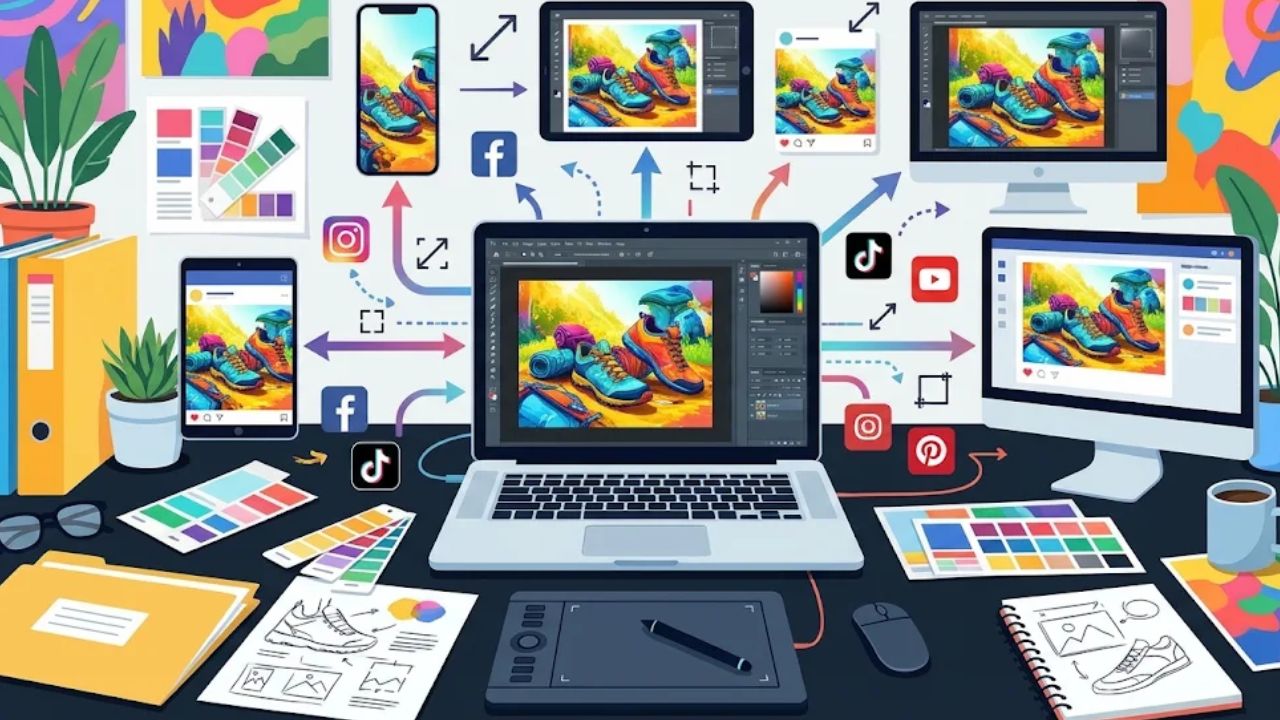
Instead of treating campaign graphics as one-time deliverables, forward-thinking marketers are building workflows around asset reuse. By leveraging web-based AI tools like YouCam Online Editor, teams can instantly adapt, enhance, and transform existing images into versatile formats for multiple channels.
Moving From Asset Creation to Asset Maximization
Most brands already possess extensive visual libraries, including product photography, event shots, and campaign assets. However, these files often sit underutilized after their initial campaign ends.
Adapting an asset across platforms requires a mindset shift: rather than asking “What new content do we need to build?”, teams should ask, “How can we repurpose what we already have?”
AI technology bridges this gap by customizing single assets to fit diverse channel requirements:
- Restoring Quality for High-Value Placements: Older or low-resolution images can be upgraded using an AI photo enhancer. The technology automatically sharpens details, removes noise, and restores lighting, preparing existing snapshots for newsletters or landing pages.
- Static-to-Motion Transformation: Social media algorithms heavily prioritize video. Using an AI image-to-video generator, marketers can convert static product photos into dynamic short-form video clips—expanding channel reach without scheduling a new video shoot.
Browser-based solutions like YouCam Online Editor integrate these capabilities into a single, accessible workspace, making high-volume content adaptation straightforward for lean marketing teams.
A 5-Step Blueprint for Repeatable Content Repurposing
To maximize productivity while preserving brand integrity, structure your content reuse process into five clear stages:
- Audit Visual Libraries: Review archived campaign photos and product shots, identifying evergreen assets with high potential for reuse.
- Map Assets to Channels: Determine the ideal placement for each item—for instance, turning a hero product shot into an email banner, a social graphic, and a motion clip.
- Enhance and Refine: Apply AI-assisted editing to fix image resolution, balance exposure, and optimize assets for high-DPI displays.
- Generate Dynamic Formats: Use image-to-video generation to turn still photos into short motion loops for Reels, Shorts, or ad placements.
Review Quality and Compliance: Inspect generated outputs to ensure fine product details, colors, and brand guidelines remain completely accurate before publishing.
Measuring Performance and Maintaining Brand Standards
Scaling content output should never come at the expense of visual quality or brand consistency.
Teams should track channel-specific performance metrics—such as click-through rates on email campaigns or video completion rates on social media—to evaluate which repurposed formats resonate best with audiences. A/B testing a static photo against an AI-generated video loop can provide clear data on where motion adds measurable value.
While AI tools dramatically streamline editing timelines, human creative judgment remains essential. Carefully reviewing AI-generated motion and enhanced details guarantees that final deliverables accurately represent your brand and products.
Conclusion: Making Creative Assets Work Harder
Sustaining a multi-channel presence does not require endless production cycles. By pairing an existing asset library with intelligent AI enhancement and animation workflows, marketing teams can scale their creative output, maintain visual quality across channels, and maximize the return on their visual investments.