

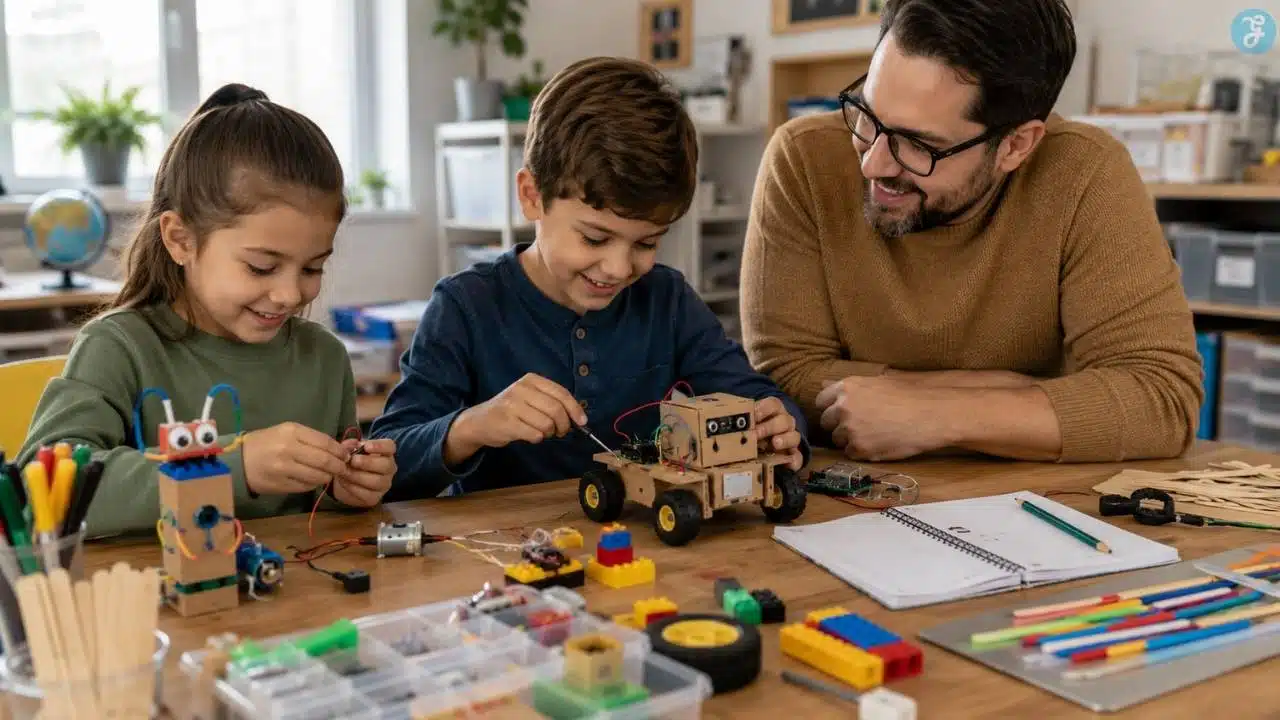
Good robotics projects kids can actually learn from should do more than make something wiggle across a table. A real robotics project helps children understand how machines sense, move, respond, and improve. That does not mean every child needs a soldering iron, expensive kit, or advanced coding platform. It means the project should teach at least one robotics idea clearly.
A robot may vibrate, draw, crawl, follow light, avoid obstacles, lift objects, follow a line, or respond to a simple program. Underneath the fun, kids are learning mechanics, circuits, sensors, motors, control, iteration, debugging, and design thinking.
That is why robotics is such a strong STEM topic. It brings together building, problem-solving, creativity, coding, and physical testing. Children can see immediately whether their idea works. If the robot turns too sharply, falls over, misses the line, drops the object, or refuses to move, the lesson is not failure. The lesson is feedback.
This guide covers 10 robotics projects for kids that work well at home, in classrooms, homeschool settings, after-school clubs, libraries, and beginner STEM camps.
What Makes a Good Robotics Project for Kids?
A good robotics project should match the child’s age, patience, motor skills, and experience level. For younger kids, robotics can begin with movement and cause-and-effect. A vibrating brushbot or drawing robot can teach balance, motion, and simple circuits without requiring coding. For older children, robotics can grow into sensors, programming, obstacle avoidance, line following, robotic arms, and rover challenges.
The best beginner robotics projects usually include three things: a body, a way to move, and a way to control or change behavior.
The body can be cardboard, LEGO-style bricks, recycled materials, popsicle sticks, or a kit frame. Movement may come from a vibration motor, DC motor, servo motor, rubber band, wheels, or linkages. Control may be as simple as changing weight placement or as advanced as programming a microcontroller.
Kids do not need to master everything at once. A strong robotics path starts simple, then adds complexity. Build something that moves. Build something that moves on purpose. Build something that responds to the world. Build something that can be improved through testing. That is the heart of building robots.
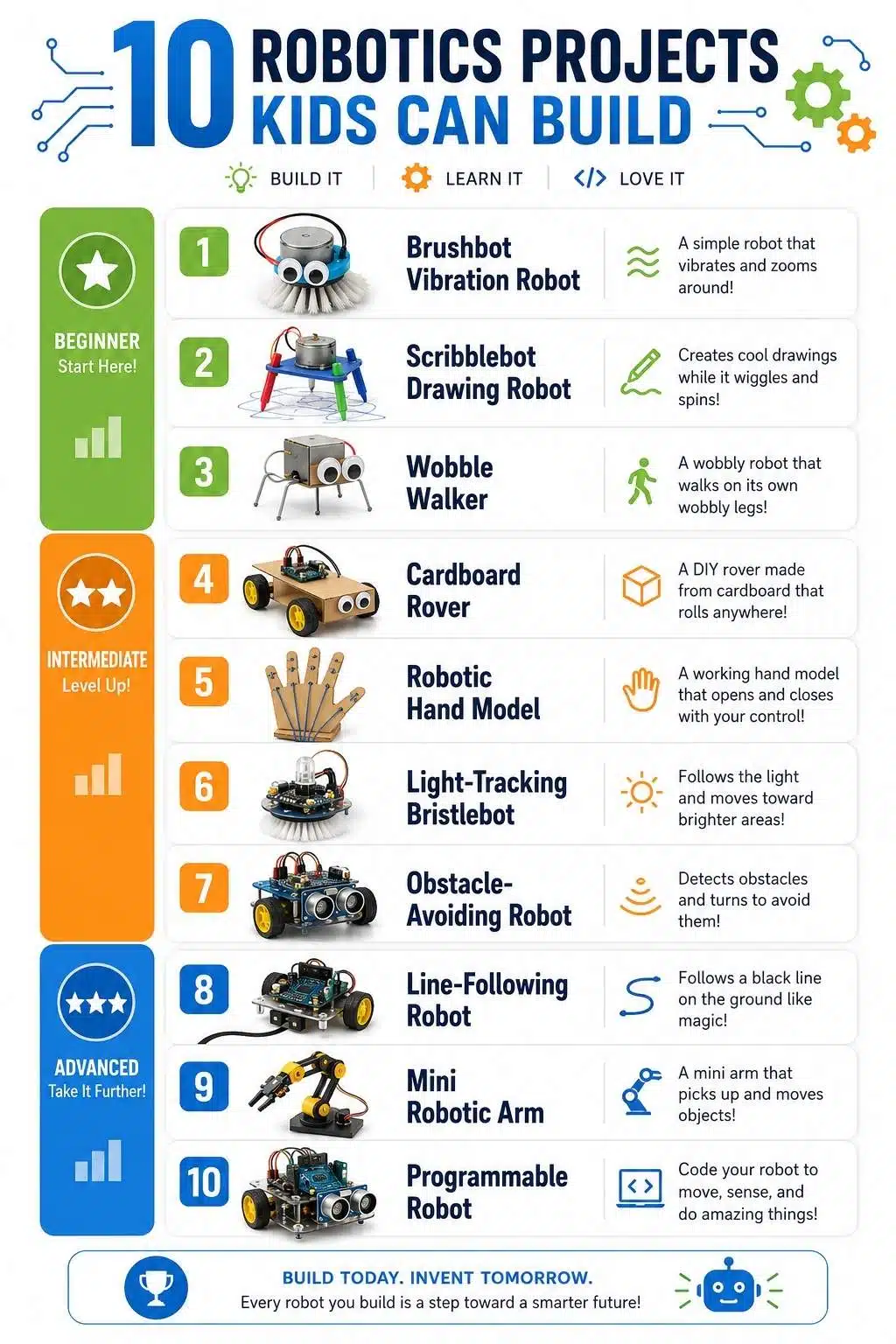
10 Robotics Projects Kids Can Build
These projects are arranged from simpler builds to more advanced robotics challenges. Younger children should work with adults, especially when small parts, motors, wires, batteries, scissors, hot glue, or tools are involved.
1. Brushbot Vibration Robot
A brushbot is one of the easiest beginner robotics projects because it shows movement with very few parts.
Kids use the head of a toothbrush or small brush, a coin-cell vibration motor or small hobby vibration motor, a battery holder, and simple craft materials. When the motor spins, the vibration makes the brush skitter across a flat surface. The robot may move forward, spin, wobble, or drift depending on how the weight sits.
The learning happens when kids adjust the design. Move the motor slightly and the robot changes direction. Add a pipe cleaner tail and it may stabilize. Change the brush angle and it may turn differently. Suddenly, a tiny vibrating toy becomes a lesson in balance, friction, and motion.
For safety, younger kids should not handle loose coin batteries. Adults should control battery setup, use secured holders, and keep small parts away from younger siblings.
Best for: First robotics activity, short STEM sessions, younger builders.
What kids learn: Vibration, balance, friction, direction, weight placement, and testing.
Build challenge: Can the brushbot travel in a straighter path after three design changes?
2. Scribblebot Drawing Robot
A scribblebot turns motor motion into art. The basic design uses a cup, lightweight container, or cardboard body with markers as legs. A small motor with an off-center weight creates vibration. When the robot moves, the markers draw looping, shaky, unpredictable patterns on paper.
This is a great robotics project for children who like art more than traditional electronics. It lowers the intimidation factor because the output is creative, not just mechanical. Kids can change marker placement, body height, motor position, weight size, and paper surface to see how the drawing changes.
The important lesson is that robot behavior comes from design choices. The robot does not need a brain to behave differently. Small physical changes can alter movement.
Older children can compare different builds and describe which design creates circles, zigzags, wide loops, or tight scribbles.
Best for: Art-loving kids, classrooms, STEM introductions, mixed-age groups.
What kids learn: Motors, vibration, design variables, cause-and-effect, and creative testing.
Build challenge: Can the robot draw a tighter circle, a wider loop, or a more controlled pattern?
3. Wobble Walker Robot
A wobble walker is a simple robot that moves by shifting weight. Kids can build one with cardboard, craft sticks, a small motor, wires, a battery holder, and a simple off-center weight. Instead of rolling on wheels, the robot lurches or walks across the surface as the motor vibrates or rotates unevenly.
This project is slightly more advanced than a brushbot because stability becomes more important. If the legs are too long, it may fall. If the body is too heavy, it may barely move. If the weight is placed poorly, it may spin instead of walk.
That makes it a good beginner robotics project for teaching iteration. Kids quickly learn that “almost working” is useful information.
A wobble walker also helps children understand that robots do not all move like cars. Some crawl, hop, walk, vibrate, roll, or drag themselves forward. That opens the door to biomimicry and animal-inspired robots.
Best for: Kids ready to build beyond basic brushbots.
What kids learn: Balance, center of mass, leg design, motor movement, and iteration.
Build challenge: Can the robot move forward without tipping over for at least one meter?
4. Cardboard Rover
A cardboard rover introduces kids to wheel-based robot design without requiring expensive parts. The simplest version uses cardboard, bottle caps or wheels, skewers or straws for axles, rubber bands, tape, and a lightweight body. Kids can build a rover that rolls, climbs over small obstacles, or travels down a ramp. Older children can add a motor or eventually connect it to a programmable controller.
This project works well because rover design connects robotics to real exploration. Rovers need traction, stability, ground clearance, and a body that can carry tools or a payload. A cardboard rover makes those ideas visible.
The best part is testing. Can the rover travel straight? Can it carry a small object? Can it cross a rough surface? Can it go farther with larger wheels? Can it climb a small ramp?
A rover project teaches kids that building robots is not just assembling parts. It is solving a mission.
Best for: Space-loving kids, engineering lessons, homeschool STEM, group challenges.
What kids learn: Wheels, axles, friction, stability, payloads, traction, and design improvement.
Build challenge: Can the rover carry a small “science tool” across a rough surface without tipping?
5. Robotic Hand Model
A robotic hand model helps kids understand how robots can copy biological movement. This project usually uses cardboard, straws, string, tape, and paper fasteners. The cardboard becomes the palm and fingers. Straws guide the strings like tendons. When kids pull the strings, the fingers bend.
It is not a powered robot at first, but it is an excellent robotics foundation because it teaches joints, actuation, and grasping. A powered robot hand or robotic arm uses the same core idea: something creates movement, joints guide it, and the design determines what the machine can hold.
Younger kids can build a simple hand that opens and closes. Older kids can improve finger length, string placement, grip strength, or the ability to pick up different objects. Advanced learners can add servo motors later.
This project also connects robotics to prosthetics, medical engineering, and assistive technology in a respectful, age-appropriate way.
Best for: Kids interested in bodies, prosthetics, arms, hands, and mechanical design.
What kids learn: Joints, tendons, grip, actuation, mechanical control, and biomimicry.
Build challenge: Can the hand pick up a cotton ball, paper cup, or small foam block without crushing it?
6. Light-Tracking Bristlebot
A light-tracking bristlebot adds a sensor idea to the simple brushbot concept.
Instead of only moving randomly, the robot responds to light. Depending on the design, it may move toward a flashlight or change direction when light hits a sensor. This introduces one of the most important robotics ideas: robots can respond to their environment.
This project is better for older children or adult-supported STEM groups because it may involve a light sensor, motor wiring, and more careful troubleshooting. But the concept is powerful. Kids can test what happens when the light is close, far away, bright, dim, or blocked.
The behavior is inspired by phototaxis, which is movement toward or away from light in living organisms. That makes the project a nice bridge between robotics and biology.
It also shows why sensors matter. A robot without sensors only follows its build or program. A robot with sensors can react.
Best for: Older beginners ready for sensors.
What kids learn: Sensors, light response, phototaxis, wiring, testing, and behavior tuning.
Build challenge: Can the robot reliably move toward a flashlight from different starting positions?
7. Obstacle-Avoiding Robot
An obstacle-avoiding robot is a classic beginner robotics project because it feels genuinely autonomous.
The robot uses a sensor to detect an object in front of it, then changes direction before crashing. Beginner versions may use bump switches. More advanced versions use ultrasonic sensors, infrared sensors, or programmable microcontrollers.
This project teaches the loop behind many robots: sense, decide, act, repeat. The robot senses an obstacle. The program decides what to do. The motors act. Then the robot senses again.
Kids begin to see that robotics is not only hardware. The same robot body can behave differently depending on the code. Turn left for half a second. Back up first. Spin until the path is clear. Slow down near objects. Each behavior is a design choice.
This is a strong project for children who already understand basic circuits or block coding.
Best for: Kids ready for programmable robotics.
What kids learn: Sensors, motor control, decision-making, loops, debugging, and autonomous behavior.
Build challenge: Can the robot cross a simple obstacle course without touching the walls?
8. Line-Following Robot
A line-following robot uses sensors to follow a dark line on a light surface or a light line on a dark surface.
This is one of the best kids robotics projects for teaching feedback. The robot is constantly checking whether it is on the line. If it drifts left, it corrects. If it drifts right, it corrects. If the turn is too sharp, it may lose the path.
That makes the project excellent for debugging. Kids can test line thickness, sensor height, speed, surface color, turns, and lighting conditions. They quickly learn that a robot that works once may fail when the environment changes.
A line-following robot can be built with kits, LEGO-style robotics systems, microcontrollers, or beginner robot car platforms. It is more advanced than a simple moving robot, but it gives a much clearer taste of real robotics.
Best for: Older elementary and middle school learners with some coding experience.
What kids learn: Sensor feedback, conditional logic, calibration, speed control, and debugging.
Build challenge: Can the robot follow a track with curves, corners, and one intersection?
9. Mini Robotic Arm
A mini robotic arm teaches manipulation, not just movement. Many beginner robotics projects focus on driving around. A robotic arm changes the challenge. Now the robot has to reach, lift, grab, release, or move something from one place to another. Kids can build a simple cardboard hydraulic arm, a popsicle-stick linkage arm, or a servo-powered arm depending on age and materials.
A simple manual arm can teach joints, levers, and range of motion. A servo-powered arm introduces motors and control. A more advanced version can use buttons, joysticks, or block code to move different joints.
This project is excellent because children discover how hard “simple” tasks are for robots. Picking up a foam cube requires alignment, grip strength, arm length, stability, and control. That makes robotic arms a great way to discuss factory robots, space robotics, surgery robots, and assistive devices.
Best for: Kids who enjoy mechanical challenges and hands-on building.
What kids learn: Levers, joints, grippers, range of motion, control, precision, and payload limits.
Build challenge: Can the arm move three objects from one zone to another without dropping them?
10. Programmable LEGO or Microcontroller Robot
A programmable robot is the natural next step after kids understand movement, structure, and simple sensors.
This project can use LEGO-style robotics kits, micro:bit robot cars, Arduino-compatible kits, or other beginner platforms. The exact tool matters less than the learning goal: kids should build a robot, program it, test it, and improve it.
Good starter missions include driving in a square, stopping at a wall, pushing a block, following a path, reacting to light, or carrying a small payload. More advanced students can use sensors, loops, variables, conditionals, and functions.
The benefit of programmable robotics is that kids see code affect the physical world. A mistake in timing, speed, direction, or sensor threshold becomes visible immediately. That makes debugging less abstract.
This is also where teamwork becomes valuable. One child may be better at building. Another may enjoy coding. Another may notice why the robot fails during testing. Robotics rewards different kinds of thinking.
Best for: Kids ready for coding, robotics clubs, classrooms, and long-term STEM learning.
What kids learn: Programming, sensors, motors, loops, conditionals, testing, teamwork, and mission design.
Build challenge: Can the robot complete a three-step mission, such as drive forward, turn, pick up or push an object, and return?
Best Robotics Projects by Age
| Age Group | Best Project Types |
| Ages 5-6 | Scribblebot, simple brushbot, robot body design |
| Ages 7-8 | Wobble walker, cardboard rover, robotic hand model |
| Ages 9-10 | Rover challenge, robotic arm, beginner programmable robot |
| Ages 11-12 | Light-tracking bot, obstacle-avoiding robot, line follower |
| Ages 13+ | Sensor-based robots, microcontroller robots, servo arms, advanced coding missions |
Age ranges are flexible. A younger child with strong adult support may enjoy a more advanced build. An older beginner may still benefit from a brushbot if the activity includes testing, redesign, and explanation.
Simple Materials for Beginner Robotics
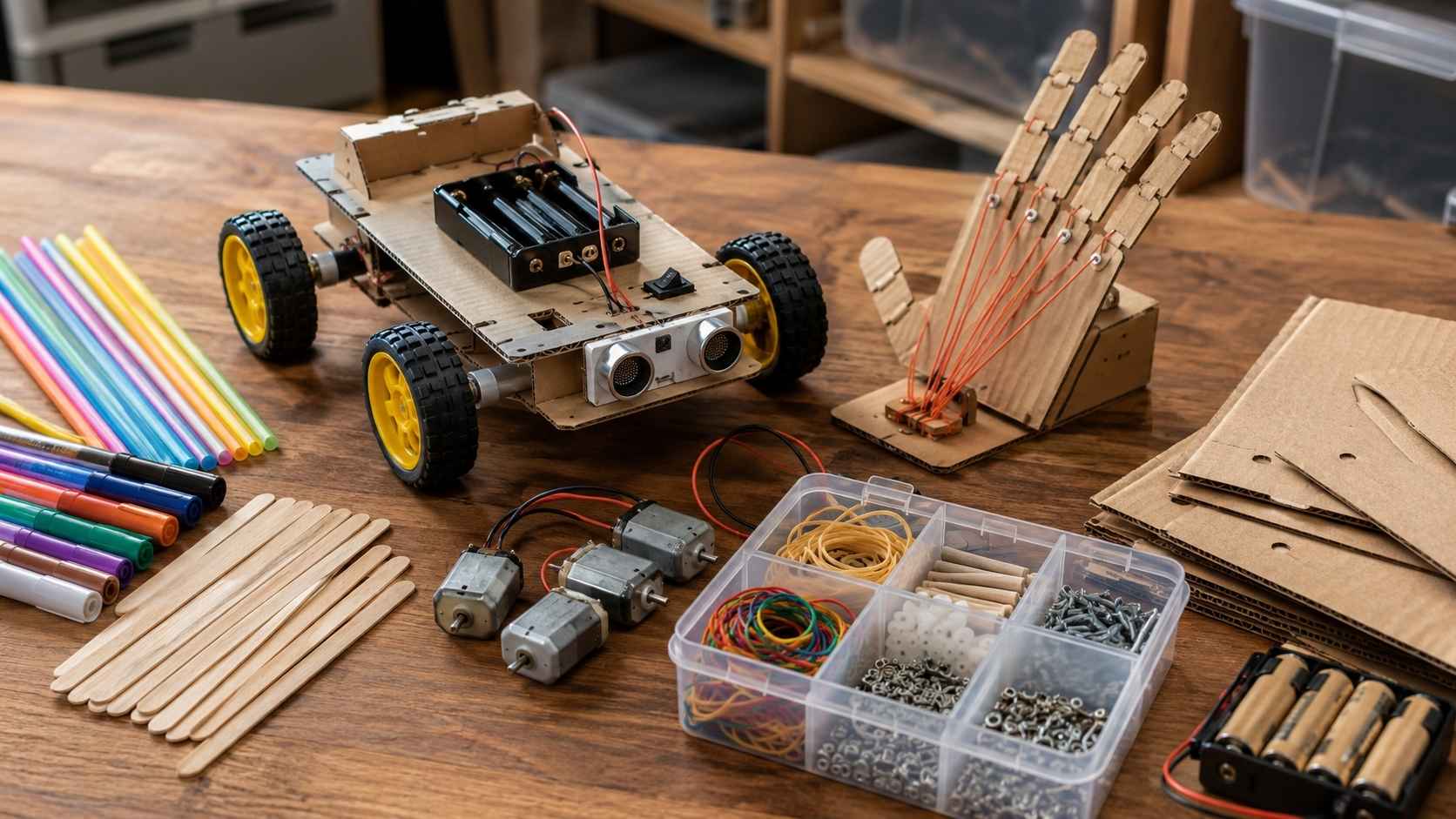
A robotics project does not have to begin with an expensive kit. Useful beginner materials include cardboard, craft sticks, straws, rubber bands, bottle caps, skewers, pipe cleaners, tape, markers, paper clips, small DC motors, vibration motors, battery holders, AA or AAA batteries, LEDs, switches, wheels, toy gears, string, syringes for hydraulic models, and lightweight recycled materials.
For programmable projects, kids may use LEGO-style robotics kits, micro:bit-based robot cars, Arduino-compatible robot kits, or block-based coding platforms.
The best material choice depends on the project goal. If the goal is movement, start with motors and balance. If the goal is sensing, add a light, line, touch, ultrasonic, or color sensor. If the goal is coding, choose a platform with beginner-friendly programming.
Safety Rules for Kids Robotics Projects
Robotics projects should feel exciting, but they still need boundaries. Adults should handle hot glue, sharp tools, wire stripping, soldering, and battery troubleshooting. Young children should not handle loose button or coin batteries. Battery compartments should be secured, and loose batteries should be stored away from younger siblings and pets.
Use low-voltage projects for beginners. Avoid wall power. Avoid exposed wires that can short. Do not let motors run hot. Keep hair, loose sleeves, and strings away from spinning parts. Test robots on the floor or a large table with edges protected so they do not fall.
Also set a cleanup rule. Small screws, wires, batteries, and plastic parts should not be left on the floor. A safe robotics setup is not complicated. It is supervised, low-voltage, organized, and age-appropriate.
Common Mistakes to Avoid
- Starting with a project that is too advanced. A child who has never built a simple circuit may get frustrated by a programmable obstacle-avoiding robot. Start with visible movement before adding sensors and code.
- Treating kits as the whole lesson. Kits can be excellent, but kids should still test, modify, and explain their designs.
- Skipping the design goal. “Build a robot” is vague. “Build a robot that can carry a cotton ball across the table” gives kids a mission.
- Fixing everything for the child. Adults should keep the activity safe, but kids need room to troubleshoot.
- Expecting a perfect robot. Beginner robotics is messy. Wires come loose. Motors spin the wrong way. Wheels wobble. Sensors misread. Code breaks. That is normal.
- Forgetting creativity. Robots can draw, dance, crawl, rescue, sort, push, lift, explore, and tell stories. A robotics project becomes stronger when kids care about what the robot is trying to do.
Wrapping Up
The best robotics projects kids can build are the ones that make movement, sensing, control, and problem-solving visible.
A brushbot teaches vibration. A scribblebot turns motors into art. A wobble walker teaches balance. A cardboard rover introduces wheels and mission testing. A robotic hand shows joints and tendons. A light-tracking bristlebot introduces sensors. An obstacle-avoiding robot teaches autonomous behavior. A line-following robot shows feedback. A mini robotic arm teaches control and precision. A programmable robot brings building and coding together.
Kids do not need to start with the most advanced robot. They need a project that moves, fails, improves, and makes them want to test one more idea. That is where beginner robotics becomes real learning.
Frequently Asked Questions About Robotics Projects Kids Can Build
1. What are easy robotics projects kids can start with?
Easy robotics projects kids can start with include brushbots, scribblebots, wobble walkers, cardboard rovers, and simple robotic hand models. These projects teach motion, balance, joints, and design without requiring advanced coding.
2. What age is best for beginner robotics?
Many children can start simple robotics around ages 6 or 7 with adult supervision. Younger kids can build art robots and vibration robots, while older children can move into sensors, motors, coding, line-following robots, and obstacle-avoiding robots.
3. Do kids need coding to build robots?
No. Kids can begin building robots without coding by making brushbots, scribblebots, cardboard rovers, and robotic hand models. Coding becomes useful later when children want robots to follow instructions, respond to sensors, or complete missions.
4. What materials are needed for kids robotics projects?
Basic materials include cardboard, tape, craft sticks, straws, bottle caps, rubber bands, markers, small motors, battery holders, wires, switches, and recycled materials. More advanced projects may use sensors, servo motors, microcontrollers, or LEGO-style robotics kits.
5. Are robotics projects safe for kids?
Robotics projects can be safe when they use low-voltage parts, adult supervision, secured batteries, age-appropriate tools, and organized workspaces. Young children should not handle loose button or coin batteries, hot glue, soldering tools, or sharp wire cutters.
6. What is the best robotics project for learning programming?
A programmable robot car, LEGO-style robot, micro:bit robot, or Arduino-compatible beginner robot is best for learning programming. Good starter missions include driving in a square, stopping at obstacles, following a line, or reacting to light.






















