


Choose internal links by deciding what the reader needs to do next, then opening the proposed destination to check that it delivers. Match the anchor text to that destination’s real content, place it where the need arises, and leave it out when it adds another search instead of an answer. This approach to reader task internal links gives editors a practical way to choose between several pages on the same subject.
A reader learning what a canonical URL means needs an explanation. A reader trying to correct a canonical setting needs a procedure. Both might be reading the same article, but sending them to the same destination can produce very different results.
The useful unit of review is the whole journey: the sentence someone is reading, the reason to leave it, and the page that opens. Here is how to make that decision consistently.
What We Checked
For this guide, a review inspected two contextual links in Editorialge’s internal-link audit article, their destination pages, and the Digital Marketing hub. The checks covered the visible anchor, surrounding explanation and destination content. These are examples from Editorialge’s own site, selected to illustrate editorial decisions.
The clearest observation was the difference between a prerequisite link and a broader-context link. A sentence explaining that beginners may need terminology leads to a fundamentals guide. A later sentence about category navigation leads to a wider technical SEO guide. Each has a plausible purpose, but neither should be described as a downloadable audit template. No reader testing, click-through measurement or ranking experiment was performed.
Start With a Task, Not a Keyword Match
Before searching your archive, finish this sentence: “After this paragraph, the reader may need to…” Use a verb and a concrete object: understand a term, compare two options, export a report, fix an error or check a requirement.
“Read more about SEO” is too broad to help you choose. “Find the difference between a canonical tag and a redirect” gives you something to verify on the next page.
Prepare a small working sheet with the source URL, paragraph or heading, reader task, candidate destination, proposed anchor, relevant destination section and decision. You need the source draft and access to the proposed pages. Analytics and crawler exports can help prioritize the work, but they are not prerequisites for judging one link.
For a wider inventory of broken paths and overlooked pages, use the separate guide to auditing internal links with Search Console and a site crawl. The workflow here begins when you are deciding what a particular sentence should link to.
1. Identify the Reader’s Next Useful Action
Read the paragraph before and after the proposed insertion. A word mentioned in passing does not automatically create a need for a link. Look for a genuine obstacle: an unfamiliar term, a decision the current article cannot settle, or a step that needs more space than the article can reasonably provide.
Classify the need before choosing a format:
| Reader needs to… | A useful destination | What to verify |
|---|---|---|
| Understand | A definition or focused explainer | The exact term is explained at the right level |
| Choose | A comparison or decision guide | It covers the options and constraints in this paragraph |
| Do | A procedure, worksheet or working tool | The promised steps or asset are actually available |
| Fix | A troubleshooting guide | It addresses the same symptom and relevant version |
| Explore | A topic hub or category page | The selection helps readers find related coverage |
These categories are an editorial aid, not a ranking formula. A single destination can support several tasks. What matters is whether it supports the task you are promising at this point in the source.
2. Compare the Destination With the Promise
Open each serious candidate. Search for the answer on the page and read the surrounding section. A matching title is a useful lead, but it cannot confirm that the page supplies the procedure, example or file you intend to recommend.
Keep the first candidate that genuinely fits; do not automatically choose the newest article or the one your team most wants to promote. If two candidates both work, prefer the one with the clearer answer and fewer unnecessary prerequisites.
Observed example: a prerequisite explanation
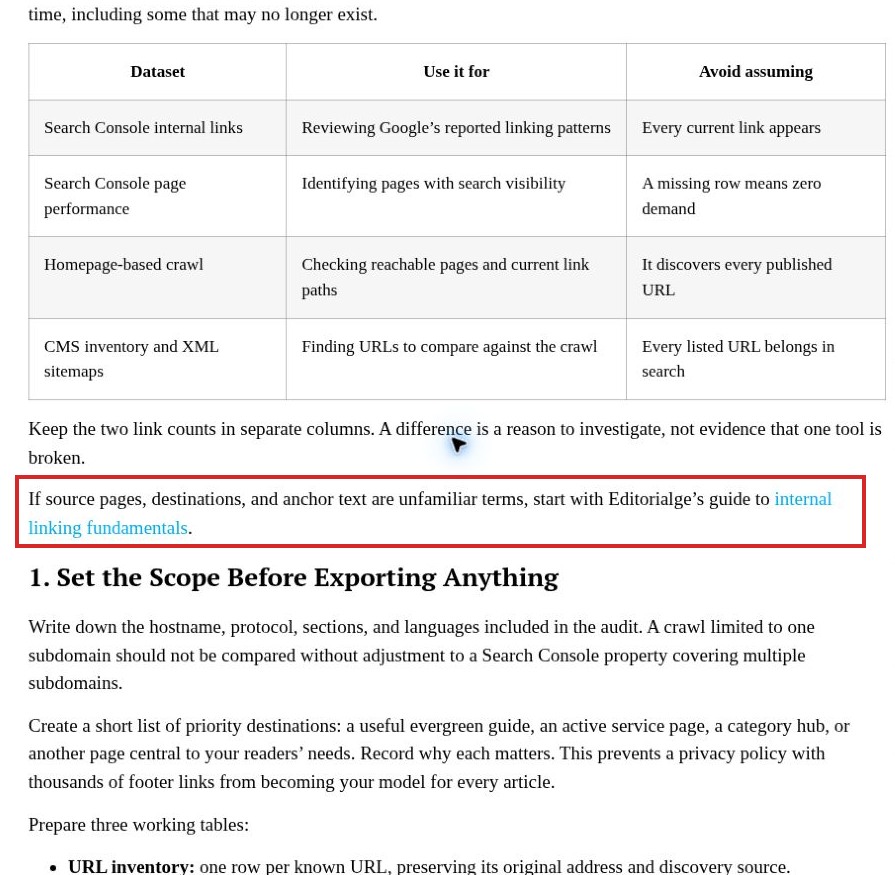
The audit article introduces its fundamentals link after explaining that source pages, destinations and anchor text may be unfamiliar. The linked internal linking fundamentals guide explains what internal links do and how anchor text describes the destination. That supports a beginner’s need for background before continuing the audit.
The same destination would be a poor match for an anchor promising “download the link inventory spreadsheet.” The inspected explanation is not evidence that such a download exists. The right decision depends on the source promise, even when the destination itself is useful.
3. Write Anchor Text That Sets an Honest Expectation
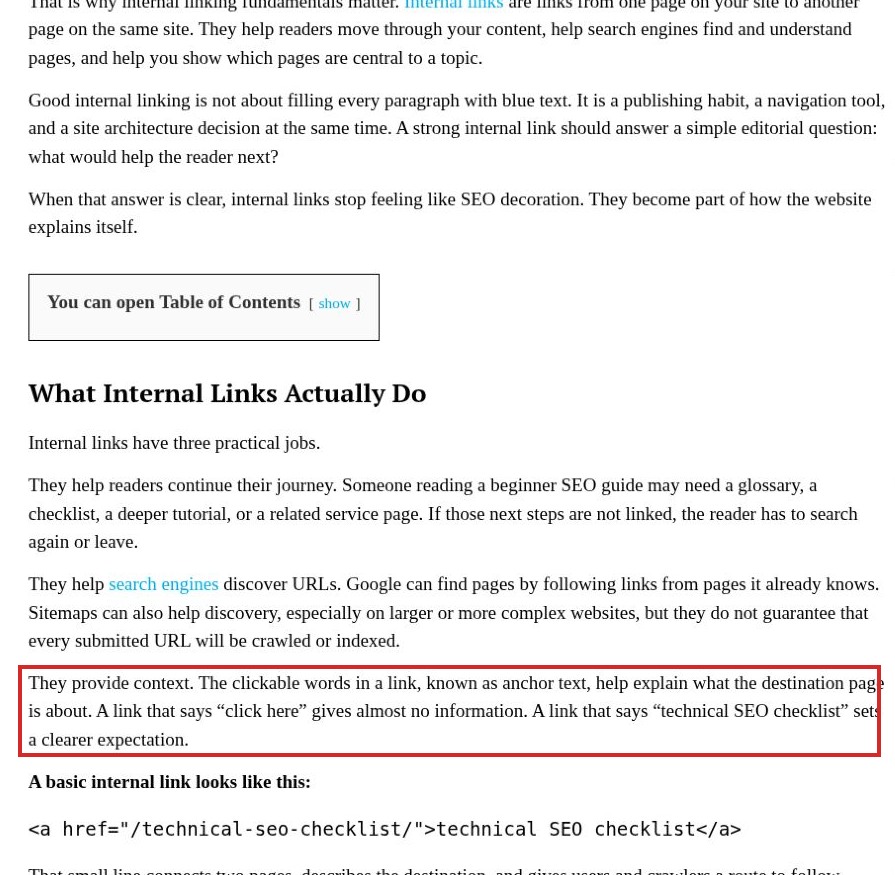
Draft the anchor after inspecting the destination. Describe what the reader will find using words that fit the sentence. “Compare monthly and annual billing” is more useful than “learn more” when the destination actually makes that comparison.
Avoid upgrading the promise to make the link sound attractive. “Checklist” implies something readers can work through. “Template” implies a reusable structure. “Download” implies an accessible file or clearly identified download process. A general article may not fulfill any of those promises.
Google’s link guidance recommends descriptive, reasonably concise anchor text and context that helps readers understand the linked page. It also warns against forcing keywords into anchors. Apply that principle by reading the sentence aloud: if it sounds like a search query inserted into ordinary prose, rewrite it.
| Weak or misleading anchor | More useful wording | Condition |
|---|---|---|
| Click here | Explain canonical URLs | The destination explains the concept |
| Free audit template | Build an internal-link inventory | The page provides instructions but no downloadable template |
| Best SEO guide | Check category navigation | The relevant section addresses that task |
| SEO software | Compare crawler export options | The comparison includes the exports readers need |
These are suggested rewrites, not measured results. Check them against your actual pages before adopting them.
4. Put the Link Where the Need Appears
Place a prerequisite explanation before a difficult step. Put a comparison beside the choice it helps resolve. Offer a troubleshooting link where the failure is discussed. A link at the end of an article can be useful, but it may arrive too late for someone stuck halfway through.
Do not break a complete instruction into several compulsory clicks. If a short clarification lets the reader finish the current task, include that clarification in the article. Use a link for optional depth or a separate task that deserves its own treatment.
Observed example: useful context with a wider scope
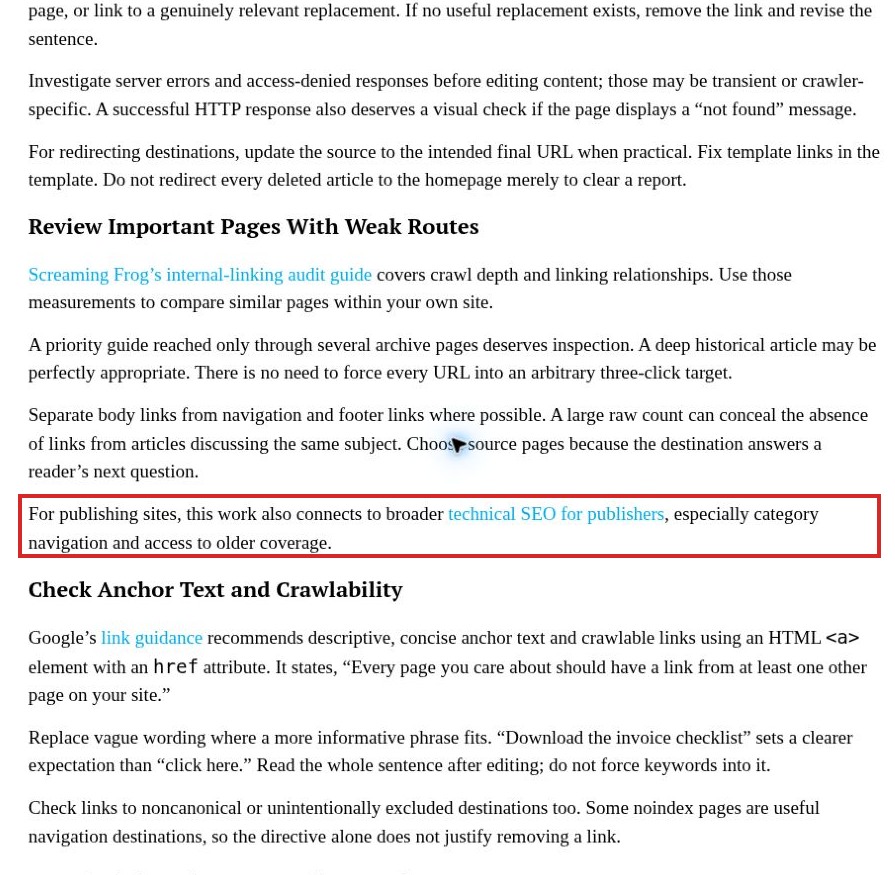
Later in the audit article, the anchor “technical SEO for publishers” appears in a sentence about category navigation and access to older coverage. The destination covers site architecture alongside other technical topics. It provides wider context; it is not a focused replacement for the audit instructions.
If you are reviewing navigation across a publication, the technical SEO guide for publishers is a relevant continuation. If you only need to rewrite one anchor, stay with the immediate editing task. This distinction helps prevent a useful background link from becoming an unnecessary detour.
5. Check Reader Task Internal Links Against Five Acceptance Criteria
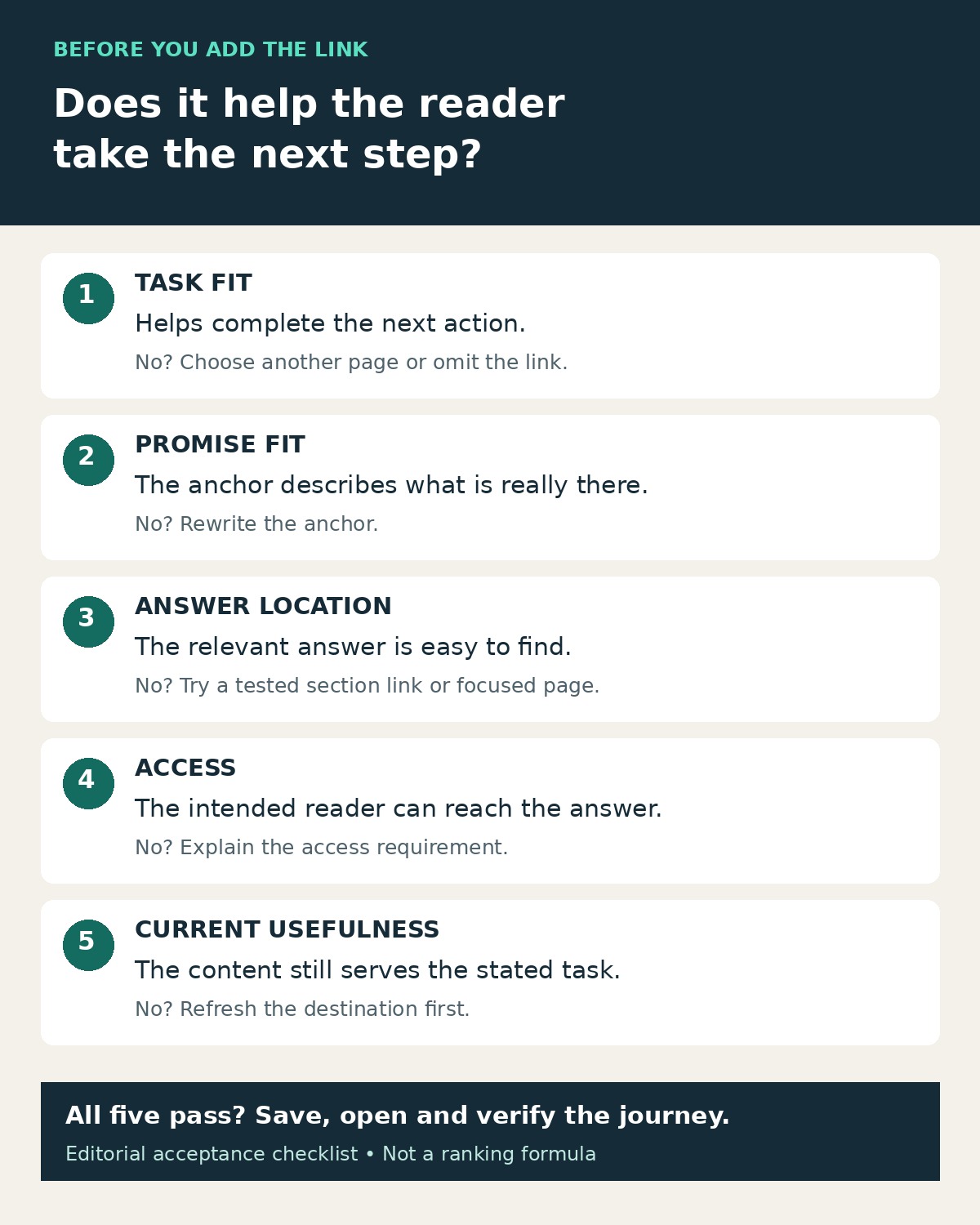
Use a short acceptance test before approving the link. Record a reason for the decision rather than awarding a score that hides a serious failure.
| Criterion | Pass condition | If it fails |
|---|---|---|
| Task fit | The destination helps complete the next action | Choose a different page or omit the link |
| Promise fit | The anchor accurately describes the content or asset | Rewrite the anchor without exaggerating |
| Answer location | The relevant answer can be found without a new site search | Use a tested section link or a more focused page |
| Access | The intended audience can reach the answer | Explain the sign-in, subscription or download requirement |
| Current usefulness | The instructions and examples still serve the stated task | Refresh the destination before recommending it |
Approve a link only when all five conditions are satisfied for its intended use. “Needs revision” is an acceptable outcome. For example, a good destination with a misleading anchor needs a wording change, not a new article.
A category hub illustrates why context matters. Editorialge’s Digital Marketing hub offers a selection of coverage. It suits a reader who wants to explore the subject. It would not fulfill a promise to open a particular spreadsheet. That is a difference in purpose, not a verdict on the quality of category pages.
6. Handle Missing, Restricted and Duplicate Destinations
If no page meets the need, leave the phrase unlinked and record the content gap. A weak link does not become useful because an editor has a target number to meet. Google does not specify a magical ideal number of links for a page.
If a destination redirects, inspect the final page. A working redirect can still lead somewhere that no longer matches the sentence. If the old guide now lands on a broad service page, change the source wording or find a suitable replacement.
For restricted resources, make the requirement visible before the click. Do not call a gated download “available here” if readers must first request access and wait. Where the main article can supply the essential information, provide it there.
When two destinations answer the same question for the same audience, pause the link decision and check whether one should be the maintained reference. That is an editorial consolidation question. Similar titles alone do not prove duplication or search cannibalization.
Commercial destinations need the same task test. An explanatory paragraph should not send a reader to a sales inquiry form unless that next step is clearly signposted and relevant. Ownership does not make a service page a substitute for an answer.
7. Verify the Saved Journey and Keep a Change Record
After saving, use the preview to open the link from the source sentence. Check the final destination, visible answer and any access barrier. For a section link, confirm that it lands near the promised material rather than at the page top or an unrelated heading.
Check the saved HTML or rendered link as well. Google generally needs an anchor element with an href attribute to crawl a link. A colored phrase that does nothing is not a working route. Review how the sentence wraps on mobile, and ensure that the link can be identified and activated with a keyboard.
Keep one change-log row per edited journey: source, section, anchor, final destination, task, relevant answer location, access requirement, decision, reviewer and verification date. Record an unperformed check as pending rather than assuming it passed.
If you later measure clicks, define the denominator and what success means. Opening a destination is different from completing the task. More clicks could reflect a helpful link or an unclear source article. Compare similar periods and note other changes; this small editorial check cannot establish a ranking or conversion effect.
Make Every Link Earn Its Place
Reader task internal links work as an editing discipline when each destination has a clear reason to be there. Start with one important article, name the next action at each proposed link, and verify the answer on the receiving page. Keep the routes that help, repair misleading promises, and leave gaps visible until you have something useful to offer.
Frequently Asked Questions
No. Link when a reader has a useful reason to continue to that page. A passing mention may need no explanation, while a difficult step may deserve a specific guide.
Can a category page be the right destination?
Yes, for exploration or browsing related coverage. Use a focused article, tool or resource when the anchor promises a specific answer or action.
Should anchor text exactly match the destination title?
It can, but it does not have to. Accurate, readable wording that fits the sentence is more useful than inserting a long headline mechanically.
Can automated suggestions choose the links?
They can produce candidates. An editor still needs to inspect the source context, destination and access conditions. Shared keywords do not establish that the destination answers the reader’s next question.
How often should you recheck an internal link?
Recheck when either page changes, a resource moves, access requirements change or readers report a problem. Add important journeys to your normal content-review schedule; there is no universal interval that fits every site.