
Review management software for multi-location small businesses should help each branch respond responsibly while giving the owner a clear view of the whole operation. GatherUp offers an accessible location-based starting point; Birdeye suits businesses needing broader central oversight; LocalClarity combines review work with listing management. ReviewTrackers, NiceJob, BrightLocal, Reviewshake, SocialPilot Reviews, Podium and Reputation address different combinations of feedback, communication and governance.
The difficult part is not collecting another dashboard full of stars. It is knowing which branch owns a complaint, who may publish a response, whether a request should be sent and what happens when a location manager leaves. A three-branch service company needs those answers just as much as a large franchise does, although it may not need an enterprise contract.
What We Checked
Author observations for this draft on November 22, 2026: the research operator reviewed official pricing, product and help material and exercised three public-page controls. No business profiles were connected, customer lists uploaded, review requests sent or public responses posted.
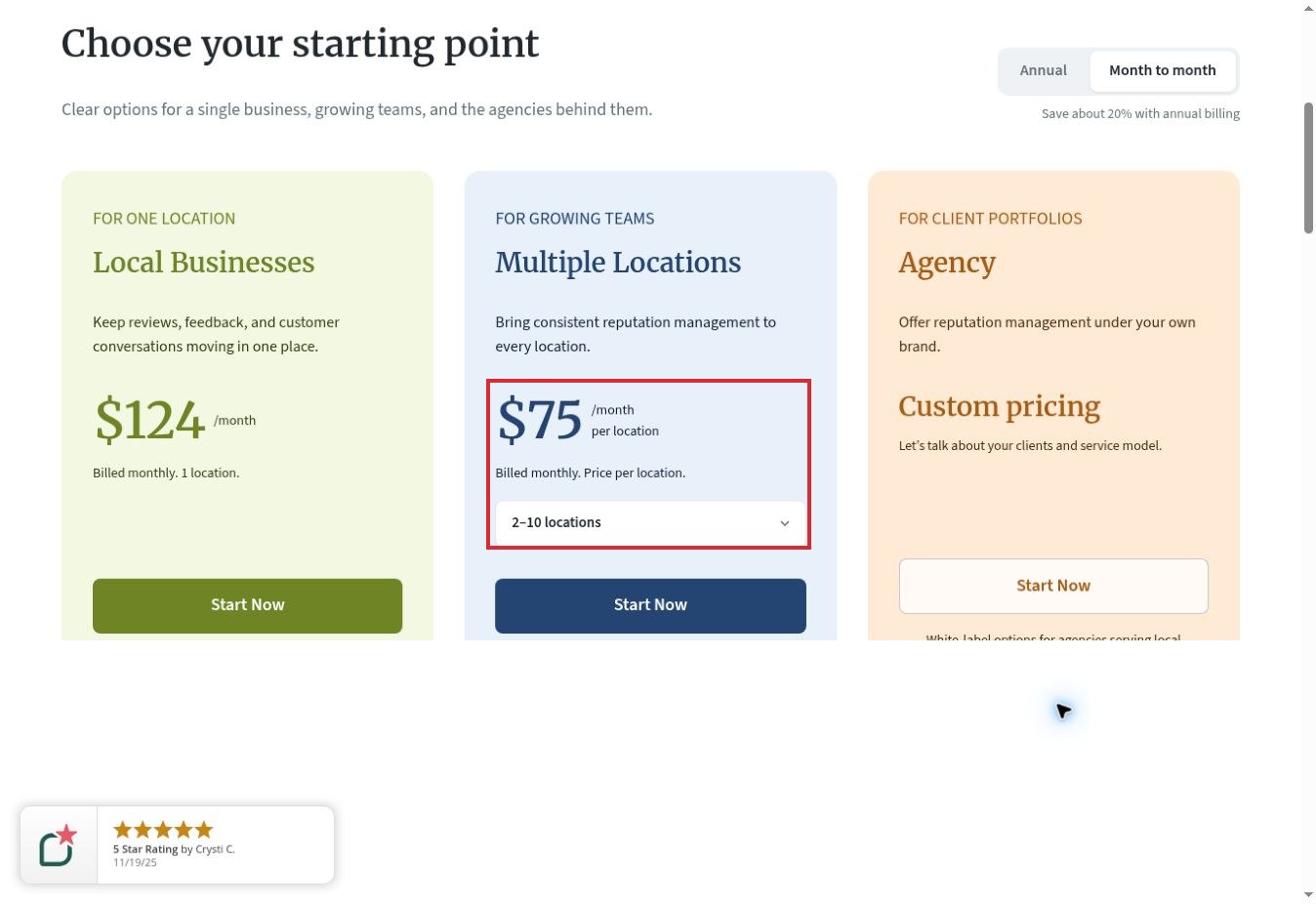
- GatherUp: changing Annual to Month to month changed the displayed 2–10-location rate from $60 to $75 per location per month.
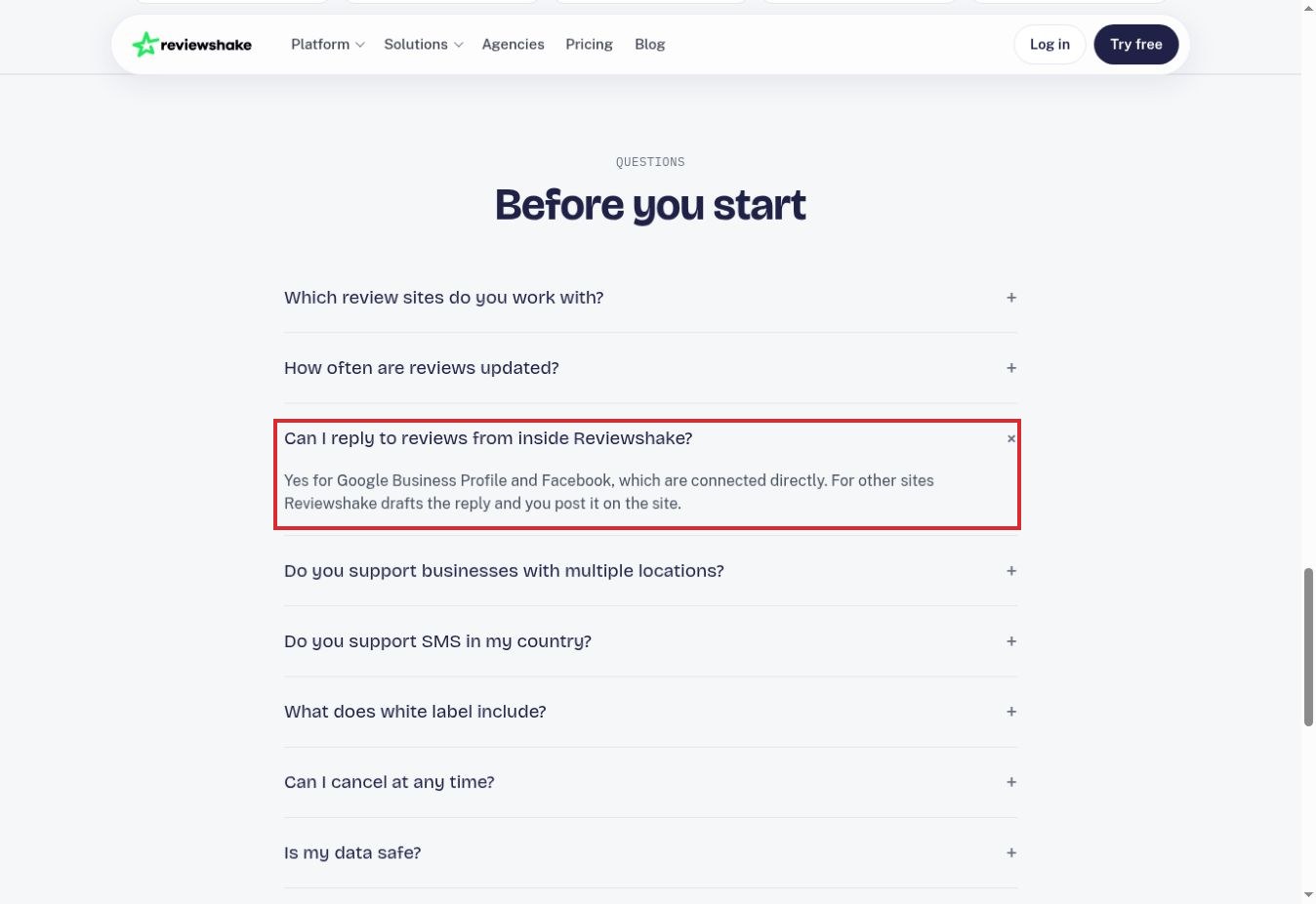
- Reviewshake: expanding its response FAQ distinguished direct replies on Google Business Profile and Facebook from replies that must be posted on other source sites.
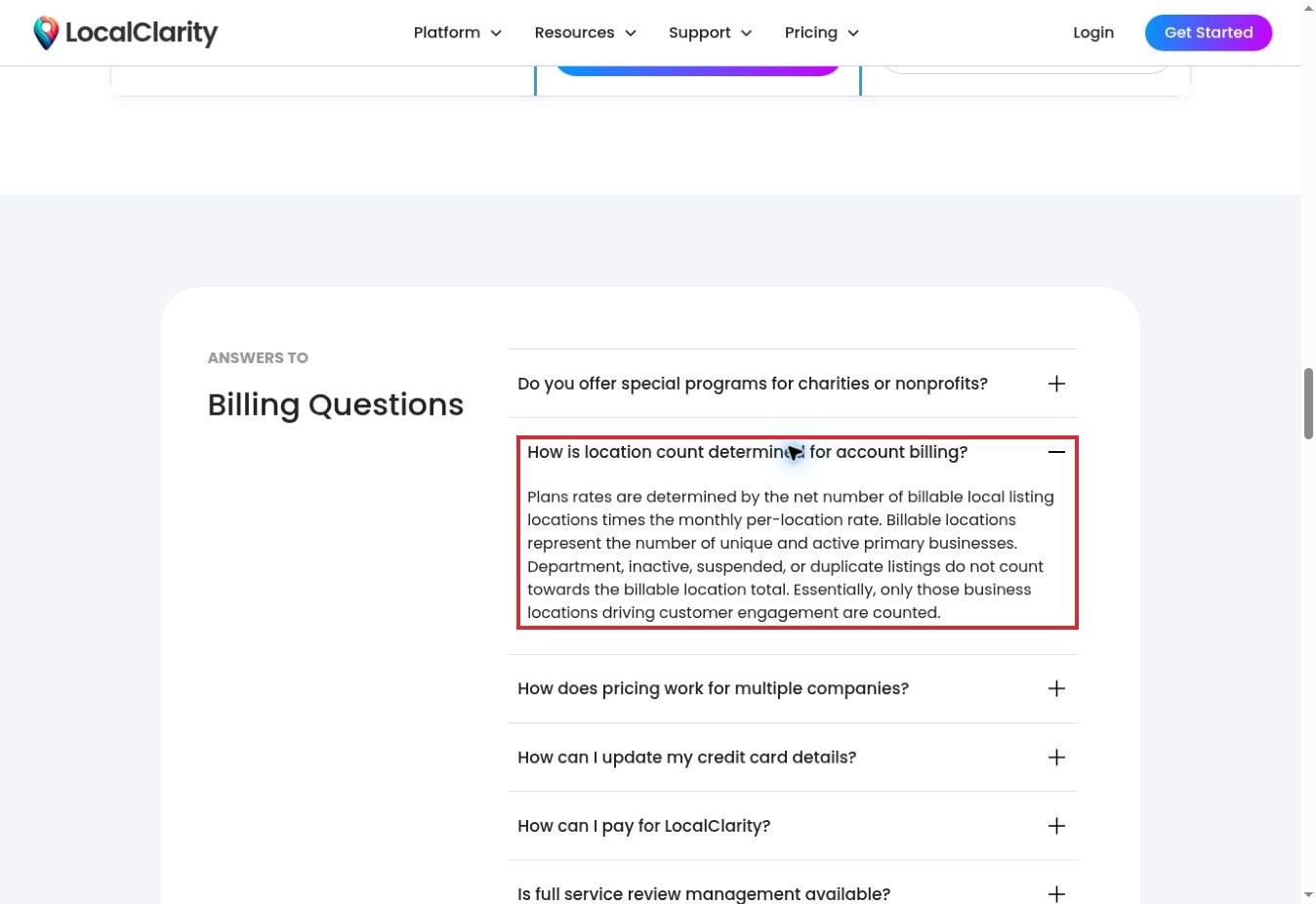
- LocalClarity: expanding its billing FAQ clarified that unique active primary businesses determine billable locations, with specified exclusions.
We also inspected Reputation’s published response walkthrough. Its linked interactive player redirected to sign-in, so we did not complete the interactive demo. Permission controls below are documented capabilities or proposed demo checks, not independently verified account-isolation results. Prices are US-dollar public displays checked on the research date; contractual quotes and regional messaging charges may differ.
Review Management Software: Comparison at a Glance
| Software | Best-fit need | Pricing checkpoint | Main decision to verify |
|---|---|---|---|
| GatherUp | Consistent review and feedback work across a small chain | 2–10 locations: $75/location/month monthly; $60 annual equivalent | Separate listings and review-defense options |
| Birdeye | Central oversight with location-level access | Custom by products, locations and contract | Future-location access and module scope |
| LocalClarity | Review management alongside local listings | $16/location/month; $12 annual equivalent | What counts as a billable location |
| ReviewTrackers | Review monitoring and experience analysis | Location-based quote | Starter versus analytics and add-ons |
| NiceJob | Service businesses automating post-job requests | Starter $95/month; multi-location quote required | Franchise contract and local campaign controls |
| BrightLocal | Reviews within a wider local SEO workflow | Grow includes reputation functions; location-sensitive pricing | Monitoring versus direct response support |
| Reviewshake | Smaller operators comparing explicit location costs | Starter $29/month; extra business locations $30/month | User limits, SMS coverage and reply destinations |
| SocialPilot Reviews | A small multi-location team on a modest starting budget | Pro $30/month or $25.50 annual equivalent; three locations | Additional locations and messaging credits |
| Podium | Reviews tied to an existing customer communication workflow | Sales quote; scope and fees need confirmation | Whether the wider bundle is necessary |
| Reputation | A growing chain needing formal response approval | Obtain a written scope and quote | Implementation effort and approval-role configuration |
How These Ten Products Were Selected
We looked for active products with documented review management and a credible way to handle multiple locations. Selection considered location structure, response workflow, team access, reporting and the clarity of the buying process. The numbers organize the shortlist; they are not a numerical ranking of service quality or return on investment.
A smaller business should begin with the narrowest workflow that solves its problem. A central inbox and branch-level reporting may be enough. More extensive approval controls or customer communication tools can justify a broader platform, but only if the team will use them.
We did not include Grade.us as an additional independent buying option: its current pricing page routes trial and quote actions toward GatherUp while retaining other Grade.us material. That transition deserves clarification from the provider before treating the two as separate procurement choices. No company was added because it might buy a sponsored placement.
1. GatherUp — Best for a Repeatable Small-Chain Review Process
GatherUp is a useful first comparison for a business that wants review requests, feedback and response work organized consistently across branches. Its current offering brings review monitoring, requests, AI-assisted replies and reporting together, while its help material documents user roles with different permissions.
The billing interaction produced a concrete buying distinction. With 2–10 locations selected, the page showed $60 per location per month on annual billing. Switching to month-to-month changed that to $75. For three locations, that implies $225 monthly on the monthly option, or a $180 monthly equivalent under the displayed annual rate, before additions and tax.
That calculation is illustrative, not a vendor quote. Listings Management and Review Defense are separate options, so neither should be silently included in a review-management budget.
GatherUp fits a small chain that wants a clear, repeatable process. In a demo, ask a branch user to find only their location’s work and show exactly who can send requests, publish responses and access billing. We reviewed documentation, not those live permissions.
2. Birdeye — Best for Central Oversight With Local Responsibility
Birdeye becomes relevant when the owner wants a broader central system but still needs local managers to take responsibility. Its user-management documentation distinguishes enterprise-level users from users assigned to selected locations. That is a meaningful distinction for a growing chain where not every employee should see every branch.
One detail deserves special attention: the documented user-creation workflow defaults to all locations, and enterprise access can extend to future locations. Administrators can change that behavior. A business should therefore review scope deliberately rather than assume that adding a branch manager creates a narrowly restricted account.
Birdeye describes pricing as custom, determined by selected products, location count and contract structure. Avoid using an old internet starting price as a procurement budget. Ask for a line-by-line quote showing reviews, listings, messaging, implementation and any additional capabilities.
Shortlist Birdeye when the broader oversight problem warrants it. For a two-location business that only needs occasional review responses, compare the administrative and contractual effort with simpler alternatives. Documentation establishes the access model; a supervised demo must establish how it behaves in your proposed setup.
3. LocalClarity — Best for Reviews and Listings in One Operating Routine
LocalClarity is worth considering when review work and business-listing maintenance belong to the same person. Its current pricing table includes a review inbox, reporting, listing workflows and custom user-role capabilities. This combination can be useful for an owner who needs to correct opening hours and then handle customer feedback without maintaining separate reporting routines.
The public page displayed Professional at $16 per location monthly, or $12 per month billed yearly. Those are per-location rates, not a flat price for an unlimited chain.
Our expanded billing FAQ check clarified the denominator: billable locations represent unique active primary businesses. The text excludes department, inactive, suspended and duplicate listings from that count. Confirm your actual inventory against those definitions before calculating the subscription.
LocalClarity’s relatively low displayed unit price makes it worth a closer trial, but price alone does not establish fit. Check which review sources permit direct responses, how location access is restricted and whether request-generation needs require another service. We did not connect a business profile or test those account operations.
4. ReviewTrackers — Best for Monitoring and Experience Analysis
ReviewTrackers is a stronger candidate when management wants to understand recurring customer-experience themes as well as answer individual reviews. Its current plan structure separates core reputation-management functions from more extensive experience and competitor analysis.
The Starter description includes alerts, dashboards, review and feedback requests, response tools and unlimited users. Essential adds experience analysis and competitor insights. Listings management, local search rank, managed services and white labeling appear as additional options rather than assumptions about the base package.
The pricing page describes location-based pricing, but our retrieved page did not expose a dependable numerical starting amount. Treat it as a quote-based purchase. A blank dollar field is not evidence of a free plan, and third-party historical prices should not fill that gap.
For a small chain, the decisive demo question is whether the reporting changes an operating decision. Ask to isolate repeated complaints at one branch, compare them with another and assign responsibility. Unlimited users does not automatically mean every user has the right scope; verify branch permissions separately before rollout.
5. NiceJob — Best for Post-Service Review Requests
NiceJob is particularly relevant to service businesses whose review process begins after a completed job. Its documented integrations and request campaigns connect reputation work to an existing service or customer workflow. That can be more practical than expecting a busy manager to remember every follow-up manually.
The current public pricing page lists Starter at $95 per month and Pro at $135. Starter includes review requests and social-proof features; Pro adds functions including AI replies and other customer campaigns. These headline prices are not a verified quote for all branches of a franchise.
NiceJob explicitly serves multi-location operations, but those arrangements can have specific pricing and contractual terms. Ask for the number of locations, local manager access, brand controls and campaign ownership in writing.
Choose it when the completed-job trigger is central to the workflow. Check that integrations identify the correct branch and respect suppression or opt-out records. Do not turn staff targets or automation into pressure on customers to leave a particular rating or mention an employee by name.
6. BrightLocal — Best When Reviews Are Part of Local SEO Work
BrightLocal fits an owner or marketing partner who is already managing local visibility and wants review work alongside it. Its Grow plan includes reputation functions beyond the listing and tracking capabilities described in lower tiers. The location selector changes the buying context, so a single-location price should not be multiplied casually without checking the actual plan calculation.
Its Review Inbox documentation describes a combined feed across managed locations, filters, status tracking and CSV export. Direct responses are available for connected Google Business Profile and Facebook reviews; other sites use a link back to the original review source.
That difference matters operationally. A review can appear in one dashboard while the response still requires another login. Ask the provider to demonstrate the review sources your customers actually use, not merely a large supported-source count.
BrightLocal is a practical shortlist choice when local SEO and reviews share a budget and an operator. It is less obviously the right choice when the principal requirement is a formal, multi-stage response approval process. Verify that requirement rather than assuming every review platform includes it.
7. Reviewshake — Best for Comparing Explicit Location and User Costs
Reviewshake provides a useful pricing comparison for smaller operators because the page distinguishes locations, users, client accounts and message allowances. Starter is listed at $29 monthly for one location and one user; Growth and Ultimate increase included users and capabilities. Additional business locations are listed at $30 per month.
For example, a three-location Starter calculation would be $89 monthly before other charges: $29 plus two $30 additions. But that arithmetic does not establish enough user access for three managers. Location count and user count must be checked together.
Our expanded FAQ check confirmed that direct in-platform replies cover Google Business Profile and Facebook. For other sources, Reviewshake drafts the response and the operator posts it on the source site. SMS is available in the US and selected other countries, so regional delivery should be confirmed before buying.
Reviewshake is worth a trial for a small chain or its agency. Verify the permission model and review-request flow with fictional data. A private feedback option must not become a mechanism that selectively invites only satisfied customers to public review sites.
8. SocialPilot Reviews — Best for a Modest Multi-Location Starting Budget
SocialPilot Reviews offers a clearly differentiated entry point: its free Starter plan covers one brand and one location, while Pro includes three locations, team and client management, and a larger email allowance. The product should not be confused with SocialPilot’s separate social-media scheduling plans.
The current page displays Pro at $30 monthly or a $25.50 monthly equivalent billed annually. It lists 5,000 email credits per month, with additional locations at $10 per location monthly. The page also describes paid extra email-credit bundles and an optional automatic replenishment mechanism.
This makes it a reasonable candidate for a small operator that wants to start with a few branches. It also creates a budgeting question: what happens when credits run out, and who is allowed to enable extra purchases?
Before adoption, confirm messaging-channel charges and regional availability, particularly where SMS uses a separate integration. Ask a local manager to demonstrate the exact actions permitted in their account. Unlimited user access is useful, but it does not by itself prove location isolation or an approval workflow.
9. Podium — Best When Reviews Belong in the Customer Communication System
Podium is most relevant when the business already needs a broader customer communication workflow. Its current site brings review requests together with an inbox, phones, website chat and other customer-facing functions. A business may value that connection when review follow-up naturally follows a service conversation.
The public pricing page we retrieved directed buyers toward sales for a plan suited to their needs. We therefore do not reproduce third-party dollar figures as verified current prices. Ask for location coverage, message allowances, carrier-related fees, integrations and any AI add-ons to be itemized.
The main small-business question is scope. If review management is the only missing capability, a larger communication bundle may create more expense and setup than necessary. If separate messaging and review tools are already causing duplicate work, consolidation may be worth evaluating.
In the demo, trace one fictional completed transaction to the correct branch’s review request and response responsibility. Do not connect production contacts until the consent and suppression process is understood. We did not test Podium’s live routing or send any messages.
10. Reputation — Best for Growing Chains Needing Formal Approval
Reputation is a conditional shortlist choice for a smaller business that has developed more complex governance needs. Its published review walkthrough includes response status, pending approvals, templates and AI-assisted drafting. Help documentation distinguishes users who submit a response for approval from those authorized to publish it.
That is useful when a local manager should draft an answer but a central team must approve sensitive complaints. It is not a reason for every two-branch business to buy a more extensive platform. Obtain a quote and an implementation scope that match the actual size of the operation.
We read the public walkthrough and attempted to open its linked interactive tutorial. The player redirected to sign-in, so we did not complete the demo or verify permissions in an account. The workflow description remains documentation-based.
Consider Reputation when approval and accountability are real operating requirements. Ask the vendor to show a draft awaiting approval, a rejected response, a corrected version and the final audit trail in a sandbox. Do not accept an attractive dashboard as proof that those controls are configured correctly.
Run a Three-Location Demo Before Signing
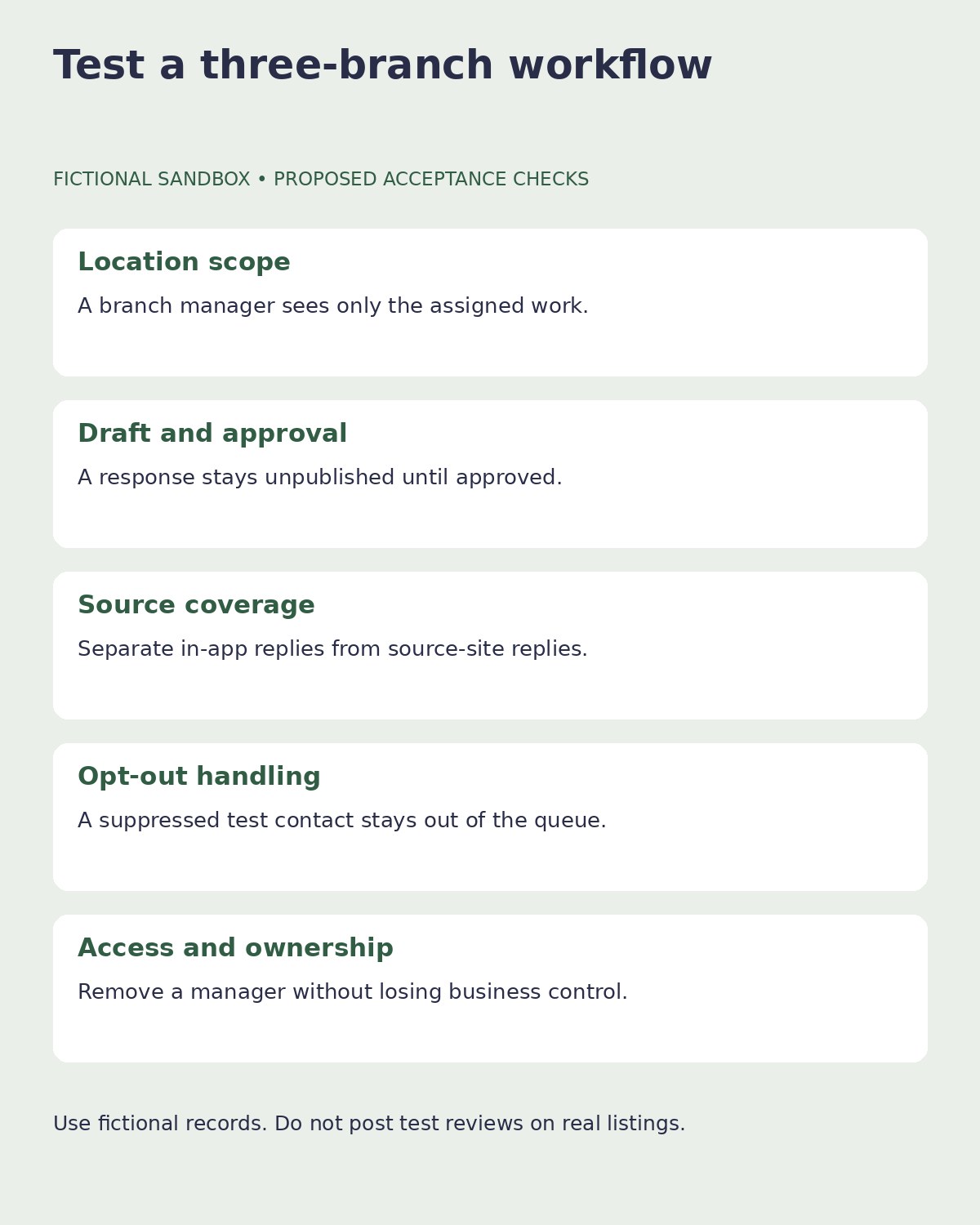
Give shortlisted providers the same fictional setup: North Branch, Central Branch and South Branch; one owner, three local managers and one central reviewer. Use a positive comment, a neutral question and a complaint about a delayed appointment. These are private test fixtures, never reviews to publish on a real listing.
| Demo check | What a useful demonstration should show |
|---|---|
| Location scope | North’s manager cannot view or act on South’s restricted work |
| Response approval | A draft stays unpublished until the authorized reviewer approves |
| Source coverage | Direct reply versus a link to the original review site is explicit |
| Request suppression | A fictional opted-out contact is excluded from the send queue |
| Departure | Removing a manager’s access does not remove business ownership |
| Reporting | The owner can compare branches without losing the source context |
Record the plan, date and exact result for each check. If the vendor uses a prerecorded demonstration, label it accordingly. A walkthrough is evidence of the presented workflow; it is not proof that your own account has the same permissions or integration entitlements.
Consent, Permissions and Honest Review Requests
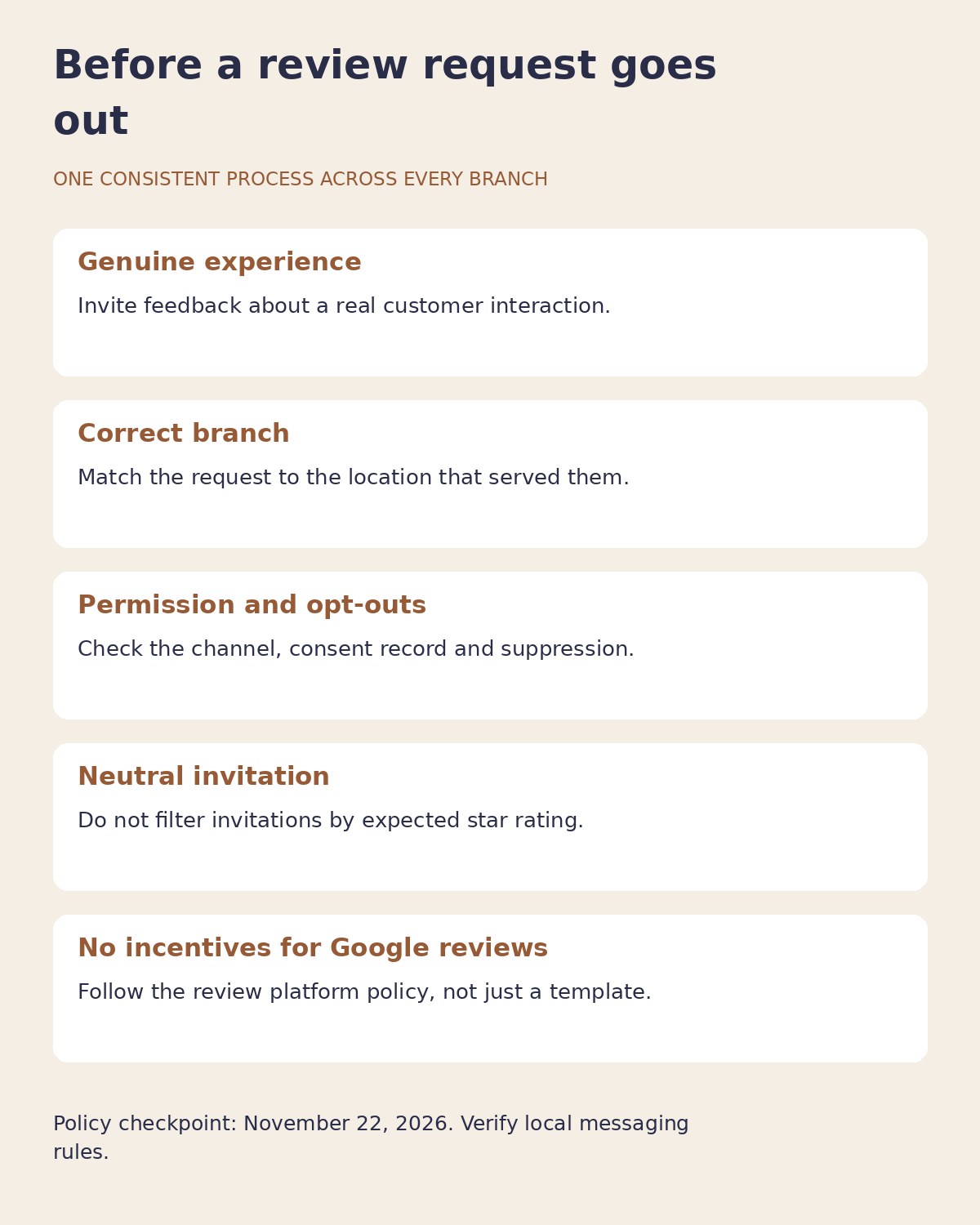
A customer contact record is not a blanket instruction to send every kind of message. Before enabling campaigns, establish where the contact came from, what communication is permitted, how opt-outs are retained and whether the correct location is identified. Messaging requirements vary by jurisdiction and channel; have the responsible person check the applicable rules and provider terms.
Keep private service recovery separate from eligibility to leave a public review. Google’s review policy prohibits incentives for reviews and selective solicitation of positive reviews. It also prohibits pressuring customers on premises and requesting particular review content. A configurable funnel or staff leaderboard does not override those restrictions.
For US businesses, the FTC’s review-rule guidance explains that incentives cannot be conditioned on a particular sentiment. Google applies a stricter no-incentive rule for its reviews. Do not assume a practice allowed under one framework is allowed on every review platform. This comparison does not certify a vendor or campaign as legally compliant.
AI can draft a response, but a responsible person should check names, branch details, promises and private information. A courteous answer that reveals a customer’s appointment or account details can create a new problem. Keep the public reply focused and use an approved private channel for individual case resolution.
Calculate the Real Cost Across Branches
Build the budget from the location count, required users, message volume, implementation, integrations and reporting needs. Separate annual commitments from monthly payment schedules: paying an annual plan in installments does not necessarily make it month-to-month.
Ask what happens when a branch closes, moves or is temporarily suspended. Confirm data export, contract renewal and who owns the underlying business profiles. Your company should retain appropriate ownership even if an agency operates the software.
Reviews are one part of local visibility. Our guide to local SEO tactics for small businesses covers the wider operating context. Before automating campaigns, also check the Google Business Profile fields owners often overlook, so customers are directed to accurate branch information.
Frequently Asked Questions
Which product should a three-location business try first?
GatherUp, LocalClarity and SocialPilot Reviews are sensible starting comparisons when their documented workflows fit the business. Reviewshake offers another explicit location-cost model. The right choice depends on user access, review sources and message needs, not the lowest headline amount alone.
Can these tools remove negative reviews?
They cannot guarantee removal of a legitimate negative review. A provider may help identify or report content that appears to violate a platform’s policies, but the platform controls its moderation decision. Service recovery and an accurate response remain separate responsibilities.
Does monitoring a review site mean replies work inside the software?
No. Reviewshake and BrightLocal explicitly distinguish direct responses on connected Google and Facebook profiles from workflows that send the operator to other source sites. Verify your important sources individually.
Were customer campaigns or permissions tested?
No customer campaigns were run and no live account permissions were changed. This draft includes three public-page interactions, official documentation and a proposed sandbox demo protocol. The interactive Reputation player required sign-in and was not completed.
Choose Accountability Before Automation
The best review management software for multi-location small businesses gives each branch a clear responsibility while preserving central oversight. Start with the review sources you need, demonstrate location access and approval, then calculate the full recurring cost. Automate only after the request rules and ownership are clear. A smaller system that your team uses responsibly is more valuable than an extensive platform whose controls nobody has checked.