
Digital apprenticeship learning platforms help UK employers and their training partners organize learning plans, workplace evidence and progress reviews. OneFile, Aptem Apprentice and Bud are useful starting points for structured delivery; Ecordia and QualsDirect offer portfolio-focused alternatives. The right choice depends on who delivers the training, which UK nation applies and what your managers need to see.
This comparison covers software used to support apprenticeship learning. It does not rank apprenticeship training providers or promise a qualification with a software subscription. An employer buying training may use its provider’s existing platform rather than purchase a separate system.
What We Checked
Official product, package and pricing information was reviewed. The shortlist requires a current apprenticeship or work-based learning workflow and documented UK relevance. General course marketplaces were excluded because a large course catalog alone does not establish apprenticeship delivery support.
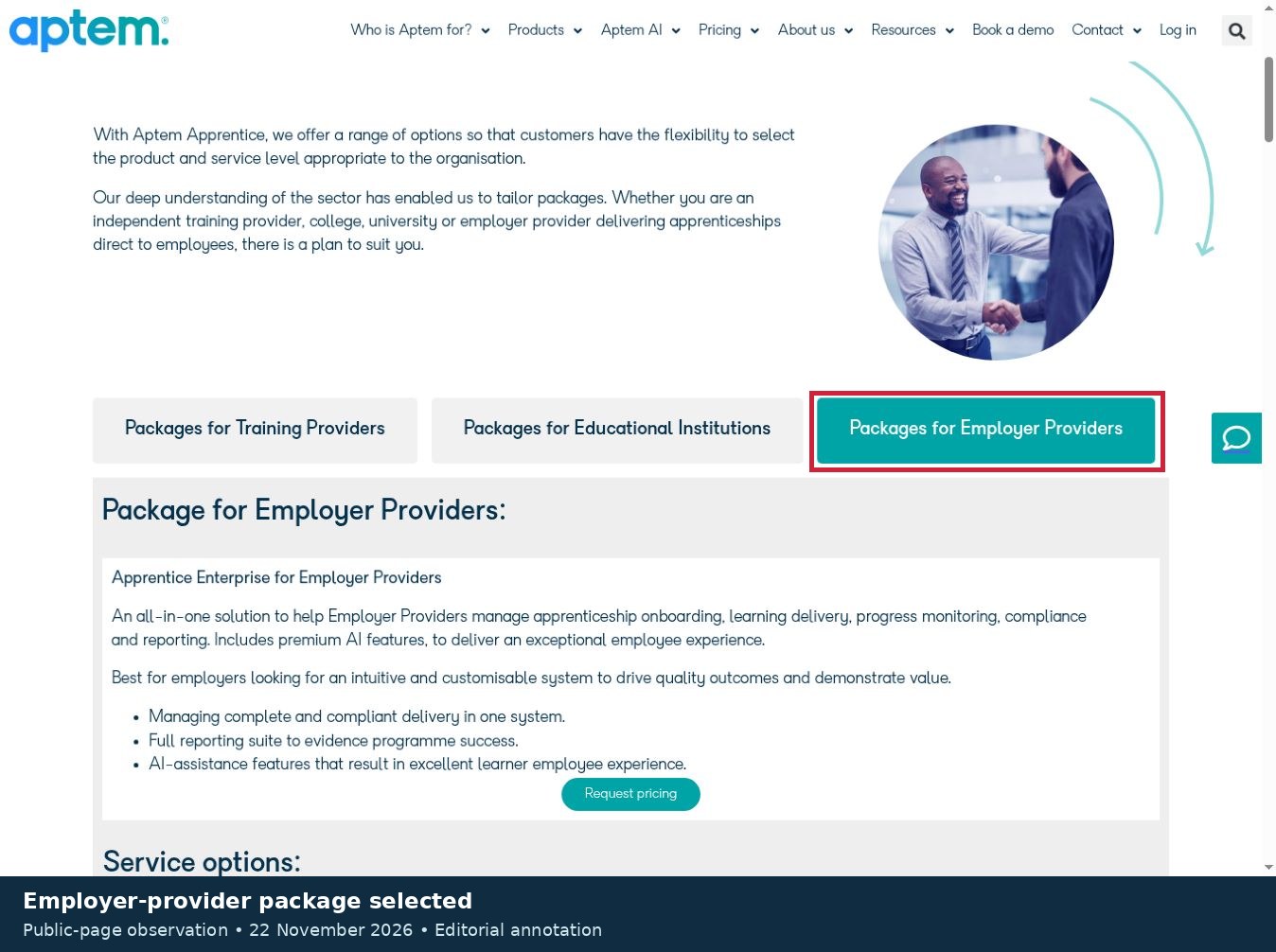
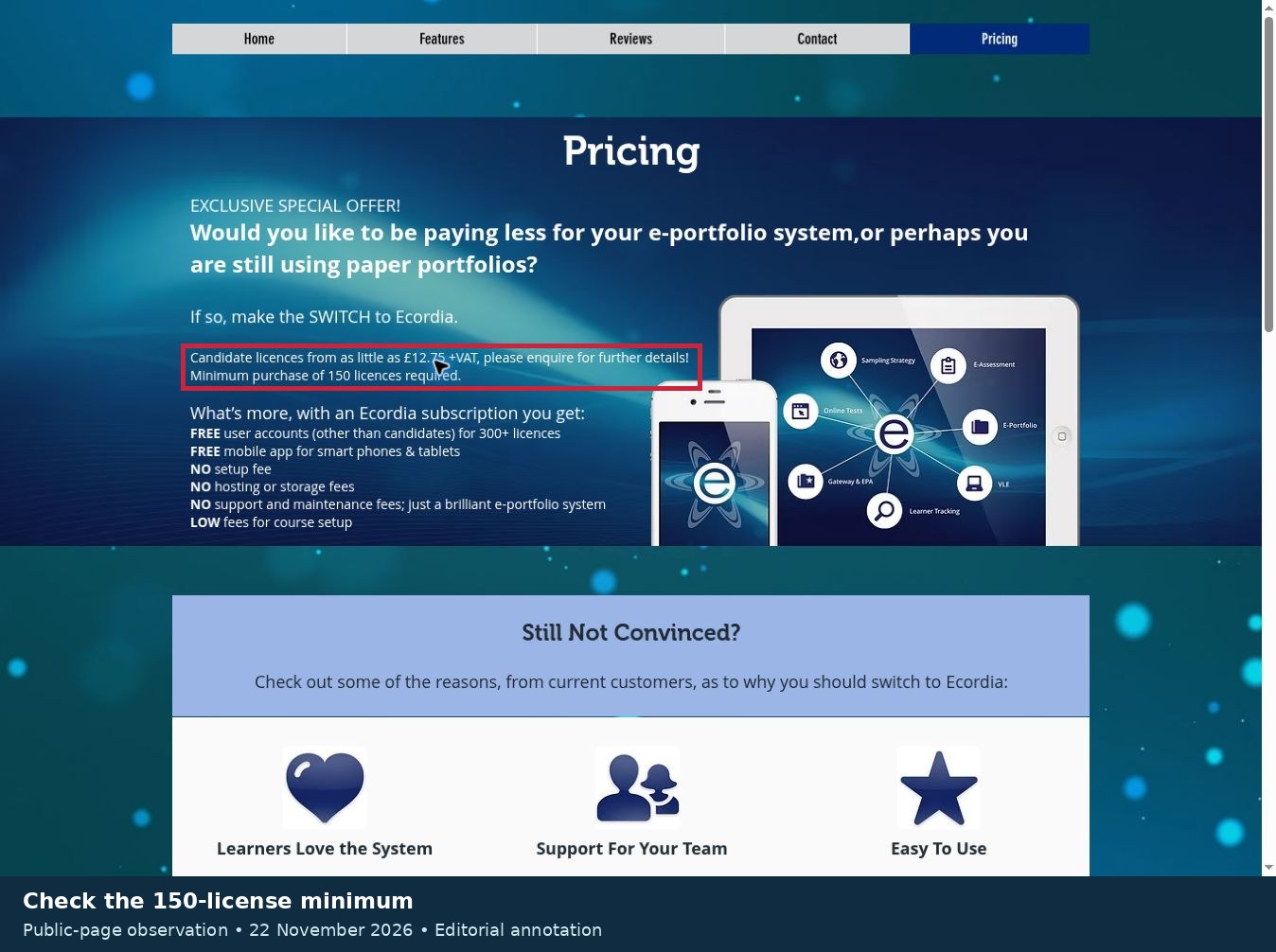
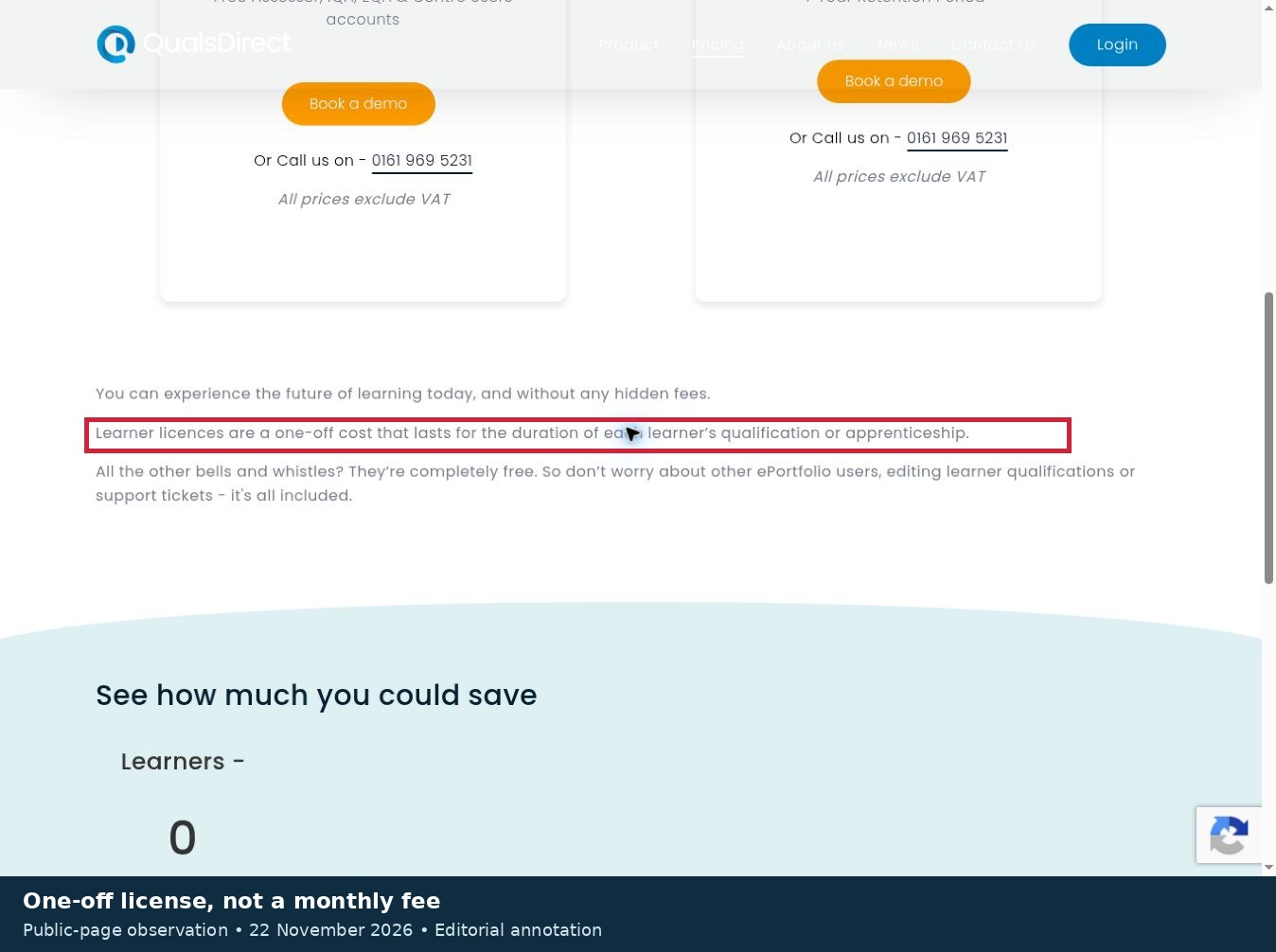
Three public-page checks examined Aptem’s employer-provider package selector, Ecordia’s minimum-license conditions and QualsDirect’s setup and learner-license terms. The annotated captures show those pages, not logged-in product tests. No learner accounts, submissions, integrations or accessibility journeys were tested. Recommendations below are editorial judgments about documented fit, not measured rankings or learning-outcome scores.
Start With Your Role and UK Nation
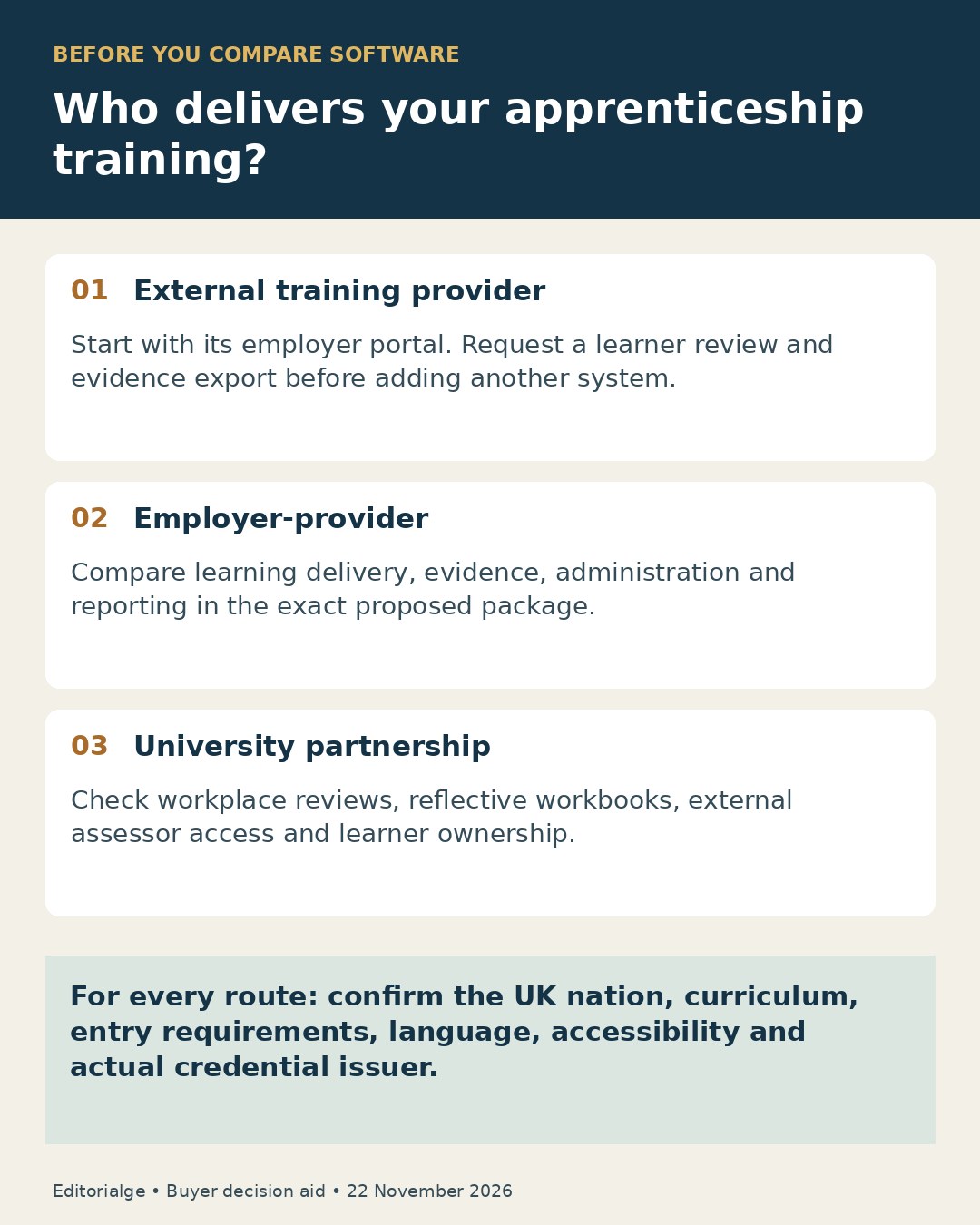
If you employ apprentices through a college or independent provider, ask to see the employer view in that provider’s system. If your organization delivers apprenticeship training itself, compare content delivery, assessment records, reporting and implementation effort together.
According to GOV.UK’s employer guidance, the England process differs from the routes in Scotland, Wales and Northern Ireland. An English Individualized Learner Record (ILR) feature does not establish support for every nation’s funding and curriculum arrangements. Confirm your program and starting cohort with the provider.
For a broader technology introduction, see how to choose a learning management system. Apprenticeship buying adds workplace evidence and employer-provider collaboration to that general selection process.
Digital Apprenticeship Learning Platforms at a Glance
Prices below were checked on November 22, 2026. They describe software charges, not tuition, assessment fees or total apprenticeship costs. “Quote required” means no numeric current fee was verified on the reviewed product or pricing page. Numbering is for navigation.
| Platform | Best-fit starting point | Documented learning workflow | Pricing or boundary |
|---|---|---|---|
| 1. OneFile ePortfolio | Evidence-centered delivery | Learning plans, reviews and competency mapping | Standard, Pro and Enterprise; quote required |
| 2. Aptem Apprentice | Employer-providers seeking an integrated system | Onboarding, learning delivery and progress reporting | Employer-provider Enterprise package; quote required |
| 3. Bud | Provider-led digital delivery | Virtual learning environment and ePortfolio | Enrollment fee plus monthly learner charge; quote required |
| 4. OneAdvanced ePortfolio | Teams evaluating Smart Assessor alongside other systems | Evidence capture, progress and employer reporting | Confirm standalone versus suite scope; quote required |
| 5. Rubitek Progress | Planned-versus-completed learning oversight | Individual learning plans and KSB coverage | Quote required |
| 6. Ecordia | Portfolio assessment and review meetings | Evidence, online meetings and EPA showcase | From £12.75 + VAT per candidate license; minimum 150 |
| 7. QualsDirect | Buyers wanting a published license basis | Tasks, evidence mapping and progress reporting | £300 setup including 10 learners; £30 additional learner license, excluding VAT |
| 8. PebblePad | University-linked workplace learning | Reflective workbooks and competency evidence | Institutional quote required |
| 9. Tribal Maytas | Work-based learning operations | ePortfolio, employer engagement and learning records | Maytas 6 scope and price require a quote. |
| 10. Learning Assistant | Assessment centers wanting employer reports | Review forms, evidence and scheduled reports | Learner subscriptions: quote required |
1. OneFile ePortfolio: For Connecting Evidence to Learning Plans
OneFile’s documented workflow connects learning plans, reviews and assessment evidence. Learners can submit files such as images, documents and videos, while assessors map evidence to relevant competencies. Its employer-facing materials make it a relevant candidate for workplace training rather than simply a general course library.
The reason to shortlist it is the relationship between assigned activity and evidence of progress. For example, ask a demonstrator to show how a workplace observation becomes evidence against a specific requirement and then how an employer sees the next action. OneFile also describes offline collection through its app with later synchronization.
The limitation is package scope. Its plans distinguish Standard, Pro and Enterprise, with capabilities such as API access and single sign-on appearing in higher-level offerings. Confirm the actual entitlement and synchronization behavior before relying on either.
Pricing checked November 22, 2026: the reviewed plans page requires a tailored price; no numeric GBP fee was verified. Ask which learner seats can be reassigned and how completed learners are retained.
2. Aptem Apprentice: For Employers Delivering Training Themselves
Aptem explicitly offers an employer-provider version of Apprentice. Its documentation covers recruitment and enrollment, configurable reviews, learning delivery, progress tracking and reporting. It also describes mapping learning to knowledge, skills and behaviors, commonly shortened to KSBs.
This makes it worth investigating when an internal apprenticeship team wants one system across several stages of delivery. The useful buying question is whether your learning plans, existing content and reporting structure fit the proposed configuration.
The public package selector revealed an important distinction: the employer-provider tab displays Apprentice Enterprise, while the training-provider tab presents a different package comparison. Do not assume a feature or service level from one buyer category transfers to another. SCORM learning and integrations should be specified in the written proposal.
Pricing checked November 22, 2026: per-user pricing is described, but a quote is required. Gold and Platinum service options appear in the employer-provider view. Implementation, migration and support entitlements need separate confirmation.
3. Bud: For Provider-Led Learning and Portfolio Delivery
Bud combines a virtual learning environment with an ePortfolio. Its official FAQ describes building learning programs and recording the learner journey toward end-point assessment. That combination matters when learning resources and evidence would otherwise sit in separate systems.
It is a useful candidate for training organizations delivering apprenticeships to several employers. An employer reviewing a provider’s Bud setup should ask to follow one apprentice from assigned work to feedback and a progress discussion. Seeing that sequence is more informative than looking only at an aggregate completion dashboard.
The published description does not establish how your particular program will be configured or how every employer role will be permissioned. Ask which activities count as completed, who can change a record and what happens when a learner pauses training.
Pricing checked November 22, 2026: Bud describes a learner enrollment charge plus a monthly per-learner charge, with volume pricing. No current numeric GBP amount was verified. Model the full expected duration rather than comparing only the initial fee.
4. OneAdvanced ePortfolio: For Smart Assessor and Connected Administration
OneAdvanced’s current ePortfolio product page identifies Smart Assessor and describes evidence collection, progress monitoring, off-the-job learning records and employer reporting. Its broader apprenticeship management offering brings together PICS, BKSb, and Smart Assessor.
That creates a useful evaluation route for organizations whose learning evidence, initial assessment and administration already depend on several systems. This article counts the connected offering once rather than treating each component as another independent recommendation.
Its employer reporting is a reason to shortlist it, but the purchasing boundary needs attention. A feature described for the combined suite may require more than the ePortfolio product alone. Ask for a demonstration using the exact licensed components and the manager permissions your organization would receive.
Pricing checked November 22, 2026: quote required; no numeric current GBP fee was verified on the reviewed pages. Request a component-by-component proposal, including data migration and support, before comparing it with a narrower portfolio subscription.
5. Rubitek Progress: For Seeing Gaps in a Learning Plan
Rubitek Progress describes individual learning plans that compare planned and completed learning, off-the-job activity and KSB coverage. Its calendar and progress views are relevant to teams trying to identify which activity needs attention next.
The reason to consider it is practical: a record that an apprentice uploaded a document does not necessarily show that the planned learning is complete. Ask the provider to demonstrate the connection between evidence, the learning plan and the remaining requirements.
Rubitek markets several products, including Apply, Assess and Progress. They are not three interchangeable learning platforms, and this entry concerns Progress. Confirm which additional products or integrations are needed for your onboarding and reporting workflow.
Pricing checked November 22, 2026: quote required; no numeric GBP price was verified in the reviewed Progress material. Employer access, content migration, retention and the precise program configuration remain questions for a product demonstration, not capabilities established by this desk review.
6. Ecordia: For Portfolio Reviews and Assessment Evidence
Ecordia describes an ePortfolio with assessment planning, online meetings and an evidence showcase for end-point assessment. Its meeting workflow can involve the candidate, staff and workplace manager, with recordings available for the portfolio.
This is a relevant option where review conversations and supporting evidence need to remain connected. Before buying, ask how consent for recordings is handled and whether reviewers can inspect only the evidence appropriate to their role. A recorded meeting alone does not establish that a competency has been achieved.
Pricing checked November 22, 2026: the public offer starts at £12.75 plus VAT per candidate license, with a minimum purchase of 150. The page does not clearly establish the license period, so this is not presented as a monthly or annual rate. Free non-candidate accounts are stated for purchases of 300 or more licenses, a different threshold.
Those conditions make the headline price insufficient for a small-cohort comparison. Request the duration, course-setup fees and offer validity in writing.
7. QualsDirect: For a Clearly Stated Learner-License Model
QualsDirect documents task management, learner and assessor evidence uploads, mapping against assessment criteria and progress reporting. Its UK pricing page specifically includes apprenticeships, making it a relevant portfolio candidate for providers and employer training teams.
The strongest reason to investigate it is a more explicit public charging basis. Pricing checked November 22, 2026: setup costs £300 and includes the first 10 learners. Additional learner licenses are £30 each, excluding VAT. The page explains that a license is a one-off charge for the duration of the learner’s qualification or apprenticeship.
Monthly billing therefore should not be misread as £30 per learner every month. For an illustrative new cohort of 50 learners requiring one license each, the published arithmetic is £300 + (40 × £30) = £1,500 excluding VAT. This is a calculation, not a received quote.
Confirm how additional qualifications, withdrawals and employer access affect the agreement. The public rate does not establish the complete cost of delivering training or obtaining a credential.
8. PebblePad: For University-Linked Workplace Learning
PebblePad is relevant where learners develop reflective workbooks and competency evidence alongside academic study. Its June 2025 account of Scottish university practice describes graduate apprenticeship work at Strathclyde, including progress reviews involving learners, workplace learning staff and employers.
That documented use is a stronger reason for inclusion than generic claims about online learning. It suggests a useful starting point for university-employer partnerships that want learners to explain and evidence their development. The account is vendor-reported practice, not an independently observed outcome.
PebblePad’s accessibility statement specifies WCAG 2.2 AA for core journeys in Pebble+ and PebblePocket. Treat that stated scope carefully: it does not establish that every institution-created workbook, uploaded document or assessment journey is accessible.
Pricing checked November 22, 2026: an institutional quote is required; no current numeric GBP fee was verified on the reviewed pages. Ask the university which external reviewer accounts are included and what evidence learners can retain after leaving.
9. Tribal Maytas: For Work-Based Learning Operations
Tribal positions Maytas for UK work-based learning, including employer-providers. Its current Maytas 6 material combines learning administration with ePortfolio functions, employer engagement, off-the-job learning records and ILR-related processes.
It is worth shortlisting when the operational record and the learning record need to work together. An employer-provider may need to reconcile a learner’s status with their learning activity, while an ordinary employer may mainly need the provider’s progress view.
The main caveat is configuration. A broad management-system description does not establish which modules, employer views and integrations are included in a particular contract. Ask for the precise Maytas version, learner-facing interface and implementation scope in the proposal.
Pricing checked November 22, 2026: quote required; no numeric current GBP amount was verified on the reviewed product page. England-specific reporting functionality should not be treated as proof that a Scottish, Welsh or Northern Irish program is ready to use without further configuration.
10. Learning Assistant: For Assessment Centers and Employer Reports
City & Guilds’ Learning Assistant describes portfolio evidence, review forms, electronic signatures and scheduled employer reports. It also offers Learning Assistant Connect functions linked to City & Guilds administration services.
It belongs on the shortlist for centers that need an assessment-focused system and a repeatable employer reporting process. Its product page describes the portfolio as awarding-organization agnostic. Consequently, using Learning Assistant does not mean every qualification recorded in it is issued by City & Guilds.
A material limitation is that the page’s apprenticeship section is labeled for England and contains legacy policy terminology. Use it to identify software functions, then request current program-specific confirmation from the provider. Do not rely on an old percentage statement on a product page as today’s training rule.
Pricing checked November 22, 2026: learner subscriptions are described, but no numeric current GBP fee was verified. Confirm the subscription period, Connect scope, employer reporting and continued access after completion.
Use This Buyer and Learner Decision Matrix
The platforms above organize learning and evidence. The training provider’s actual offer determines the curriculum, entry requirements, teaching arrangements and credential. Use the following matrix before treating any product demonstration as a complete training proposal.
| Decision | Evidence to request | Acceptance check |
|---|---|---|
| Actual catalog | Named program, current version and available start dates | The provider offers the required occupation and level in the relevant nation |
| Prerequisites | Entry criteria and prior-learning assessment process | Requirements are confirmed for this learner, not inferred from the platform |
| Language | Teaching, assessment, interface and support language separately | English or Welsh requirements are covered in the written offer |
| Delivery | Workplace, live online, self-paced and in-person schedule | Managers can allocate the required time and supervision |
| Accessibility | Current statement plus a sample of the actual course content | The learner can complete essential tasks with required adjustments |
| Credential | Exact award title and responsible awarding or degree institution | A completion badge is distinguished from the intended qualification |
| Payment | GBP quote, VAT treatment, license basis and separate training costs | The full expected term and withdrawal conditions are accounted for |
| Evidence and exit | Sample review, permission map and export | The right people can inspect and retain the necessary records |
The review found English-language product information, but did not verify Welsh interfaces, Welsh assessment delivery or bilingual support across the shortlist. These are separate questions. A provider’s ability to upload Welsh documents does not by itself establish a Welsh learner journey.
Choose a Shortlist for Your Situation
If you already use an external training provider, start with its existing system and request an employer demonstration. Avoid introducing a second platform until you can identify a missing workflow and who will maintain both records.
If you deliver apprenticeships internally, start comparisons with Aptem, Bud or Maytas, then assess OneAdvanced where its connected components fit your administration. If your main gap is evidence collection and reviews, begin with OneFile, Ecordia or QualsDirect. For university-linked reflective learning, include PebblePad; for planned-versus-completed learning oversight, include Rubitek Progress. Learning Assistant merits a look where assessment-center processes and employer reports are central.
These starting points reflect documented workflows. They do not establish a cheapest option or a superior learner experience. Our LMS versus LXP guide can help if your team is still separating formal learning records from content discovery.
Request One Demonstration With Clear Pass Criteria
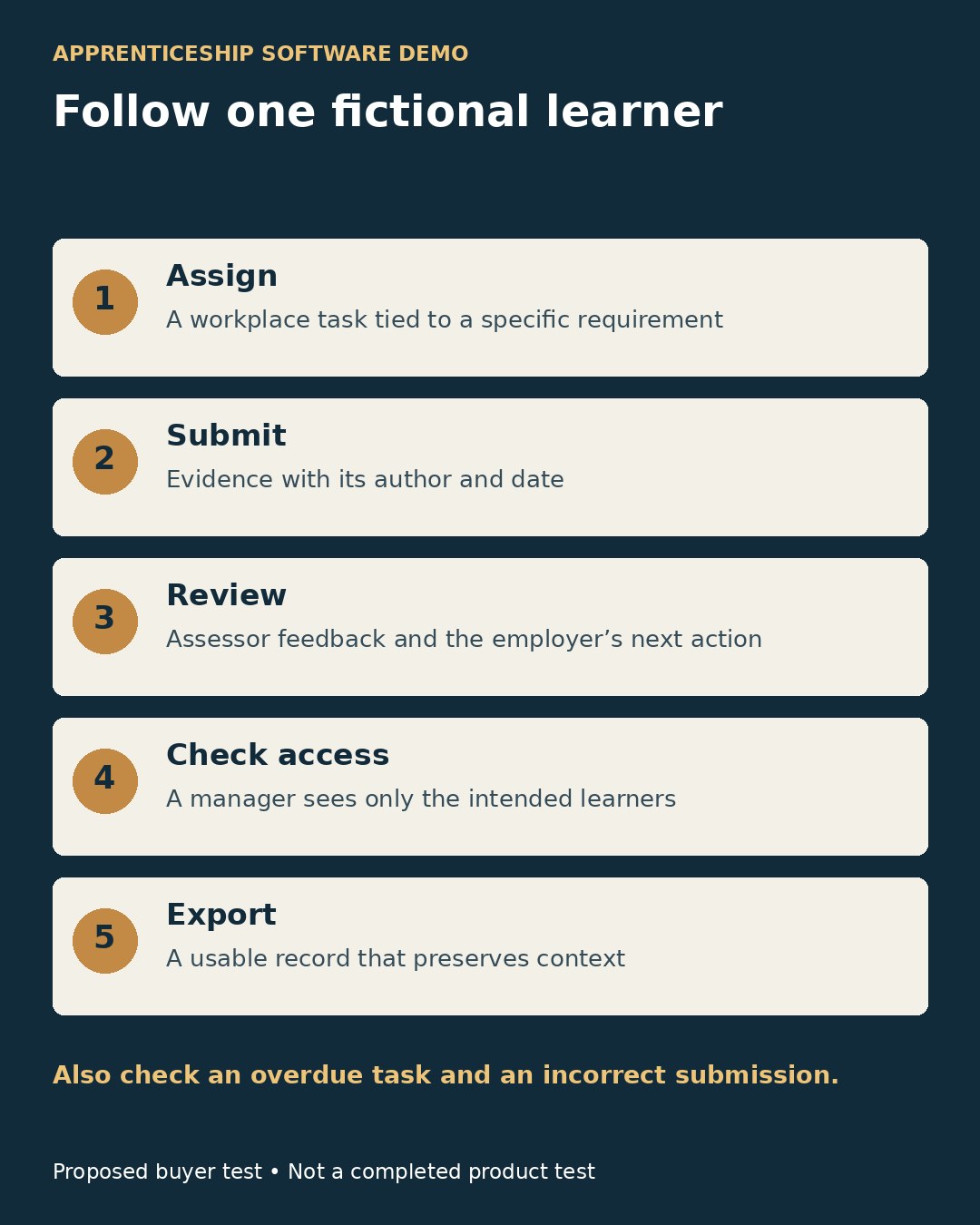
Give each shortlisted supplier the same fictional learner, program requirement and workplace task. Ask the demonstrator to assign an activity, submit evidence, add assessor feedback, record an employer review and export the result. This is a proposed buyer test; it was not performed for this article.
A useful demonstration should show who submitted each record, when it changed, what requirement it addresses and who can see it. Check an overdue activity and an incorrect submission as well as the successful path. Ask a manager to inspect only their own learners, and confirm what happens to access when that manager changes role.
Keep accessibility testing specific: keyboard navigation, readable feedback, captions for actual teaching videos and an accessible exported record. If apprentices under 18 will use the system, include the provider’s safeguarding, access and communication arrangements in the review.
Make the Training Decision Before the Software Decision
Choose digital apprenticeship learning platforms around the evidence and collaboration your program needs. Confirm the training provider, nation, curriculum and credential first, then compare the system that supports delivery. Employers in England can use the official apprenticeship training finder when the immediate need is a course and provider rather than software.
A clear learning plan, a usable employer view and an exportable evidence record are more useful buying outcomes than a long feature list. No platform subscription should be treated as a guarantee of completion, employment or career advancement.