
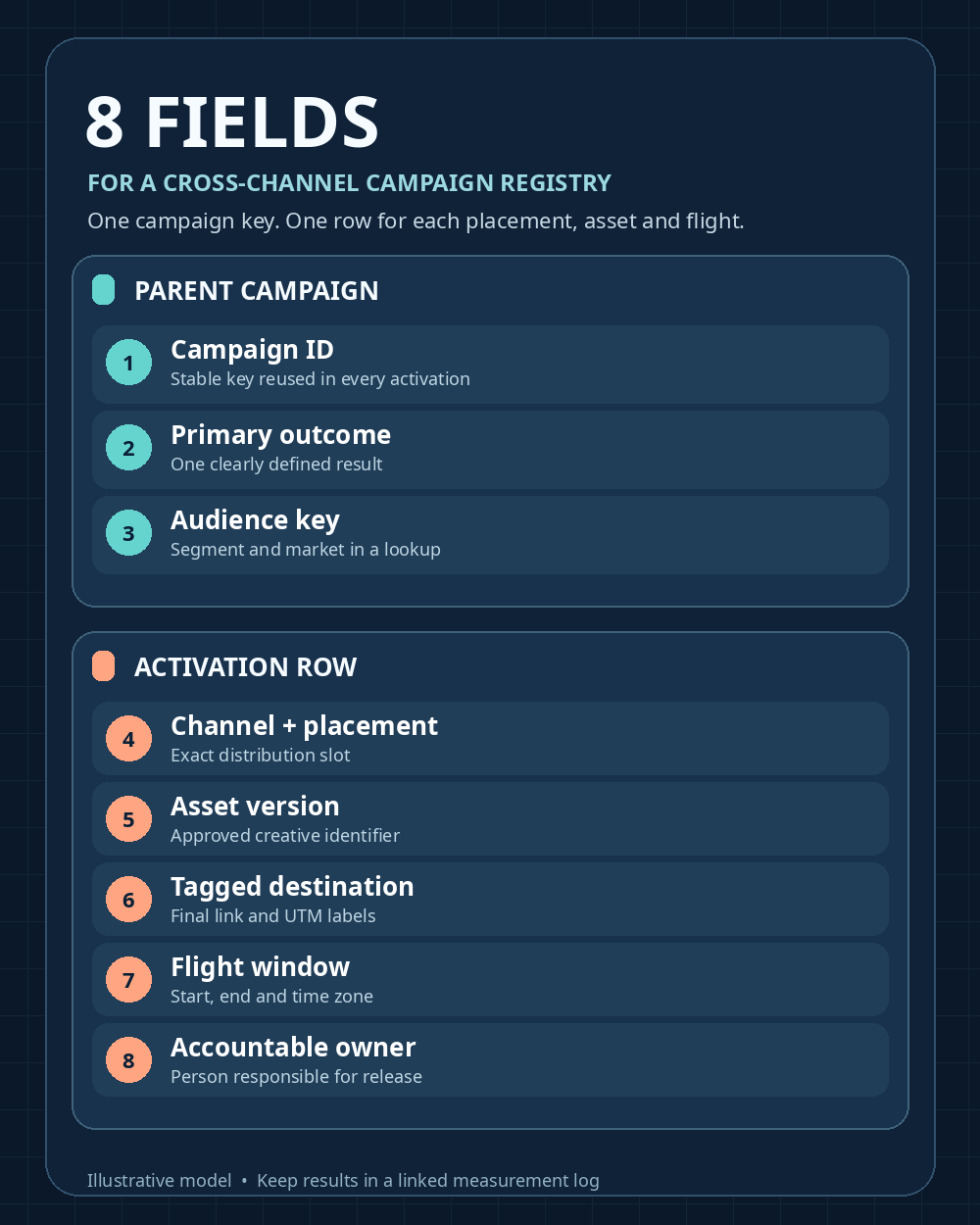
A cross-channel campaign registry gives every email, social post, ad, and partner placement a shared campaign identity and a traceable execution record. Start with eight fields: campaign ID, primary outcome, audience, channel and placement, asset version, tagged destination, flight window, and owner. Record one row per distinct placement, asset version, and flight. That lets your team answer a basic question later: which message went where, when, and under whose responsibility?
The registry is an operating record. Keep spend, reported results, and approval history in linked logs when you need them. HubSpot’s campaign setup guidance similarly treats goals, audience, owner, dates, and associated assets as campaign details. The eight-field layout below is a practical template, not a HubSpot product schema.
Cross-Channel Campaign Registry: Choose what one row represents
Use one parent campaign for the shared goal and one registry row for each activation: a particular asset in a particular placement over a particular flight window. An email hero link and a LinkedIn carousel can share a campaign ID while retaining different assets, URLs, dates, and owners.
The table summarizes the eight fields. In a spreadsheet, you can split paired values such as channel and placement, or start and end time, into separate columns to make validation easier.
| Field | Illustrative value | Question it answers |
|---|---|---|
| 1. Campaign ID | cmp_2027_004 | Which initiative does this belong to? |
| 2. Primary outcome | qualified_demo_request | What result is the campaign trying to produce? |
| 3. Audience key | us_small_business_ops | Who is meant to see it? |
| 4. Channel and placement | linkedin / organic_post | Where will the asset appear? |
| 5. Asset version | workflow_carousel_v2 | Which creative will run? |
| 6. Tagged destination | Final landing URL with approved UTMs | Where will a click go, and how is it labeled? |
| 7. Flight window | March 3–17, 2027, America/New_York | When is it scheduled? |
| 8. Accountable owner | social_editor | Who maintains this activation? |
1. Campaign ID: Give the initiative a durable key
Assign one ID when the initiative is approved and reuse it in every activation row. Keep its readable name in a lookup or campaign brief. Renaming “Spring Workflow Guide” to “Spring Operations Guide” should update the label without quietly creating a second campaign in your reports.
For manually tagged web links, the internal ID can populate utm_id. Google defines that parameter as a campaign identifier and utm_campaign as the campaign name. Decide how those values map to your own records before anyone builds links: an internal initiative may span several platform-specific ad campaigns, whose IDs mean something different.
2. Primary outcome: Define success before measuring activity
Choose one outcome someone can count consistently, such as a qualified demo request, newsletter signup, or completed event registration. Define it in the campaign brief. Which form counts? Are test and duplicate submissions excluded? A target may sit beside that definition, but a target is not an observed result.
Channels can report impressions, opens, clicks, and views using different rules. Those numbers help diagnose an activation, but they are not interchangeable measures of its business goal. A placement can attract attention while sending little qualified traffic. Keep the definitions and measurement windows attached to social media metrics that matter.
3. Audience key: Record whom each activation is meant to reach
Use a short key tied to a documented segment, such as us_small_business_ops. The segment definition can hold the market, buyer role, eligibility, and exclusions. Two placements under the same campaign may need different keys: a newsletter could reach existing subscribers while a paid post reaches new prospects.
Keep the registry at the segment level. Customer names and email addresses do not belong in campaign codes or public tracking URLs. If targeting changes during a flight, retain the effective date and a new segment version so that an audience change is not mistaken for a creative effect. Google’s Analytics guidance also cautions against sending personally identifiable information through collected data.
4. Channel and placement: Identify the actual slot
“Social” is too vague for a handoff. A controlled value such as linkedin / organic_post, email / newsletter_hero, or partner_site / article_cta names both the channel and the slot. An editor can then check what ran, while the next campaign can find the placement record.
Keep these terms in a shared dictionary. Your operating description does not have to match an analytics utm_medium value character for character; map the two deliberately. For example, two social placements might share an approved medium while retaining separate placement and creative identifiers. If a placement was planned but never confirmed live, leave its execution state unresolved.
5. Asset version: Make creative changes visible
Record the approved file or content version, such as workflow_carousel_v2, and connect that code to the asset repository or publishing record. A filename is weak evidence if someone can overwrite its contents. A changed headline, image, offer, or call to action needs a new version or a dated change entry.
This field helps explain differences between placements with the same campaign goal. If an email contains two links to the same landing page, give the links distinct variants. Where useful, utm_content can distinguish them; Google documents that parameter for separate creatives or links within one message.
6. Tagged destination: Save the link people will actually click
Store the approved landing page and final tagged URL. Alternatively, keep the base URL and parameters in validated columns that generate the final link. Before publishing, check the landing page, redirect, and final query string. The record should preserve what was deployed, rather than only what was proposed.
For manually tagged links, keep utm_campaign consistent across the initiative. Change utm_source and utm_medium to describe the sending source and channel, and use utm_content for a meaningful variant. Google recommends supplying source, medium, and campaign together and notes that parameter values are case-sensitive. A newsletter link forwarded into a private chat can still carry its newsletter tag; that matters when assessing dark social and missing attribution.
A placement without a clickable web link should say not_applicable and identify its relevant platform or coupon record. For integrated ad platforms, check auto-tagging before adding manual parameters. Google says auto-tagged values generally take precedence for source and medium, with specific fallback behavior when click identifiers cannot be used.
7. Flight window: Preserve the schedule and actual timing
Record start and end times with an unambiguous time zone, such as 2027-03-03 09:00 through 2027-03-17 18:00 in America/New_York. Keep the actual send or go-live time in an execution log if it differs from the plan. An activation launched three days late should not be analyzed as though it received the full planned exposure.
Dates become especially useful when channels launch in stages. A newsletter may go out on Tuesday, a social placement on Thursday, and a partner article the following week. Their traffic should be interpreted against their respective live windows.
8. Accountable owner: Give each row someone to contact
Name the person or role responsible for checking the final link, asset, placement, and updates. A role code with a maintained directory can remain useful when staff changes. The owner should be able to establish whether the activation is approved, live, paused, or replaced; retain those state changes in an approval or execution log.
This matters when an agency builds an ad, an editor prepares the landing page, and a partner publishes the link. Assigning an owner prevents each team from assuming another checked the redirect or approved the creative. Add a reviewer and approval timestamp when the campaign needs a formal release step.
A three-channel example
Suppose a fictional software company runs a “Spring Workflow Guide” campaign. Its parent record uses ID cmp_2027_004, primary outcome qualified_demo_request, and audience us_small_business_ops. It creates three activation rows:
| Placement | Asset version | Source / medium / content | Owner |
|---|---|---|---|
| Newsletter hero | email_hero_v1 | newsletter / email / hero_v1 | email_lead |
| LinkedIn post | workflow_carousel_v2 | linkedin / organic_social / carousel_v2 | social_editor |
| Partner article CTA | partner_cta_v1 | partner_example / referral / article_cta_v1 | partnerships_lead |
Each web link uses the same utm_id=cmp_2027_004 and utm_campaign=spring_workflow_guide. Its source, medium, and content values describe the particular activation. The illustrative LinkedIn link is: “https://example.com/workflow-guide?utm_id=cmp_2027_004&utm_source=linkedin&utm_medium=organic_social&utm_campaign=spring_workflow_guide&utm_content=carousel_v2”
Before launch, test that each final URL reaches the intended page and retains its parameters through redirects. After launch, bring analytics, platform, and CRM results into a separate measurement table keyed to the campaign and activation. Measuring content performance requires separating traffic, actions, and leads; the registry provides the context for reading those numbers.
Keep the registry small, but keep its history
Start with these eight fields and a controlled vocabulary. Add budget, currency, approval state, platform IDs, spend, results, and change history as linked columns or tables when needed. Assign someone to maintain the naming rules and check IDs, assets, links, and flight times before release. That turns a planning sheet into a record of what the team actually sent.