My three nephews boss their tablet around by voice, and when I’m not home, I can’t hear what they ask. Fastest fix: put every kid on a Family Link (Google) or Amazon Kids (Echo) profile, block purchases, and set a bedtime the device enforces.
Below is how to make a voice assistant safe for kids aged 5 to 12, with a controls chart and exact settings.
What Happens in My House When I’m Not in the Room
My nephews are 12, 9, and 5. All three would live on YouTube and tablet games if I let them. And all three use the voice assistant on their Android tablet—a lot.
When I’m home, I can hear them. A “Hey Google, play…” from the next room tells me what they’re after, and I can step in before a cartoon search drifts somewhere it shouldn’t.
When I’m out? Nobody’s listening. That gap has caused real problems for us, and it’s why I went through every setting Google and Amazon offer.
Here’s how voice plays out at each age:
- The 5-year-old: he can’t spell a search yet, so the mic button is his search bar. Whatever he can say, he can find.
- The 9-year-old: talking is faster than typing, so voice becomes the shortcut to game videos and tips.
- The 12-year-old: the risk shifts to chatty AI answers and videos made for older teens.
Bottom line: you can’t supervise by ear. To make a voice assistant safe for kids, you need settings that hold when you’re gone.
What Actually Goes Wrong When Kids Talk to Assistants
The truth is, most problems aren’t creepy. They’re boring, and they happen because the assistant treats a kid like any other adult.
In December 2021, a 10-year-old asked an Echo for “a challenge to do.” Alexa pulled the “penny challenge”, touch a coin to a half-plugged charger, off a web page, and dropped the page’s warning. Amazon patched it within days.
Before you make a voice assistant safe for kids, know what you’re blocking:
- Voice search: A spoken YouTube search is still a search. Kids reach whatever they can say out loud.
- Chatty AI: The new wave of smarter AI voice assistants, like Alexa+ and Gemini, holds real conversations. Some kids start treating it like a friend.
- Purchases: In 2017, a six-year-old talked an Echo into ordering a $170 dollhouse and four pounds of cookies.
- Calls and drop-ins: Drop In, Broadcast, and Intercom can open live audio into a bedroom.
- Recordings: Requests get sent to the cloud. More on that below.
Alexa vs. Google vs. Siri: Kid Controls Side by Side
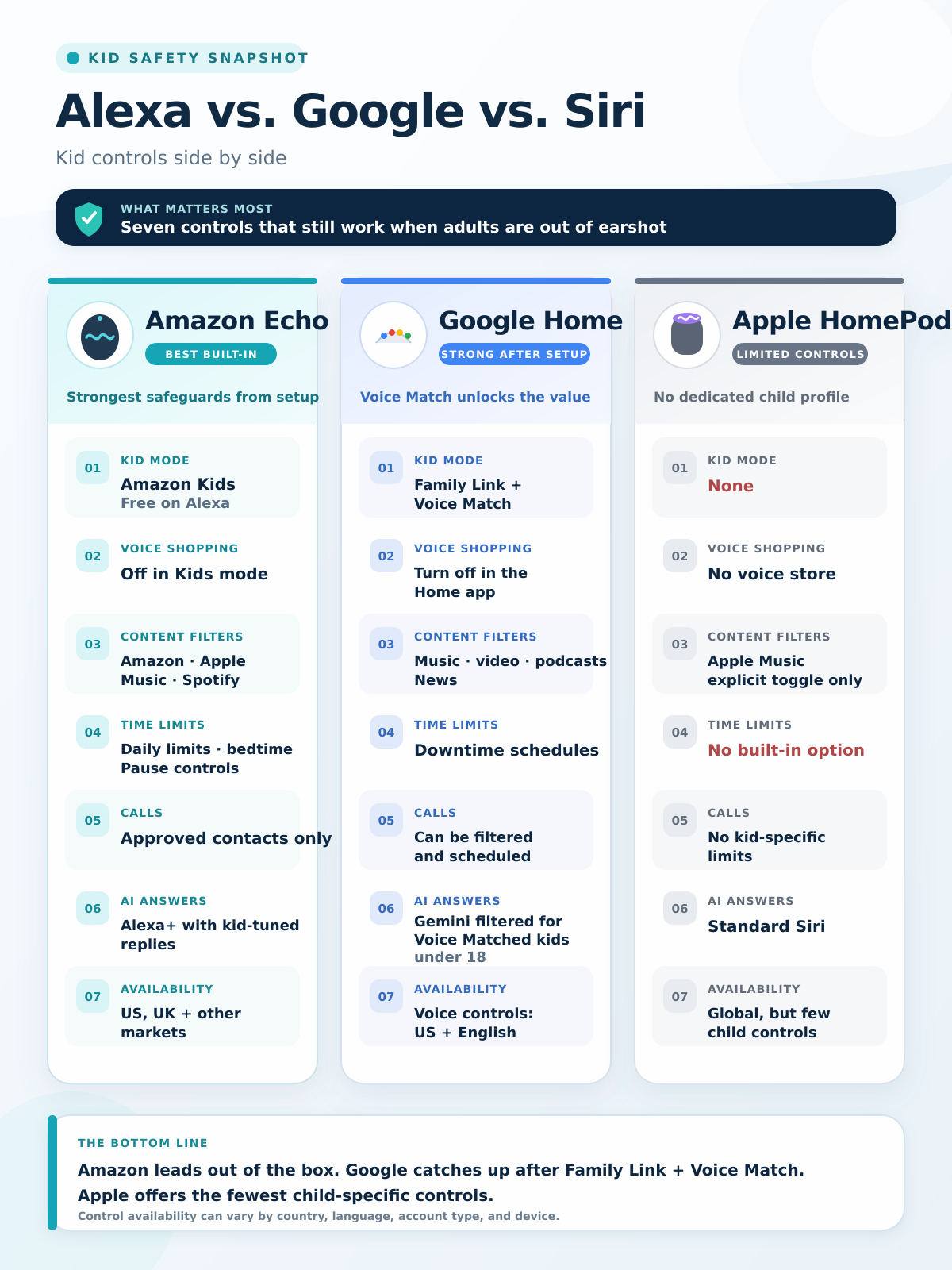
Not all three brands are equal. Not even close. To make a voice assistant safe for kids, Amazon gives you the most built-in tools, Google comes second, and Apple trails.
| Control | Amazon Echo | Google Nest / Home | Apple HomePod |
|---|---|---|---|
| Kid mode | Amazon Kids on Alexa (free) | Family Link account + Voice Match | None |
| Voice shopping | Off by default in Kids mode | Turn off in the Home app | No voice store |
| Explicit music filter | Amazon Music, Apple Music, Spotify | Music, video, podcasts, news | Apple Music toggle only |
| Bedtime / time limits | Daily limits, bedtime, pause | Downtime schedules | No built-in option |
| Calls | Approved contacts only | Can be filtered and scheduled | No kid-specific limits |
| AI answers | Alexa+ with kid-tuned replies | Gemini, always filtered for voice-matched kids under 18 | Standard Siri |
| Where full controls work | US, UK, and other markets | Voice controls: US, English | Global, but few controls |
Key takeaway: an Echo in Kids mode is the safest out of the box. Google catches up only after you finish Voice Match.
How to Lock Down Gemini and YouTube on a Kid’s Android Tablet
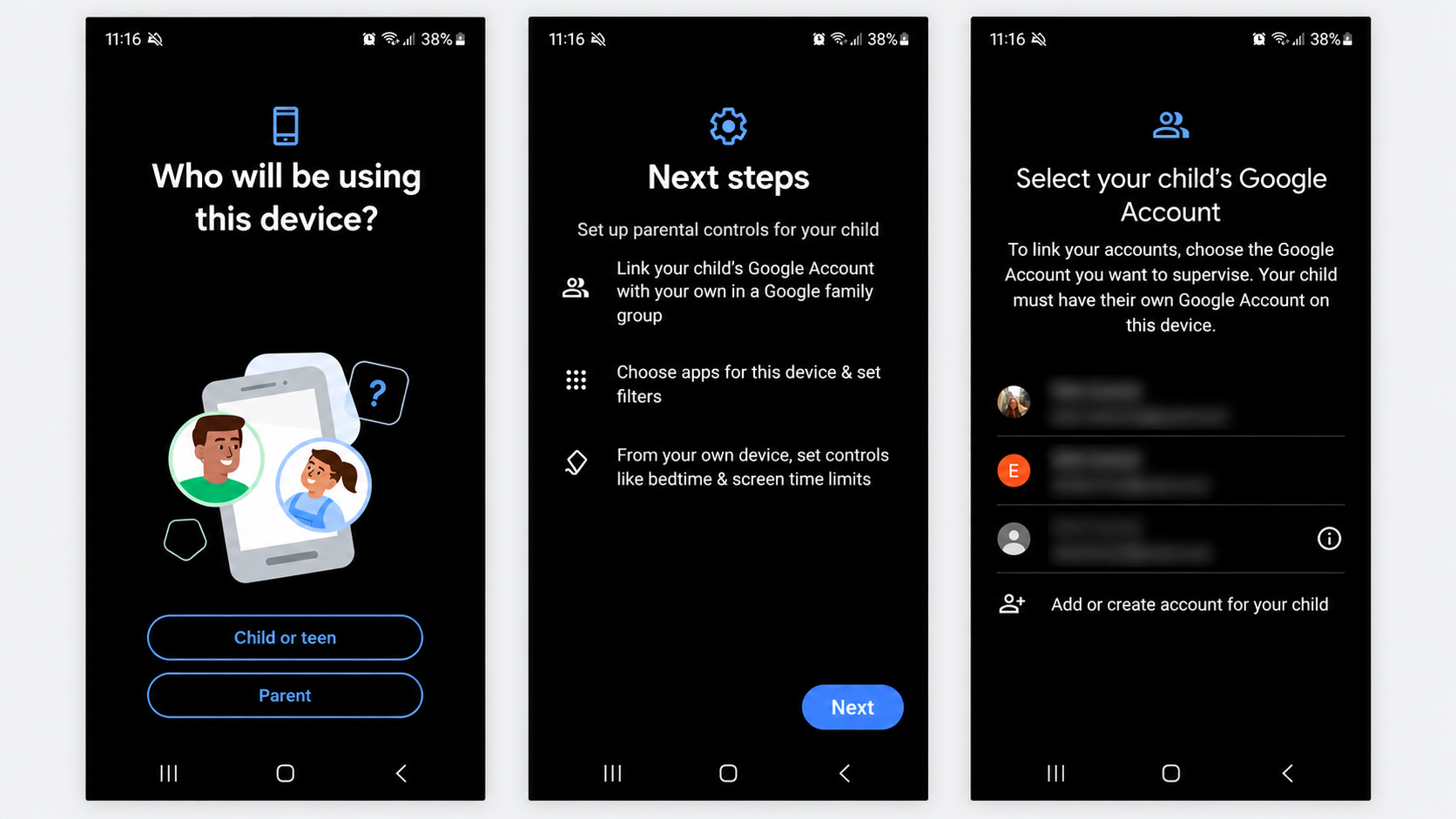
This is the section that matters most in my house, because the tablet is where my nephews actually talk to an assistant. To make a voice assistant safe for kids on Android, everything runs through Google Family Link.
- One supervised account per kid: Kids under 13 need a Family Link account. A shared tablet login gives a 5-year-old and a 12-year-old the same rules. Big mistake.
- Decide on Gemini per child: Family Link > Controls > Gemini > Gemini Apps. You must switch it on before a child under 13 can use it, and Google emails you the first time they do.
- Set Downtime and School Time: Family Link > Screen Time > Schedules. Only apps you mark as Unlimited Apps keep working.
- Use the Lock button from work: Screen time > Lock shuts the tablet from your phone. Daily limits count per device, so two tablets means double the time.
- Turn on purchase approvals: Every Play Store game buy then needs your OK.
Gemini’s Keep Activity setting isn’t available to kids under 13, and “Hey Google” and Voice Match don’t work with Gemini Apps for them either. So there’s no Gemini chat log I can scroll through later. If I can’t hear it live and can’t read it after, the real control is whether Gemini is on at all.
Here’s how I’d split it across my three:
| Age | YouTube | Gemini on the tablet | Screen time |
|---|---|---|---|
| 5 | YouTube Kids, approve content yourself (search off) | Off | Short daily limit, early Downtime |
| 9 | YouTube Kids, Older (ages 9 to 12) | Off or on only when an adult is home | Daily limit plus School time |
| 12 | Supervised YouTube, older kids’ setting | On, after a talk about what not to share | Night Downtime, weekly check-in |
The best part? Turning YouTube Kids search off kills voice search too. A 5-year-old can say anything he likes, and the app can only show approved videos.
If You Have an Amazon Echo: Turn On Amazon Kids
On an Echo, Amazon Kids is the biggest switch you can flip. It softens Alexa’s answers and blocks voice shopping by default. Menu labels shift between app updates, but look for these:
- Turn it on: Alexa app > Devices > Echo & Alexa > pick the speaker > gear icon > Amazon Kids. Add each child’s name and birth date.
- Open the Parent Dashboard: Set a daily limit and a bedtime, and hit Pause at dinner.
- Lock down calls: Only approved contacts. Set Drop In to Off on the kid’s speaker.
- Check every other Echo: Account Settings > Voice Purchasing. Turn it off.
Watch out: Kids mode protects only the device it’s on. The kitchen Echo in adult mode is still wide open.
One thing Amazon got right: a kid can’t say “Alexa, turn off Amazon Kids” and escape. That takes your login, which does a lot to make a voice assistant safe for kids who’ve learned the tricks.
Google Nest and Home Speakers: Voice Match First
Shared speakers work differently from the tablet. On a speaker, Voice Match does work, and Gemini always filters replies for a Voice Matched child under 18, whatever your house setting says.
- Add the child. Google Home app > Add > Home member > their supervised account. Then train Voice Match.
- Set filters and downtime. Home settings > Parental controls & Digital wellbeing. Alarms, timers, and lights still work during downtime.
- Cover strangers. In the speaker’s YouTube settings, pick Restrict when someone isn’t recognized. A visiting cousin, or your own kid with a cold, may not register.
On the flip side, these voice controls work only in the US and in English. Elsewhere, making a voice assistant safe for kids on a Google speaker takes more supervision.
Your Kid’s Voice Recordings: The Privacy Step Most Guides Skip
Content filters don’t touch privacy, and a big brand has already been fined over children’s data.
- July 2023: Amazon agreed to a $25 million civil penalty after the FTC and Justice Department said it kept kids’ Alexa recordings indefinitely and didn’t always honor deletion requests.
- March 28, 2025: Amazon ended the “Do Not Send Voice Recordings” option on the Echo Dot (4th gen), Echo Show 10, and Echo Show 15. Requests now go to the cloud.
- April 22, 2026: Companies had to comply with the updated COPPA rule. Voiceprints now count as a child’s personal information.
To make a voice assistant safe for kids on the privacy side, pick the shortest auto-delete option in your Alexa or Google settings. On speakers, press the physical mic-off button at night. It beats any software toggle.
Which Speaker to Buy for a Kid’s Room
Now, you might be wondering whether a kids’ edition is worth it. For most families, yes—it ships with Kids mode on, which makes a voice assistant safe for kids from minute one.
Echo Dot Kids: the default pick
Same 3.9 × 3.9 × 3.5 inch body as the regular Echo Dot, about 10.7 oz, with a 1.73-inch speaker and a 15W plug. The list price is $59.99, often lower on sale, with a year of Amazon Kids+ and a two-year replacement guarantee. The Echo Pop Kids ($49.99) adds a silicone sleeve but only six months of Kids+.
Either one is the lowest-effort way to keep a voice assistant safe for kids.
Real complaints:
- The Kids+ trial rolls into a paid plan (about $5 a month) if you forget to cancel.
- All requests go to Amazon’s cloud since March 2025. No local option.
- Alexa+ gives kid-tuned answers, but it’s still AI. It can be confidently wrong.
Who Should Skip This: Google or Apple households and parents who won’t accept cloud audio from a bedroom.
Google Home Speaker: for Google families only
Google’s $99.99 Gemini speaker has a physical mute switch and a light ring that shows when it’s listening. It can make a voice assistant safe for kids, but only after Voice Match.
Real complaints:
- Reviewers clocked smart home commands at roughly 5 to 10 seconds. Kids won’t wait.
- Follow-up mode sometimes answers chatter that wasn’t meant for it. In a loud playroom, that’s a problem.
Who Should Skip This: families outside the US, or homes that don’t speak English.
HomePod mini: not a kids’ speaker
Great sound, weak controls. Siri has no kid mode, so turn off Allow Explicit Content and Personal Requests in the Home app. Beyond that, keeping a voice assistant safe for kids on it means sitting nearby.
Real complaints:
- No bedtime or Downtime schedule.
- No kid profile. The only content lever is the Apple Music explicit toggle.
Who Should Skip This: any parent of a child under eight.
Setting one up for grandparents too? Our Alexa vs. Google Home guide for seniors covers the other end of the age range.
House Rules That Work When You’re Not Home
That brings us to the biggest mistake people make: trusting settings to do the parenting. In my house, the trouble starts when I’m out, so the rules have to hold without me.
- Tablets charge outside the bedroom. A tablet on the nightstand at 11 p.m. undoes every Downtime schedule.
- Say it plainly: “It’s a computer, not a friend.” Google gives parents that exact advice for Gemini.
- No personal details. No address, school name, or family stuff. Ever.
- Keep the tablet in a shared room when an adult is home, so voice requests get overheard.
- Ask about it later. A two-minute “what did you ask it today?” fills the gap no log covers.
Settings handle the hours I’m gone. Those short chats are what actually make a voice assistant safe for kids over the long run.
Commonly Asked Questions on How to Make a Voice Assistant Safe for Kids
Can I see what my child asked Gemini?
Not for kids under 13. Keep Activity isn’t available to them, so there’s no chat history to review. Your real lever is turning Gemini Apps on or off in Family Link.
Is YouTube Kids enough for a 9-year-old?
Usually. The Older setting is built for ages 9 to 12, and turning search off stops voice searches from wandering.
Is Alexa safe for a 3-year-old?
With Amazon Kids on and an adult nearby, yes. Stick to music, stories, and timers.
Can my kid turn off Amazon Kids by talking to Alexa?
No. Switching it off needs a parent’s Amazon login.
Can a child under 13 use Gemini on a Google speaker?
Yes, once their Family Link account is added to your home and Voice Matched. They always get filtered replies.
Final Thoughts
I can’t hear every “Hey Google” in my house, and I’ve stopped pretending I can. To make a voice assistant safe for kids, set rules that hold when you’re gone: one Family Link or Amazon Kids profile per child, purchases locked, a bedtime the device enforces, and Gemini only for the kid who’s ready.
Start tonight with the tablet your youngest grabs first. Then check the rest.