Did you know Kubernetes handles over half the world’s container workloads? Its kubectl cp command is a key tool for devs and admins. It helps move files and folders between your computer and containers in Kubernetes pods. This means you don’t need extra apps to move files.
The kubectl cp tool is great for many tasks. You can update settings, get logs, or back up data easily. It works on pods with the right Kubernetes API server (v1.14+). This tool makes tasks simpler and helps people work faster.
Key Takeaways
- The kubectl cp command lets you move files between your computer and Kubernetes.
- It’s perfect for updating settings, checking logs, and saving data.
- It works with Kubernetes API server version v1.14+.
- You don’t need extra tools for moving files, which makes work smoother.
- For both developers and administrators, it’s a crucial tool in Kubernetes work.
What is Kubectl CP Command?
The kubectl cp command helps a lot in using Kubernetes. It lets people easily copy files and folders between their computer and Kubernetes pods.
Definition and Purpose
The kubectl cp command is great for copying files in Kubernetes. It makes moving things between your computer and a pod very smooth. This is a big help for working with files on pods from your computer.
Basic Command Syntax
Learning the kubectl cp syntax is key. The command looks like this:
kubectl cp <source> <destination> -n <namespace>
In this example, the source and destination can be from your computer or a pod. The namespace lets you work in the right pod area. This command helps people work better with files in Kubernetes. It makes managing files in pods much easier.
How to Use kubectl cp: Practical Examples
When you work with Kubernetes, you often need to move files between your computer and pods. The kubectl cp command makes this easy. We’ll look at some real examples to see how it works.
Copying Files from Pod to Local System
To get files from a pod to your computer, use this:
kubectl cp -n [namespace] [pod-name]:[path-to-file] [destination-on-local-system]
For example, to copy a log file from example-pod-1234, you’d use this command:
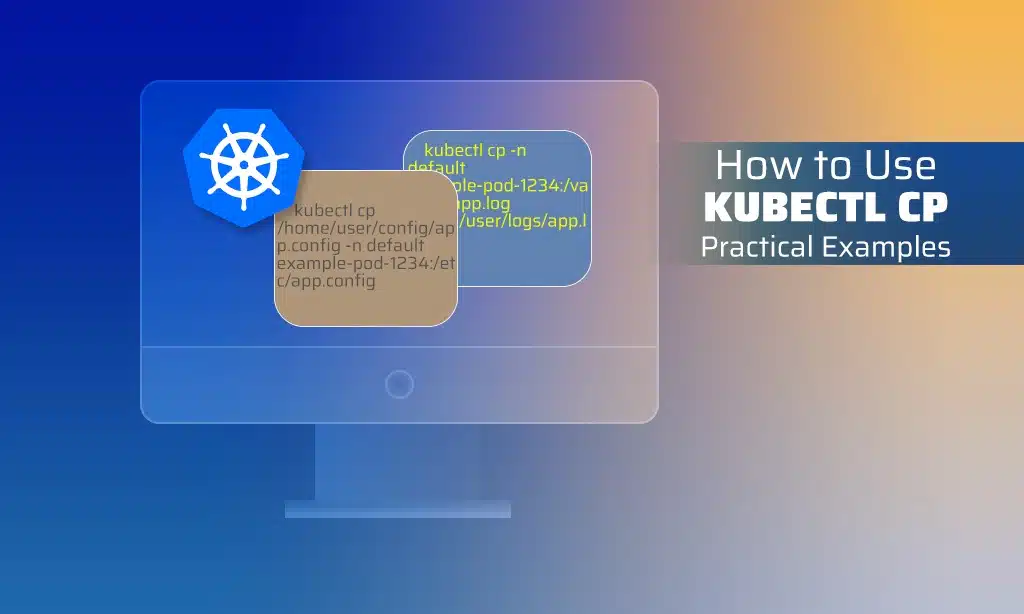
kubectl cp -n default example-pod-1234:/var/log/app.log /home/user/logs/app.log
This example is key in learning about kubectl cp for smooth Kubernetes data transfer.
Copying Files from the local system to Pod
Sending files from your computer to a pod is also simple. The format is:
kubectl cp [source-file-from-local-system] -n [namespace] [pod-name]:[destination-path-in-pod]
For sending a config file to a pod, use this:
kubectl cp /home/user/config/app.config -n default example-pod-1234:/etc/app.config
Learning these kubectl cp examples makes your Kubernetes data transfer smoother.
Copying Directories Between the local system and Pod
Moving whole directories is also easy with kubectl cp. Copy a directory from a pod to your computer like this:
kubectl cp -n [namespace] [pod-name]:[path-to-directory] [destination-directory-on-local-system]
For instance, to download a directory named /var/data to /home/user/data, do this:
kubectl cp -n default example-pod-1234:/var/data /home/user/data
To send a directory from your computer to a pod, use this command:
kubectl cp /home/user/data -n default example-pod-1234:/var/data
By learning these kubectl cp examples, you’ll find managing container file operations easier.
Common Errors with kubectl cp and How to Fix Them
Using kubectl cp to move files is mostly easy. But, sometimes you face issues like the Unexpected EOF Error and the Code 126 Error. I’ll talk about these problems and how to solve them.
Unexpected EOF Error
When you get a kubectl EOF error, it’s often about the network or transfer problems. This can slow down or stop your work. First, check your network setup and make sure there are no issues. Also, see if there’s enough space on your device and in the container. Making buffer sizes bigger might help too.
Exit Code 126 Error
The kubectl exit code 126 points to permission or file management issues during the copy. To fix this, check the paths you use in your kubectl cp command. Make sure the file permissions are set, and if it should run, do so. And ensure your file types match to avoid this issue.
Dealing with kubectl cp errors carefully can make handling Kubernetes problems easier. Look closely at your network, space, permissions, and file types. This helps avoid troubles with file moving in Kubernetes settings.
Advanced kubectl cp Usage and Flags
Making the most of kubectl cp in Kubernetes is key to better container file moving. Knowing how to use different flags makes moving files safer and quicker. Let’s look at some important flags and how to use them.
Using -n to Specify Namespace
-n is a very useful flag. It shows which namespace your pod is in. This is important for handling resources across different setups. Here’s how you write it:
kubectl cp -n :
With this flag, you make sure your file moves happen in the right place. This helps avoid problems.
Impersonating Users and Groups
–as-user and –as-group are great for when you need different permissions or actions. They let you act as someone else securely in Kubernetes:
kubectl cp --as-user= --as-group= :
They’re crucial in environments that use strict role-based access control (RBAC).
Handling TLS Authentication
Keeping file transfers safe means using good TLS authentication. The –tls-server-name and –insecure-skip-tls-verify flags help:
- –tls-server-name: Says what the server’s TLS certificate name should be
- –insecure-skip-tls-verify: It’s a choice to not check TLS carefully, but be careful with this because it can make things less safe
Setting TLS properly makes your file moves safe and follows your company’s rules.
By adding these features and flags to your Kubernetes way of working, you can do file moving tasks better and safer. This meets the needs of today’s complex cloud setups.
Real-World Use Cases for kubectl cp in Kubernetes
The kubectl cp Kubernetes command is very useful for those who work with containers. It helps them work smoothly with container environments.
Debugging and Troubleshooting
Kubernetes debugging needs logs and config files to solve problems. With kubectl cp Kubernetes, getting log files from pods is easy. This makes fixing issues quick and precise, cutting down on downtime.
Data Transfer and Backup
Keeping data safe is key in IT. For Kubernetes data backup, kubectl cp Kubernetes is great. It safely moves data from containers to storage. This makes data recovery easy, protects against loss and keeps business running.
Development and Testing
In Kubernetes development, quick updates and tests are needed. kubectl cp Kubernetes makes transferring files to pods fast. It helps developers test changes easily, making development more effective.
| Use Case | Benefit |
| Debugging and Troubleshooting | Efficient log retrieval for prompt issue resolution |
| Data Transfer and Backup | Secure and reliable data backup and restoration |
| Development and Testing | Rapid iteration and testing of changes |
Takeaways
The kubectl cp command helps a lot in the Kubernetes world. It lets you move files and folders between your computer and containers easily. This is super important for both developers and administrators. They can set up things, get logs, and do backups smoothly with this tool. Knowing how to use kubectl cp well makes work go faster and smoother.
Using kubectl cp makes handling files in containers less hard. You don’t need extra tools for moving files. And as software like Kubernetes keeps getting better, you must know how to use these tools. This way, you can make your work with files in Kubernetes simpler. It makes setting up new things and keeping apps running smoothly a breeze.
So, kubectl cp is a very important tool for anyone in Kubernetes. It can do hard file tasks easily and safely. Getting good at using kubectl cp is key in the changing world of Kubernetes. It helps make your container apps work better and stay reliable.
Frequently Asked Questions (FAQs)
If you still have questions about Kubectl CP, check out the answers below.
What is the kubectl cp command and what is its purpose?
The kubectl cp command helps move files. It works between your computer and a pod in Kubernetes. This makes it easy to do things like set up, get information, and back up files.
What is the basic syntax of the kubectl cp command?
The basic structure is kubectl cp <source> <destination> -n <namespace>. It lets you move files from a source, like your computer, to a destination, which can be in a pod’s container.
How can I copy files from a pod to the local system?
Copying from a pod to your computer is easy with kubectl cp -n <namespace> <pod-name>:<path> <destination-on-local-system>.
How can I copy files from the local system to a pod?
To do the opposite, from your computer to a pod, use kubectl cp <source-on-local-system> -n <namespace> <pod-name>:<path>.
Can the kubectl cp command transfer entire directories?
It sure can! You can move whole directories. Just make sure you tell it whether it’s from a computer or a pod.
How do I resolve the unexpected EOF error with kubectl cp?
To fix this error, check your network. Make sure it’s stable. And also, check that there’s enough space on your computer and in the pod.
What does Exit Code 126 Error indicate and how can it be fixed?
The Exit Code 126 Error means there’s a problem with file permissions. To solve it, check the file permissions and make sure the paths are right.
How can I use the -n flag to specify a namespace in the kubectl cp command?
You use the -n flag to pick a namespace. For example, kubectl cp -n <namespace> <source> <destination> works within that namespace.
How do I impersonate a user or group when using the kubectl cp command?
Use the –as-user or –as-group flags to act as someone else. It lets you copy files with their permission.
What flags can be used for handling TLS authentication with kubectl cp?
To handle TLS, use flags like –tls-server-name and –insecure-skip-tls-verify. They help with secure connections and skip verification, if needed.
How is kubectl cp used in debugging and troubleshooting Kubernetes pods?
For finding and fixing problems, use kubectl cp to pull files. It’s great for looking at log and config files to figure out what’s wrong.
What role does kubectl cp play in data transfer and backup processes?
kubectl cp is key for moving and saving important data safely. It makes sure your critical information can be backed up and used again when needed.
How is the kubectl cp command useful in development and testing?
In creating and testing, kubectl cp is a handy tool for moving files. It helps keep the work flowing and gets things done quickly.