

ImagineLab.art vs Adobe Creative Cloud can both create images, videos, and campaign assets. That makes them look like direct competitors. Once I compare what happens from the first brief to final delivery, the difference becomes clearer.
ImagineLab is a multi-model AI creation platform. It helps teams generate images, short videos, voiceovers, music, infographics, and written content without maintaining a separate account for every AI provider.
Adobe Creative Cloud is a broader production system. Firefly handles AI generation, while Photoshop, Illustrator, InDesign, Premiere, After Effects, Acrobat, Adobe Express, and other applications provide the detailed control needed to finish professional work.
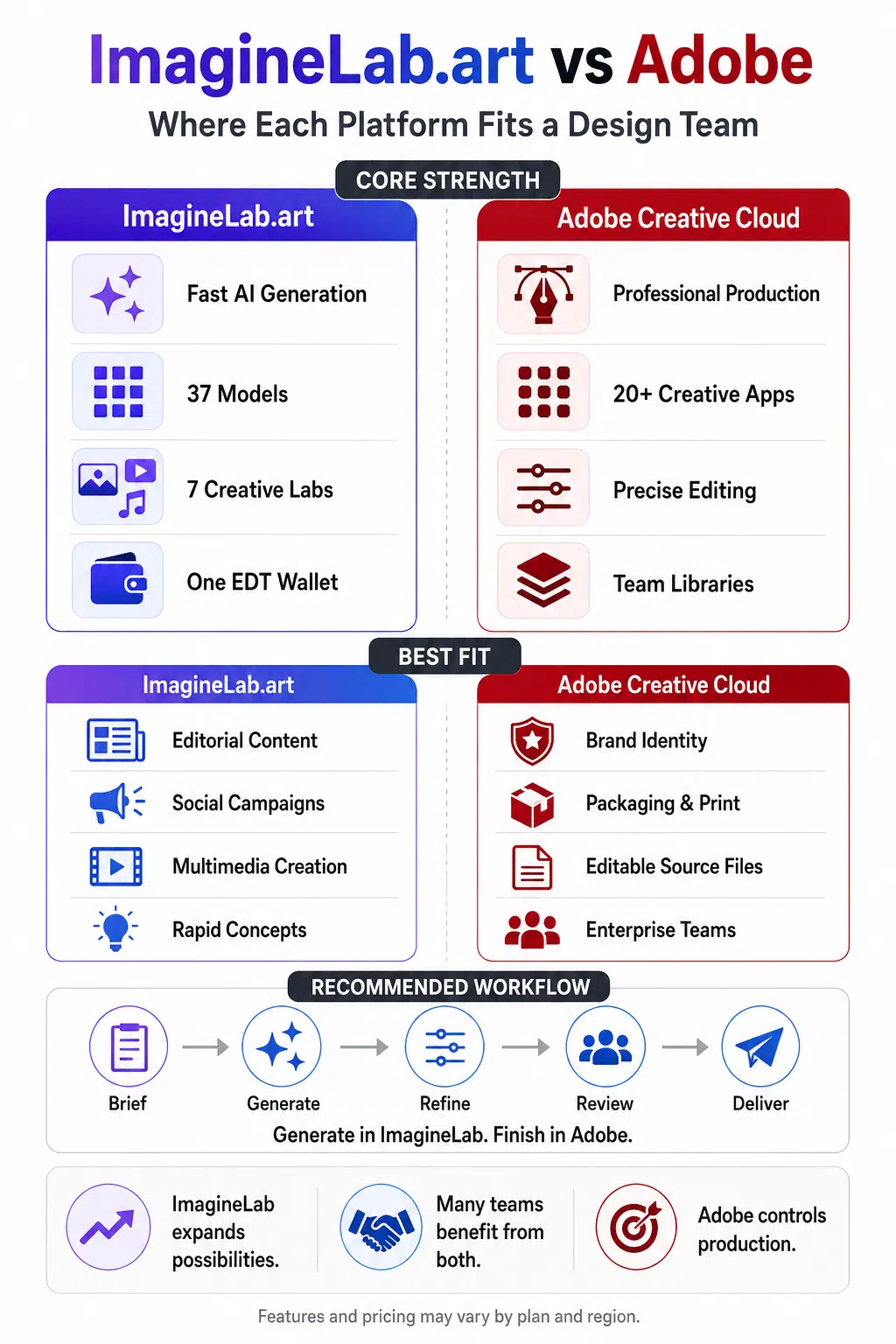
My personal opinion is straightforward: ImagineLab is strongest as a fast, flexible generation platform. Adobe remains stronger for exact editing, reusable source files, collaboration, and final production. Many professional teams will get better results from using both than from forcing an artificial winner.
This Is Not a Like-for-Like Comparison
ImagineLab starts with an idea or prompt. Adobe is designed to stay with the project through editing, review, handoff, and delivery.
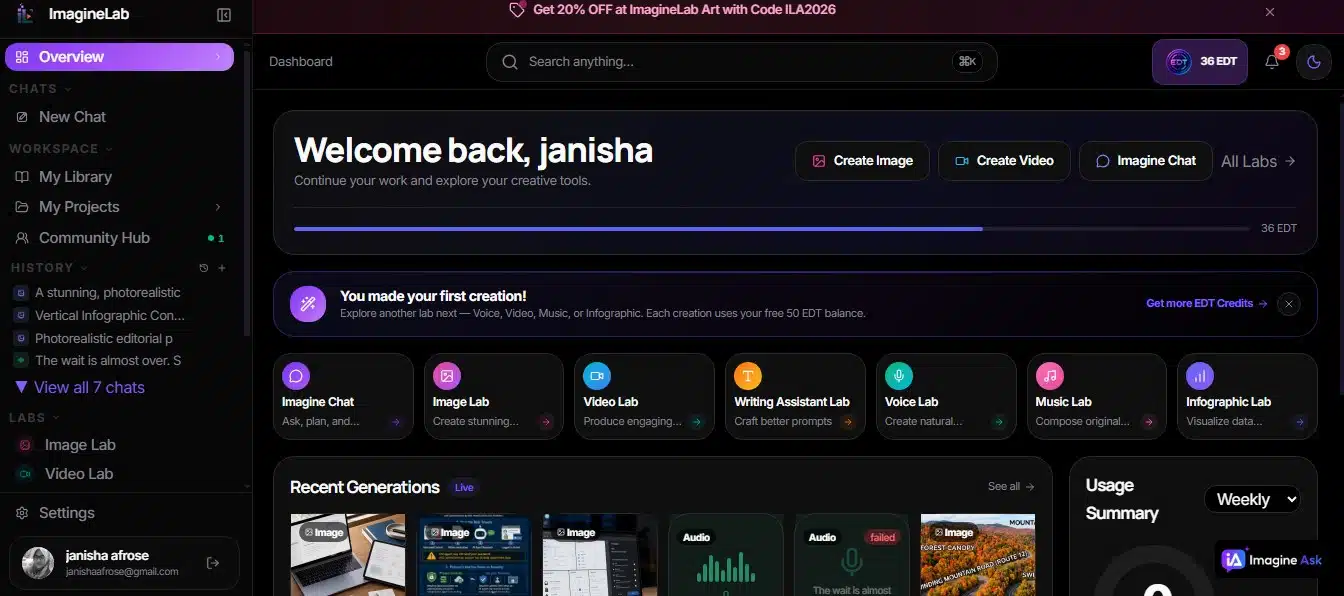
ImagineLab currently presents 37 models across seven active labs: Imagine Chat, Image, Video, Voice, Music, Infographic, and Writing. A team can develop a campaign concept, generate a key visual, animate it, produce a voiceover, create music, and draft supporting copy from one EDT wallet.
Adobe covers more of the traditional design pipeline. Firefly provides generative AI, but the wider Creative Cloud suite handles layered image editing, vector artwork, page layout, video post-production, print preparation, shared assets, version history, and team administration.
That distinction matters more than a feature count. A platform can produce a striking first image without being the best place to prepare the final deliverable.
Where ImagineLab.art Makes Its Strongest Case
ImagineLab.art is most compelling unified AI platform when a team needs to move quickly from an idea to usable creative options. Its biggest advantage is bringing image, video, voice, music, writing, and infographic tools into one platform, making it useful for concept development, campaign exploration, and fast multimedia production.
One Account Covers Several Creative Formats
ImagineLab’s breadth is its clearest advantage. Its public model list includes GPT Image 2, Nano Banana Pro, Nano Banana 2, FLUX 2 Max, FLUX 2 Pro, Seedream 5 Pro, Runway Gen-4.5, Veo 3.1, Kling 3.0, ElevenLabs v3, and MiniMax Music 2.6. It also lists proprietary models such as ImagineLab Image 2, ImagineLab V2.0, Editorialge M3, and Editorialge M3.5.
This range suits teams that deliver complete content packages rather than isolated graphics. A social campaign may need an image, short video, voiceover, music, captions, and an article. ImagineLab lets an agency, newsroom, or multimedia studio fund those tasks through one credit system instead of managing several specialist subscriptions.
It Makes AI Creation Easier to Approach
ImagineLab uses a relatively direct workflow: choose a lab, describe the result, select a model, set options such as aspect ratio or resolution, and generate. Its Image Lab supports text-to-image, image-to-image, and focused prompt-based editing. Available resolutions depend on the model and may include 1K, 2K, or 4K.
This simplicity helps people who need creative assets but are not full-time designers. A content editor can explore a direction before handing it to a designer, while a small marketing team can produce early campaign options without learning a complete production application.
The trade-off is precision. Prompt-based editing is convenient, but it is not as predictable as selecting and adjusting an exact element inside a layered design file.
Regional Access Is a Real Advantage
ImagineLab supports international payment methods alongside UPI and bKash. For teams in India and Bangladesh, that removes a practical barrier many software comparisons ignore. Access depends on usable payment methods and workable regional pricing, not merely whether a website opens in a country.
Where Adobe Still Leads Professional Production
Adobe remains stronger when the work requires precise editing, detailed layouts, consistent brand assets, editable source files, and dependable handoffs. For packaging, print, brand identity, motion graphics, and other production-heavy projects, its mature tools give professional teams more control over the final result.
Adobe Controls the Details After Generation
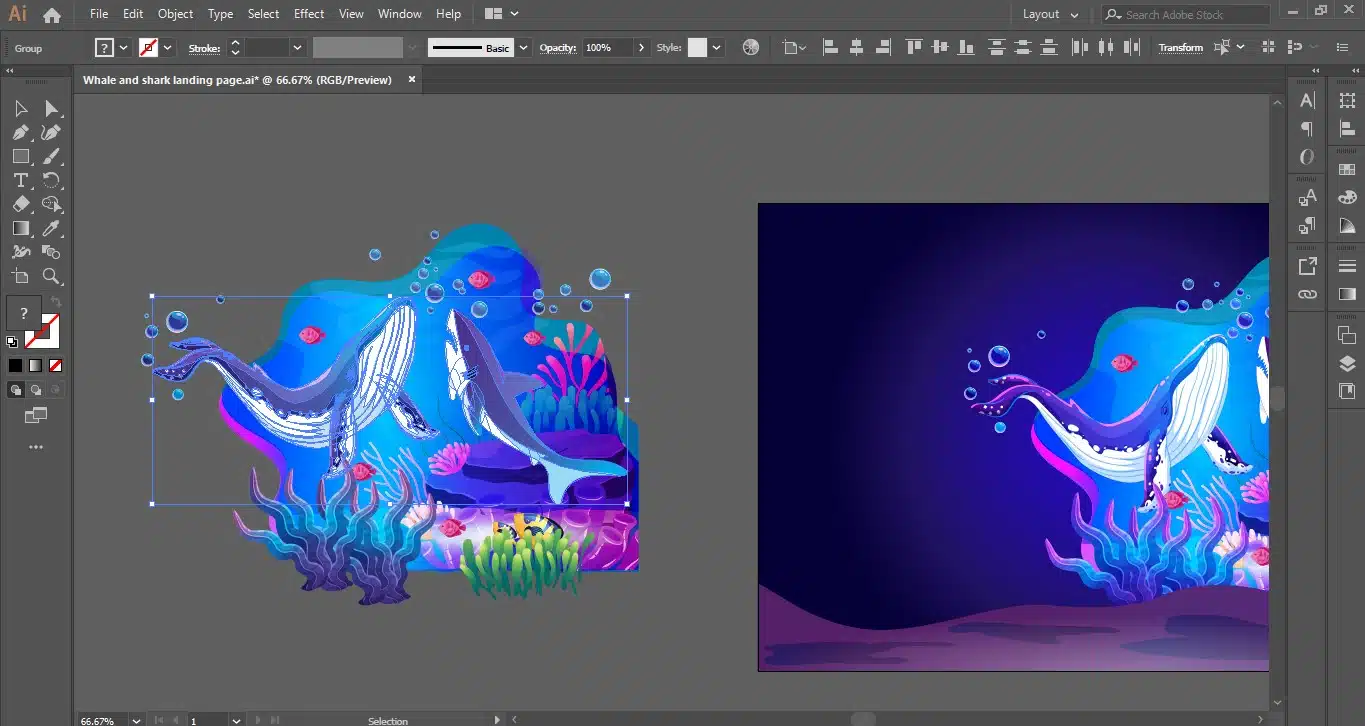
AI-generated work rarely goes straight from a prompt to a paying client. Product details, typography, colours, labels, reflections, and backgrounds often need correction. Campaigns also need several sizes. Adobe is built for this part of the job.
Photoshop provides layers, masks, selections, channels, compositing, and detailed colour correction. Illustrator provides editable vector paths, artboards, and scalable artwork. InDesign handles professional typography, linked assets, page layout, preflight, and print-ready documents. Premiere and After Effects provide the timing, compositing, sound, and motion control needed to finish video work.
ImagineLab can remove an object, change a background, restyle an image, or preserve selected elements through prompt instructions. Those tools are useful, but asking a model to change one detail is not the same as directly editing that detail.
Editable Deliverables Still Matter
Professional clients often expect source files, not only finished JPEGs or videos. They may request a layered PSD, an editable Illustrator file, an SVG logo, a packaged InDesign project, separate design elements, or a reusable campaign template.
Adobe supports those workflows directly. ImagineLab promotes high-resolution generation and SVG capability, but its current user documentation does not clearly explain layered PSD, AI, editable infographic, or complete production-ready vector exports. I would treat it as a strong source-asset generator until the team confirms the exact export options it needs.
Print, Packaging, and Publication Favour Adobe
For packaging, publications, retail displays, and commercial printing, Adobe is the safer choice. Creative Cloud supports CMYK, spot colours, colour profiles, bleeds, printer marks, linked assets, font packaging, and print-ready PDFs. ImagineLab may produce an attractive concept, but it will usually need finishing in Illustrator, Photoshop, or InDesign before going to a printer.
Adobe Has a More Mature Team System
Creative Cloud for teams includes features that become important once several people work on the same brand:
- 1TB of cloud storage per user
- Company-owned and shared libraries
- Centralized license management
- 180-day cloud-document version history
- Asset reclamation when someone leaves the organization
- Review and co-editing tools
- Dedicated technical support
Adobe’s enterprise offerings add single sign-on, more detailed administrative roles, controls over access to supported AI models, shared generative credits, and stronger procurement options.
ImagineLab offers Studio and Business plans, but the public material I reviewed does not clearly document seat counts, user roles, shared-project permissions, approval history, or asset reclamation. These features may exist or be planned; teams should confirm them before treating ImagineLab as a full departmental system.
Model Choice Is No Longer an ImagineLab-Only Advantage
ImagineLab’s model range is impressive, but Adobe has closed much of the gap.
Adobe Firefly and related Creative Cloud features now provide access to models from Adobe and partners such as Google, OpenAI, Black Forest Labs, Runway, Luma, Kuaishou, ByteDance, ElevenLabs, and Topaz. Depending on the plan, feature, and country, this includes GPT Image 2, Nano Banana models, FLUX 2, Runway Gen-4.5, Veo 3.1, Kling 3.0, Seedance, and ElevenLabs technology.
ImagineLab should therefore be judged on more than model count. Its stronger points are the combination of chat, writing, voice, music, and visual generation; one EDT wallet; regional payments; and a simpler path for multimedia experimentation. Adobe’s advantage is the direct handoff into established production applications.
ImagineLab.art vs Adobe Pricing
ImagineLab has a lower starting price:
| ImagineLab plan | Monthly price | Included EDT |
| Starter | $10 | 700 |
| Creator | $29 | 2,000 |
| Pro | $79 | 5,500 plus 100 bonus |
| Studio | $149 | 10,500 |
| Business | $249 | 17,500 |
ImagineLab’s pricing presents Creator as the starting tier for commercial usage rights. Annual billing has a lower effective cost. Output estimates remain planning guides because models, durations, resolutions, and enhancements consume different amounts of EDT.
Adobe Creative Cloud Pro for teams currently lists at $99.99 per license per month with an annual commitment billed monthly. It includes more than 20 applications, 1TB of cloud storage per user, and up to 4,000 monthly generative credits.
Five Adobe licenses would list at $499.95 per month before taxes, regional adjustments, discounts, or optional services. That does not prove ImagineLab Business is automatically the cheaper five-person option: its public pricing does not clearly state how many seats Studio and Business include.
The credit systems are not directly interchangeable. The useful metric is cost per approved deliverable, including failed generations, corrections, resizing, and rebuilding. A cheap generation becomes expensive when a designer spends an hour repairing it; a large software bundle is also poor value when the user only needs simple social images.
Which Platform Fits Different Design Teams?
The right choice depends less on company size than on what the team must deliver, how editable the final files need to be, and how many people take part in review and approval. I would match the platform to the team’s real production responsibilities rather than choose on model count or subscription price alone.
Brand, Packaging, and Print Teams
Adobe is the stronger primary platform because these teams need editable vectors, accurate typography, controlled colours, packaged files, and dependable print preparation. ImagineLab can help with moodboards and early concepts, but it should not be the only production tool.
Editorial and Social-Media Teams
ImagineLab makes a stronger case here. Teams producing article images, infographics, short videos, captions, and voiceovers can benefit from several labs under one account. Adobe may still be needed for reusable templates, exact text placement, branding, and final corrections.
Video and Multimedia Teams
ImagineLab is useful for generating scenes, motion concepts, narration, and music. Adobe remains stronger for assembling footage, controlling timing, mixing audio, adding motion graphics, managing revisions, and exporting finished videos. Frame.io also gives Adobe teams a more mature review route.
Large or Regulated Organizations
Adobe has the clearer advantage because its enterprise identity, administration, AI governance, and intellectual-property options are more extensively documented. A large organization considering ImagineLab should request written details about data retention, third-party routing, training policies, administrative access, user offboarding, and model-specific rights.
Can ImagineLab Replace Adobe?
For some digital-first teams, it may replace a substantial part of the workflow. A team that mainly produces web images, short videos, voiceovers, and written content may not need every application in Creative Cloud.
A complete replacement becomes harder to justify when the team needs:
- Layered source files
- Precise manual editing
- Vector identity work
- Professional typography
- Print production
- Shared brand libraries
- Structured review and approval
- Centralized license administration
- Enterprise security controls
The more useful question is whether ImagineLab can replace several separate AI subscriptions surrounding Adobe. For many content and agency teams, it has a credible chance to do that.
The Workflow I Would Recommend
For most established design teams, I would position ImagineLab upstream and Adobe downstream.
A practical campaign workflow could look like this:
- Develop the campaign direction in Imagine Chat.
- Generate several visual concepts in Image Lab.
- Create short motion tests in Video Lab.
- Produce a draft voiceover or music track when needed.
- Move the selected assets into Photoshop, Illustrator, Premiere, or After Effects.
- Apply final typography, colour correction, branding, compositing, and client revisions in Adobe.
- Keep approved source files in the team’s managed production system.
This is not a compromise for its own sake. It uses ImagineLab for speed and breadth, then uses Adobe where direct control and reusable deliverables matter.
What I Would Verify Before Committing a Team
I would run a pilot based on real assignments rather than attractive demo prompts. The test should include a product image, a text-heavy social graphic, a multilingual design, a short video, and at least one asset that needs an editable or print-ready handoff.
I would measure:
- Time required to reach an approved result
- Number of failed or unusable generations
- Time spent correcting visual details
- Cost per accepted asset
- Brand and product consistency
- Accuracy of visible text
- Ease of producing multiple sizes
- Quality of editable handoff files
- Collaboration and approval time
For ImagineLab, I would also confirm team seats, user roles, shared projects, export formats, EDT expiration or rollover, data retention, and the commercial terms for the exact models the team expects to use.
Commercial permission also does not clear trademarks, recognizable people, copyrighted characters, private source material, or client-owned assets. Laws vary by country, and in the United States, copyright protection for AI-assisted work depends on sufficient human-authored expression. A prompt alone generally does not settle that question.
Final Thoughts
ImagineLab.art and Adobe Creative Cloud represent two different strengths.
ImagineLab makes advanced AI models easier to access through one multimedia workspace. Adobe remains the stronger foundation when teams must control every detail, preserve editable source files, prepare print work, and manage assets across several people.
If I were choosing today, I would keep Adobe wherever production precision and organizational control are essential, then evaluate ImagineLab as the generation layer that can accelerate ideas and replace narrower AI subscriptions. That is less dramatic than declaring one universal winner, but it is closer to how professional creative work gets done.
Frequently Asked Questions on ImagineLab.art vs Adobe
1. Is ImagineLab.art a complete replacement for Adobe Creative Cloud?
Not for most professional design teams. ImagineLab covers broad AI generation and prompt-based editing, while Adobe remains stronger for layered files, vector work, print production, detailed finishing, and team asset management.
2. Which platform is better for AI image and video generation?
ImagineLab provides an accessible range of image and video models in one wallet. Adobe offers many of the same partner models, but its larger advantage is the direct path from generation into Photoshop, Illustrator, Premiere, and other production tools.
3. Is ImagineLab cheaper than Adobe for a design team?
ImagineLab has a lower entry price, but a fair team comparison requires confirmed seat counts and a real workload. Compare cost per approved asset, including revision and rebuilding time, rather than subscription prices alone.
4. Can a professional team use ImagineLab-generated work commercially?
ImagineLab’s pricing presents commercial usage rights from the Creator plan. Teams should still check the current plan and model terms before client use. Commercial permission does not automatically clear trademarks, likenesses, copyrighted characters, or protected source material.
5. Should a design team subscribe to both ImagineLab and Adobe?
For many agencies, publishers, and multimedia teams, that is the most practical arrangement. ImagineLab can handle rapid concept and asset generation, while Adobe provides controlled editing, brand application, collaboration, and final delivery.






















