


In today’s visual-driven society, having clear, high-quality photos is key. Clear product photos increase sales and draw in more clients for online businesses. Sharp images make a lasting impression for personal branding. This guide will show you how to use PicWish to easily unblur portraits and improve your product shots.
What is PicWish?
PicWish is a tool for photo editing driven by AI that aims to make image editing quick and simple for various types of users. People who take pictures can use it to polish portraits and add visual details, while online sellers can use it to produce visually appealing product photographs to increase brand exposure. PicWish may also be used by content creators like bloggers and social media managers to create visually appealing postings, and regular users may easily enhance their own images or restore blurry images.
PicWish is equipped with strong tools, including a Background Remover to easily remove or replace backgrounds, a Photo Enhancer to sharpen photos and improve lighting, and a Photo Retouch Tool to erase unwanted items and distractions. Additionally, it supports JPG and PNG files for ideal flexibility. It also has a feature that can convert WEBP and HEIC image format into JPG. Moreover, it has a batch editing tool that saves time on huge projects. PicWish offers a straightforward yet efficient solution for quality photo editing, whether for personal or business use.
Why Choose PicWish for Photo Enhancements?
PicWish delivers polished results quickly by using advanced AI technology with user-friendly features and interface. It makes sure your photos stand out, whether you’re a business owner refining your product shots or a hobbyist enhancing your portrait image. Any image can be transformed into an improved masterpiece in a matter of seconds thanks to its smooth processes and strong functions. Say goodbye to complicated editing tools and welcome to hassle-free results!
-
Make Your Product Photos Clear with PicWish
Step 1: Open your online browser and visit PicWish AI Photo Enhancer.
Step 2: Click the “Upload Image” button to choose and upload the image that you want to enhance. 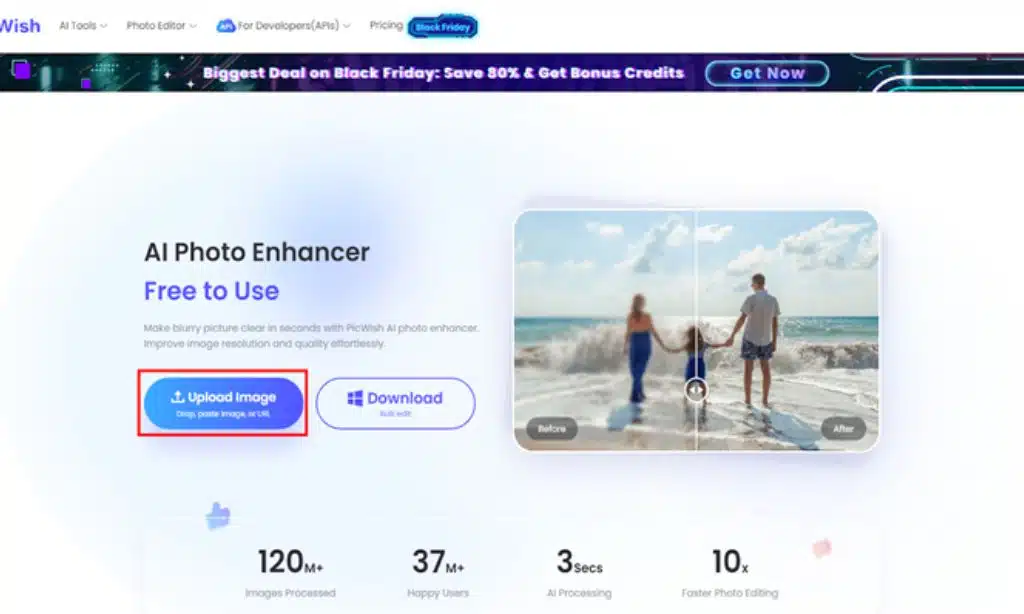
Step 3: Wait for the process to finish. PicWish will automatically enhance your Photo. You can pan the slider sidewards to compare the before and after results.
Step 4: Don’t forget to choose the correct model option for your image. Lastly, click the “Download Image” button on the right portion of your screen to save.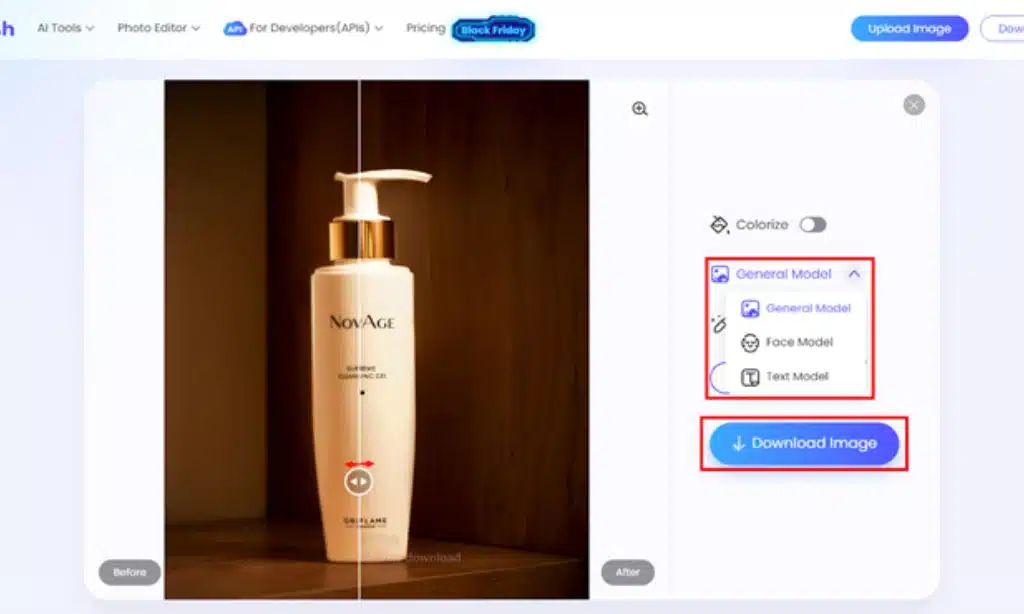
-
Make Portraits Clear with PicWish
Step 1: Go to PicWish Unblur Image on your online browser.
Step 2: Select the “Upload Image” button to choose and upload the portrait that you want to improve.

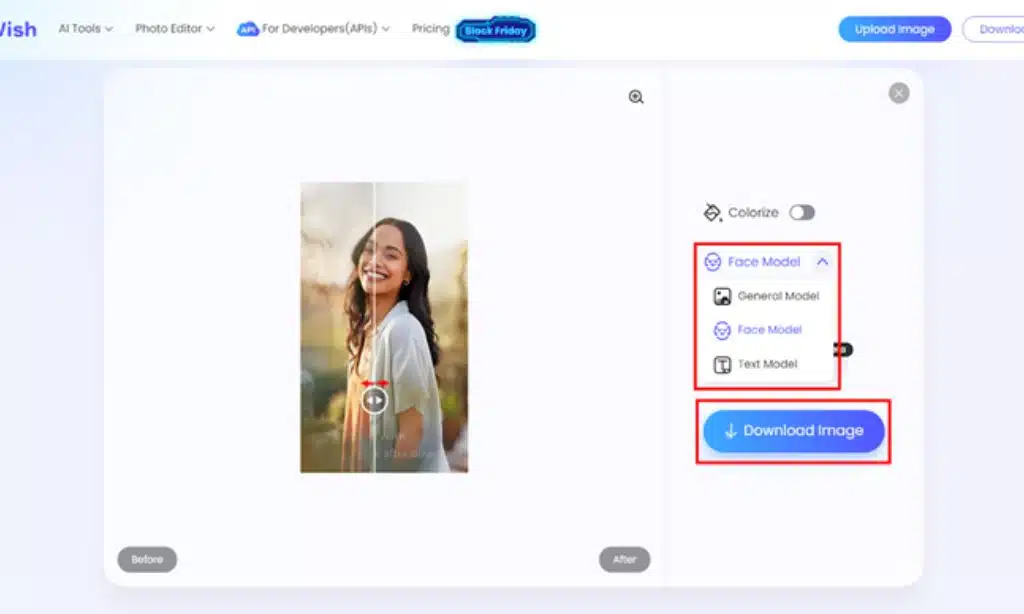
Step 3: Wait until the process is complete. PicWish will instantly enhance your image. To compare the before and after results, you can move the slider sideways.
Step 4: Remember to select the correct model option for your picture. Finally, to save, click the “Download Image” button located on the right side of your screen.
Tips for Better Results with PicWish
Even though PicWish’s AI technology is already efficient on its own, the following tips will help you get even better results:
- Before uploading, crop your image to highlight the subject. This ensures the enhancement process prioritizes the most important details.
- Avoid uploading overly distorted photos. PicWish may correct a lot of blurry issues, but it might not work well on photos that are extremely pixelated.
- Make use of the right features. Use the appropriate tool to meet the needs of your photo.
- Try out different edits. Give it a try to edit the image further or use another PicWish feature to get the required result if you’re not happy with the first one.
Conclusion
When it comes to capturing personal moments or showcasing products, clear and well-taken pictures can make all the difference. Enhancing product images and unblurring portraits is quick, simple, and efficient using PicWish’s easy-to-use features. Get started with PicWish right now to improve your photos!





















