


Ever build a plan on Sunday and ignore it by Wednesday? That is why How To Build A Content Calendar That Survives Real Life starts with your real workload, not your best-case week.
A calendar that works is small enough to maintain and flexible enough to absorb sick days, late approvals, and the random good idea that shows up at 4 p.m.
This page will walk you through the goals, channels, templates, themes, and tools that make steady publishing possible. Keep it simple, and your calendar can stay useful.
What is a Content Calendar?
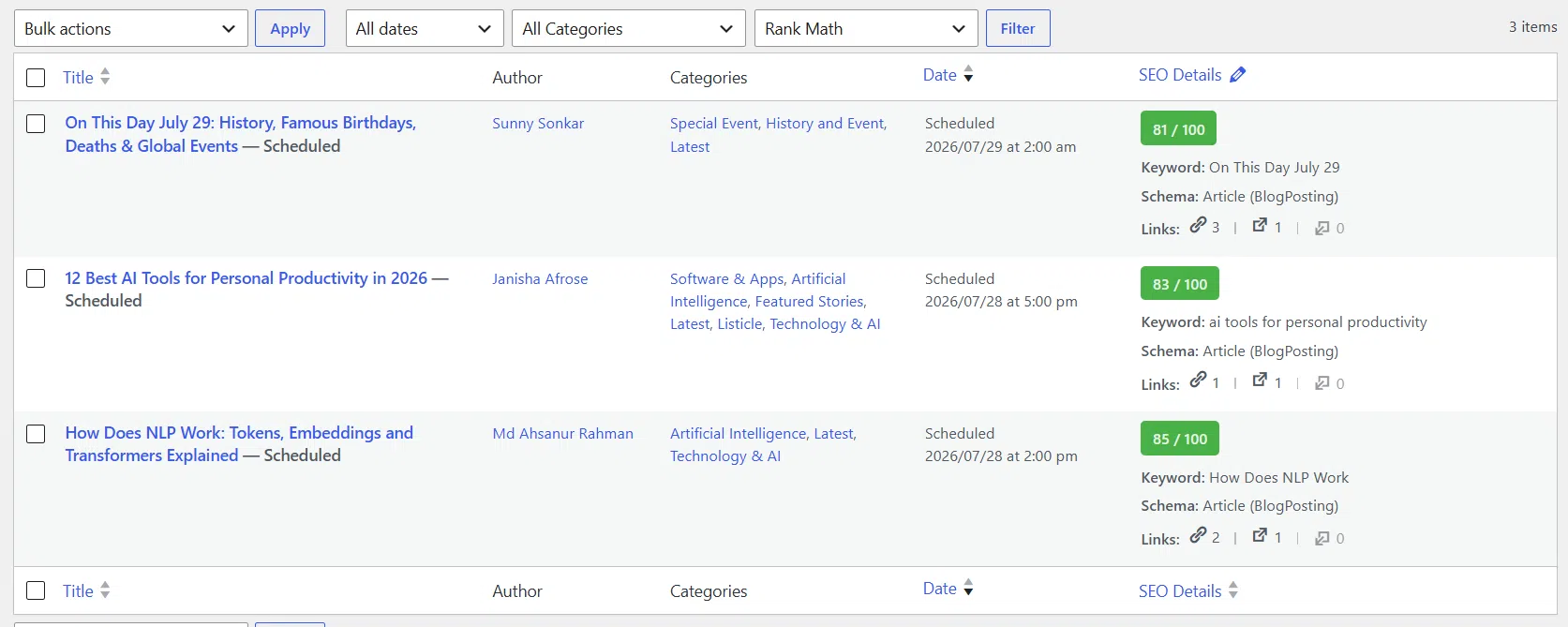
A content calendar is the working schedule for your blog posts, emails, social updates, videos, and other pieces. It shows what you plan to publish, where it will go, who owns it, and when it needs to be ready.
Some teams use editorial calendar for the big-picture plan and content calendar for the day-to-day schedule. In real use, you want both views: themes at the top, specific publish slots underneath.
One detail worth copying from the American Marketing Association’s content calendar toolkit is the split between yearly, monthly, and weekly views, plus a separate content repository. That setup helps because your idea bank stays full without cluttering the live schedule.
- Publish date or window: so deadlines stop floating.
- Channel: so each piece has a home before you make it.
- Content type: such as how-to, list, Q&A, case study, or video.
- Owner and status: so you can see who is writing, editing, approving, or waiting.
- Goal and KPI: so every post has a job.
If your calendar cannot answer what is going live next, who is doing it, and what is blocking it, it is still just a list of ideas. A good calendar turns ideas into shipped work.
Why is a Content Calendar Important?
A content calendar protects consistency, but it also protects your time. When you decide themes, owners, and deadlines before the week gets chaotic, you stop making every post from scratch.
In Content Marketing Institute’s 2026 B2B trends research, 39% of marketers said resource constraints were a top challenge and 33% said measuring content effectiveness was still hard. A realistic calendar helps with both because it limits overcommitment and ties each post to a result you can actually track.
That is the real payoff. You publish more steadily, your audience sees a clearer pattern, and your team spends less energy scrambling.
- Planning gets faster: you batch decisions instead of revisiting them every day.
- Messaging stays sharper: monthly themes keep you from repeating the same angle.
- Gaps shrink: you can spot empty weeks before they become missed weeks.
- Performance improves: a calendar makes it easier to compare formats, topics, and channels over time.
How To Build A Content Calendar That Survives Real Life: Step-by-Step
You do not need a fancy system first. You need one you will still use next month.
Define your goals
Pick one primary goal for the next quarter, then attach one metric to it. If the goal is too broad, the calendar turns into busywork.
A simple match works well: traffic pairs with clicks and impressions, leads pair with form fills, audience engagement pairs with comments or average engagement time, and sales pair with revenue or assisted conversions.
- Awareness: publish search-friendly how-to content and track impressions and clicks.
- Engagement: use Q&A posts, opinion pieces, and social prompts, then track comments, saves, or shares.
- Lead generation: build case studies, comparison pages, and email offers, then track form fills.
- Sales support: publish objection-handling content and track demo requests or assisted revenue.
When one goal owns the calendar, your posting frequency becomes easier to judge. If a slot does not support that goal, it probably does not need to exist.
Choose your channels
Choose channels by evidence and effort, not by guilt. If you can only support one long-form channel and one promotion channel right now, that is enough.
The official Google Trends documentation points out that you can compare up to five terms, filter by country or metro area, and look at rising queries. Use that before you commit to a channel or theme, especially if your audience is in the US and demand shifts by region and season.
- Owned home base: your blog or resource center for evergreen traffic and updates.
- Repeat channel: an email newsletter for launches, recaps, and returning readers.
- Discovery channel: one social platform where your audience already spends time.
- Cut list: pause channels that need custom creative you cannot produce on a steady rhythm.
Create a flexible template
Build the smallest template that still shows the work clearly. A spreadsheet is enough for many solo creators and small teams.
Google Sheets now gives you useful features for this job, including dropdown chips for status and a timeline view for campaigns that span several days. That lets a simple sheet act more like a lightweight project board.
| Field | Why it belongs in the template |
|---|---|
| Publish date or window | Keeps deadlines visible without forcing an exact minute too early. |
| Channel | Stops one idea from being shaped the same way everywhere. |
| Working title | Gives the team a clear asset to discuss and revise. |
| Theme or campaign | Shows how each piece fits the bigger strategy. |
| Owner | Makes responsibility obvious. |
| Status | Helps you see draft, review, approved, scheduled, and published at a glance. |
| Goal and KPI | Prevents random posting. |
Keep a separate tab for raw ideas. That one habit prevents the calendar from turning into a graveyard of half-finished thoughts.
Add content ideas and themes
Start with themes, then collect ideas under each one. That gives you variety without forcing you to script every headline months ahead.
Google also notes that Trends topics roll up misspellings, variations, and acronyms, which makes them more useful than relying on one perfect keyword phrase. Pair that with your Search Console queries, and you get both broad demand and the exact terms already bringing people to your site.
- Search Console queries: use them for updates, expansions, and FAQ posts.
- Sales and support questions: use them for objection-handling and how-to pieces.
- Top performers: turn one strong article into an email, a carousel, a short video, and a Q&A.
- Seasonal spikes: draft early so the piece is live before interest peaks.
If you run out of ideas, let one theme do more work. A single topic can become a list post, a tutorial, a customer question roundup, and a short social series.
Schedule publishing dates
Now place only the content you can actually produce. The point is a kept promise, not a crowded grid.
Lock in hard-date items first, such as launches, webinars, sales, holidays, and partner campaigns. Then add evergreen slots around them.
- Schedule your biggest or most strategic piece first.
- Add supporting social, email, or repurposed content after that.
- Cluster related pieces inside the same week or month.
- Leave a few open slots for delays, reactions, or sudden opportunities.
A good rule is to publish slightly before demand peaks, not in the middle of them. Google recommends using seasonal trend data that way, so your content is already live when people start searching.
Tips for Maintaining a Real-Life Content Calendar
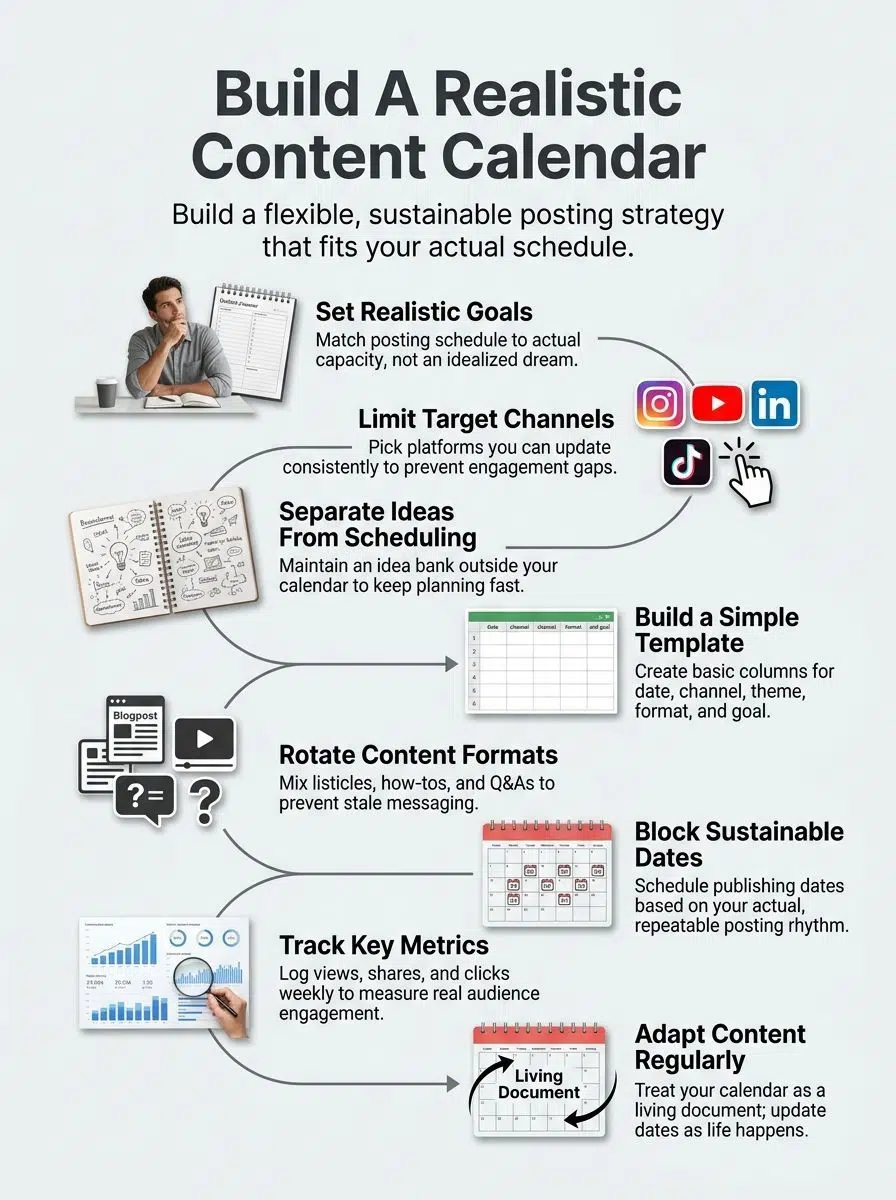
The best calendar is the one you keep opening, updating, and trusting.
Track and analyze performance
You do not need a giant dashboard. You need a short review rhythm that changes future decisions.
Google’s Analytics documentation says an engaged session is one that lasts longer than 10 seconds, has a key event, or includes at least two page or screen views. That makes it a better signal than raw pageviews when you want to know if people actually interacted with a piece.
Use Search Console for search-side metrics and Analytics for on-page behavior. Together they answer two different questions: did the post get found, and did it hold attention?
| Metric | What it tells you | What to do next |
|---|---|---|
| Impressions | How often your page appeared in search | Raise the topic’s priority if impressions are climbing. |
| Clicks and CTR | Whether people chose your result | Rewrite titles and descriptions if impressions are high but clicks stay low. |
| Average engagement time | How long people stayed engaged | Tighten intros, structure, and calls to action if attention drops. |
| Conversions | Whether the content moved people to act | Repeat themes and formats that assist signups, leads, or sales. |
Be adaptable and update regularly
A real-life calendar needs room for approvals, absences, and last-minute shifts. If every slot is fixed, one delay can wreck the whole month.
As of July 2026, Buffer says its Essentials plan includes a calendar, tags, and scheduling, while approvals live on the Team plan. Trello lists Standard at $5 per user per month billed annually, and Premium at $10 adds Calendar and Timeline views, so the lightest tool that fits your bottleneck is usually the best buy.
| Tool | Best for | What stands out |
|---|---|---|
| Google Sheets | Solo creators and lean teams | Low cost, easy sharing, dropdown status chips, and timeline view. |
| Trello | Teams that need clear ownership and status tracking | Boards, custom fields, planner tools, and stronger visual workflow. |
| Buffer | Social-first teams ready to publish from the calendar | Scheduling, queue management, tags, and approval flow on team plans. |
A common tip in recent marketing community discussions is to leave some blank space for reactive posts. Your evergreen content keeps the engine running, and your open slots let you respond to what readers care about this week.
- Review the next two weeks every Monday.
- Move late items fast instead of pretending they are still on track.
- Archive ideas you no longer care about.
- Keep one parking lot for urgent or seasonal swaps.
If a piece misses two cycles, either simplify it or kill it. A calendar survives real life when it tells the truth.
Final Thoughts
How To Build A Content Calendar That Survives Real Life comes down to honesty: honest goals, honest capacity, and honest deadlines.
Pick a few channels, use a simple template, track what earns attention, and leave breathing room for change. If your calendar still fits your week on a bad Tuesday, you built the right one.
FAQs about How To Build A Content Calendar
1. What is a content calendar that survives real life?
A content calendar that survives real life is a simple editorial calendar, a flexible content schedule for your marketing, that helps with content planning and keeps the audience in mind.
2. How do I build one?
Start with a clear content strategy, map your audience, and block key dates. Set flexible deadlines, build buffer slots, and plan ways to repurpose content, so you can pivot when things change.
3. How do I keep it when life hits?
Prioritize high impact pieces, label tasks by effort and value, and move lower value items without guilt. Use analytics to guide choices, repurpose content fast, and have a quick team huddle, like a short pit stop, to stay aligned.
4. What tools and habits help it survive?
Use a shared spreadsheet, a calendar app, and a simple project board your team will open. Batch work, schedule social media posts, and keep the plan live, update it as the market or data change.

























