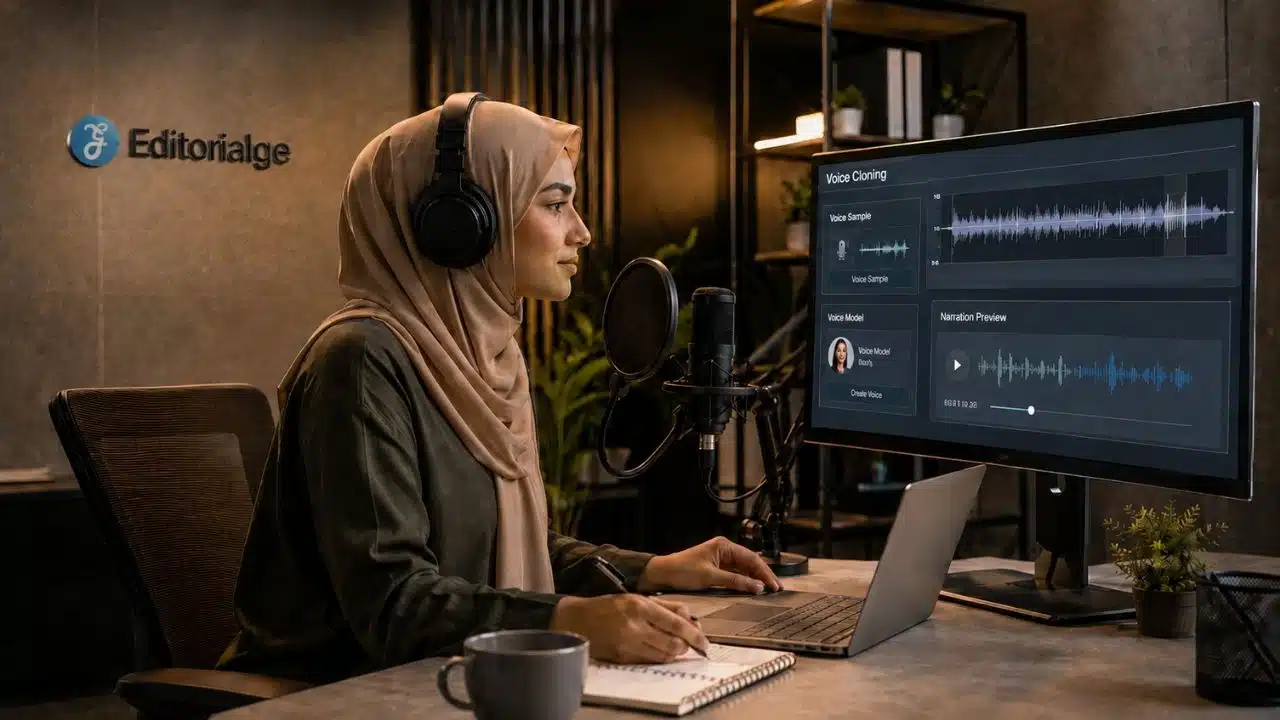
How AI voice cloning works is something every video creator should understand before using it in a real project. From the outside, it looks simple: upload a voice sample, type a script, and the tool speaks in a similar voice. But once you use it in a content workflow, you quickly realize it is not just an audio trick. It is identity, trust, permission, and production quality all packed into one feature.
That is why I treat voice cloning differently from a normal AI voiceover. A stock AI voice is one thing. A cloned voice is personal. It can sound like a real person, carry their tone, and make viewers believe that person actually said something new.
In my own AI video workflow, I use voice cloning carefully, not casually. Clean audio matters. Consent matters more. The script still needs editing. Pronunciation still needs review. And if the cloned voice is used in a realistic video, disclosure may become part of the publishing process.
At Editorialge Media LLC, we work across media, SaaS, e-learning, and creative tools, so I look at voice cloning from a practical production angle, not just as a new AI feature. I do not only ask whether it can save time. I ask whether it is accurate, ethical, useful, and safe for the audience.
What Is AI Voice Cloning?
AI voice cloning is the process of creating a synthetic version of a person’s voice. The system studies a voice sample and learns patterns such as tone, pitch, accent, rhythm, pronunciation, and speaking style. Then it can generate new speech that sounds similar to the original speaker. In simple terms, an AI voice replica is a digital voice model trained to sound like a real person.
This is different from regular text-to-speech. A standard AI voice is usually a ready-made synthetic narrator. A cloned voice is based on a specific speaker. ElevenLabs explains that people may clone their own voice, but cloning someone else’s voice requires explicit consent.
How AI Voice Cloning Works
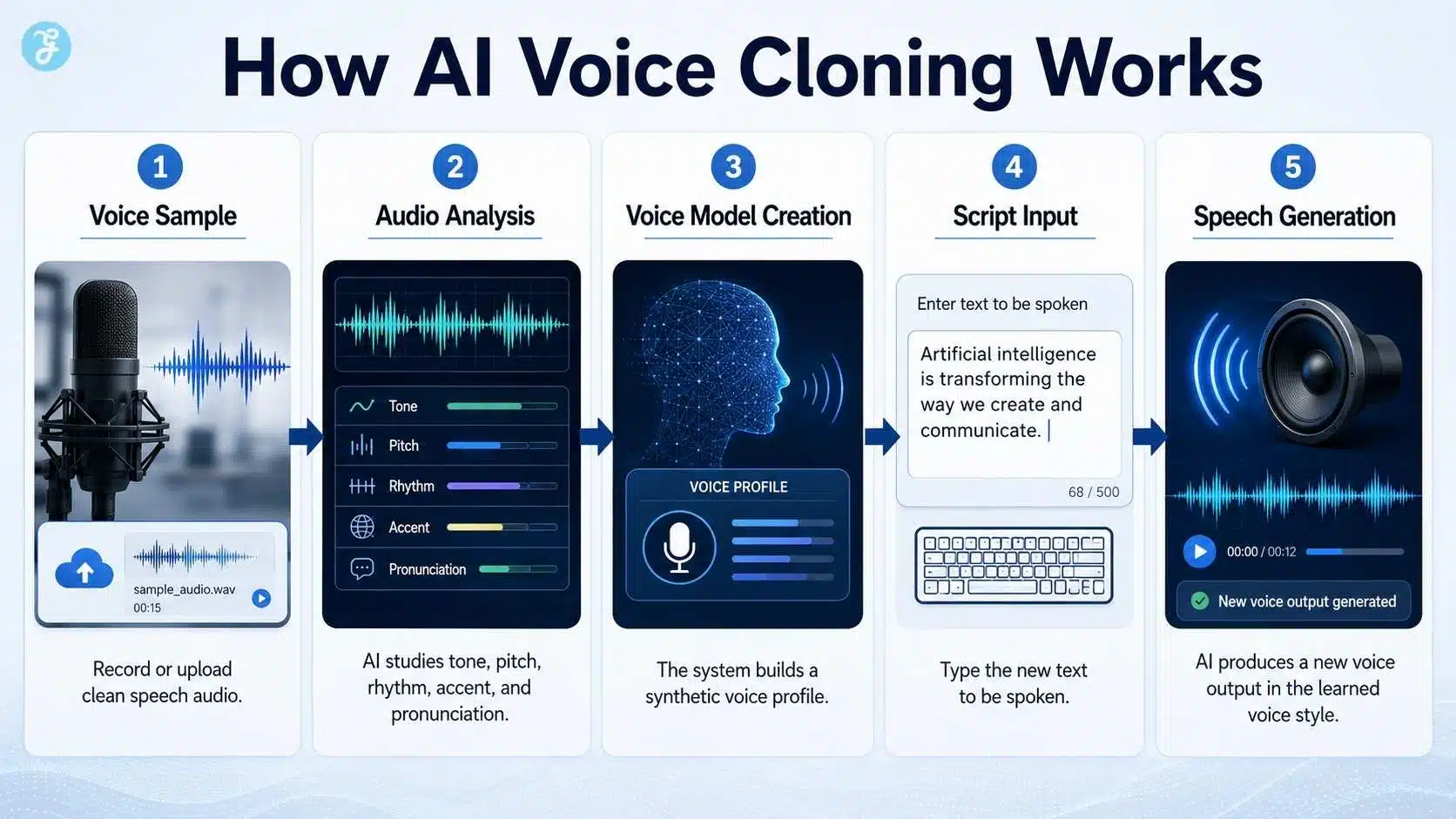
The process usually starts with a clean voice sample. The tool analyzes the recording and learns how the speaker sounds. Then the creator enters new text, and the system generates fresh speech in that learned voice style.
The basic workflow looks like this:
| Step | What Happens |
| Voice sample | A clean recording is uploaded or recorded |
| Audio analysis | AI studies tone, pitch, rhythm, accent, and speech habits |
| Voice model | The system creates a synthetic voice profile |
| Script input | The creator types the new words |
| Speech generation | AI produces new audio in the cloned voice |
A good voice clone depends heavily on the quality of the source audio. Noisy recordings, echo, music, overlapping voices, or inconsistent microphones can make the output sound weak or unstable.
Voice Synthesis Explained Simply
Voice synthesis explained in plain language means this: AI turns text into spoken audio. It predicts how the voice should pronounce words, where it should pause, how fast it should speak, and how the tone should flow.
With normal voice synthesis, the system uses a general AI voice. Voice cloning, it uses a voice profile based on a real person.
That is why cloned speech can feel more familiar than stock narration. But it is not perfect. It can still mispronounce names, flatten emotional lines, or place pauses in strange places. I never treat the first generated audio as final. I listen, adjust the script, regenerate where needed, and only then use it in the video edit.
Where Voice Cloning Fits In An AI Video Workflow
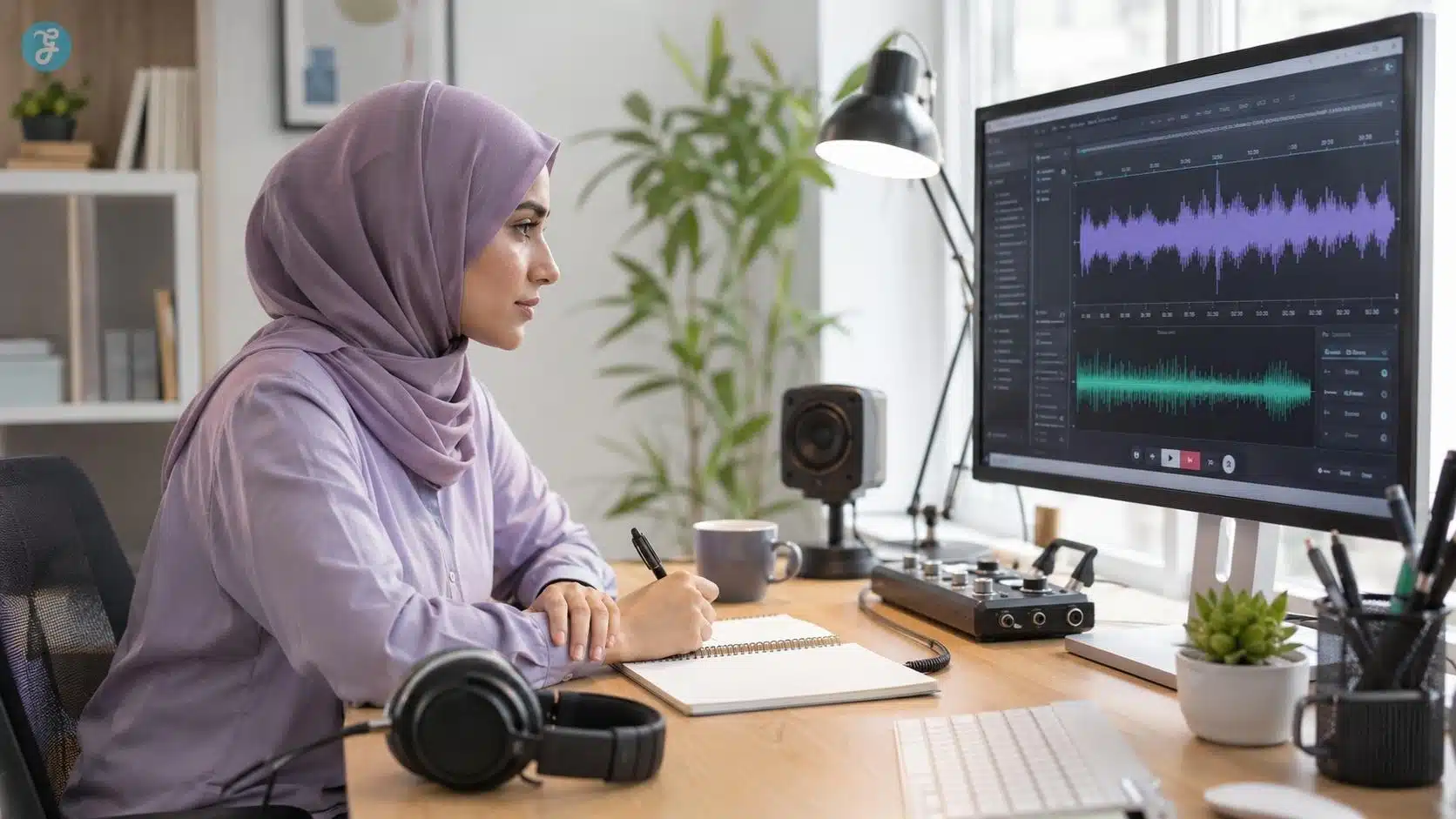
Voice cloning is most useful when there is a clear production reason for using the same voice again.
For example, if a course lesson needs a small correction, a cloned version of the original narrator’s voice can fix one sentence without rerecording the full lesson. If a brand wants one consistent narrator across many training videos, a licensed custom voice can help. If a creator wants to localize content, voice cloning may support translated versions when permission and rights are clear.
AI voiceover video guide is needed in voice cloning because it’s basically an advanced form of AI narration. But it should not be the default choice for every video. Many explainers can work perfectly well with a licensed stock AI voice or a real recorded voice.
My Practical Rule: Consent Comes Before The Tool
For me, consent is the first production step, not the last legal checkbox. Before using a cloned voice, I ask:
- Is it my own voice?
- Is it someone else’s voice?
- Did the person give clear permission?
- Do they know where and how the voice will be used?
- Will it be used commercially?
- Could viewers believe the person personally said the new script?
Descript says its custom AI Speaker feature requires explicit recorded authorization from the person whose voice will be used. ElevenLabs also says cloning someone else’s voice requires explicit consent, and its documentation asks users to confirm they have the right and consent to clone the voice. That is the standard creators should follow. If consent is unclear, do not clone the voice.
What Makes A Good Voice Sample?
A good cloned voice starts with a good recording. I would rather spend extra time getting clean input than waste time fixing bad output later.
A strong voice sample should have clear speech, low background noise, consistent microphone quality, natural pacing, and enough variation in sentence style. The speaker should sound relaxed, not forced. If the sample is too robotic, the clone may sound robotic too.
Avoid samples with background music, fans, traffic noise, crowd sounds, echo, phone compression, or multiple people talking. Those problems may get baked into the voice model.
Best Uses Of Voice Cloning AI
Voice cloning AI can be useful when it solves a real content problem.
Good use cases include:
- Fixing small narration mistakes in a long video
- Updating e-learning lessons without full rerecording
- Keeping a consistent narrator across product tutorials
- Creating localized versions when rights are clear
- Supporting accessibility or speech restoration projects
- Maintaining a brand voice across repeatable internal videos
- Creating approved narration for AI talking head videos
If a cloned voice is used with a presenter-style video, the workflow also connects with AI talking head videos because the voice becomes part of the speaker’s identity. When that same voice is matched to a mouth movement, it also connects with the AI lip sync explained.
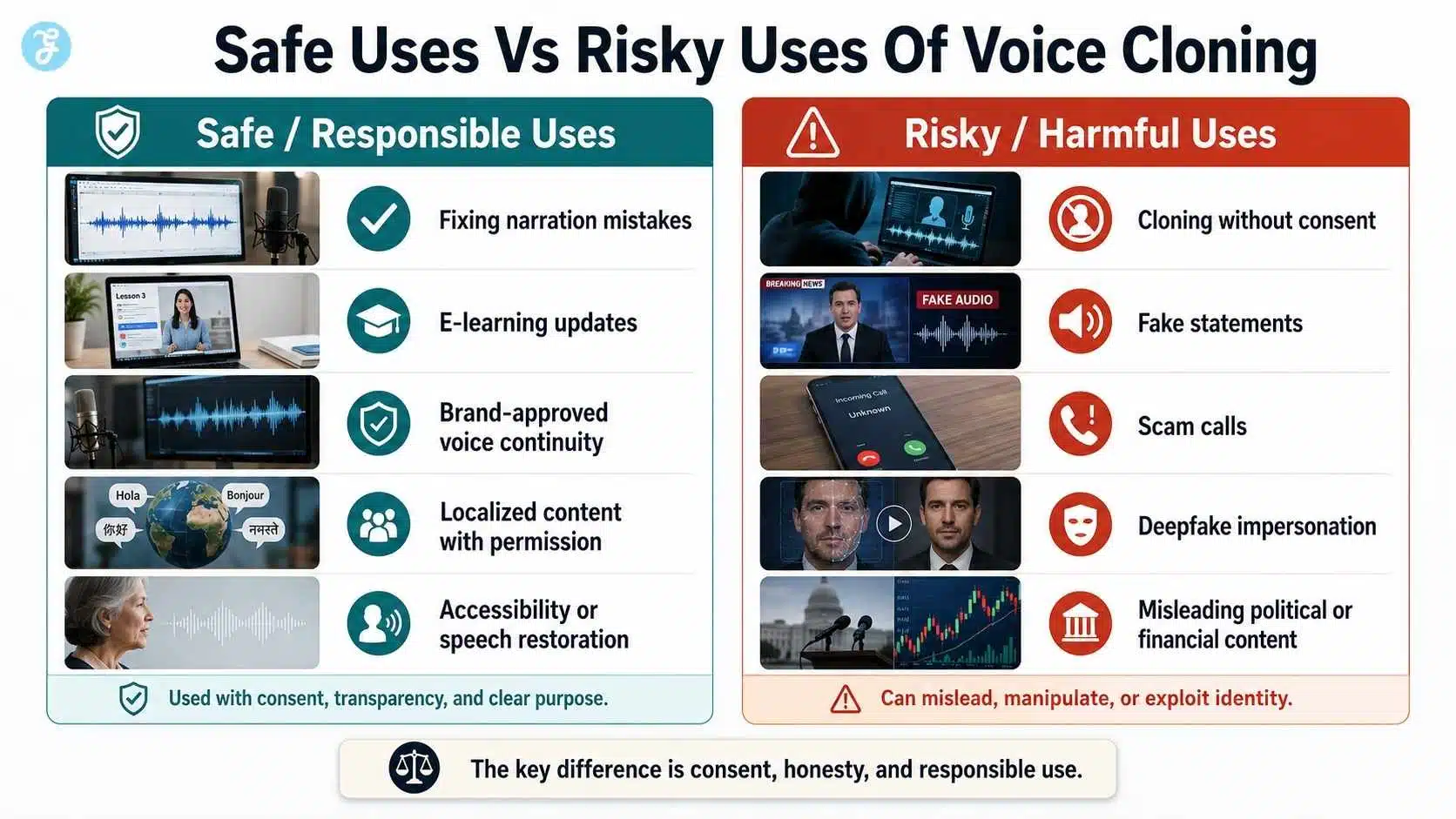
Where AI Voice Cloning Gets Risky
The risk begins when a cloned voice makes someone appear to say something they never said. That can create serious problems in scams, misinformation, political content, fake customer support calls, fake executive instructions, or misleading social posts. The FTC warns that scammers use voice cloning to make requests for money or information more believable, including calls that may sound like a boss or family member.
This is why I do not treat voice cloning like a harmless creative shortcut. It can help creators, but it can also harm people if used without consent.
AI Voice Cloning And Deepfake Audio
A cloned voice becomes dangerous when it is used to deceive. Not every cloned voice is a harmful deepfake. A creator cloning their own voice to fix a tutorial is very different from someone cloning a public figure or employee to make a fake statement. The difference comes down to consent, honesty, context, and disclosure.
Responsible use is clear about the purpose. Risky use hides the synthetic nature of the voice or exploits someone’s identity. ElevenLabs’ policy prohibits unauthorized or deceptive impersonation, including replicating another person’s voice without consent or in a way intended to deceive listeners.
AI Voice Cloning And YouTube Disclosure
If a cloned voice is used in realistic content, creators need to think about disclosure. YouTube requires creators to disclose meaningfully altered or synthetically generated content when it seems realistic, and viewers could mistake it for a real person, place, scene, or event. YouTube also explains that disclosure is not required for clearly unrealistic content, animation, special effects, or ordinary production assistance.
My practical rule is simple: if a cloned voice could make viewers believe a real person said something they did not actually say, disclose it.
AI Voice Cloning Vs AI Voiceover
AI voiceover and AI voice cloning are related, but they should not be treated as the same thing.
| Area | AI Voiceover | AI Voice Cloning |
| Voice source | Stock or generated voice | Based on a real speaker |
| Risk level | Usually lower if licensed | Higher because identity is involved |
| Best use | Explainers, tutorials, social clips | Corrections, brand voice, localization |
| Consent concern | Tool/license-based | Speaker permission required |
| Disclosure concern | Depends on use | More important when realism is involved |
For many beginner videos, a normal AI voiceover is enough. Voice cloning should be used only when the specific voice has a clear purpose.
AI Voice Cloning And Lip Sync
Voice cloning often becomes part of lip sync workflows. If you clone a voice and place it inside a talking avatar video, the lip sync tool uses that cloned audio to animate the mouth.
That means the cloned voice must be clean, clear, and well-paced. If the voice is too fast, unclear, or emotionally mismatched, the mouth animation may look awkward. This is why I review voice quality before lip sync. Bad audio creates bad mouth movement.
AI Voice Cloning And Animation Style
The visual style of the video affects how viewers respond to the cloned voice. A realistic avatar with a cloned voice needs careful review because viewers expect natural speech and expression. A 2D explainer or motion graphic is more forgiving because the voice is clearly part of an illustrated format.
This is where AI animation styles matter. The more realistic the visual, the more careful the voice review should be.
How I Would Use Voice Cloning In A Real Workflow
If I were using voice cloning for a creator or brand video, I would follow a careful workflow. First, I would confirm written or recorded permission from the speaker. Then I would record clean voice samples in a quiet place. After creating the voice model, I would test it with short lines from the real script, especially names, brand terms, and emotional sentences.
Only after that would I generate the final narration. Then I would add captions, review pronunciation, check disclosure needs, and keep records of consent.
If the video also needs supporting visuals, I would prepare the base images through ImagineLab before moving into animation, narration, or editing.
Best Practices For Safer Voice Cloning AI
Use voice cloning only when it has a clear purpose. Keep consent records. Avoid sensitive topics unless the use case is carefully reviewed. Do not clone public figures or private individuals without permission. Do not use a cloned voice to imply approval, endorsement, or a statement that never happened.
Also, review the final audio like an editor. Listen for wrong pronunciation, unnatural tone, strange pacing, and emotional mismatch. A voice clone may sound impressive at first, but that does not mean it is publish-ready.
Common Mistakes Beginners Make
Mistake 01: Cloning A Voice Without Permission
This is the biggest mistake. If the voice is not yours, get clear consent before using it.
Mistake 02: Using Bad Audio Samples
Noisy samples create weak results. Clean input matters more than beginners think.
Mistake 03: Expecting Perfect Emotion
AI can imitate voice patterns, but emotional nuance still needs human review.
Mistake 04: Skipping Pronunciation Checks
Names, acronyms, local terms, and brand words can sound wrong.
Mistake 05: Forgetting Disclosure
If the cloned voice could confuse viewers, disclosure may be required.
Mistake 06: Using Voice Cloning For Sensitive Content Casually
Political, legal, medical, financial, or personal topics need extra caution.
My Voice Cloning Safety Checklist
Before publishing, I would check:
| Checkpoint | Status |
| Speaker consent is documented | ☐ |
| Commercial use is allowed | ☐ |
| Voice sample is clean | ☐ |
| Script is accurate | ☐ |
| Pronunciation is reviewed | ☐ |
| Voice does not misrepresent the speaker | ☐ |
| Captions are correct | ☐ |
| Disclosure is considered | ☐ |
| Final audio is manually checked | ☐ |
This checklist is simple, but it protects the workflow.
Final Thoughts: Voice Cloning Needs Responsibility, Not Just Realism
The most important lesson from how AI voice cloning works is that voice is personal. A cloned voice can help with video narration, e-learning updates, localization, and consistent brand content. But it can also mislead people if it is used without permission or context.
So I do not see voice cloning AI as a normal shortcut. I see it as a high-trust production tool. Use it when it helps the audience. Ensure consent before using. Review it carefully, disclose it when needed, and never let realism replace responsibility.
Frequently Asked Questions About How AI Voice Cloning Works
1. How Does AI Voice Cloning Work?
AI voice cloning works by analyzing voice samples, learning speech patterns such as tone, rhythm, pitch, and accent, then generating new speech that sounds similar to the original speaker.
2. Is AI Voice Cloning Legal?
It depends on consent, licensing, local laws, and use case. Cloning your own voice is usually simpler, but cloning someone else’s voice requires clear permission and responsible use.
3. What Is An AI Voice Replica?
An AI voice replica is a synthetic version of a real person’s voice. It can generate new speech that sounds like the original speaker.
4. Can AI Voice Cloning Be Used For Videos?
Yes. It can be used for AI voiceovers, talking head videos, e-learning lessons, product explainers, translated videos, and avatar content when consent and rights are clear.
5. What Is The Biggest Risk Of Voice Cloning AI?
The biggest risk is impersonation. A cloned voice can make people believe someone said something they never said, which creates serious trust, legal, and safety problems.