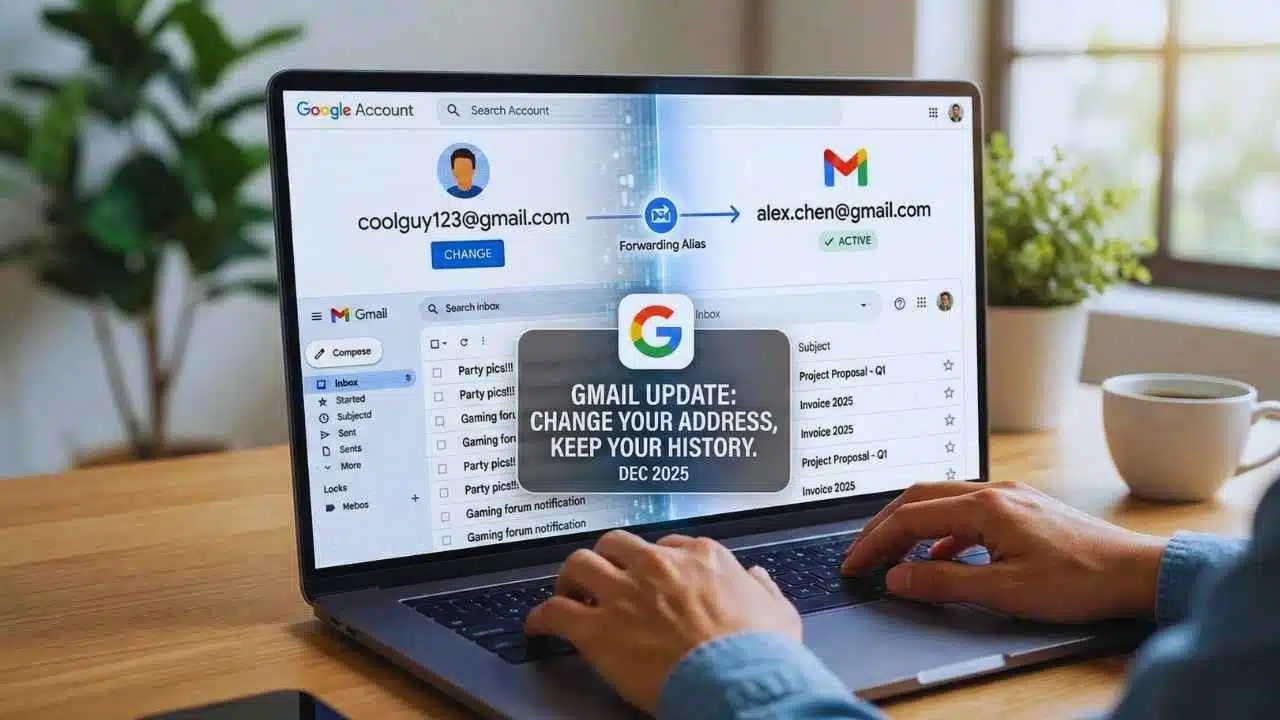
Google is rolling out a way to change gmail address for some accounts, letting people replace an old @gmail.com username while keeping the same Google account, data, and inbox.
What Google Is Rolling Out And Why It Matters?
For years, the basic rule of Gmail was simple: you could adjust your display name, but your actual @gmail.com address stayed locked. Google’s own English-language help pages have long reflected that reality, noting that Gmail-based account emails “usually” can’t be changed.
Now, updated Google Account support guidance shows a different path for eligible users: a person can swap an existing @gmail.com account email to a new @gmail.com username inside the same Google account. That is a major change because the “Google Account email” is not just for Gmail. It’s the identity shown across Google services and can appear when you share Drive files, send Calendar invites, or use “Sign in with Google” on other apps and websites.
The timing also lines up with a real-world problem. Many people created Gmail accounts as teenagers or during early internet years. Those usernames can feel unprofessional later—especially for job applications, clients, or public-facing work. Until now, the clean option was often to create a brand-new account and slowly migrate everything, which can be disruptive and messy.
Google has not issued a single, broad public announcement laying out a worldwide launch date. The guidance indicates the option may appear only for certain users, which suggests a phased rollout. If you do not see the setting, Google’s own wording implies it may not be available for your account yet.
How The “Change Gmail Address” Feature Works In Practice?
The core idea is that your account stays the same, but your main Gmail address changes.
When an eligible user switches to a new @gmail.com username:
- The old Gmail address becomes an alternate address (alias) on the same account.
- Email sent to both the old and the new address still arrives in the same inbox.
- Saved account data is not removed, including old emails, messages, and media tied to the account.
- You can sign in to Google services using the old or new address, including Gmail, Maps, YouTube, Google Play, and Drive.
- You can keep using the old address again at any time by setting it back as the main account email.
That “alias” point is especially important. This isn’t positioned as “delete the old identity and start over.” It’s closer to adding a newer identity while preserving the old one, so you don’t suddenly lose messages from people who still have your original address saved.
Here’s a clear before/after view:
| Topic | Before This Change | After This Change |
| Main @gmail.com username | Locked for most users | Can be replaced for eligible users |
| Inbox and old mail | Stays tied to old address | Stays in the same inbox |
| Old address | Primary identity | Becomes an alias; still receives mail |
| Google sign-in | One main address | Old or new address can work |
| Data in Google services | Tied to account | Remains tied to account |
Google’s support guidance also explains that the Google Account email may continue to appear in older places for a while. For example, events created in Calendar before the change may still display the old email in some instances, at least temporarily.
Eligibility, Limits, And The Rules Google Sets
This feature comes with strict boundaries designed to prevent abuse, spam, or people constantly cycling identities.
What Google Says You Can And Can’t Do?
- You can create a new @gmail.com account email only once every 12 months.
- You can do this a total of three times, meaning you can create up to three new @gmail.com addresses tied to the same account.
- That results in up to four total Gmail addresses on the account (your original plus up to three new ones).
- You can’t delete the new Gmail address once it is created.
- The old Gmail address generally stays present as an alternate address; it cannot simply be wiped away while keeping the same account.
These limits matter for users who might be thinking of this like a social handle change. Google is clearly treating it as a controlled identity update, not an unlimited rename tool.
If You Don’t See The Option
Google’s settings flow indicates that some users may not see the “change” option at all. In that case, the simplest explanation is availability: the feature may not be enabled for that account, region, or device at the moment.
What If You Want To Switch Away From Gmail Entirely?
Google’s guidance distinguishes between changing to another @gmail.com address and switching to a non-Gmail email. If someone wants the account email to become a non-Gmail address, Google indicates that may require deleting the Gmail service from the account—an option that is more drastic and not the same as simply renaming.
Steps To Change Gmail Address And What To Prepare Before You Do?
If the feature is available on your account, Google’s support guidance points users to the “Google Account email” settings path.
A typical eligibility check works like this:
- Go to your Google Account settings page for account email.
- Navigate to Personal info → Email → Google Account email.
- If you see an option to change the Google Account email, your account may be eligible. If you do not see it, the change may not be possible right now.
Once the option is available, the change process includes choosing a new username. Google indicates:
- The username must be unique and not currently used by another Google account.
- Google may restrict certain usernames to prevent spam or misuse.
- Google can suggest similar usernames if your first choice is unavailable.
What To Back Up Or Review First?
Google flags that changing the account email can cause issues in a few situations. The company recommends reviewing likely friction areas and backing up data before changing.
Key areas to think about:
- Chromebooks: Google warns that you may need to remove your account from the Chromebook and add it again using the new email so the device updates correctly. Otherwise, your home directory can appear empty until you re-add the account properly.
- “Sign in with Google” on third-party apps/websites: Some services tie your identity to an email address. The email change can lead to confusion if the third-party service expects the old address.
- Chrome Remote Desktop and device sign-ins: Google flags that remote connections or device-linked sign-ins may need attention after the change.
A Practical Checklist (So You Don’t Miss Anything)
| Category | What To Do Before Changing |
| Account security | Make sure you can sign in reliably and have recovery options set |
| Important services | List apps/sites where you used “Sign in with Google” |
| Devices | Note Chromebooks and older devices that may need re-login |
| Contacts | Consider exporting or checking contact sync status |
| Email behavior | Decide whether you still want mail sent to the old address |
Security, Third-Party Apps, And Real-World Complications
Any widely requested identity feature creates a second reality: attackers and scammers will try to exploit confusion.
Phishing Risk: Why Scammers May Care About This Change?
When users start changing account emails, some may expect “verification messages,” “confirmation links,” or “support outreach.” That is exactly the environment where phishing thrives—especially if criminals can convince a user that their account is “mid-change” and needs urgent action.
Gmail already warns users to be cautious with suspicious emails, especially those asking for passwords or sensitive information. During a period when many people are learning a new setting, the best defense is to treat any unexpected message about your Gmail change as suspicious until proven otherwise.
Third-Party Apps: Why Some Services May Still Show Your Old Email?
Google explicitly notes that some third-party apps identify users by email address. To reduce breakage, Google may continue providing the old username to those apps even after you update your Google Account email. That can be helpful in keeping logins working, but it also means you might still see your old address in certain places.
If you want a third-party service to fully recognize the new email, Google’s guidance is straightforward:
- Check the third-party app’s settings/profile area.
- If it allows changing the email, update it to your new address.
- If it does not offer a setting, Google suggests not forcing the change, because it could lock you out.
Google also points to a common fix if sign-in breaks: remove the “connection” between your Google account and the third-party service and reconnect it, or use the site’s password recovery flow (which may still send verification to the old address).
Managing The Old Address After You Change
Google’s guidance makes it clear: you will still receive emails sent to the old address. If that becomes annoying—say, you want to stop using the old identity—you can use filters to manage it. A simple filter strategy can route mail sent to the old address into a label, archive it, or apply a rule so it doesn’t stay in your main inbox.
This helps users who want to “move on” without breaking communication from people who still use the old address.
Google’s move to let users change gmail address within the same account is a meaningful quality-of-life upgrade, especially for long-time users who have carried the same username for years. The feature is not positioned as unlimited renaming. It’s controlled, capped, and designed to preserve account continuity while reducing disruption.
If you see the option in your account settings, plan the change like an identity update: review devices (especially Chromebooks), list important third-party logins, and tighten account security. If you don’t see the option yet, the most realistic next step is to use workarounds—like updating your display name, applying filters, or relying on Gmail’s existing address behaviors—until Google expands availability.