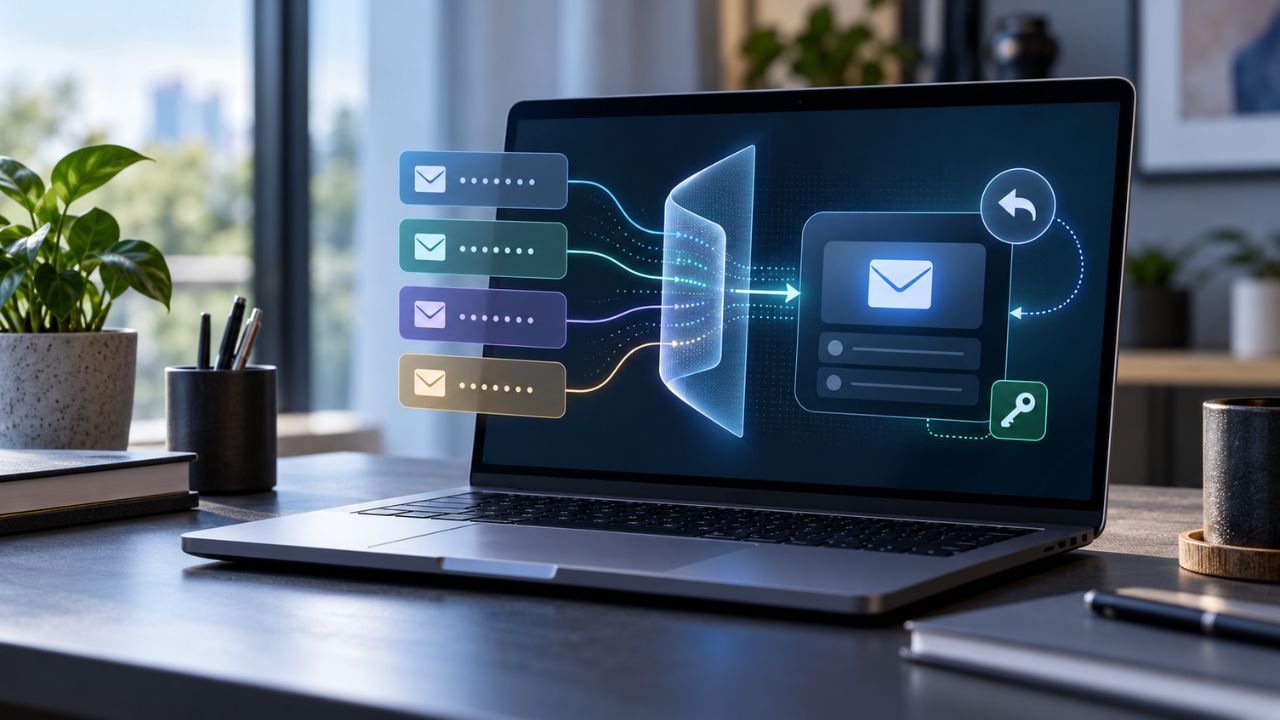
Email alias services can keep your real address out of shopping accounts, app databases, newsletters, and future data breaches. Some also let you reply through the alias, so the recipient never sees the inbox where the message was forwarded.
Several services do this well. SimpleLogin, Proton Pass, DuckDuckGo Email Protection, Fastmail, and Apple Hide My Email support private replies, while addy.io, Firefox Relay, and AdGuard Mail place the feature behind paid plans or additional restrictions.
Reply support is only half the decision. If an alias later stops working, password resets and security alerts may never arrive. For accounts you expect to keep, forwarding controls, downgrade rules, deletion recovery, and domain ownership matter as much as privacy.
How Email Alias Replies Actually Work
Most privacy aliases are forwarding addresses, not separate inboxes. Mail sent to the alias passes through the provider and arrives in an inbox you already use.
With two-way relay support, a reply first returns to a special relay address. The provider then sends it to the original sender with the alias in the visible From field. The recipient sees the alias rather than the Gmail, Outlook, Proton Mail, or other address receiving the forwarded mail.
This process normally works through the regular Reply button, but there are two important distinctions:
- Replying is not the same as starting a new conversation: Some services protect replies but cannot send a first message from an alias.
- The alias hides an address, not every part of an identity: A real name, profile image, automatic signature, quoted text, or identifying detail in the message can still reveal the sender.
Do not replace the relay address in the To field unless you intend to reveal your regular address. Changing it may bypass the alias service.
A plus address such as name+shopping@gmail.com works differently. It can help with filtering, but it exposes the underlying inbox and normally sends replies from the main address. It is not a strong privacy alias.
Comparing the 8 Email Alias Services
This comparison is based on official feature, pricing, downgrade, and account-recovery documentation checked on October 29, 2026. Prices, availability, and plan limits can change.
Proton Pass and SimpleLogin are listed separately because they offer different workflows. However, Proton Pass aliases use SimpleLogin infrastructure, so they should not be treated as two independent relay systems.
| Service | Free Allowance | Private Replies | Start New Email | Custom Domain | Main Recovery Concern |
| SimpleLogin | 10 aliases | Yes | Premium | Premium | Provider-domain aliases are not portable |
| Proton Pass | 10 aliases | Yes | Paid plans | Paid plans | Uses the same alias infrastructure as SimpleLogin |
| addy.io | Unlimited standard aliases, with bandwidth limits | Paid plans | Paid plans | Paid plans | Custom domains deactivate after downgrade |
| DuckDuckGo Email Protection | Effectively unlimited | Yes | Personal Duck Address only | No | Duck Addresses cannot move to another provider |
| Fastmail Masked Email | Paid service after trial | Yes | Yes | Yes | Mail stops when the Fastmail account closes unless migrated |
| Apple Hide My Email | Included with iCloud+ | Yes | Yes, with limits | No | Tied to the Apple Account and iCloud+ access |
| Firefox Relay | 5 masks on the current free offer | Premium | Reply only | No | Deleted masks are permanent; Premium availability varies |
| AdGuard Mail | 10 aliases | Full plan | Reply only | No | Deleted aliases cannot be restored |
1. SimpleLogin: The Best Overall Balance
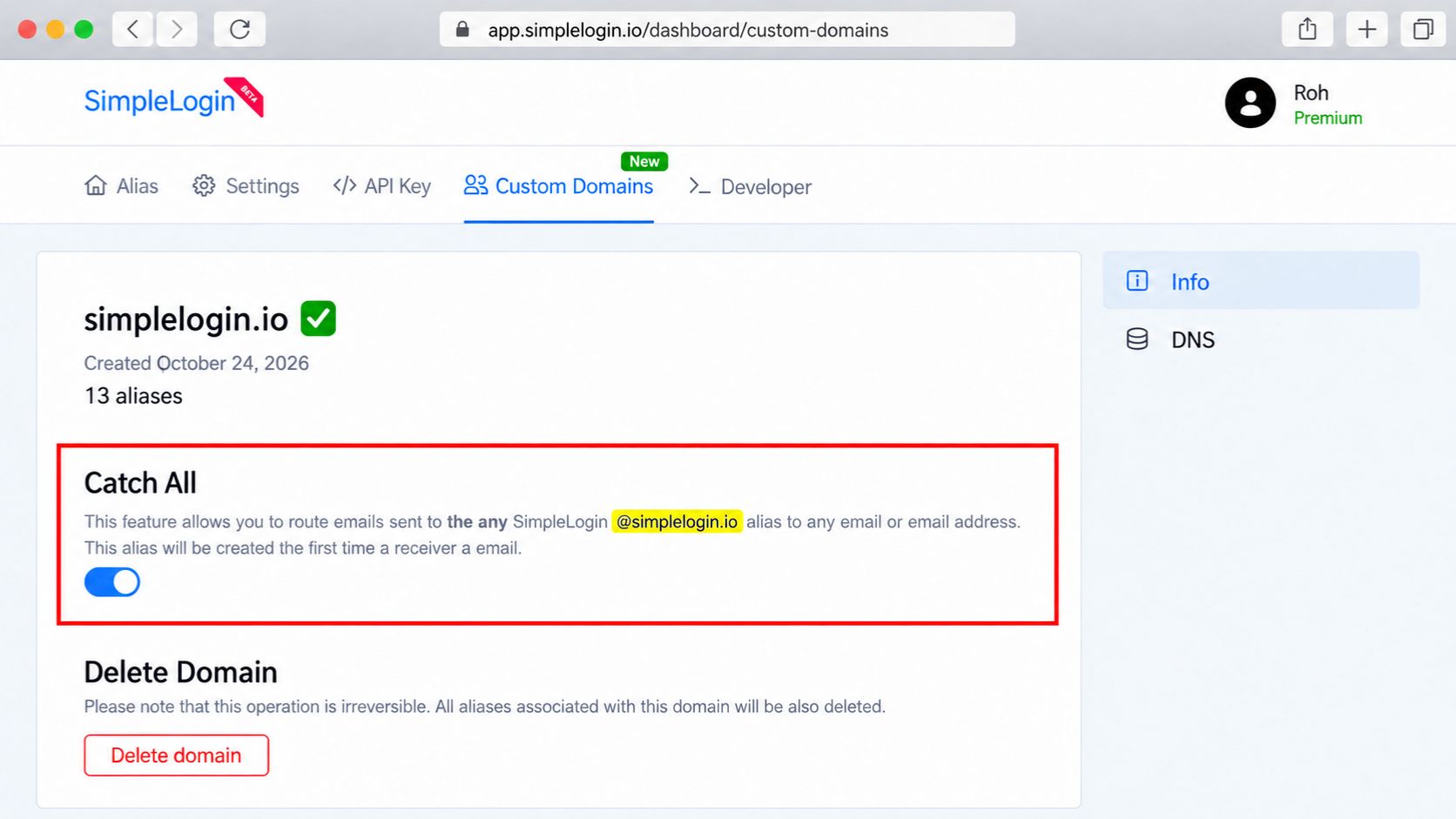
SimpleLogin offers the most complete balance without requiring a new primary inbox. Its free plan includes 10 aliases, unlimited forwarding bandwidth, and private replies. Premium adds unlimited aliases, custom domains, additional mailboxes, catch-all addresses, and reverse aliases for starting a conversation.
The downgrade policy is a major advantage. Existing aliases continue receiving and sending mail after Premium ends. Someone with more than 10 aliases cannot create another one, but the addresses already connected to online accounts keep working.
Standard aliases normally enter a recoverable trash period before permanent removal. Addresses on a domain the user owns can be recreated, although old contacts and settings may be lost. For stronger continuity, a custom domain preserves the address while an additional forwarding mailbox reduces dependence on one inbox.
2. Proton Pass: Convenient When Aliases and Logins Belong Together
Proton Pass generates aliases inside a password manager. A user can create an address while saving a login, then keep the alias, password, website, and notes in one record. This solves a surprisingly practical recovery problem: forgetting which random address belongs to an account.
The free plan includes 10 hide-my-email aliases and private replies. Paid plans add unlimited aliases, custom domains, extra forwarding mailboxes, and first-message sending. Stored data can also be exported for an offline record.
Proton Pass aliases use SimpleLogin infrastructure, so the two products provide convenience rather than independent backup. An alias moved to Proton Pass trash can be restored there. Even after permanent deletion in Pass, a further recovery window may remain through the connected SimpleLogin alias trash. Disabling remains the safer option when an old account might still depend on the address.
3. addy.io: The Best Low-Cost Route to a Custom Domain
addy.io gives free users unlimited standard aliases under a user-specific subdomain, 10 active shared-domain aliases, one forwarding recipient, and 10 MB of monthly bandwidth. Private replies require Lite or Pro. Lite starts at about $1 per month with annual billing and adds one custom domain, more recipients, tracking-pixel blocking, and up to 50 replies or sends per day.
Its alias controls are more careful than a simple delete button. Deactivation pauses forwarding. Deletion makes the address reject mail but keeps it restorable. “Forget” is the final action and may permanently block or release the address, depending on its type.
Downgrading is less forgiving. Custom domains, extra recipients, and paid-only aliases are deactivated when the subscription ends. Resubscribing within 90 days can restore the previous setup, but messages may be missed during that gap. Anyone relying on addy.io for account access should monitor billing and periodically export the alias list.
4. DuckDuckGo Email Protection: The Best Free Unlimited Option
DuckDuckGo Email Protection provides effectively unlimited private Duck Addresses for free. It forwards messages to an existing inbox, removes common email trackers, and normally sends replies from the Duck Address that received the message.
New conversations are more limited. DuckDuckGo offers a special sending format for the personal Duck Address, while its random private addresses are mainly intended for signups and replies. Replies may not work when the forwarding inbox uses a custom domain without a valid SPF record.
Users can change the forwarding destination in account settings. Support can also help if access to the old inbox has already been lost, which matters because sign-in codes normally go to that inbox. The remaining weakness is ownership: DuckDuckGo controls the domain, so the aliases cannot move elsewhere. It is an excellent free choice for ordinary accounts, but critical accounts still need an independent recovery method.
5. Fastmail Masked Email: Best for a Full Email-and-Alias Setup
Fastmail is a complete paid mailbox rather than a forwarding layer over Gmail or Outlook. Masked Email messages arrive inside Fastmail, replies use the masked address by default, and any active mask can be selected when composing a new message.
The Individual plan costs about $5 per month with annual billing. It includes custom domains, extra addresses, storage, calendars, and Masked Email. Integrations with 1Password and Bitwarden can generate an address during signup. Deleted masks can be reviewed and restored, while an address list can be exported for reference.
Cancellation requires planning. Once the account closes, Fastmail-owned addresses reject incoming messages and stored data enters a short deletion window. A custom domain provides an exit route, but the user must move its mail routing and recreate the required addresses before the subscription expires.
6. Apple Hide My Email: The Easiest Choice Inside the Apple Ecosystem
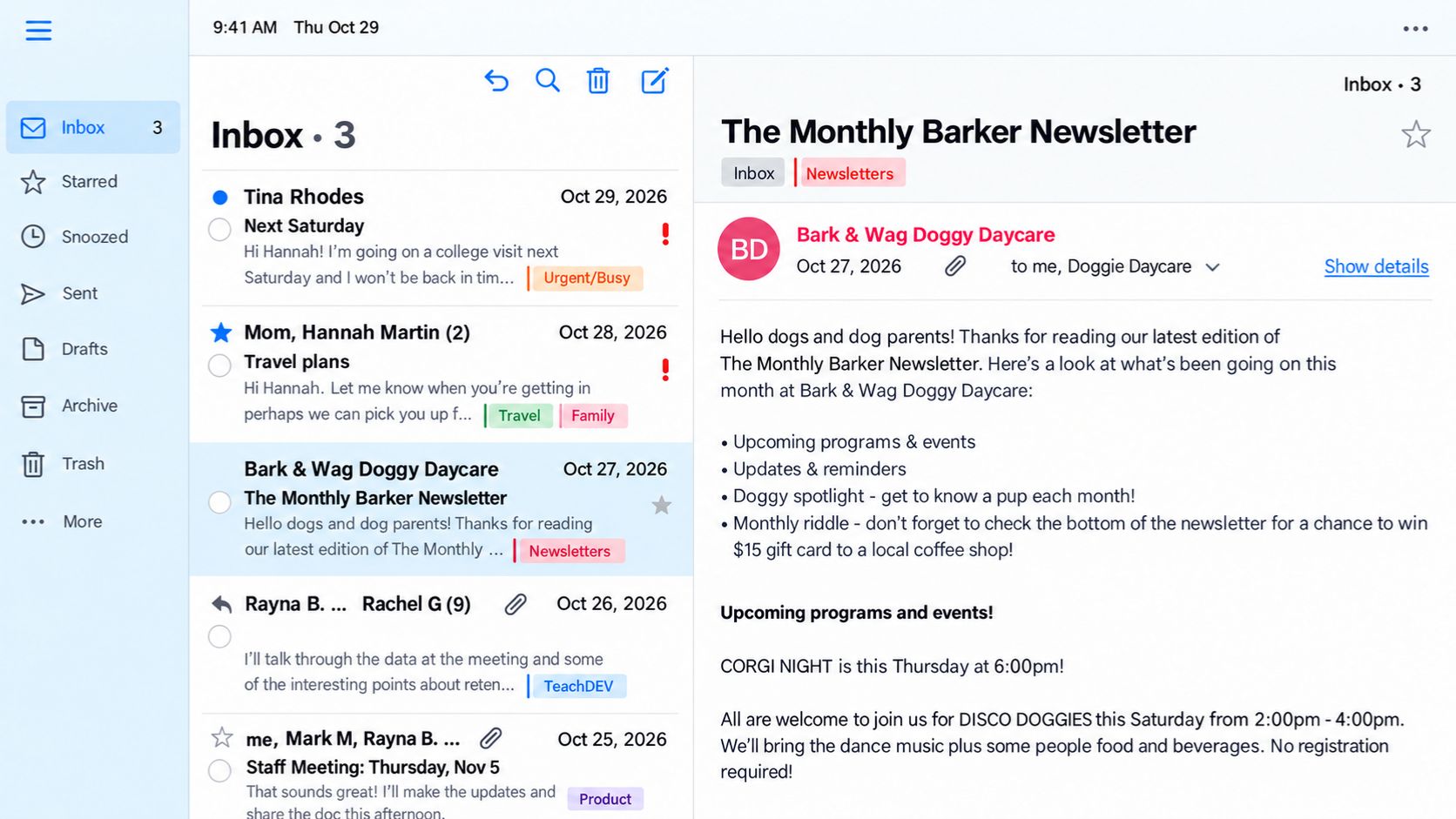
Hide My Email is built into iCloud+, Safari, Apple Mail, Apple Pay, and supported apps. It creates random addresses, labels them by purpose, and forwards messages to an address connected to the user’s Apple Account. Replies hide the personal inbox. Apple Mail and iCloud.com can also start a conversation, although a newly composed message is limited to one recipient.
General Hide My Email creation requires iCloud+. The similarly named option within Sign in with Apple is tied to a particular app or developer and follows tighter sender rules. Treating the two as identical can cause confusion when managing an account later.
Addresses can be deactivated and reactivated, and the forwarding destination can be changed to another verified address. They still use Apple-owned domains and cannot be transferred. Downgrading to free removes access to iCloud+ features, and Apple does not clearly promise how every existing alias will behave afterward. Important accounts should be changed before canceling.
7. Firefox Relay: Helpful for Signups, Less Convincing for Recovery
Firefox Relay is easy to use from the browser. Its current public offer includes five free masks. Premium adds unlimited masks, promotional-email blocking, a personal subdomain under Mozilla’s domain, and private replies.
Those replies come with limits. They must be sent within three months of the original message, with no more than 100 replies per day. Forwarded messages are capped at 10 MB, and adding CC or BCC recipients can expose the real address. Premium is limited to selected countries and, at the time of review, the product page directed new subscribers to a waitlist.
Mozilla advises against using Relay for banks, medical or legal communication, boarding passes, and other identity-sensitive messages. Masks can be paused, but deletion is permanent. That makes Relay useful for newsletters and low-risk signups, not accounts that may require dependable recovery years later.
8. AdGuard Mail: Generous Paid Limits With More Provider Lock-In
AdGuard Mail combines permanent aliases with temporary inboxes, but only the aliases belong in this comparison. The free plan includes 10 aliases, one recipient, and up to 2,000 forwarded messages a month. Full increases that to 1,000 aliases and 50 recipients, removes the forwarding limit, and permits up to 300 private replies per day.
After a paid subscription ends, existing aliases and premium-domain aliases remain active, subject to the free forwarding limit. Private replies stop. This is better than losing the addresses immediately, but it does not remove provider dependence.
AdGuard Mail has no custom-domain option. Deleted aliases cannot be restored, and a free user cannot replace the only confirmed forwarding recipient. Its terms also avoid guaranteeing that a particular alias or domain will remain available indefinitely. The generous limits suit high-volume everyday use, but critical accounts need a recovery route outside AdGuard.
Which Email Alias Service Fits Your Priorities?
Start with the type of account the alias will protect.
- For long-term accounts: SimpleLogin and addy.io provide custom-domain support and more control over where mail is forwarded. SimpleLogin has the more forgiving downgrade policy.
- For logins stored in a password manager: Proton Pass keeps the alias, password, website, and recovery details together.
- For a complete replacement inbox: Fastmail combines regular email, custom domains, and masked addresses without adding another forwarding layer.
- For everyday signups at no extra cost: DuckDuckGo Email Protection is the strongest free option. Apple Hide My Email is easier for people already paying for iCloud+.
- For low-risk newsletters and trials: Firefox Relay and AdGuard Mail can work, but their portability and recovery limitations make them weaker choices for critical accounts.
People who prioritize continuity should favor custom-domain support. Those who prefer the crowd privacy of a shared domain must accept that the address cannot move if the provider changes or closes.
How to Use an Alias Without Losing Account Access
An alias strategy needs some maintenance. Five habits prevent the privacy layer from becoming an account lockout.
- Use one alias for each important account and save it with the login: Reusing an address makes leaks harder to trace. A password-manager record also prevents a random alias from being forgotten when a recovery form asks for the full email address.
- Test the recovery route: After adding an alias, request a verification or password-reset email. Confirm that it arrives and does not land in spam before depending on it for financial, travel, work, or domain-registrar accounts.
- Keep a second recovery method outside the alias chain: Passkeys, authenticator-based two-factor authentication, printed backup codes, or an independent secondary email can preserve access if the forwarding service fails.
- Disable before deleting: Pausing an alias is usually reversible. Before permanent removal, check the password manager and inbox for every account still using it, then change and verify those accounts.
- Protect the provider and domain registrar: Use unique passwords, two-factor authentication, current recovery details, and safely stored recovery codes. If a custom domain expires, every alias on it can fail at once.
Commonly Asked Questions on Email Alias Services
Can You Reply to an Email Alias Without Revealing Your Real Address?
Yes, if the alias service supports private replies or reverse aliases. The reply passes through the provider and reaches the recipient from the alias. Check the From and To fields before sending, and remove any signature, profile image, or identifying text that could reveal personal information.
Are Email Aliases Safe for Password Resets?
Permanent aliases can receive password-reset messages, but their safety depends on the provider, plan, forwarding destination, and recovery setup. For an important account, keep the alias active, record it in a password manager, test reset delivery, and add another recovery method.
What Happens if an Email Alias Provider Shuts Down?
Aliases using the provider’s domain may stop receiving mail. That can block password resets for every account connected to them. A custom domain reduces this risk because its mail routing can be moved to another provider, provided the domain registration remains active.
A custom domain is better for portability and long-term control. A shared provider domain offers more crowd privacy because many users have similar addresses. The right choice depends on whether account continuity or reduced linkability matters more.
Can a Website Reject an Email Alias?
Yes. Some websites block known relay or alias domains because they mistake them for disposable email services. Trying another provider domain may work. A custom domain can reduce this problem, although it may make aliases across different websites easier to connect to the same owner.
Choose the Exit Plan Before the Alias
The best email alias services do more than generate disposable-looking addresses. They preserve private replies, keep forwarding under the user’s control, and provide a safe route when an inbox, subscription, or provider changes.
For low-risk signups, a free provider-owned alias may be enough. For accounts that hold money, work, travel records, domains, or years of purchases, recovery deserves more planning. Use a permanent alias, record it with the login, keep an independent recovery method, and consider a custom domain when long-term portability matters most.