

Struggling to access the ELC UGA Login portal? This online platform is key for University of Georgia students managing courses, quizzes, and more. In this guide, you’ll learn how to sign in easily and fix common login issues.
Keep reading to make your online learning smoother!
Key Takeaways
- The ELC UGA portal helps University of Georgia students manage courses, quizzes, and attendance online.
- Students need their UGA MyID and ArchPass for secure login at elc.uga.edu or related links like my.uga.edu.
- Features include course materials, discussion boards, and automated quiz scoring with various question formats.
- Troubleshooting tips include resetting passwords via the “Forgot Password?” link and ensuring JavaScript is enabled on updated browsers.
- Users can contact EITS Support by phone, email, or live chat for help with technical issues or access step-by-step guides online.
How to Access the ELC UGA Login Portal
Start by visiting the official ELC UGA website using your browser. Log in with your UGA MyID and password to access all tools and resources.
Go to **elc.uga.edu** on your browser. Make sure JavaScript is enabled for the page to work correctly. If you’re unsure, check your browser settings and toggle it on.
You can also access eLC through two other links: **my.uga.edu**, where you click on the “e-Learning Commons” image, or **uga.view.usg.edu**, which is the final destination for all these options.
Use any device—laptop, tablet, or mobile phone—to get started quickly.
Login with UGA MyID and Password
After reaching elc.uga.edu, select “UGA MyID Login” to move forward. Enter your UGA MyID and password through the Single Sign-On interface. This connects you to all linked systems fast and securely.
ArchPass adds an extra layer of security. ArchPass is UGA’s two-step login tool; it helps keep your account safe from unauthorized access. Use it for eLC, Athena, or Employee Services every time you log in.
Key Features of the ELC UGA Portal
The portal brings powerful tools to help students and instructors manage classes online. It simplifies learning, offering quick access to important course materials.
Course Management Tools
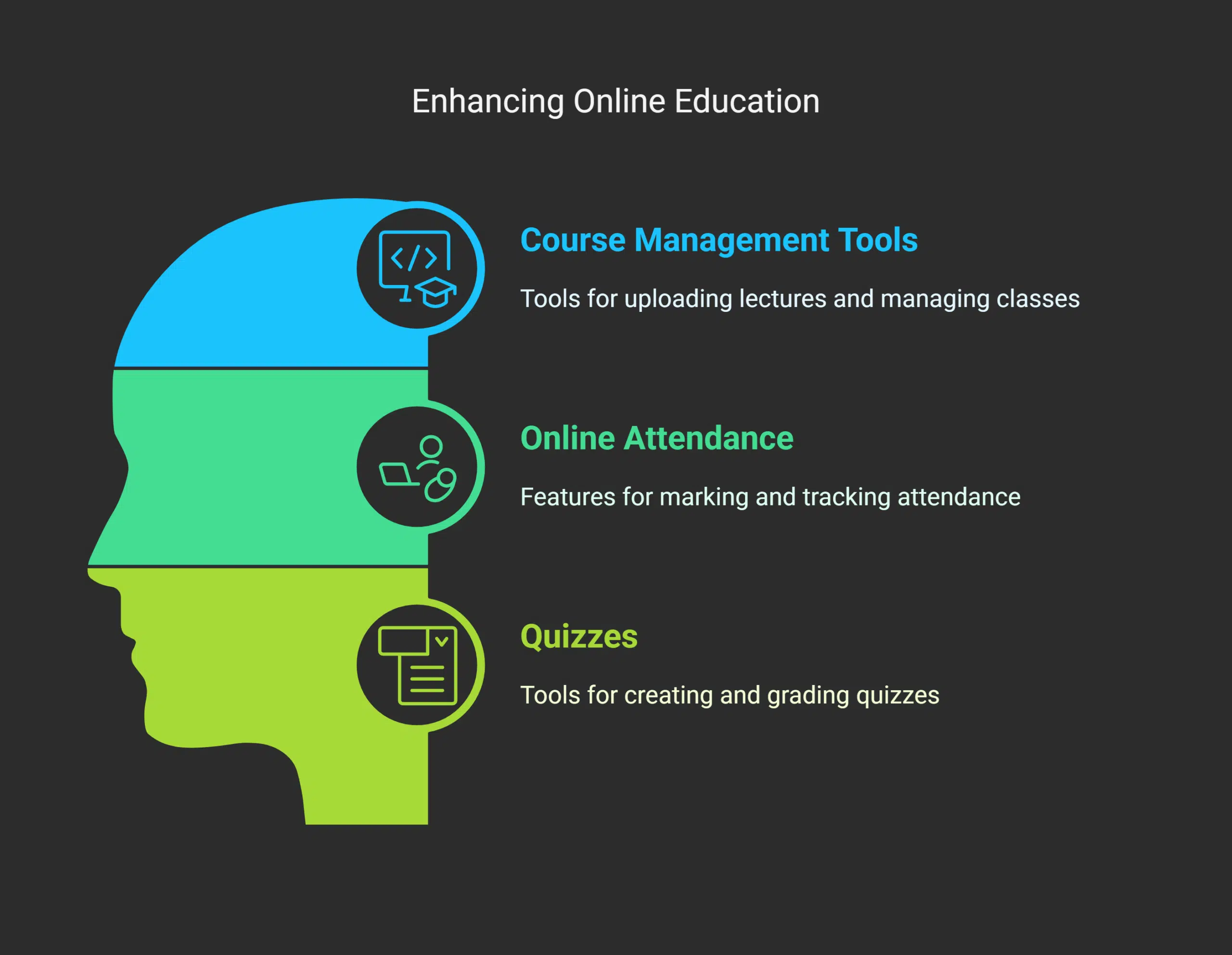
Course management tools on eLC empower students and instructors to handle online courses with ease. Instructors can upload lectures, manage class sections, and track attendance. Students of the University of Georgia can download course materials like PDFs or PowerPoints directly from the platform.
Tools such as discussion boards allow users to stay active in class conversations. Quizzes are available for testing knowledge and tracking progress. These features make managing online education simple and efficient for anyone involved.
Online Attendance and Quizzes
Tracking attendance and completing quizzes in ELC UGA is simple. Professors can mark attendance or allow students to check in online. Quizzes are available directly through each course page, offering instant feedback on performance.
Scores update automatically, allowing students to review them anytime.
The platform supports various question formats like multiple-choice, true/false, and essay responses. Students can access missed quizzes or assignments if instructors activate the option for late submissions.
This tool helps manage schedules while staying updated on grades without fuss.
Troubleshooting Login Issues
Login troubles can feel like hitting a wall, but help is at hand. Try simple fixes to get back on track fast.
Resetting MyID Password
Forgot your MyID password? Click the “Forgot Password?” link on the ELC UGA login page. Enter your username to get instructions sent to your registered email. Follow the steps in that email to set a new password quickly.
Make sure you meet UGA’s password requirements. This might mean using at least eight characters, including letters and numbers. If you’re stuck or don’t have access to your recovery email, contact EITS support for more help.
Checking Browser Compatibility
A JavaScript-enabled browser is a must for the ELC UGA portal. If your browser has JavaScript turned off, the site may not load properly. You might even see a warning message about this issue.
It’s best to use updated browsers like Chrome, Firefox, or Safari for smooth access.
Enable JavaScript through your browser settings if needed. Each browser has different steps to turn it on—make sure to check their help sections for guidance. Having trouble? The next section will walk you through resetting login details and other fixes.
Support and Resources for ELC Users
Help is just a click away if you face hiccups with ELC. You can easily find tools, guides, or contact support for quick solutions.
Contacting EITS Support
EITS Support helps with login issues or other technical problems in the eLearning Commons (ELC) system. Users can reach out by phone, email, or live chat through the UGA Help Desk.
Quick support for resetting passwords, browser errors, or account troubleshooting is available.
An online form allows users to request help with departmental applications or additional services. For step-by-step guidance on common tasks, visit their FAQs and tutorials section under “Help eLC.” The support team works jointly to resolve issues faster.
Accessing How-To Guides and Tutorials
Find step-by-step guides for using the ELC UGA platform on their website. These tutorials help students and employees get started with tools like Brightspace or manage profiles. The Center for Teaching and Learning also provides easy-to-follow instructions to assist users.
Downloadable resources cover topics like using print kiosks on campus or accessing educational technology services. You can even use an online form to request extra support if needed.
Check out these tools to make the most of your learning experience!
Next, we’ll explore troubleshooting login issues.
Takeaways
The ELC UGA Login Portal makes online learning simple and quick. Students can manage courses, take quizzes, and track attendance all in one place. With a MyID login and ArchPass setup, access is secure yet easy.
If problems arise, support is just a click away. This platform keeps education at your fingertips!
FAQs on Elc Uga Login
1. What is the ELC UGA Login Portal?
The ELC UGA Login Portal is an online eLearning platform used by the University of Georgia to support students and faculty with courses, resources, and data management.
2. How do I get started using ELC at UGA?
To start, log in through the portal using your university credentials. If you’re new, check out the “getting started” guide or contact enterprise information technology services for help.
3. Can I access ELC on my phone?
Yes! You can use the mobile app available on the Play Store to stay connected to your courses and updates while on the go.
4. What should I do if I have login issues?
If you’re having trouble logging in, note any error messages and reach out to ELC support for assistance. They can prompt solutions or guide you through fixes.
5. Can departments request special forms through ELC?
Yes, there’s a form available to request departmental features or tools within the learning management system for future needs or specific projects.





















