

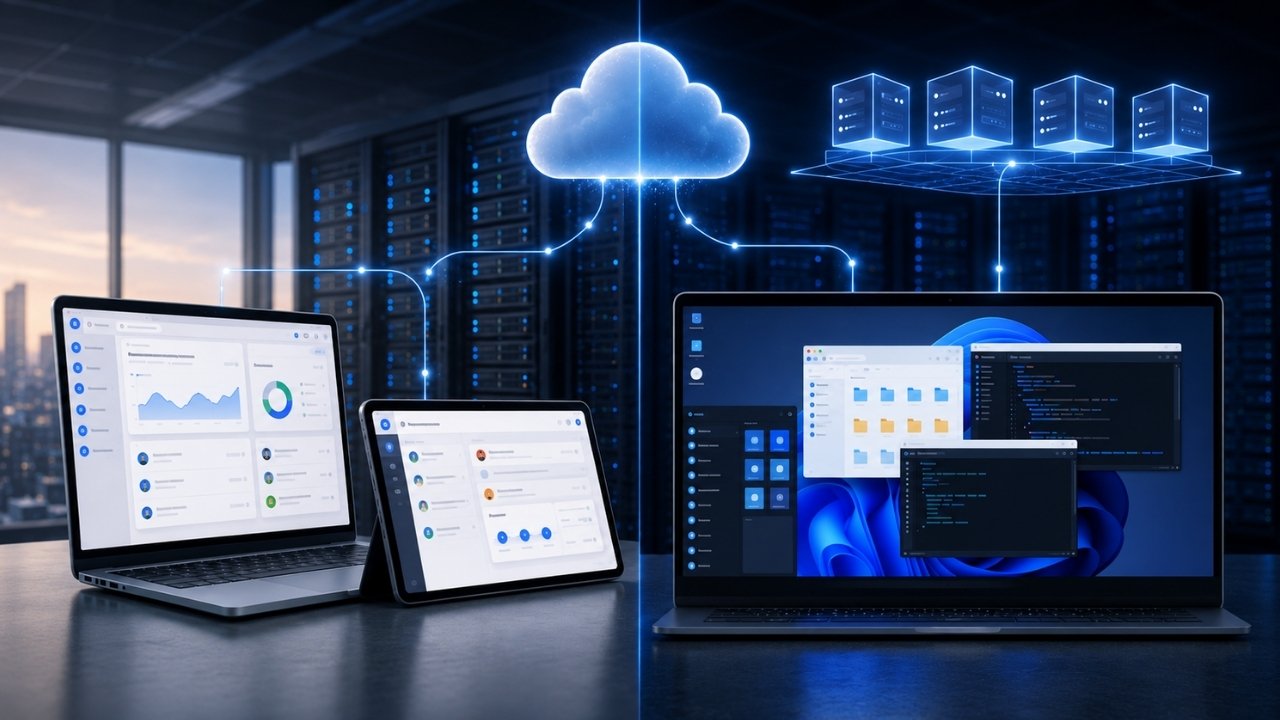
Modern enterprise IT architecture revolves around a central question: how much of the underlying execution layer should you hand over to the cloud? As remote workforces expand and Zero Trust security models replace traditional network perimeters, picking the right delivery mechanism determines not just your monthly cloud spend, but how easily your engineering teams can enforce security guardrails.
While Software as a Service (SaaS) and Desktop as a Service (DaaS) both operate on recurring subscription models, they solve fundamentally different infrastructure challenges. SaaS delivers individual, web-optimized applications straight to a browser window. DaaS, on the other hand, streams an entire virtualized operating system from remote hypervisors, turning any endpoint device into a secure terminal. Understanding where computational processing, profile storage, and display protocol rendering occur is the key to choosing the right strategy for your technical stack
Architectural Comparison: DaaS vs SaaS
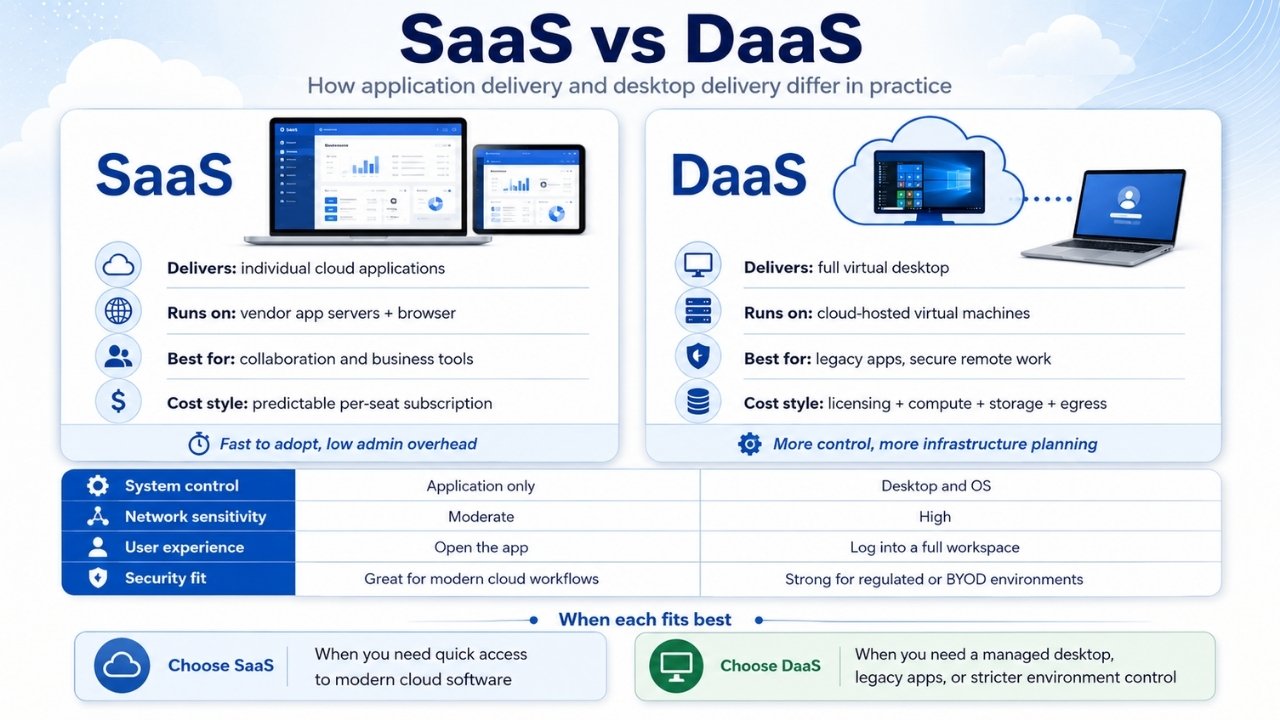
Selecting between Software as a Service (SaaS) and Desktop as a Service (DaaS) comes down to where application logic executes and how much control IT retains over the operating environment. SaaS delivers focused application functionality through web browsers. DaaS streams an entire virtualized operating system instance from a cloud data center directly to an endpoint device.
| Architectural Dimension | Software as a Service (SaaS) | Desktop as a Service (DaaS) |
| Primary Delivery Unit | Individual application module or web utility | Complete virtual desktop session |
| Execution Location | Vendor application servers and browser JavaScript engines | Cloud hosted hypervisors running virtual machines |
| Data Storage Location | Multi-tenant vendor databases and cloud object stores | Virtual hard disks mounted in cloud data centers |
| Network Sensitivity | Tolerates moderate latency and packet retransmission | Requires low jitter and high bandwidth for frame buffer streaming |
| Endpoint Hardware Load | Browser rendering engine and local system RAM | Low client processing load handled by thin-client protocols |
| Target Workloads | Collaborative business tools and communications | Legacy desktop software, CAD rendering, and secure remote work |
| Billing Mechanics | Flat monthly per-seat license fees | Base management licenses plus cloud compute, storage IOPS, and network egress |
Understanding Software as a Service: App-Centric Cloud Delivery
Software as a Service isolates application execution from local hardware entirely. The software vendor builds, hosts, and maintains the application stack, leaving end users to connect through secure HTTPS calls inside standard browser environments like Chrome or Edge.
The underlying infrastructure relies on multi-tenant cloud architecture. A single software deployment serves thousands of distinct customer accounts, using database logical isolation to prevent cross-tenant data leaks. Processing occurs primarily on the vendor’s stateless application servers, which pull records from managed database clusters and return JSON payloads back to the client browser.
Data flow in a SaaS model moves over standard web protocols. The user client device initiates HTTPS, REST API, or WebSocket connections directly to the SaaS provider application cluster. The client browser executes JavaScript or WebAssembly locally to draw user interface components, while server-side business logic handles transaction processing and authentication tokens.
Software updates deploy directly at the server origin. When an engineering team pushes a continuous integration build, every user accessing the URL receives the patched code upon their next HTTP request or page refresh. Client device configuration is limited to browser permissions and identity provider integration through SAML or OpenID Connect.
Common enterprise SaaS tools include platforms like Salesforce, Google Workspace, Slack, and Figma.
Understanding Desktop as a Service: Streamed Workspace Environments
Desktop as a Service virtualizes the entire desktop computing stack rather than a single software boundary. The DaaS provider manages cloud host nodes, hypervisor clusters, and control planes while delivering a full Windows or Linux desktop environment to the user device.
The user connects using client software or an HTML5 browser session to establish a connection to a remote virtual machine. Communication between the endpoint and the cloud workspace travels through specialized display protocols over TCP or UDP socket connections. The local endpoint captures keyboard presses and mouse coordinates, transmitting those signals to the cloud hypervisor. The remote virtual machine updates its internal state, renders the desktop screen frame inside a cloud graphics buffer, compresses the visual output, and streams the updated video frames back down to the user endpoint.
Display protocols handle screen rasterization and input transmission using tight compression algorithms. Modern DaaS setups leverage H.264 or H.265 video codecs alongside YUV 4:4:4 chroma subsampling. This specific color sampling prevents font blurring on crisp text interfaces, ensuring high-density desktop text remains legible over remote sessions. Display traffic prefers stateless User Datagram Protocol transport over TCP to avoid head-of-line blocking when packet loss occurs.
IT administrators manage two distinct session deployment topologies within DaaS environments:
Persistent desktops assign a dedicated virtual machine disk to a specific worker. Custom configuration changes, software installs, and local profile data persist across reboots, functioning identically to a personal physical computer.
Non-persistent desktops provision temporary virtual machines from a master golden image upon user login. When the user logs out, the virtual machine destroys its transient state and reverts to its baseline template, wiping temporary files and malware risks instantly.
To preserve user profiles in non-persistent configurations, enterprise architects deploy disk-container solutions such as Microsoft FSLogix. During the logon phase, FSLogix mounts a user profile virtual hard disk file across the cloud network into the virtual machine system directory. The operating system treats the network-attached virtual drive as a local storage bus, delivering custom settings without forcing the entire profile to copy over the network during boot times.
Compute-heavy workloads like 3D CAD modeling or geospatial data analysis utilize virtual GPU passthrough technologies. Cloud hypervisors divide physical graphics hardware into discrete virtual GPU profiles allocated directly to individual virtual machines.
Leading DaaS solutions include Amazon WorkSpaces, Microsoft Azure Virtual Desktop, Windows 365 Cloud PC, and Omnissa Horizon Cloud.
Core Operational Differences Between DaaS vs SaaS
Execution Boundaries and System Access
SaaS boundaries stop at the application layer. Users interact with predefined user interfaces and database forms, lacking access to underlying file directories or operating system kernels. System settings outside the product dashboard remain entirely inaccessible.
DaaS provides full access to an operating system shell. Users run local executables, configure terminal environments, and map network shares if administrator access rights permit it. The execution context remains inside the cloud host data center, protecting internal networks even when accessed from compromised endpoint hardware.
Because raw files and database queries execute within the remote cloud host, corporate data never touches the physical hard drive of the user’s laptop. If a remote worker loses a personal machine, company files remain secure inside the cloud data center boundary. The endpoint functions purely as a display monitor that accepts user inputs.
Network Latency, Jitter, and Protocol Requirements
Network conditions impact user experience differently depending on the chosen delivery architecture.
SaaS applications utilize client-side rendering and local state handling to absorb transient network interruptions. When an engineer types text into a web document, the browser registers those keystrokes immediately in local client memory before sending updates to the cloud database asynchronously. Short network drops or high packet latency rarely freeze the screen interface.
DaaS requires sustained low-latency network connections. Because screen updates depend on continuous remote frame buffer streaming, high network jitter directly causes cursor lag, frame dropping, and input delay. A connection latency above 150 milliseconds renders real-time desktop interactions noticeably sluggish, while CAD and video editing workflows degrade rapidly when latency exceeds 50 milliseconds.
Cost Mechanics and Cloud Egress Realities
SaaS cost accounting follows a simple subscription format. Customers pay a flat fee per user seat per month, which covers software access, vendor maintenance, database compute, and backend storage overhead.
DaaS financial structures include variable operational costs alongside base licensing fees:
-
Management plane licenses: Monthly subscription fees for access to orchestration controllers like Citrix Cloud or Azure Virtual Desktop.
-
Virtual machine compute: Hourly costs tied to active virtual CPU cores, system RAM, and optional vGPU allocations.
-
Storage IOPS and capacity: Provisioned disk volumes holding OS master images and profile storage containers.
-
Network data egress: Charges incurred whenever high-definition video frames or audio streams move out of the cloud provider data center to client endpoints.
Unoptimized DaaS deployments can cause unexpected cloud spending if idle virtual machines remain powered on overnight or if profile containers expand without storage quotas.
When to Deploy DaaS versus SaaS
Selecting between these two cloud models requires matching business operational needs with security constraints.
Where SaaS Native Approaches Dominate
Deploy SaaS when business processes rely on modern, web-optimized software suites that do not require specialized hardware drivers or operating system integrations.
Organizations with cloud-native workflows benefit from zero-footprint software deployments. SaaS eliminates image management, operating system patch cycles, and virtual desktop broker configurations. It allows distributed teams to collaborate on shared data stores directly through mobile apps or standard desktop browsers without maintaining remote desktop infrastructure.
Where DaaS Infrastructure is Essential
Deploy DaaS when regulatory compliance mandates strict data residency boundary constraints, or when the workforce relies on legacy desktop applications that lack native web equivalents.
Financial institutions, healthcare providers, and defense contractors utilize DaaS to enforce Zero Trust access frameworks across contractor networks and Bring Your Own Device policies. IT teams can restrict file downloads, block clipboard copy-pasting to local endpoint hard drives, and prevent local screen captures through administrative display policies. When a contractor finishes an assignment, IT revokes cloud desktop permissions instantly, leaving zero company data behind on the contractor’s personal hardware.
Strategic Takeaways for Cloud Architects
Selecting between SaaS and DaaS is rarely an all-or-nothing proposition for modern enterprise environments. Most technical organizations deploy both service models side by side, routing standard collaboration tools through multi-tenant SaaS platforms while reserving DaaS for compliance-sensitive workloads and legacy desktop applications.
The deciding factor ultimately comes down to control. If your organization requires complete administrative authority over operating system configurations and endpoint security boundaries, DaaS provides the necessary isolation. If your priorities favor rapid user onboarding and minimal client-side maintenance, SaaS offers the more efficient operational model. Aligning your software catalog with these structural boundaries keeps security perimeters intact while preventing unexpected cloud egress expenses across distributed workforces.
Frequently Asked Questions(FAQs) on DaaS vs SaaS
Can you run SaaS applications inside a DaaS session?
Yes. Enterprise organizations frequently deploy web browsers inside secure DaaS virtual desktops to access corporate SaaS platforms. This layered approach enforces security guardrails by requiring connections to originate from approved static cloud IP ranges, preventing direct public internet logins to sensitive SaaS databases.
How does DaaS differ from on-premise Virtual Desktop Infrastructure (VDI)?
Traditional VDI requires organizations to purchase, host, and manage physical rack servers, hypervisors, and storage arrays within local data centers. DaaS offloads physical server hardware, hypervisor management, and connection brokers to a public cloud provider, shifting capital hardware investments into operational cloud compute costs.
Is DaaS inherently more secure than SaaS?
DaaS provides broader administrative control over operating system behaviors, clipboard redirection, and local storage access. While SaaS secures individual application boundaries, DaaS isolates the entire desktop workspace, offering greater security control when managing untrusted devices or regulated file environments.






















