The most valuable technology upgrade is often not the newest device or the largest software package. It is the least expensive fix for a bottleneck that occurs every day. A faster drive, booking page, shared inbox, or smart thermostat may be affordable, but “installed” is not a business outcome. The useful questions are what changed, how much that change is worth, and whether the upgrade deserves the credit.
A 2025 survey of Canadian small and medium-sized businesses illustrates the measurement gap. Among 1,032 respondents asked about technology investments made during the previous three years, 36% reported a return within 12 months, while 32% were unsure how long returns took. The results were self-reported and specific to Canada, so they are not a universal forecast. They do show why a business needs a baseline before buying.
These low-cost technology upgrades do not require a company-wide digital transformation. In this context, “low-cost” does not mean a fixed price. It means the business can test the change on a limited scale, reverse it without a major migration, and judge the result before making a larger commitment. Most options can begin with a component, peripheral, free trial, entry-level subscription, or tightly scoped pilot.
How to Measure Low-Cost Technology Upgrades Before You Scale Them
Choose one bottleneck and record its current performance for at least one normal work cycle. Depending on the task, that may mean a week, a month, or a complete billing period. Measure volume as well as time: saving five minutes matters more when the task occurs 200 times than when it happens twice.
Use four controls before approving a wider rollout:
- Set a baseline: Record the current time, error rate, failure rate, cost, or conversion result.
- Choose one primary outcome: Decide what must improve for the upgrade to count as successful.
- Include the full cost: Add setup, training, accessories, subscriptions, maintenance, and disruption.
- Run a controlled pilot: Test with one team, device, location, or workflow before expanding.
Include the full cost of the upgrade:
- Purchase price or subscription fees
- Installation, migration, and configuration time
- Employee training and temporary disruption
- Accessories, integrations, maintenance, and replacement costs
- Time spent checking failures or correcting inaccurate output
For a financial estimate, use a consistent period:
ROI (%) = [(financial benefit − total cost) ÷ total cost] × 100
Payback period = total cost ÷ average monthly financial benefit
Treat labor savings carefully. Suppose a tool saves four hours a month and the team values those redeployed hours at $25 each. That creates a potential monthly benefit of $100. If the tool and its allocated setup cost total $25 a month, the illustrative ROI is 300%.
The calculation is valid only if the saved time is actually used for billable work, faster customer response, avoided overtime, or another defined outcome. Time that disappears into untracked activity should not be reported as cash savings.
A deeper digital-transformation ROI calculation should also account for errors, customer outcomes, operating costs, and the full measurement window.
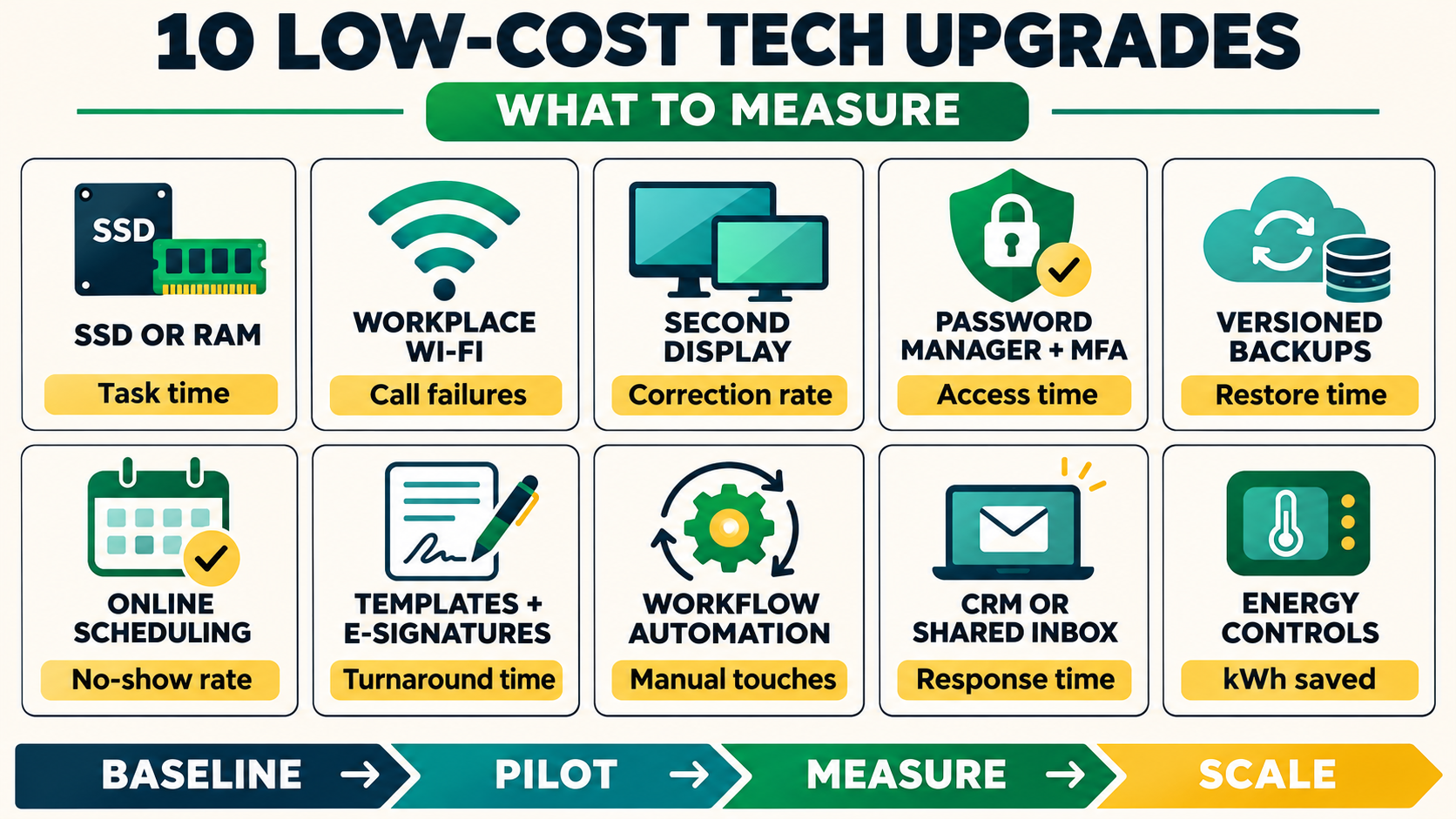
| Upgrade | Bottleneck to verify first | Primary return metric |
|---|---|---|
| SSD or RAM | Slow loading, memory pressure, freezes | Task time and interruption rate |
| Wi-Fi improvement | Weak signal, packet loss, unstable calls | Failed calls and upload time |
| Second display | Constant window switching | Completion time and correction rate |
| Password manager and MFA | Reused credentials, resets, slow offboarding | Coverage, resets, and access-removal time |
| Versioned backup | Incomplete recovery or untested restores | Restore success and recovery time |
| Online scheduling | Booking emails and missed appointments | Admin minutes and no-show rate |
| E-signatures and templates | Repeated document preparation | Turnaround time and corrections |
| Workflow automation | Repetitive rules-based handoffs | Manual touches and error rate |
| CRM or shared inbox | Lost context and missed follow-ups | Response time and conversion |
| Energy monitoring and controls | Unexplained electricity or HVAC use | kWh and utility cost per occupied day |
1. Upgrade the SSD or RAM Before Replacing the Computer
An older computer does not always need to be replaced. If it still receives security updates and its processor can handle the work, an SSD can remove delays caused by a mechanical hard drive. Additional RAM can help when several applications or large files exhaust available memory.
Diagnose the bottleneck first. Measure sign-in time, the time required to open a typical project, export duration, freezes, and forced restarts. Check memory and disk activity while running the actual workload.
The practical principle behind upgrading a digital workflow at its bottleneck is simple: add RAM when memory is the limit and improve storage when loading or file operations are the problem.
Repeat the same tasks after the upgrade. Use median times rather than the single fastest run, and count interruptions over at least a week. The return becomes stronger when the upgrade extends the useful life of several computers and reduces paid downtime.
Do not proceed when the real problem is an unsupported operating system, failing battery, overheating, inadequate processor, damaged hardware, or software that requires a stronger graphics card. Back up the machine before installation and confirm compatibility, warranty terms, encryption recovery, and who will perform the work.
2. Fix Workplace Wi-Fi Before Paying for More Bandwidth
A more expensive broadband plan cannot repair a weak wireless signal. Before upgrading service, compare a wired Ethernet test with tests from the desks, meeting rooms, counters, or work areas where problems occur.
Strong wired performance combined with poor Wi-Fi points toward local equipment, placement, interference, or coverage.
The lowest-cost fix may be moving the router, updating supported firmware, replacing a damaged cable, or wiring one critical workstation. Larger or obstructed spaces may need a properly placed access point or mesh system.
The real internet speed testing process should include upload speed, latency, jitter, and packet loss—not only headline download speed.
Track dropped calls, frozen video meetings, failed cloud syncs, point-of-sale disconnects, and the time required to upload a standard file. Compare the same locations and times before and after the change.
If the wired connection is also poor, document several days of results and address the internet service or modem before buying more Wi-Fi hardware.
3. Add a Second Display Only for Side-by-Side Work
A second display can be a modest upgrade for roles that repeatedly compare information, including bookkeeping, editing, customer support, research, coding, design review, and order processing. It has less value for work that stays inside one application or requires mobility.
Run a short trial with a spare monitor before buying several. Choose two representative tasks, such as reconciling an invoice against an order or transferring approved information between systems.
Measure completion time, window switching, and correction rate on the usual screen. Repeat the tasks with the second display, keeping the source on one screen and the working system on the other.
Try software changes first. A good Windows productivity setup can use Snap layouts, virtual desktops, Focus, and cleaner notifications to remove friction without new hardware.
If side-by-side visibility still shortens the task, include the monitor, cable or dock, desk space, and electricity in the cost. The upgrade should follow the role rather than become a default purchase for every employee.
Shared passwords stored in chat threads, spreadsheets, or personal browsers create operational as well as security costs. Employees lose time finding credentials, password resets interrupt work, and offboarding becomes uncertain because nobody knows which accounts a former worker could still access.
Start with email, cloud storage, banking, payment, domain, social media, and administrator accounts. Use a password manager that supports the required devices, role-based sharing, recovery, export, and ownership transfer.
This password-manager comparison explains why business vault controls and recovery matter more than simple autofill.
Enable multifactor authentication, favoring passkeys or security keys for sensitive services when supported. NIST’s November 2026 guidance for very small businesses recommends regular backups, MFA, and password managers as practical protective measures.
Measure the rollout rather than trying to calculate the exact value of an incident that did not occur. Useful metrics include:
- Percentage of critical accounts using unique credentials
- MFA coverage
- Number of password-reset requests
- Time required to grant or revoke access
- Unmanaged shared credentials discovered during an audit
Security is a risk-reduction investment. Avoided-loss estimates should remain separate from confirmed cash savings.
5. Add Versioned Backups and Prove Restoration Works
File synchronization helps people work across devices, but it may also copy an accidental deletion, corrupted file, or ransomware-encrypted version. A low-cost backup upgrade should create an independent recovery path with suitable version history, retention, and access controls.
Begin with the data that would stop the business:
- Accounting records
- Active client work
- Contracts
- Product data
- Website assets
- Configuration exports
The distinction between cloud sync and a recoverable backup becomes clear only when a sample file can be restored and opened.
Set a recovery point objective, the maximum amount of recent work the business can afford to lose. Then set a recovery time objective for how quickly operations must resume.
Run a controlled restoration drill. Record backup coverage, failed jobs, restoration success, the age of the recovered version, and the minutes required to recover it.
The return is not “we prevented a disaster” unless a real loss was avoided and documented. The measurable result is improved recovery readiness: more critical data covered, fewer failed jobs, and a tested restoration completed within the target time.
At least one recovery copy should be separated from everyday credentials and normal file changes.
6. Use a Booking Page for Repeatable Appointments
Scheduling software can remove repeated email exchanges when a business regularly books consultations, interviews, demonstrations, service visits, or classes. It is less useful for complex meetings that require several internal decisions before a time can be offered.
Start with one appointment type. Define:
- Availability
- Meeting length
- Buffers
- Time-zone behavior
- Rescheduling rules
- Questions customers must answer
Add reminders only after checking that their timing and wording are appropriate. A comparison of scheduling tools for meetings and appointments can help match booking links, team routing, payments, and calendar support to the job.
Track administrative minutes per confirmed appointment, median time from inquiry to booking, no-show rate, rescheduling rate, completed appointments, and lead-to-meeting conversion.
Compare at least one full business cycle before and after launch. A lower no-show rate or faster booking can be valuable. A crowded calendar filled with unqualified calls is not automatically a return.
7. Convert Repeated Documents Into Templates and E-Signatures
Many service businesses rebuild the same proposal, statement of work, intake form, or agreement for every client. Reusable sections, approved pricing tables, required fields, and electronic signatures can reduce preparation time and missing information.
Map the current document path from request to approval, signature, deposit, and project setup. Standardize only the repeated parts. Keep scope, exclusions, price, and legal terms subject to the appropriate review.
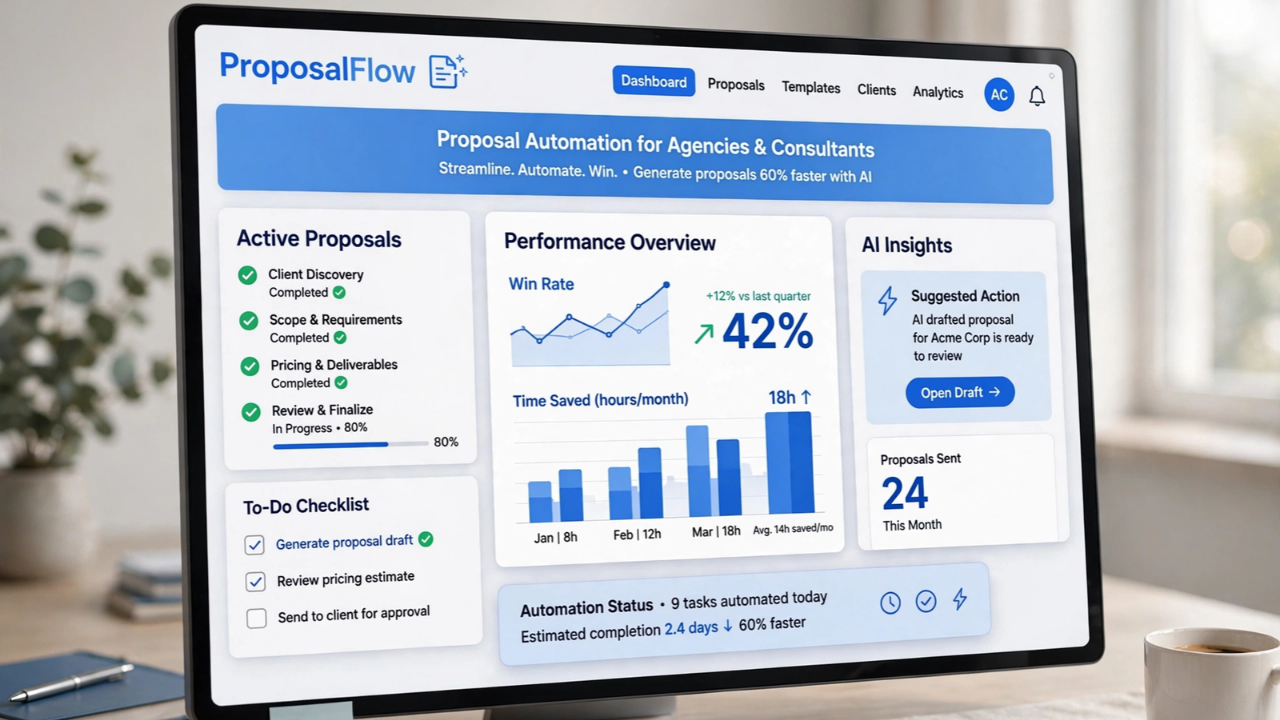
Proposal automation software can combine templates, client data, approval, signatures, and downstream steps. However, entry-level plans may exclude the integration or approval feature that creates the real value.
Track:
- Minutes needed to prepare a document
- Number of corrections
- Signature turnaround
- Days from acceptance to invoice or deposit
- Percentage of records with all required fields
Do not treat an “opened” notification as proof of purchase intent.
Electronic acceptance is not interchangeable with every formal signature requirement. Confirm signer authority, identity, consent, record retention, local law, and excluded document types before changing a legally important process.
8. Automate One Stable, Rules-Based Handoff
Small automation projects can produce visible returns when they remove a frequent handoff. Examples include:
- Copying a website inquiry into a CRM
- Creating a project after an approved sale
- Saving receipts in the correct folder
- Sending an invoice reminder
- Producing a recurring status report
Observe the process before connecting applications. Record its frequency, duration, inputs, exceptions, and cost of error.
The best candidates among small business tasks worth automating are predictable, digital, easy to inspect, and reversible. Assign a person to review failures and unusual cases.
Track manual touches per transaction, cycle time, error rate, completion rate, delayed handoffs, and monthly maintenance time. Count subscription charges and workflow-operation limits in the total cost.
If employees continue performing every step manually “just in case,” the automation has added work rather than removed it.
Do not automate a process that changes every time. Standardize the inputs and decision rules first, then pilot the workflow with controlled data. Keep human approval for refunds, sensitive messages, unusual contracts, access changes, and other actions where an incorrect result could be costly.
A spreadsheet or ordinary inbox may be adequate while one person handles a small number of customers. The upgrade becomes valuable when leads lack owners, follow-ups are missed, two employees send conflicting replies, or customer history is scattered across private accounts.
Start with the smallest customer record the team will consistently maintain:
- Contact
- Source
- Owner
- Stage
- Last interaction
- Next action
- Due date
A shortlist of CRM tools for small marketing teams shows why user limits, contact caps, consent records, data export, and workflow fit matter more than a long feature list. For service conversations, a shared inbox may solve the problem without a full CRM.
Track first-response time, unassigned conversations, overdue follow-ups, duplicate replies, lead-to-customer conversion, deal age, and the share of active records with a named next action.
Before claiming improvement, check whether lead volume, staffing, pricing, or a marketing campaign changed during the same period.
A CRM filled with stale records creates reporting theater. Assign responsibility for duplicates, stage definitions, consent, exports, and routine cleanup before expanding the system.
10. Measure Energy Use Before Adding Smart Controls
An energy monitor, plug-in meter, smart plug, occupancy sensor, or compatible thermostat can reveal equipment that runs when the workplace is empty.
These upgrades are easiest to justify when utility bills are high, operating hours are predictable, or heating and cooling continue after employees leave.
Measure a billing period or use submeter data before changing the schedule. Record kilowatt-hours, utility cost, occupied days, weather conditions where relevant, and operating hours.
Then change one controllable load. For a compatible building, that might mean shutting down nonessential equipment automatically or adjusting HVAC during unoccupied periods.
ENERGY STAR reports that certified smart thermostats save approximately 8% of heating and cooling bills on average in US homes. A commercial workspace may behave differently because of building size, HVAC design, climate, occupancy, and local controls. Use the figure as context rather than a promised business saving.
This overview of affordable green upgrades for small businesses can help identify lighting, thermostat, and paperless-workflow candidates.
Calculate the direct change with local data:
Monthly energy benefit = (baseline kWh − current kWh) × local energy rate
Normalize the result for occupied days and, for HVAC, comparable weather. Include installation, compatible wiring, subscriptions, maintenance, and staff overrides.
Safety-critical equipment, servers, refrigeration, and required ventilation should not be placed on casual shutoff schedules.
Start With the Bottleneck, Not the Gadget
The best low-cost technology upgrades rarely begin with a product list. They begin with a recurring cost that can be observed: minutes lost per transaction, failed calls, missed appointments, document corrections, unmanaged credentials, recovery delays, forgotten follow-ups, or energy used outside operating hours.
Rank opportunities by frequency, time consumed, number of people affected, error cost, and operational risk. Pilot one change, keep the original baseline, and review the result after a realistic work cycle.
Scale an upgrade when the benefit persists after training and maintenance. Revise or stop it when the numbers do not improve.
A small purchase is not automatically a good investment. A measurable return comes from removing a verified bottleneck, tracking the right result, and being willing to stop when the numbers do not improve.