

Are you tired of worrying about hackers stealing your crypto? Did you know that hardware wallets keep private keys offline, away from the internet? In this post, we show 10 cold wallet options, from Bluetooth wallets to touch screen devices, to lock down your cryptocurrencies with a simple seed phrase backup.
Ready to secure your digital assets?
Key Takeaways
- Cold wallets range from $49.99 (Safepal S1) to $199 (Cypherock X) and keep private keys offline with 24-word seed phrases. Models like Ledger Nano X ($149) and Trezor Model T ($159) handle hundreds to thousands of coins and tokens.
- They add security layers such as secure element chips (CC EAL6+ on Trezor Model T, CSPN on Ledger Nano X), PINs, passphrases, biometric ID, air-gapped design, and self-destruct features on Ellipal Titan 2.0.
- All wallets use a 24-word backup phrase. Some, like BitBox02 ($163), let you store it on a microSD card. Always keep backups offline in a fireproof safe to avoid hacks or loss.
- To set up, check the tamper-proof seal, update firmware via Ledger Live or Trezor Suite, set a strong PIN and passphrase, record the seed phrase on paper or metal, and send a small test transfer. Avoid skipping firmware updates, online backups, or buying from unauthorized sellers.
- These non-custodial wallets give you full control of your crypto, block remote hacks with air-gapped designs, and support multi-signature and QR-code signing for safer trades.
What makes Ledger Nano X a secure cold wallet?
This cold wallet costs $149. This crypto wallet uses a secure element chip to hold private keys offline, blocking spyware and online attacks. The Nano X holds 24-word seed phrases and a 4-digit to 8-digit PIN.
Bluetooth connectivity pairs the device with Ledger Live, while an OLED screen shows each step. A single unit carries over 100 apps and works with Windows, Mac, Linux, Android, and iOS.
CSPN certification proves it passed strict security tests.
Why choose Trezor Model T for crypto storage?
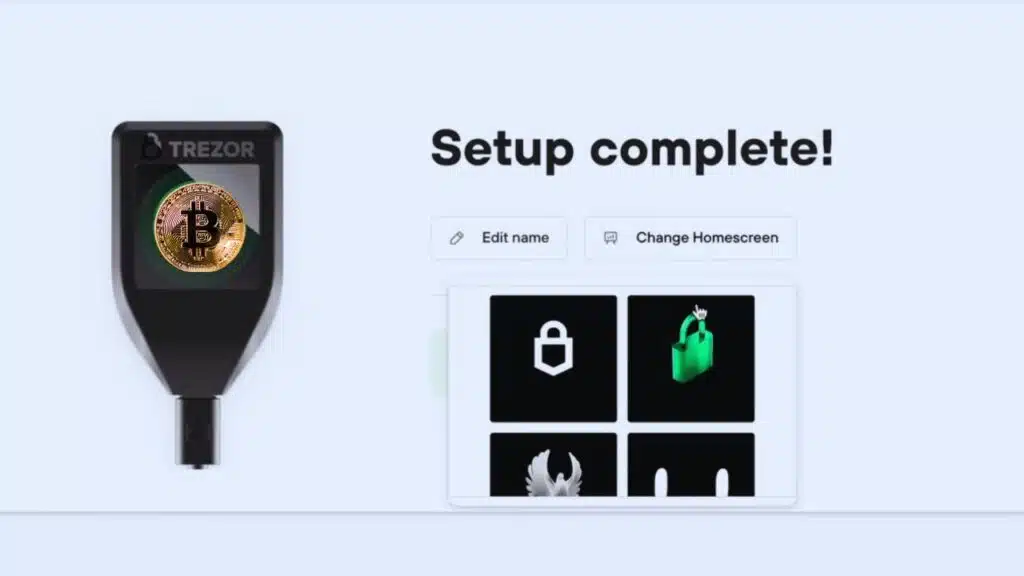
Trezor Model T costs $159. It stores private keys offline in a non-custodial cold wallet. The gadget uses a 1.54-inch touchscreen display for easy taps. Open-source firmware invites public audits.
A CC EAL6+ secure element guards every transaction. It supports over 1,000 coins. You can choose a Bitcoin-only or multi-coin model. Setup runs in minutes.
Built-in passphrase and PIN lock add an extra security layer. Shamir Backup uses multi-party computation to split seed phrases. You sign each move on the touchscreen, so no code can steal your keys.
No Wi-Fi or Bluetooth connections shield you from network attacks. A sturdy USB link pairs with Trezor Suite software. Cold wallets stay offline to stop remote hacks. Plastic screen may catch scratches, so a clear guard helps.
Non-custodial design means you own your crypto, no third party holds your private keys.
How does Ledger Nano S Plus protect your crypto?
Ledger Nano S Plus sells for $79 and acts as a hardware cryptocurrency wallet. The device locks private keys inside a secure element chip. Users connect through USB-C connectivity for secure software interfaces.
It does not use Bluetooth or support iOS devices.
A 24-word seed phrase handles backup and recovery. Owners restore their crypto on another cold wallet with that phrase. The gadget pairs with the Ledger Live app on a computer. That program guides transactions and shows blockchain networks data.
No built-in exchange or purchase feature adds extra safety.
What are the key features of KeepKey?
This hardware wallet costs about $78. Users can store over 7,200 coins and tap into 348 blockchains. The device feels heavy, like a block of cement in your pocket, but that adds to its solid build.
A large screen lets you verify each transaction step by step. No Bluetooth or wireless links lowers attack risks.
You plug it into desktop or mobile software wallets over USB. Beginners love its simple menus and clear prompts. A seed phrase keeps private keys in your hands, like non-custodial wallets.
Security labs do not list advanced certifications yet, but it still shields your crypto.
Why consider Ellipal Titan 2. 0 for cold storage?
Ellipal Titan 2.0 costs $169 and feels like a brick of pure security. It lets you hold over 10,000 coins and tokens in one vault. A bright 4-inch touchscreen guides you through every step.
It locks out USB, Bluetooth, and Wi-Fi, so private keys stay offline. A built-in self-destruct mechanism shreds data if someone tries a live hack. It feels like a spy tool that snaps shut at the first hint of trouble.
As a non-custodial wallet, Titan 2.0 lets you hold every private key. It pairs with a companion mobile application through QR code scans. It links to blockchain networks such as Ethereum and Bitcoin without cables.
You get staking support for select crypto assets and defi tokens. You grab firmware updates manually to stay in control of software changes. Cold wallets, like this model, lock your digital assets offline at all times.
How secure is BitBox02 for cryptocurrency?
Swiss-made open source code sits on this hardware wallet. A secure element chip locks down your private keys. Security pros scan the code, so no hidden backdoors remain. The device costs $163, a fair price for top-grade security.
Another highlight hits coin fans who need wide support. It handles 1,500 plus coins, and it runs NFTs and DeFi apps on the Ethereum chain. A microSD card backup stores your seed phrase off line.
You bounce back fast after a loss. That layout stays minimalist, and new folks master it in minutes. Some phones, specifically iOS devices, fall outside its reach, so watch your device list.
What sets Safepal S1 apart from other cold wallets?
At $49.99, Safepal S1 ranks among the most affordable hardware wallets. It secures private keys offline and handles over 1,500 digital assets, 10,000 tokens including NFTs, and 19 blockchains.
The cold wallet keeps your crypto far from internet threats. It feels ultra light on any trip and works in 15 languages. Many carry it like a lucky charm in their pocket.
It uses 100 percent air gapped operation with QR code signing to confirm transactions. A certified EAL 5 plus security chip shields your funds against tampering. The gadget links to decentralized apps, exchanges and smart contract platforms without risking network breaches.
It acts like a fortress for tokens and NFTs, yet it scans codes with ease. This non custodial design keeps keys in your hands. No third party holds them.
How does Cypherock X enhance crypto security?
Cypherock X costs $199. It slices private keys into four separate shards. Each shard lives on a different device. This split stores keys in a decentralized way. It supports over 9,000 digital assets.
A CC EAL6+ certification cements its high-security claim. An OLED display and USB-C connector let you control the gear. Open-source software lays all code bare. No mobile app cuts off a common attack path.
Multi-factor authentication bolts every login. This cold wallet ranks among top hardware wallets and crypto wallets.
Setup runs through a multi-step routine. The process feels complex for new users. It taps multi-party computation to rebuild keys offline. The device pairs with decentralized applications via USB-C and QR codes.
You confirm each step on the OLED screen. This offline method blocks online threats to private keys. It syncs with wallets for BTC, ETH, and NFTs on blockchain networks. Support for non-custodial wallets keeps control with you.
Advanced traders will find this level of security worth the effort.
What benefits does Keystone Pro 3 offer?
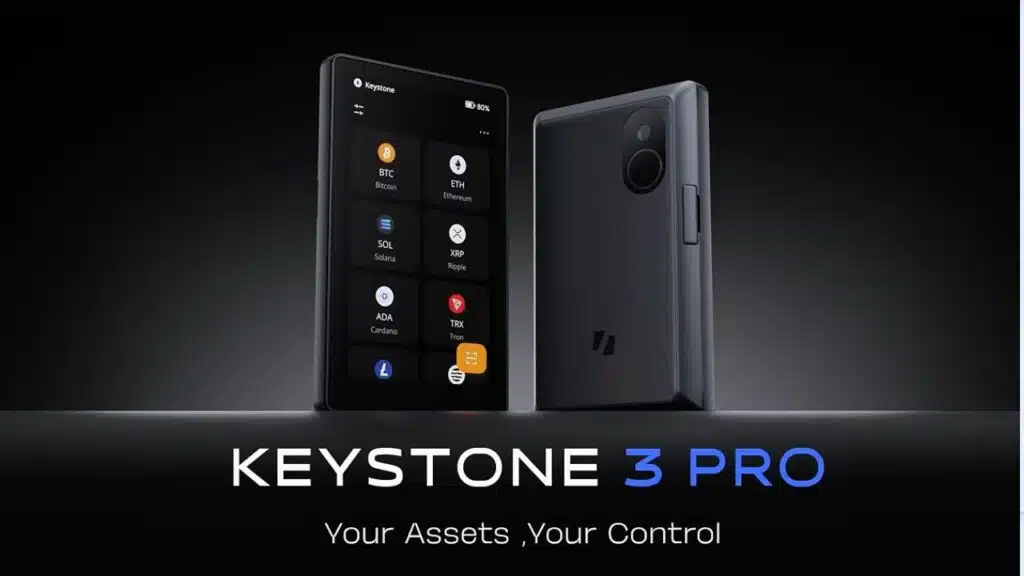
Keystone Pro 3 acts as a cold wallet that locks private keys offline. It uses an air-gap design and a secure element chip to block cyberattacks. Users scan QR codes to sign and verify transactions with no USB or Bluetooth link.
The device holds bitcoin, ethereum, nfts and over 80 other cryptos across top blockchain networks. Biometric authentication and multi-signature support add strong defense. A waterproof, virus-proof shell boosts durability.
Newcomers to non-custodial wallets get a simple, intuitive interface. Experts tap into decentralized finance (defi) and decentralized exchanges with ease. You link Trust Wallet or Coinbase Wallet to add two-factor authentication (2fa).
This hardware wallet rivals Ledger Nano X and Nano S Plus for user-friendly setup. It keeps digital assets far from hot wallets and software wallets.
Why is OneKey Pro a reliable cold wallet option?
Your OneKey Pro holds private keys offline, safe from internet threats. It stops remote hacking, since it needs a touch to work. The gadget sits in your hand, with a bright screen and large buttons.
It runs as a hardware wallet without a middleman.
Your crypto stays secure on Bitcoin, Ethereum, and 20 more blockchain networks. Trusted security sites give it top grades for non-custodial wallets. You pair it with a hot wallet on your phone for fast trades.
You back up access with a seed phrase in minutes. The device blends strong protection with easy long-term storage.
Important Features to Consider in Cold Wallets
Choose a wallet that guards your BIP39 phrase offline, and tucks your keys inside an EMV chip. It also locks down access with fingerprint ID, SMS verification, and a BLE link to a firmware companion.
How important is security and encryption in cold wallets?
Encryption locks your private keys in a vault only you can open. A secure element chip in many hardware wallets keeps bad actors at bay. NGRAVE Zero holds EAL-7 certification, so hackers face iron walls.
Air-gapped wallets disable USB, Bluetooth, and Wi-Fi to cut off online hacks.
Cold wallets need multilayer shields. A tamper evident case and self destruct fuse can foil break ins. COLDCARD bricks itself after 13 wrong PIN tries. Open source firmware in non custodial hardware invites code audits.
A strong PIN and two factor authentication seal up most threats.
What backup and recovery options should you look for?
Cold wallets rely on a 24-word seed phrase. You must write it down and store it safely off-line. Tangem adds a set of physical cards for one-time backup or restore. BitBox02 and COLDCARD let you save your private keys on a memory card.
Those setups avoid any link to hot wallets or the web.
BC Vault One encrypts backups on a storage card and a barcode. Its ferroelectric RAM can last up to 200 years. NGRAVE Zero offers optional metal plates that resist fire and water for an extra $100.
Losing your recovery set or phrase will lock you out of your crypto. Always buy hardware wallets from authorized retailers. Verify every transaction on your device before you confirm.
How do you set up a cold wallet safely?
Buy your hardware wallet from an authorized retailer. Open the box and check the seal before you do anything.
- Inspect device packaging to confirm tamper free seal and match the serial number on the official website.
- Connect the device to your computer and run the initial firmware update via the Ledger Live App or Trezor Suite.
- Use the secure chip to set a strong PIN, then add a passphrase for extra safety.
- Write your 24 word recovery phrase on paper or a metal plate, then store it in a fireproof safe.
- Pair with a non custodial wallet app for quick access to blockchain networks without risking hot wallets.
- Transfer a small test amount from an exchange to the cold wallet to confirm each wallet address works.
- Confirm all wallet address and transaction details on the device screen to protect your private keys.
- Schedule manual firmware updates whenever the maker issues a new version to fix known vulnerabilities.
- Keep backup and recovery options ready, but never share your seed phrase or PIN with anyone else.
What common mistakes should you avoid with cold wallets?
Protecting private keys needs more than a steel box. Small errors can cost you thousands.
- Skip backing up the seed phrase. Losing that group of words erases your non-custodial wallet forever.
- Store your recovery phrase in cloud storage. Online files face hacks and accidental erasures.
- Ignore firmware updates on your hardware wallet. Old firmware lets hackers exploit new vulnerabilities.
- Buy hardware wallets from unofficial sellers. Fake Ledger Nano S Plus units can steal private keys.
- Fail to verify addresses on the device screen. Malware can swap a Bitcoin wallet address without a glance.
- Treat cold wallets like hot wallets for daily trades. Manual steps slow you down and raise error risk.
- Use paper wallets for large sums. Paper tears, burns or drops in a puddle with no built-in protection.
- Skip two-factor authentication for companion apps. A single compromised password can open your account.
- Lose track of your device serial number. No proof of ownership can block a stolen unit from being used.
- Overlook secure element chip warnings. Cloned hardware wallets often lack this layer of blockchain network defense.
Takeaways
Your crypto stays safer when you keep private keys off the internet. A robust hardware wallet stops hackers cold. Some models even use biometric authentication or smart cards. A simple seed phrase backup rescues your wallet if you lose a device.
This plan helps your digital assets survive any mishap. Start with one cold wallet today, and trade with more confidence.
FAQs
1. What is a cold wallet and how does it differ from a hot wallet?
A cold wallet stores private keys offline, like a vault for your crypto. A hot wallet lives online, on a web browser or software wallets such as Trust or Exodus. Cold wallets cut off hackers by staying away from crypto exchanges, chrome or brave, and other operating system risks.
2. How do hardware wallets protect my digital assets?
Hardware wallets use a secure element chip and MCUs to guard private keys in an offline chip. They block software wallets bugs and web browser flaws. Many offer two-factor authentication and biometric authentication to add extra barriers.
3. Which cold wallets make the top 10 list?
The list names Ledger S Plus, Ledger X, Trezor T and SafePal S1. It also highlights Ellipal Titan, Ledger Flex and Ledger Stax. Each device adds bluetooth connectivity, a companion wallet app and multi-party computation backup options.
4. How do I set up a cold wallet for the first time?
Plug your device into USB or pair via bluetooth. Download the companion wallet app on desktop or android platforms. Pick a PIN. Write down the seed phrase on paper. Confirm the phrase, and you are ready to store bitcoin wallets, dogecoin or other digital assets.
5. How can I keep my seed phrase and private keys safe?
Write your seed phrase on metal or paper and hide it in a safe. Do not take a photo or store it on a phone or web browser. Use a smart card or multi-party computation if you want extra backup. Change your passwords and PINs often.
6. Can I use these cold wallets for NFTs and DeFi, like yield farming or ETH?
Yes. You can store NFTs on the ethereum blockchain and check them with a blockchain explorer. You can link to DeFi apps through a software wallet like Coinbase Wallet or Trust. You can even tap into yield farming, exchange-traded funds or the lightning network.






















