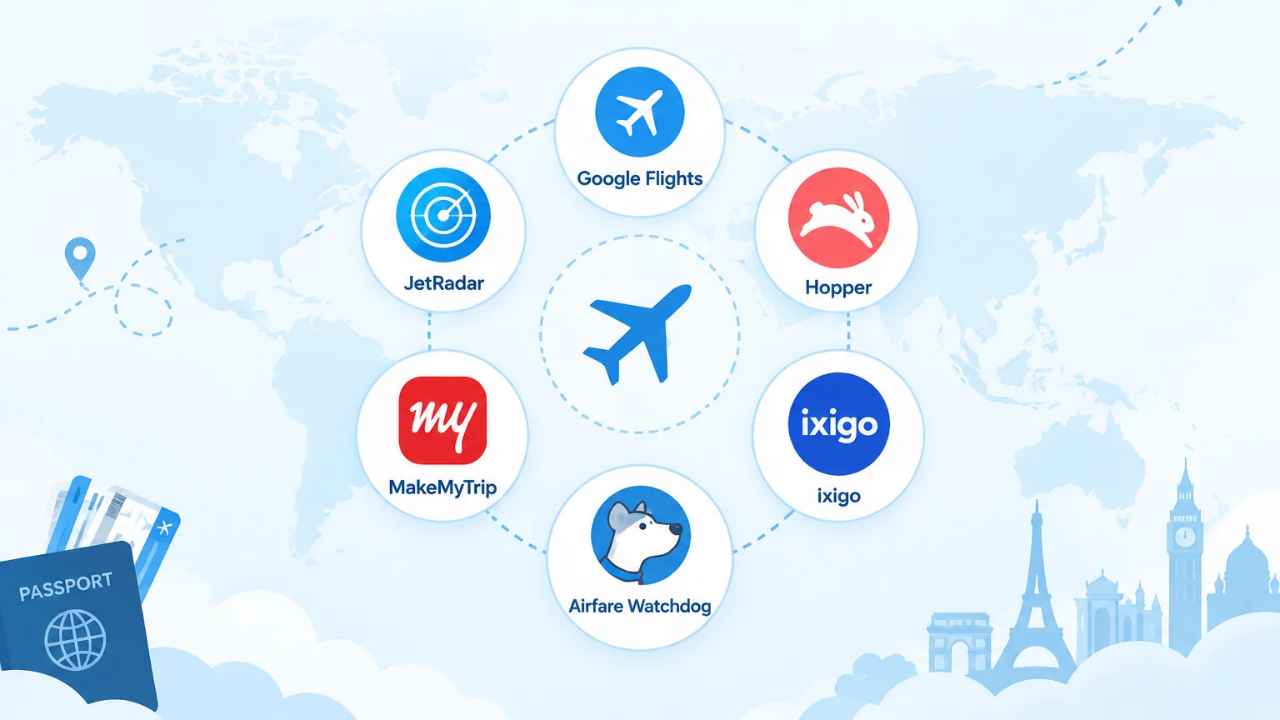
No single app finds the lowest fare on every route. The 14 budget-friendly air ticket booking apps below were picked because each one does a specific job well. Some compare fares across sellers; others track a route’s price over time. A few sell seats on carriers the bigger tools skip.
The list draws on app-store listings and travel guides updated in 2026. A separate shortlist of flight apps for iOS and Android makes a related point: cheaper booking has not made booking simpler.
Prices can change between flight selection and payment. A low headline fare can also grow once bags and fees are added; one guide puts a carry-on at $60 each way.
Each app had to pass three tests. It shows fares from more than one seller, it offers some way to watch a route’s price, and its terms appear on the app store listing. Tools that only sell one airline’s seats were left out.
1. Google Flights
The cheapest fare on screen still has to be bought somewhere else. Searches run across airlines and agencies, then hand the booking to whoever sells the seat. The app itself doesn’t sell tickets.
Finding Flights Across a Whole Month of Dates
A month of departures sits on one screen. Travelers can see which dates cost less without running a separate search for each one. The going.com guide lists Google Flights first among cheap flight apps and names price alerts and flexible date search as core features.
Price Tracking on Routes Nobody Has Booked Yet
Price tracking here follows the published fare, not your past bookings. A route that has never carried a passenger still gets watched. When the fare moves, an email arrives. The same guide treats search breadth across airlines and agencies as a key measure of a useful app.
The Catch: Some Budget Carriers Sit Outside the Index
A carrier that sells only through its own website can be absent from the results entirely. Not every airline shares its fares with search engines. A traveler who treats the list as complete may pay more than the airline’s own price.
2. Skyscanner
A traveler with flexible dates can search one destination at a time or let the app suggest where fares are lowest. Skyscanner’s Everywhere search covers the second approach.
What the App Is: A Meta-Search Layer Over Many Sellers
Skyscanner’s results mix airline fares with those sold by agencies and other resellers, and every listing links out to a seller that finishes the booking. The iOS listing shows 4.8 from 500,000 ratings. Google Play shows 4.8 stars from 1.52 million reviews and more than 100 million downloads.
Why It Matters for Budget Routes: Everywhere and Whole-Month Search
Going.com names Skyscanner best for flexible destination search. Everywhere mode lists the cheapest countries or cities from a chosen departure airport, and a whole-month view shows which dates inside those destinations cost least.
The Catch: The Cheapest Result Often Sits on a Third-Party Site
Any change or refund request goes through a second company, not the airline. The lowest price usually belongs to an agency rather than the carrier, so going.com’s advice is to compare prices and then book directly with the airline.
3. Momondo
Booking direct takes the agency out of the transaction. The airline’s own site may not show the fare the traveler saw minutes earlier.
What the App Is: A Broad Fare Search With Wide Seller Coverage
Filters sort results by price, stops, and departure time. Going.com names Momondo best for surfacing budget carriers, and the list mixes airline fares with agency and consolidator fares.
Where the Savings Usually Stop: Fares That Move Before Checkout
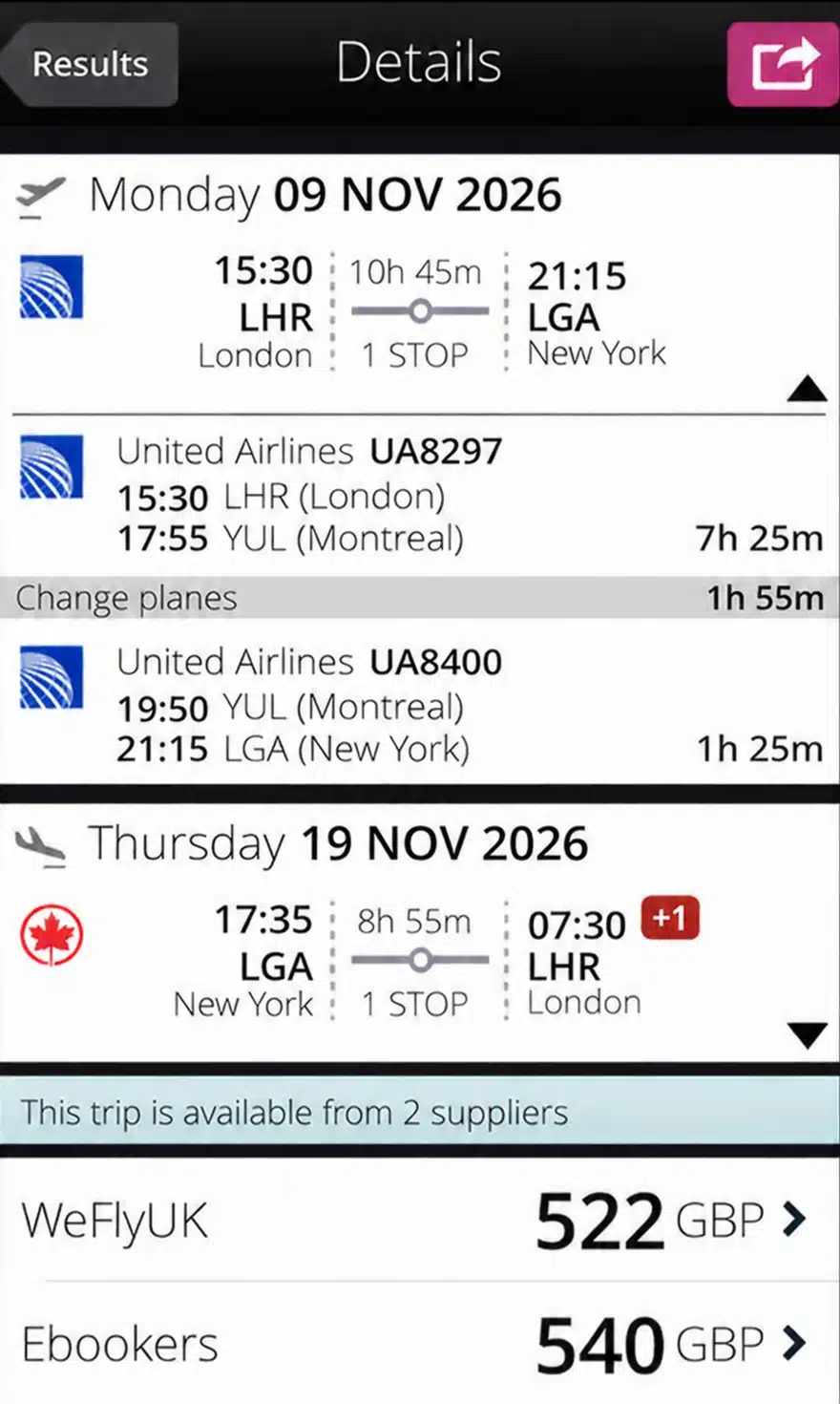
An upgraded points review notes that prices can change between flight selection and payment on seller sites, and a traveler who hesitates can lose the seat. The fare can also be higher by then. Who carries the risk when a fare disappears before payment clears? has no clear answer.
4. JetRadar
A carry-on adds $60 each way on some fares, according to one booking guide. The carriers behind those low fares often sell only through their own channels, which keeps them out of the largest flight search engines.
What the App Is: A Search Engine Built Around Budget Airlines
JetRadar searches across sellers rather than issuing tickets itself. It lists budget and full-service fares side by side, then links out to whoever holds the seat. It runs as a website and a mobile app.
Why It Matters: Carriers Many Aggregators Leave Out
A tool that indexes those carriers saves a separate search for each airline. The going.com guide counts search breadth across airlines and agencies as a core feature of a cheap-flight app.
The Catch: Bundled Extras Push the Total Back Up
A low base fare often leaves out the carry-on bag, and that is where the total climbs. The check is simple: compare the app’s total, with bags included, against the airline’s own site.
5. Kayak
The going.com guide names Kayak the best for travel management. Its Price Freeze feature holds a fare while a traveler decides, and the fee is paid when the hold starts.
How Price Freeze Holds a Fare While a Traveler Decides
Rise or fall, the fee is the same. Price Freeze locks the displayed price for a set period, so a traveler who books while the fare climbs pays what was on screen when the hold began. If the fare drops instead, the freeze still costs the fee. Weighing that against a plain alert service means trading a free notification for a guaranteed price.
The Catch: Lock Fees Are Paid Up Front and Not Refunded
Next to a long-haul fare, the lock fee is small, and next to a short one, it isn’t. The charge lands as soon as the hold starts and is not returned if the trip is never booked. Freeze several fares and the fees stack up.
6. Kiwi.com
Combining two airlines on one itinerary can produce a fare no single carrier sells. It also removes the protection that comes with a single ticket.
Kiwi.com builds routes by pairing airlines that do not normally sell together. The practice is called virtual interlining, and it opens connections between budget carriers that have no agreement with each other.
The Catch: A Missed Self-Transfer Becomes the Traveler’s Problem
When the first flight runs late, the airline does not protect the second ticket. Kiwi.com sells a guarantee that covers some rebooking costs. Travelers who skip it carry the loss themselves.
7. Hopper
Hopper predicts whether a fare will rise or fall based on the route and the dates.
What the App Is: A Forecast Engine That Watches a Route
The App Store listing shows a 4.8 rating from 1.2 million ratings and describes the app with the line “Spend Less, Travel Better.” On Google Play it shows 4.5 stars from 150,000 reviews and more than 10 million downloads.
The Catch: Predictions Are Probabilities, Not Promises
A forecast comes from past price patterns, and a fare can move against it for reasons the model cannot see. Hopper’s own listing says the app has helped more than 100 million travelers find prices on flights as well as hotels, homes and rental cars. For a traveler who isn’t ready to book, the choice comes down to watching a fare or locking it. Hopper is built around the first option.
8. CheapOair
With a discount seller, the advertised fare and the final total follow different rules. An upgraded points comparison puts CheapOair at $595 for a Los Angeles to New York flight on American. The same route comes in at $438 through Agoda on Delta.
What the App Is: A Discount-Fare Seller With Phone Support
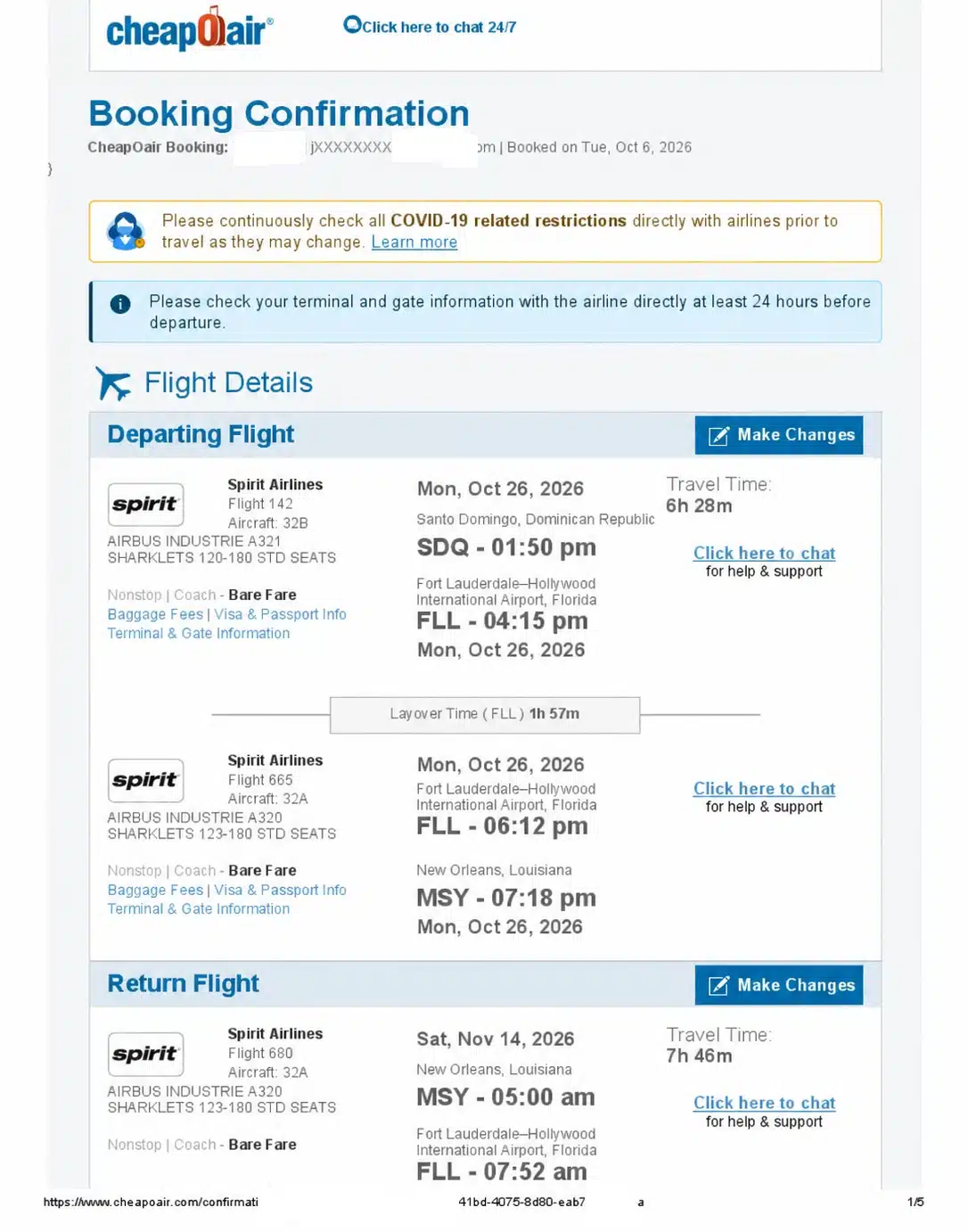
CheapOair issues tickets and staff phone support for bookings.
The Catch: Service Fees and Tight Change Rules
Discount sellers add service fees that airline sites may not charge. Their change and cancel rules follow the airline’s fare class, which is often the most restrictive. Travelocity, a seller in this category, offers a 24-hour price guarantee and free cancellation within 24 hours on most airlines. It sometimes charges a booking fee.
9. Mytrip.com
A trip booked through a third party usually sends support requests to that company rather than the airline’s counter staff.
What the App Is: A Booking Platform With Trip Management
Mytrip.com sells flights and hotels, and car rentals sit in the same account view. Trip management covers itinerary changes and document storage. Passenger details can be saved once and reused on later bookings.
The Catch: Support Quality Follows the Booking Channel
Once a third party issues a ticket, the airline often sends the traveler back to that seller for changes. Response times vary by channel and by time of day. A traveler should read the seller’s refund and cancellation terms before paying.
10. MakeMyTrip
MakeMyTrip was built for Indian travelers first, and its results show prices in rupees by default.
What the App Is: An India-First Platform for Domestic and International Routes
MakeMyTrip sells domestic Indian flights and international routes departing from Indian cities. Hotels, trains, and buses sit in the same account. Payment options include methods common in India.
Why It Matters: Ticketing Help Across Cabin Classes
Support covers bookings in economy, business, and premium cabins. Phone and chat help is available for ticketed passengers. Travelers who need invoices for visa applications can request them from the platform.
The Catch: Convenience Fees Move With Route and Payment Method
Indian agencies commonly add a convenience fee per passenger. The amount changes with the route and the payment method. A traveler comparing an agency with an airline site should add that fee before deciding. Convenience fees are the point one competitor built its pitch around removing.
11. EaseMyTrip
EaseMyTrip built its brand on a zero convenience fee, but the waiver is not unlimited.
What the App Is: An Indian OTA Built Around a Waived Convenience Fee
EaseMyTrip is an Indian online travel agency that advertises no convenience fee on many bookings. It sells flights, hotels, trains, and buses. The waiver is the main reason travelers compare it with larger Indian agencies.
The Catch: Waivers Apply to Selected Routes Only
Fee waivers apply to selected routes and fare types rather than every booking. Some payment methods still carry charges. Cancellation and rescheduling fees follow the airline’s rules and are not waived.
12. Ixigo
Travelers on Indian routes often ask whether to book now or wait. That is the question fare-prediction tools try to answer.
What the App Is: A Fare-Prediction App for Indian Routes
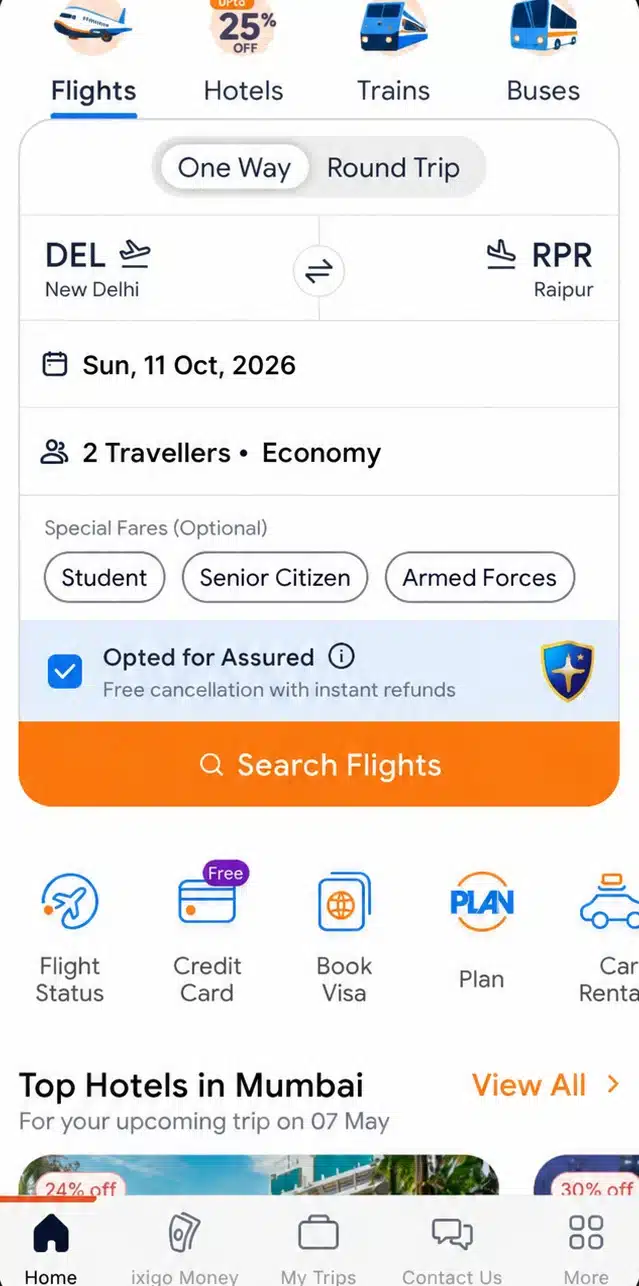
Ixigo shows a prediction of whether a fare will rise or fall, with a suggested booking window. It covers Indian domestic carriers and international routes from India. The app also handles trains, buses, and hotels.
The Catch: Forecast Value Depends Entirely on the Route
Predictions work best on routes with plenty of price history. Thin routes with few daily flights give the model less to work with. A forecast on a busy metro pair carries more weight than one on a seasonal route.
13. Cleartrip
If a forecast is only as good as its data, the same holds for the fare rules attached to the ticket.
What the App Covers: Indian Domestic and International Bookings
Cleartrip books Indian domestic flights and international departures from Indian cities. It sells hotels and train tickets as well. Fare rules appear before payment.
The Catch: Fare Rules Follow the Airline, Not the App
Cancellation and change terms come from the airline’s fare class. An app can display those rules but cannot change them. Refund timing depends on the airline and the payment method. What stays unsettled is how quickly a refund actually arrives once a cancellation is filed.
14. Airfare Watchdog
Route alerts reach a traveler by email, which means the fare is seen after the fact rather than during a search.
What the App Covers: Route Watchlists and Fare Alerts
Airfare Watchdog is a fare-alert service rather than a booking engine. Travelers set a route and receive emails when the price drops. A booking guide names it as another service worth watching for cheap fares.
The Catch: Alerts Carry No Price Guarantee
An alert reports a price that existed when the email was sent. The fare can be gone by the time the traveler clicks. Alerts also ignore bag fees, which can add $60 each way on some fares. The check is to open the airline’s own site and confirm the fare before booking.
FAQs on Budget-Friendly Air Ticket Booking Apps
Nearly 45% say they worry about data privacy when booking tickets online, and 72% value clear pricing with no hidden fees. The figures come from two surveys cited in one guide on secure booking apps.
Are These Apps Safe to Book Through?
The larger risk isn’t payment security. It’s who owns the booking after it is issued. Major apps take payment through encrypted checkout, and app stores review listings before release. The guide’s advice is to use platforms you trust, which cuts the risk in arranging air travel.
Do App Fares Match the Prices on Airline Websites?
Not always. Search apps pull fares from many sellers, so the airline’s own site can show a different price for the same seat. One comparison puts a Los Angeles to New York fare at $595 through CheapOair and $438 through Agoda, and prices can shift between selection and payment.
Why Do Ticket Prices Change Between Two Searches?
Fares are sold in limited buckets on each flight, and each bucket has its own price. When one bucket sells out, the next search shows a higher price. Cached results and cookies can change what a search shows, and so can the currency setting on the site. Fees are the other half of the total, and they rarely show up in the first result.
Is a Cheaper Fare Always the Better Booking?
Travelers who need flexibility should price the change fee into the comparison, not just the headline fare. Bags and seats count too.
How Safe Are Third-Party Booking Apps?
Third-party sellers are legitimate businesses, but they sit between the traveler and the airline. When a flight is cancelled, the refund moves through the seller rather than the airline. Paying by credit card gives an extra route for a dispute.
Final Words
Fees, not search results, decide the final price. The apps differ in coverage and in speed. How much support a traveler gets after payment differs too. None of them changes the airline’s fare rules, and none guarantees a price will hold.
It’s still an open question whether a cheaper fare bought through a third party is worth the weaker support when a flight is delayed. Before paying, add bags and seats to the total. If that number still looks cheapest, buy the ticket on the airline’s own site.