


In the dynamic realm of web development, selecting the right Integrated Development Environment (IDE) is pivotal for enhancing productivity and streamlining workflows. An IDE amalgamates essential tools—such as a code editor, debugger, and compiler—into a unified interface, simplifying the development process.
With a plethora of options available, it’s crucial to identify the IDE that aligns best with your specific needs. Below is a curated list of the 10 best web development IDEs for faster coding, each offering unique features to elevate your development experience.
1. Visual Studio Code
Developed by Microsoft, Visual Studio Code (VS Code) has emerged as a leading choice among developers due to its versatility and extensive extension ecosystem. This free, open-source IDE supports a multitude of programming languages and frameworks, making it a cornerstone in modern web development.
Key Features:
- IntelliSense: Offers intelligent code completions based on variable types, function definitions, and imported modules.
- Integrated Git: Facilitates seamless version control with built-in Git support, enabling efficient source code management.
- Extensions Marketplace: Hosts a vast library of extensions to enhance functionality, including themes, language support, and debuggers.
- Live Share: Enables real-time collaboration with other developers directly within the editor.
Pros:
- Lightweight and fast, ensuring optimal performance.
- Highly customizable through a rich extension ecosystem.
- Strong community support offering continuous updates and enhancements.
Cons:
- Can become resource-intensive with numerous extensions installed.
Pricing: Free
Supported Platforms: Windows, macOS, Linux
Ideal For: Developers seeking a flexible and customizable coding environment.
2. WebStorm

JetBrains’ WebStorm is a robust IDE specifically designed for JavaScript and its associated technologies. It offers deep integration with modern frameworks, making it an excellent choice for web developers aiming for efficiency and advanced features.
Key Features:
- Advanced Code Analysis: Identifies potential issues in your code and provides quick fixes to enhance code quality.
- Seamless Integration: It seamlessly supports frameworks such as React, Angular, and Vue.js, thereby facilitating smooth development workflows.
- Built-in Tools: Includes a terminal, debugger, and test runners, reducing the need for external tools.
- Refactoring Capabilities: Offers safe and efficient code refactoring options to improve code maintainability.
Pros:
- Comprehensive support for JavaScript frameworks.
- Robust debugging and testing tools integrated within the IDE.
- Regular updates introducing new features and improvements.
Cons:
- Subscription-based pricing may be a consideration for some developers.
Pricing: Starts at $59/year, with discounts for subsequent years.
Supported Platforms: Windows, macOS, Linux
Ideal For: Developers heavily focused on JavaScript and modern web frameworks.
3. IntelliJ IDEA
Also from JetBrains, IntelliJ IDEA is renowned for its support of Java and other JVM languages. Its intelligent coding assistance and ergonomic design make it a valuable tool for developers aiming for efficiency and code quality.
Key Features:
- Smart Code Completion: Provides context-aware suggestions to expedite coding.
- Framework Support: Extensive support for frameworks like Spring, Hibernate, and Grails, facilitating enterprise-level development.
- Developer Ergonomics: Designed to minimize distractions and enhance productivity through intuitive interfaces.
- Version Control Integration: Seamless integration with Git, Mercurial, and other version control systems.
Pros:
- Robust support for Java and JVM-based languages.
- Comprehensive tools for full-stack development.
- Strong refactoring and code analysis features to maintain high code standards.
Cons:
- Can be resource-intensive, especially on larger projects.
Pricing: Community Edition is free; Ultimate Edition starts at $149/year.
Supported Platforms: Windows, macOS, Linux
Ideal For: Developers working with Java and other JVM languages seeking an all-encompassing development environment.
4. Sublime Text
Sublime Text is a lightweight, cross-platform code editor celebrated for its speed and simplicity. It’s highly customizable, making it a favorite for developers who prefer a minimalist setup without compromising functionality.
Key Features:
- Goto Anything: Allows quick navigation to files, symbols, or lines, enhancing efficiency.
- Multiple Selections: Enables simultaneous editing, allowing multiple changes at once.
- Command Palette: Provides access to frequently used functions without navigating menus.
- Extensible: Supports a wide array of plugins to enhance functionality and tailor the editor to specific needs.
Pros:
- Fast performance with low resource usage.
- Highly customizable to fit individual workflows.
- Supports numerous programming languages, offering versatility.
Cons:
- Some advanced features require manual configuration.
Pricing: One-time purchase of $99.
Supported Platforms: Windows, macOS, Linux
Ideal For: Developers seeking a fast, no-frills code editor with extensive customization options.
5. Atom
Developed by GitHub, Atom is an open-source text editor known for its flexibility and modern features. It is highly customizable and allows developers to tweak the interface and add functionalities via packages.
Key Features:
- Built-in Package Manager: Easily install new packages or create your own.
- Smart Autocompletion: Enhances coding speed with intelligent suggestions.
- Multiple Panes: Allows users to split the editor into multiple panes for efficient multitasking.
- GitHub Integration: Seamless collaboration with GitHub repositories.
Pros:
- Free and open-source.
- Highly customizable with a vast library of community-contributed packages.
- User-friendly interface, ideal for beginners.
Cons:
- Can be slow with large projects.
- Official support ended in 2022, but the community still maintains it.
Pricing: Free
Supported Platforms: Windows, macOS, Linux
Ideal For: Developers looking for a customizable and beginner-friendly editor.
6. Brackets
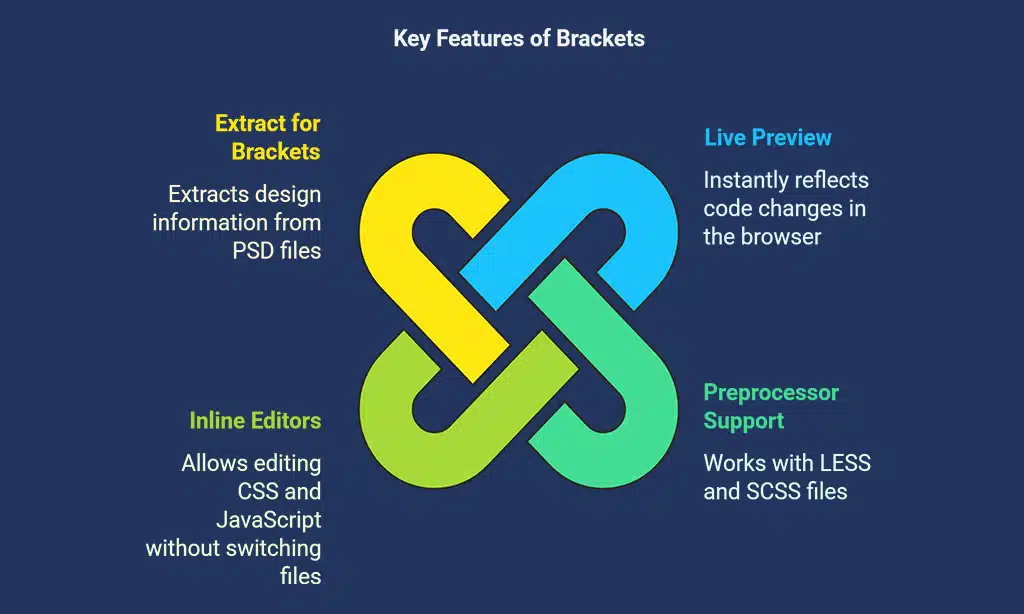
Brackets is an open-source code editor specifically designed for web design and front-end development. It provides an intuitive interface with live preview capabilities.
Key Features:
- Live Preview: Instantly reflect code changes in the browser.
- Preprocessor Support: Works with LESS and SCSS files.
- Inline Editors: Edit CSS and JavaScript without switching files.
- Extract for Brackets: Extracts design information from PSD files.
Pros:
- Free and lightweight.
- Excellent for front-end developers and designers.
- User-friendly interface.
Cons:
- Lacks advanced backend development features.
- Adobe discontinued support, but the open-source community maintains it.
Pricing: Free
Supported Platforms: Windows, macOS, Linux
Ideal For: Front-end developers and UI/UX designers.
7. Eclipse
Eclipse is a powerful open-source IDE commonly used for Java development but also supports web development through plugins.
Key Features:
- Extensive Plugin Support: Customize the IDE to support various programming languages.
- Integrated Debugging Tools: Advanced debugging and error-checking features.
- Great for Large Projects: Well-suited for enterprise-level development.
- Code Auto-Completion: Speeds up development with intelligent suggestions.
Pros:
- Highly extensible.
- Great for enterprise-level Java development.
- Active community and frequent updates.
Cons:
- Can be overwhelming for beginners.
- Requires significant system resources.
Pricing: Free
Supported Platforms: Windows, macOS, Linux
Ideal For: Developers working on enterprise-scale applications, especially in Java.
8. NetBeans
NetBeans is another Java-based IDE that offers support for web development. It provides powerful tools for debugging and managing code efficiently.
Key Features:
- Multiple Language Support: Works with Java, PHP, HTML, and CSS.
- Project Management Tools: Streamlines large-scale development.
- Powerful Debugging Tools: Built-in debugger with breakpoints and performance monitoring.
- Smart Code Assistance: Highlights errors and offers quick fixes.
Pros:
- Free and open-source.
- Strong community support.
- Great for multi-language web development.
Cons:
- Can be slower than some other IDEs.
- Not as customizable as VS Code or Atom.
Pricing: Free
Supported Platforms: Windows, macOS, Linux
Ideal For: Developers needing an all-in-one solution for Java and web development.
9. PHPStorm
PHPStorm is a premium IDE specifically designed for PHP development. It provides deep code analysis and extensive support for various PHP frameworks.
Key Features:
- PHP-Specific Tools: Offers dedicated support for Laravel, Symfony, and WordPress.
- Version Control Integration: Works seamlessly with Git, SVN, and Mercurial.
- Database Tools: Integrated database management system.
- Live Editing Preview: Preview changes in the browser in real time.
Pros:
- Excellent for PHP developers.
- Advanced debugging and testing tools.
- Fast and lightweight compared to some other JetBrains IDEs.
Cons:
- Paid software.
- Primarily focused on PHP, limiting its use for other languages.
Pricing: Starts at $89/year.
Supported Platforms: Windows, macOS, Linux
Ideal For: PHP developers and WordPress developers.
10. Komodo Edit
Komodo Edit is a simple, lightweight IDE designed for web development. It supports multiple languages and is a great choice for those looking for a straightforward coding environment.
Key Features:
- Multi-Language Support: Works with Python, PHP, JavaScript, and more.
- Customizable Interface: Allows developers to tailor the workspace.
- Collaboration Tools: Real-time collaboration with other developers.
- Macros and Snippets: Automates repetitive coding tasks.
Pros:
- Free and easy to use.
- Supports multiple programming languages.
- Lightweight and fast.
Cons:
- Lacks some advanced features found in premium IDEs.
- UI may feel outdated compared to modern alternatives.
Pricing: Free
Supported Platforms: Windows, macOS, Linux
Ideal For: Developers looking for a lightweight and simple IDE.
Takeaways
Choosing the right web development IDE depends on your specific needs, programming language preferences, and project requirements. If you prefer a lightweight, free IDE, Visual Studio Code or Sublime Text are excellent choices.
If you’re looking for advanced features tailored to specific languages, WebStorm or PHPStorm may be worth considering.
With the right IDE, you can improve your coding efficiency, reduce development time, and enhance the overall quality of your projects.
























