

Choosing the Best SEO Tools for Small Teams comes down to efficiency over volume. When resources are limited, you need software that pinpoints what is working, flags critical errors early, and highlights high-impact opportunities—without forcing you into redundant, enterprise-priced subscriptions.
The ideal SEO stack balances performance monitoring, keyword research, technical auditing, and reporting across free foundation tools, specialized utilities, and cost-effective all-in-one platforms. To help lean teams maximize ROI, this guide ranks the top SEO tools for small teams based on core usability and practical value rather than bloated feature lists.
How the Best SEO Tools for Small Teams Were Selected
The selection favors tools that solve a distinct problem without demanding more time than they save. Free access, plan limits, seat charges, setup difficulty, and product overlap all influenced the order. A respected platform can still be a poor purchase when the team uses only two reports and ignores everything else.
What Most SEO Tool Lists Miss
Third-party platforms show different keyword volumes, traffic estimates, and backlink totals because their databases and calculations differ. Treat the numbers as comparative signals, not exact records.
Ownership also matters. One person should normally manage research and tracking. Technical findings should become prioritized tasks, while reports should answer real questions.
1. Google Search Console
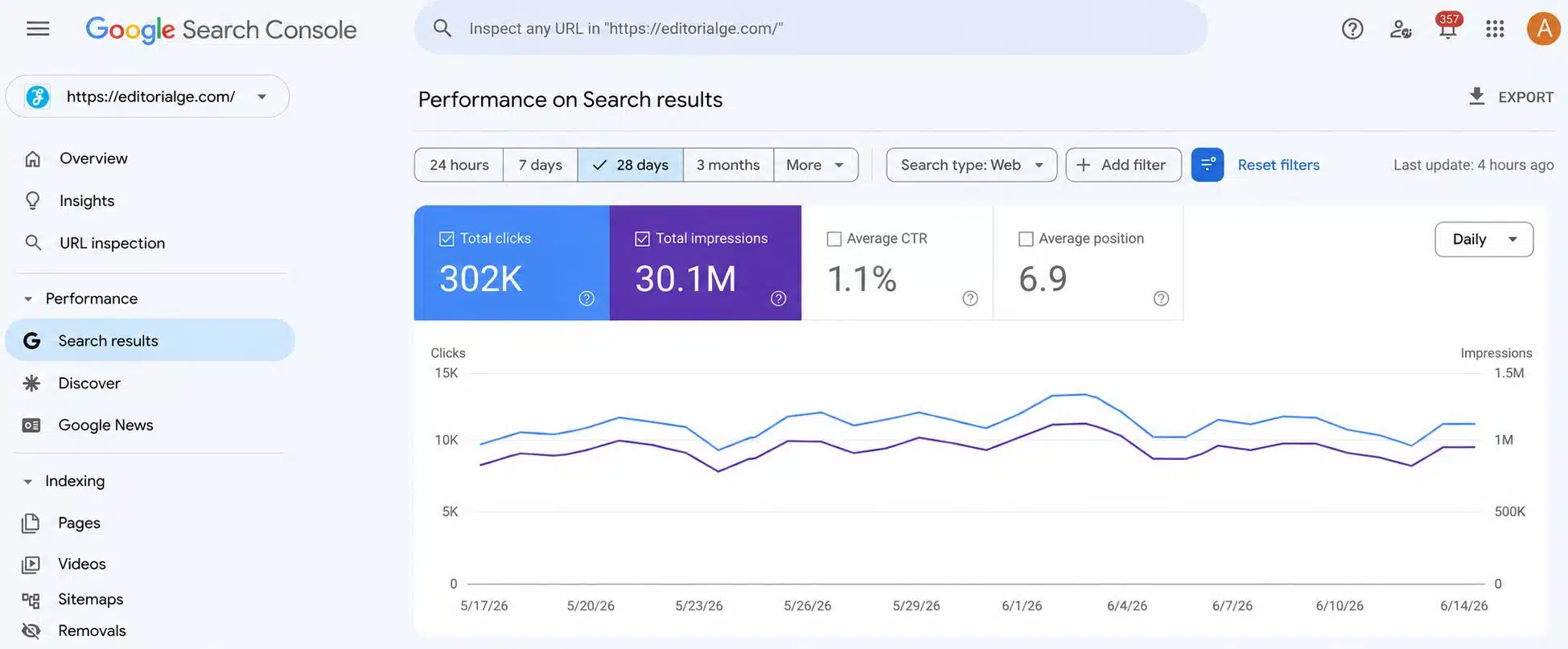
Google Search Console should be the starting point for any website that depends on Google. Its Performance report shows clicks, impressions, click-through rate, average position, queries, pages, countries, and devices.
A page receiving many impressions but relatively few clicks may need a better title, description, or closer alignment with the query. URL Inspection shows whether Google indexed a page and whether the live URL appears indexable.
It also includes sitemap, indexing, Core Web Vitals, security, manual action, and link reports. It cannot research competitors, and some query data is anonymized or omitted. Paid tools should supplement it, not replace it.
2. Google Analytics 4
Search Console explains how people arrive from Google. Google Analytics 4 helps show what they do afterward. Connecting the platforms combines organic landing-page information with Analytics metrics. This separates pages that merely attract visits from those leading to purchases, registrations, or enquiries.
Standard GA4 properties are free, but setup can become untidy. Track a few meaningful events and test them. Measuring every click and scroll often produces more noise than insight.
3. Ahrefs
Ahrefs is a strong choice when one person handles keyword, competitor, backlink, and content-gap research. Ahrefs Free provides Web Analytics, Site Audit, and limited Site Explorer access for verified websites, with 5,000 monthly crawl credits per project. It is not a full competitor-research account.
The $29 Starter plan adds Keywords Explorer, Rank Tracker, 200 general credits, and 50 tracked keywords. Extra users and general credits cannot be purchased, so it works best as one controlled research seat.
Ahrefs Lite costs $129 per month. Upgrade only when the team regularly needs more reports, exports, historical data, and tracked keywords.
4. Semrush
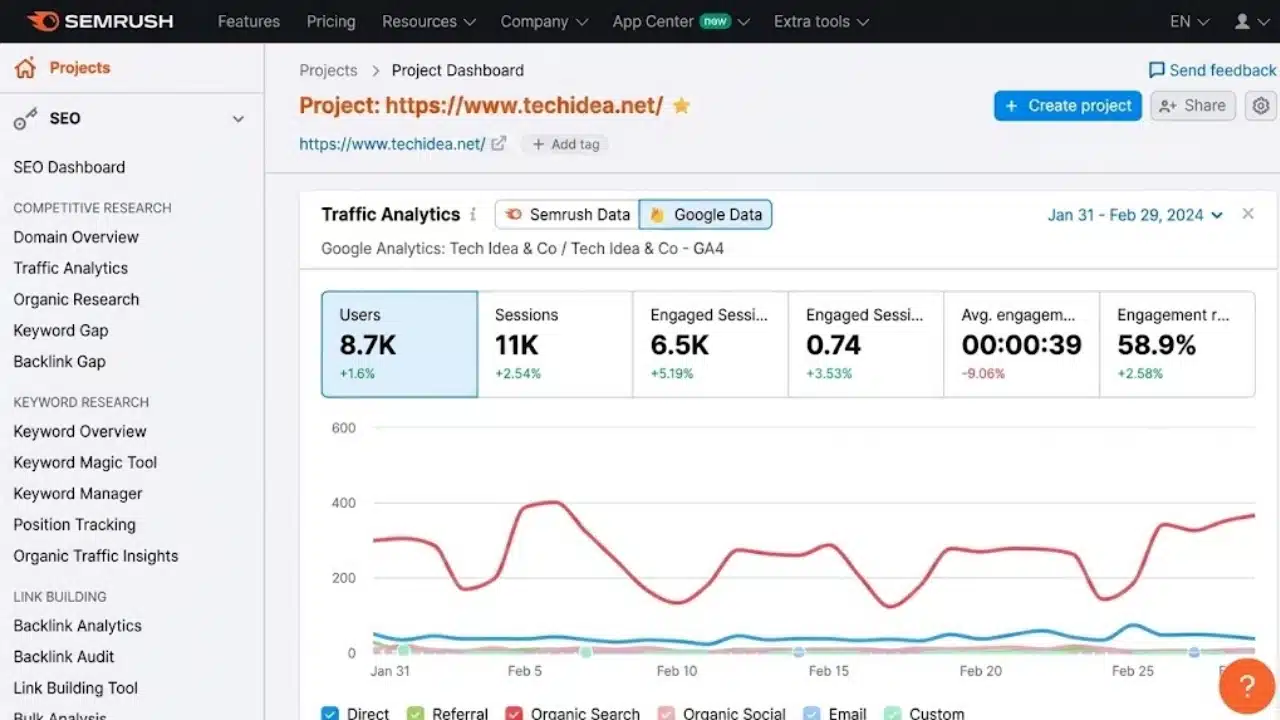
Semrush combines keyword and competitor research, backlinks, rank tracking, site auditing, and AI-search monitoring in one browser-based platform.
Its SEO plan costs $139 monthly or an equivalent of $117.33 per month with annual billing. It covers five websites and 500 daily tracked keywords. Extra users start at $45 per month.
It suits an SEO lead managing several sites. For a content operation seeking occasional keyword ideas, it is probably excessive. Before subscribing, name the reports the team will use weekly. If that list is vague, start smaller.
5. Screaming Frog SEO Spider
Screaming Frog is the strongest specialist option here for technical auditing. It identifies broken links, redirects, duplicate metadata, canonical problems, and indexing directives.
The free version runs on Windows, macOS, and Linux and crawls up to 500 URLs. A £199 annual licence removes the limit and adds saving, scheduling, JavaScript rendering, crawl comparison, custom extraction, and Google integrations. Licences are per person.
Most teams need one trained operator. Crawl warnings should be grouped by impact and template before reaching a developer. A long export is not an audit plan.
6. SE Ranking
SE Ranking suits teams that prioritize daily tracking, multiple projects, repeatable audits, and recurring reports. The Core plan costs $129 monthly or $103.20 per month with annual billing. It includes one manager seat, 10 projects, 2,000 daily tracked keywords, 100 daily AI prompts, and auditing for up to 250,000 pages per month.
Those allowances suit multi-site teams. A business with one modest website may buy more capacity than it needs. Compare projects and seats with Ahrefs and Semrush rather than assuming SE Ranking costs less.
7. LowFruits
LowFruits finds long-tail topics where lower-authority websites already appear in search results. The Standard subscription costs $29.90 per month and includes 3,000 monthly credits, which do not roll over. A $25 pay-as-you-go package provides 2,000 credits valid for one year.
It cannot replace analytics, auditing, or broad competitor monitoring. For a team publishing a few monthly articles, pay-as-you-go research may be enough.
8. PageSpeed Insights
PageSpeed Insights combines Chrome real-user data from a trailing 28-day period, when available, with simulated Lighthouse testing. The results may differ because they measure different conditions.
It covers Largest Contentful Paint, Interaction to Next Paint, and Cumulative Layout Shift. Test representative templates rather than every URL. Fixing a widespread user problem matters more than chasing a perfect laboratory score.
9. Rank Math
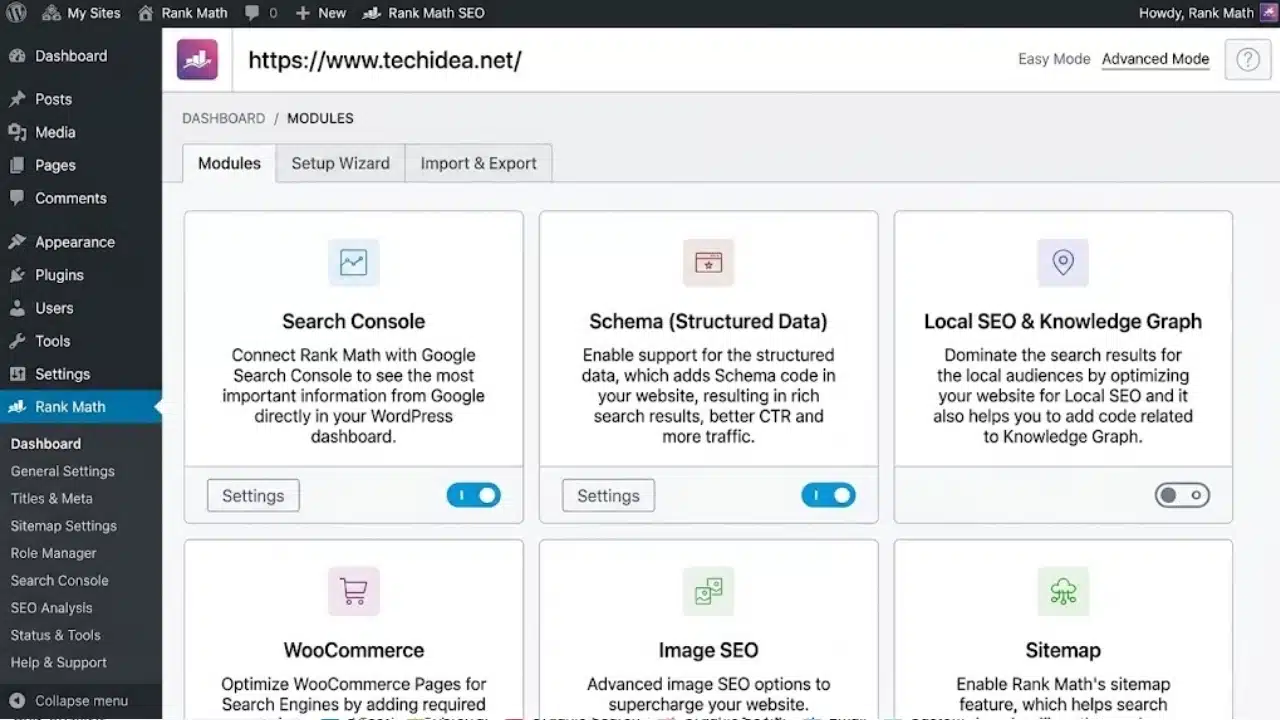
Rank Math gives WordPress teams controls for titles, descriptions, XML sitemaps, schema, redirects, 404 monitoring, breadcrumbs, and Google integrations.
A green optimization score does not prove a page will rank. Shopify, Wix, and Webflow sites need their native controls or another suitable tool. Avoid running competing WordPress SEO plugins without a migration plan.
10. Looker Studio
Looker Studio is a no-cost reporting tool with Search Console and GA4 connectors. It can show clicks, impressions, landing pages, key events, and changes over time.
Keep the report small. Five useful metrics beat 30 ignored charts. Looker Studio presents evidence; it does not explain why performance changed.
Final Thoughts
Start with Google Search Console, GA4, and PageSpeed Insights. WordPress publishers can add Rank Math, while Screaming Frog covers deeper technical checks.
Add a paid platform only after identifying what the free stack cannot answer. The best SEO tools for small teams support recurring decisions, not dashboard collection. Give each subscription an owner and a reason to renew. If nobody can explain what action it improves, the team probably does not need it.
Frequently Asked Questions (FAQs)
How many paid SEO tools does a small team need?
Usually one. Begin with free tools, then choose Ahrefs, Semrush, or SE Ranking when a clear research or tracking gap appears.
Can free SEO tools handle a small website?
They cover measurement, indexing checks, performance testing, and limited auditing. They are weaker for competitor research, backlinks, and large-scale rank tracking.
Which SEO tool is best for a small content team?
Ahrefs Starter or LowFruits suits focused research. Semrush offers broader coverage but costs more, particularly when several people need access.
Should every team member have an SEO tool login?
Not necessarily. Seat charges add up, and open access can waste credits. Give specialist tools to the people doing the work, then share findings through briefs or reports.


























