

Managing a team spread across three different time zones is tough. You cannot just walk over to a coworker’s desk to ask a quick question or brainstorm on a whiteboard. Finding the best SaaS tools for remote teams fixes this gap by creating a digital office where work actually gets done. In 2026, we are past the point of just needing basic video calls. Today’s workforce demands unified platforms that cut down on context switching and use smart automation to handle the boring stuff.
Getting your tech stack right determines whether your employees feel connected or completely isolated. If you force your staff to jump between a dozen clunky apps, productivity drops and frustration spikes. We researched the current market to bring you a straightforward guide to the software that actually helps distributed companies thrive. From daily messaging to locking down your company data, here are the top platforms making remote work functional and efficient this year.
Top Communication and Messaging Platforms
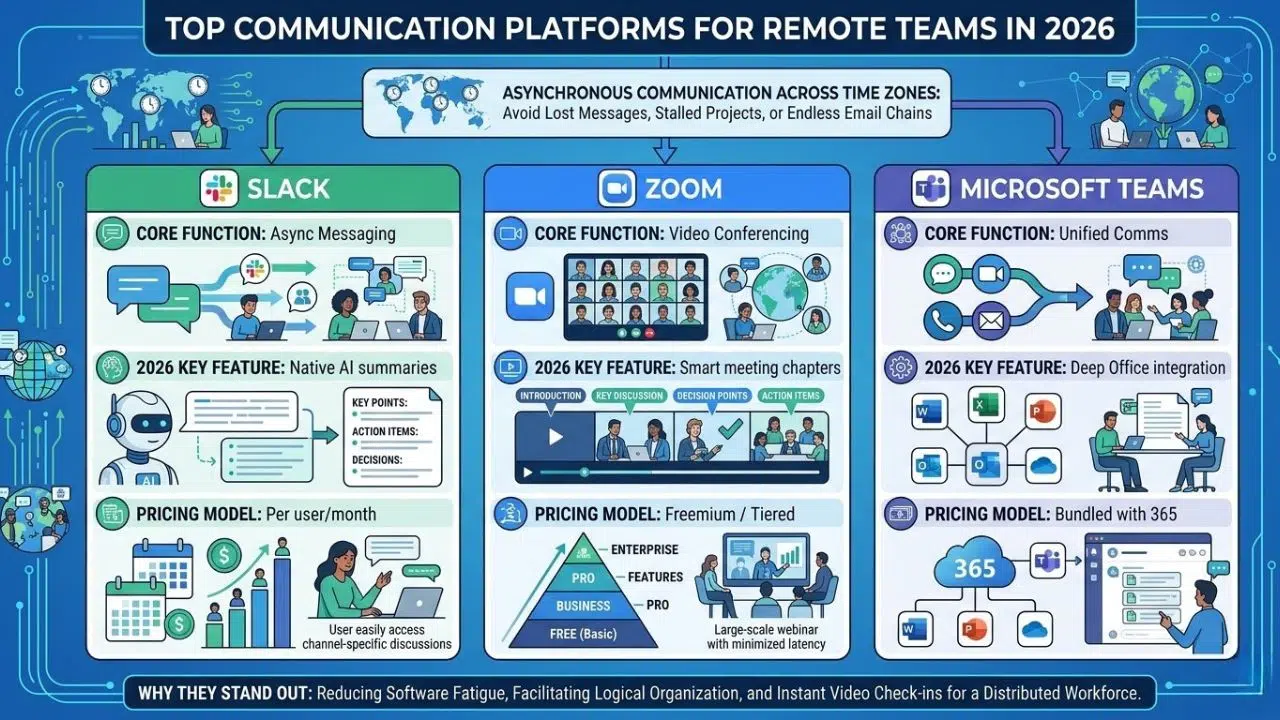
Working across different time zones means your team relies heavily on asynchronous communication to function properly. If you do not set up the right digital environment, messages get lost and projects stall out quickly. Relying on endless email chains simply does not cut it for modern distributed workforces anymore. You need dedicated platforms that organize conversations logically and allow for instant video check-ins when text isn’t enough. Before we dive into the specific applications, let’s look at a quick comparison of the top contenders in this space.
| Software | Core Function | 2026 Key Feature | Pricing Model |
| Slack | Async Messaging | Native AI summaries | Per user/month |
| Zoom | Video Conferencing | Smart meeting chapters | Freemium / Tiered |
| Microsoft Teams | Unified Comms | Deep Office integration | Bundled with 365 |
Now let’s break down exactly why these specific platforms stand out from the rest of the pack.
Slack
Slack stopped being just a chat app years ago and now operates as the central nervous system for thousands of companies. It keeps conversations out of messy email threads by using dedicated channels for specific projects, departments, or even casual watercooler chat.
Best for: Real-time messaging and centralizing third-party app notifications
Why We Chose It: It offers unparalleled integration capabilities with nearly every other major SaaS platform on the market, meaning your team rarely has to leave the app to get updates.
Things to consider: The constant stream of notifications can burn out employees if you do not strictly enforce channel rules and encourage “do not disturb” hours.
Zoom
Even with fierce competition, Zoom holds its ground as the most reliable way to get people face-to-face over the internet. The infrastructure handles massive company all-hands meetings just as easily as it handles quick one-on-one syncs.
Best for: High-capacity video meetings and external client webinars
Why We Chose It: It consistently provides stable video and audio quality even on lower-bandwidth connections, which is crucial for employees working in areas with spotty internet.
Things to consider: Privacy configurations require careful setup for enterprise use to avoid unauthorized access to sensitive internal meetings.
Moving from direct communication to overarching team coordination, the next category focuses on how work actually gets tracked.
Leading Project and Task Management Solutions
Knowing who is doing what and by when is a massive headache when you cannot visually check in on your team. Project management software gives everyone visibility into the company’s priorities without requiring daily status meetings. It maps out dependencies so bottlenecks are spotted before they ruin a deadline. Good task management keeps everyone accountable and moves initiatives forward smoothly. Here is a quick overview of how the top project management tools compare.
| Software | Best Setup For | Standout Capability | Learning Curve |
| Monday.com | Custom workflows | Drag-and-drop automations | Moderate |
| Asana | Goal tracking | Cross-project portfolio views | Low |
| Notion | Wiki + Tasks | Unmatched document linking | Steep |
Let us look closer at the specific features that make these tools necessary for distributed teams.
Monday.com
Monday.com acts like a highly visual work operating system rather than a rigid task list. Teams can build completely custom workflows for anything from editorial calendars to complex software bug tracking.
Best for: Highly customizable workflows and visual project tracking
Why We Chose It: The interface is incredibly intuitive, allowing non-technical managers to set up complex automations that move tasks along without manual input.
Things to consider: Pricing scales up very aggressively as you add more users and require access to the advanced automation features.
Asana
Asana hits the sweet spot between being easy to use and powerful enough for enterprise teams. It breaks down massive organizational goals into actionable, assignable tasks that leave no room for confusion about responsibilities.
Best for: Cross-functional team alignment and clear timeline management
Why We Chose It: The portfolio view gives leadership a bird’s-eye summary of multiple projects at once, ensuring that the team is actually hitting strategic goals.
Things to consider: New users often face a learning curve when figuring out how to properly structure tasks, subtasks, and project boards to avoid creating a cluttered mess.
Once tasks are assigned and the chat is flowing, your team needs a secure place to actually create and store their files.
Essential Cloud Storage and File Sharing
Saving files to a local hard drive is a massive liability when your company operates remotely. Cloud storage ensures that documents are accessible from anywhere and backed up automatically. It prevents the nightmare scenario of losing a week’s worth of work because a laptop crashed. When multiple contributors need to tweak the same spreadsheet, real-time cloud editing is mandatory. Here is a breakdown of the leading cloud storage options.
| Software | Core Strength | Storage Limit (Basic Tier) | Ecosystem |
| Google Workspace | Live Co-authoring | 30GB per user | |
| Dropbox | Fast Syncing | 2TB (Plus tier) | Agnostic |
| OneDrive | Desktop Integration | 1TB per user | Microsoft |
Here are the specific details on why these file-sharing systems dominate the remote work space.
Google Workspace
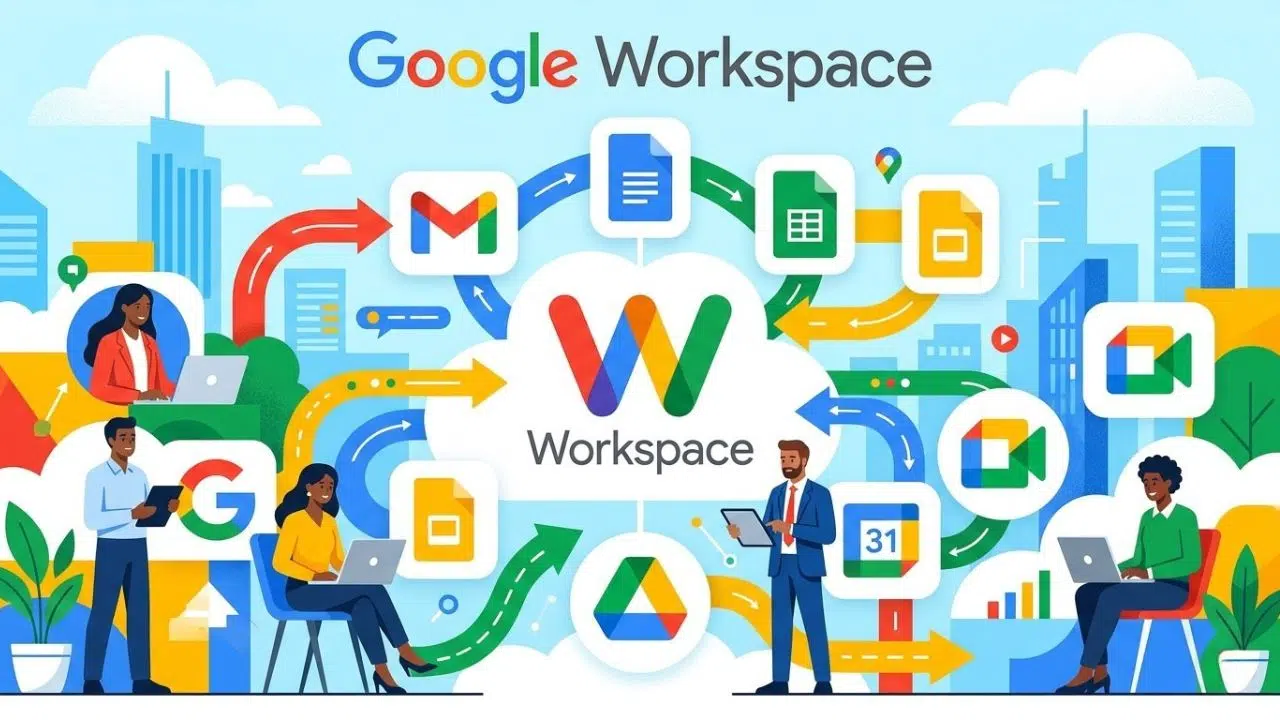
Google Workspace provides a suite of collaborative tools that have largely become the default standard for modern startups and agencies. It combines reliable file storage with active, live document creation.
Best for: Real-time document collaboration and seamless cloud storage
Why We Chose It: Multiple users can edit documents, spreadsheets, and presentations simultaneously without creating annoying version control issues.
Things to consider: Organizing complex folder hierarchies in Google Drive gets notoriously messy over time if your company lacks strict naming conventions.
With company data living entirely in the cloud, securing access to that information is non-negotiable.
Advanced Security and Password Management
Remote work introduces terrifying security vulnerabilities, mostly through unsecured home Wi-Fi networks and weak employee passwords. You cannot rely on people to create and remember complex passwords for 20 different work apps. Dedicated security tools are required to protect sensitive company data from breaches. Proper password management locks down access while actually making logging in easier for your staff. Review the top security tool metrics in the table below.
| Software | Main Function | Authentication Method | Admin Controls |
| 1Password | Password Vault | Master Key + Biometrics | High |
| Okta | Single Sign-On | Identity Management | Enterprise |
| NordVPN | Network Security | Encrypted Tunnels | Moderate |
Let us explore exactly how these tools keep your distributed workforce safe from external threats.
1Password
Sharing passwords via Slack or email is a massive security risk that happens way too often in remote teams. 1Password fixes this by creating encrypted vaults where teams can safely store and share credentials without ever seeing the actual password.
Best for: Secure credential sharing and team access management
Why We Chose It: It offers robust administrative controls, allowing IT to easily grant or revoke access to specific shared vaults the second an employee joins or leaves.
Things to consider: Account recovery is purposely difficult if a user loses their master password and secret key, requiring very strict onboarding and backup protocols.
Beyond security, understanding how time is being spent helps management optimize resources.
Time Tracking and Productivity Software
Tracking productivity in a remote environment should be about optimizing workflows, not acting like Big Brother. Good tracking tools help businesses understand resource allocation so they can price client projects accurately. They also highlight when employees are working too many hours and risk burning out. Implementing this software correctly requires transparency and trust. Check out how these productivity tools compare.
| Software | Best Use Case | Billing Integration | Tracking Style |
| Hubstaff | Workforce analytics | Yes | Background/Active |
| Toggl Track | Freelancers/Agencies | Yes | Manual Timer |
| Clockify | Budget tracking | Yes | Timesheet based |
Here is a deeper look into how to use these tools effectively without micromanaging your staff.
Hubstaff
Hubstaff runs quietly in the background, providing detailed insights into exactly how work hours are utilized across different projects. It takes the guesswork out of timesheets and makes client reporting totally transparent.
Best for: Automated time tracking and actionable workforce analytics
Why We Chose It: It integrates seamlessly with project management tools to track time directly against specific tasks, simplifying payroll and invoicing.
Things to consider: The optional screenshot and activity monitoring features must be implemented carefully and transparently to avoid destroying team morale.
With so many tools available, integrating them smoothly is the actual secret to a highly functional remote team.
Integrating the Best SaaS Tools for Remote Teams into Your Workflow
Buying software is easy, but getting your team to actually use it is the hard part. The best SaaS tools for remote teams are worthless if your employees are actively fighting against the interfaces. Successful remote companies do not just throw apps at their staff; they build an ecosystem where data flows smoothly between departments. You want your project management tool talking directly to your communication app. Here is a look at what successful software integration looks like.
| Integration Type | Tools Involved | Business Benefit |
| Chat & Tasks | Slack + Asana | Creates tasks directly from messages |
| Time & Invoicing | Hubstaff + Quickbooks | Automates payroll and billing |
| Cloud & Security | Workspace + Okta | Secures file access company-wide |
Let us look at a few strategies to ensure these connections actually make your team faster.
Creating a Centralized Hub
A centralized hub means designating one primary application where all notifications and updates live. This stops employees from keeping ten different browser tabs open just to check for messages.
Best for: Reducing context switching and app fatigue
Why We Chose It: Pushing all alerts into a tool like Slack ensures nothing gets missed and keeps everyone focused on a single dashboard.
Things to consider: It requires a dedicated operations manager to set up the APIs and webhooks correctly so the data routes to the right channels.
Frequently Asked Questions (FAQs)
If you are currently auditing your tech stack, you likely have specific questions about where to put your budget. The software market changes rapidly, and what worked in 2022 might be outdated today. We have gathered the most common inquiries regarding remote work technology to help guide your decision-making process.
What is the most important SaaS tool for a new remote team?
A reliable communication platform is absolutely your first priority. Without a centralized hub for messaging and quick video calls, team alignment is impossible. Start with a unified chat tool before you layer on complex project management or time tracking software.
How do I prevent software fatigue among my remote employees?
Software fatigue happens when employees jump between too many single-purpose applications all day. To fix this, prioritize platforms that offer deep native integrations. When your tools share data automatically, it significantly reduces the cognitive load on your staff.
Are these SaaS tools secure enough for sensitive company data?
Yes, the enterprise tiers of these applications offer robust security features like single sign-on, end-to-end encryption, and compliance with major data protection regulations like GDPR. However, the software is only as secure as your organization’s internal password hygiene and access permission rules.
Final Thoughts on Equipping Your Distributed Workforce
Building a remote technology stack is an ongoing process, not a one-and-done setup task. Finding the best SaaS tools for remote teams means constantly evaluating how your employees actually communicate, build, and share their work. By investing in platforms that prioritize security, asynchronous workflows, and deep integration, you give your staff the exact tools they need to operate efficiently from anywhere. Keep listening to your team’s feedback, consolidate apps where you can, and make sure your digital office is a place where people actually want to work.





















