
That’s why we’ve handpicked a list of the best online form builders in 2025, covering tools that are easy to use, flexible, and packed with smart features. Whether you’re building a simple contact form or a complex multi-step lead funnel, there’s something here for everyone.
What to Look for in a Great Online Form Builder
Here are the key features to consider when choosing an online form builder:
1. Drag-and-Drop Builder
A visual, drag-and-drop editor is essential for building forms without needing to write a single line of code. Look for tools that let you easily add, remove, and rearrange form fields, such as text boxes, dropdowns, radio buttons, and file uploads, with intuitive controls. This is especially important for beginners and busy professionals who want speed and simplicity.
2. Pre-Built Templates
Templates are a huge time-saver. Whether you’re creating a lead capture form, registration form, survey, or order form, a good builder should offer a variety of customizable templates tailored for different use cases and industries. Bonus points if templates are mobile responsive and conversion optimized.
3. Mobile Responsiveness
In 2025, most users will complete forms on mobile devices. Your form builder should ensure that every form looks great and functions smoothly across phones, tablets, and desktops, without needing separate versions or extra customization.
4. Conditional Logic
Smart forms adapt to the user’s input. Conditional logic allows you to show or hide questions, redirect users, or trigger actions based on specific answers. This creates a more personalized and streamlined experience for respondents, especially useful for multi-step forms, quizzes, and lead funnels.
5. Integrations with Third-Party Tools
A great form builder should fit into your existing tech stack. Look for integrations with CRMs (like HubSpot, Salesforce), email platforms (like Mailchimp, ActiveCampaign), payment gateways (like Stripe, PayPal), and automation tools (like Zapier or Make). This ensures your form data flows where it’s needed, automatically.
6. Payment Collection
If you’re selling products, taking donations, or collecting service fees, your form builder should support secure payment processing. Look for features like recurring payments, digital signatures, tax calculation, and multi currency support through integrations with Stripe, Square, PayPal, or Braintree.
7. Advanced Form Features
Features like file uploads, image choices, calculated fields, appointment booking, and multi-step flows make your forms more dynamic and functional. Some form builders even offer AI-generated form suggestions, pre-filled fields, and outcome pages to boost engagement and completion rates.
8. Analytics and Reporting
You can’t improve what you don’t measure. Choose a platform that offers real-time analytics, form performance tracking (views, submissions, drop-off rates), and exportable data. Some advanced platforms even offer AI powered insights to help you optimize your forms for better results.
9. Customization and Branding
Your forms should reflect your brand. Look for builders that allow you to add your logo, customize fonts and colors, and even adjust layout styles. Some platforms also offer custom CSS or white-labeling options for agencies or enterprises.
10. Security and Compliance
With data privacy becoming more important than ever, ensure your form builder complies with GDPR, offers SSL encryption, and includes anti-spam protection (e.g., CAPTCHA or honeypot fields). For sensitive industries, features like HIPAA compliance or secure file uploads might also be necessary.
11. Ease of Use and Support
Even feature rich tools should be easy to use. A clean interface, onboarding tutorials, and helpful customer support can make a huge difference, especially for small teams or first time users. Also, check for live chat, documentation, and community forums.
Best Online Form Builders in 2025
With so many form builder platforms available today, it can be tough to choose the one that actually meets your goals.
To make your decision easier, we’ve rounded up the best online form builders in 2025, covering tools that are beginner-friendly, highly customizable, and packed with powerful features.
1. involve.me (Best for Personalized, High-Converting Multi-Step Forms)
involve.me is an all in one form and funnel builder designed to help you create high-converting, branded forms without any coding.
It is a platform designed to increase conversion rates, qualify leads, and automate form driven experiences across the customer journey. With a powerful drag-and-drop editor and dozens of built in logic tools, it allows you to build custom multi-step forms that feel interactive, intelligent, and on brand.
Why it stands out:
involve.me is ideal for marketers, SaaS teams, and businesses that want more than just a basic form. Its form builder supports everything from lead capture and personality quizzes to calculators, surveys, and gated content. The platform’s AI generator can pull your website’s branding and create a ready to use form template in seconds, saving you hours of setup time.
Key Features:
- AI Form Generation: Instantly generate branded forms by entering your website URL and a short prompt.
- Multi-Step Forms: Break down long forms into easy, engaging steps to boost completion rates.
- Conditional Logic & Logic Jumps: Personalize the user journey with custom paths based on answers.
- Lead Scoring & Calculator Formulas: Assign values to answers to qualify leads or calculate quotes.
- AI Insights & Reporting: Instantly summarize form results with AI-generated reports and recommendations.
- Answer Piping & Outcome Logic: Show personalized follow-ups and dynamic outcome pages.
- Contact Validation: Block spam, personal emails, or invalid data automatically.
- Embeds, Popups, & Standalone Pages: Share forms however you prefer, on your website or as a landing page.
- Internal Notifications: Get real-time alerts and data submissions sent to your team.
- 60+ Native Integrations: Seamlessly connect with tools like HubSpot, Mailchimp, Salesforce, Airtable, Google Sheets, and more.
2. WPForms (Best for WordPress Users)
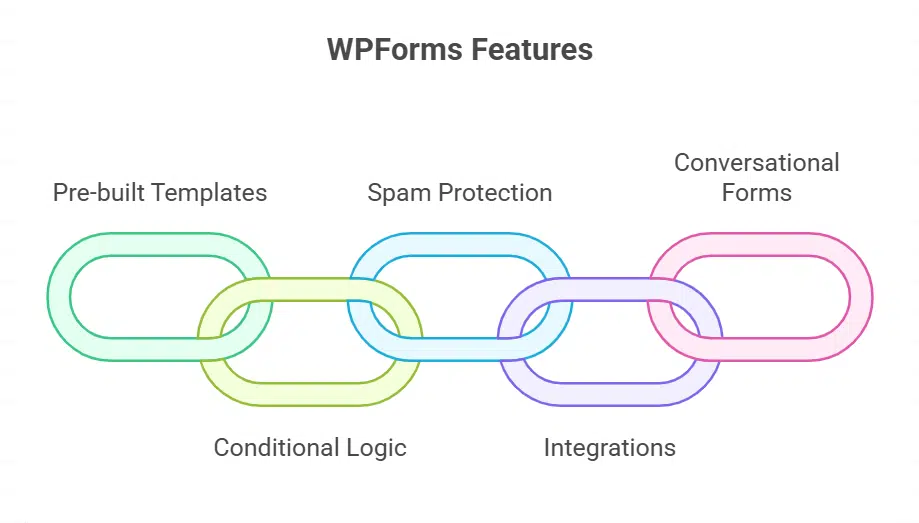
WPForms is one of the most popular drag-and-drop form builders for WordPress, trusted by millions of users. It offers a wide variety of pre-built templates, including contact forms, payment forms, surveys, and newsletter signups. With smart conditional logic and spam protection built-in, WPForms ensures clean, high-quality submissions. You can integrate with PayPal, Stripe, Mailchimp, and CRMs. The platform also supports conversational forms and multi-page layouts. Its intuitive interface and seamless WordPress integration make it ideal for beginners and pros alike.
3. Typeform (Best for Conversational and Engaging Forms)
Typeform turns boring forms into interactive, conversational experiences by showing one question at a time. This unique layout keeps users engaged and encourages more thoughtful responses. Typeform’s AI features help you auto-generate questions and polish your language in real time. It integrates with over 500 apps via Zapier, making it great for automating follow-ups. Its beautiful design and slick UX make it a favorite among marketers, designers, and brands prioritizing user experience. You can use it for everything from surveys to lead forms and quizzes.
4. Jotform (Best for Templates and Customization at Scale)
Jotform offers a massive library of over 10,000 templates, catering to nearly every industry and form use case imaginable. It supports advanced features like e-signatures, PDF generation, HIPAA compliance, and approval workflows. You can build forms quickly using its drag and drop editor and customize them to match your brand. Jotform integrates with popular CRMs, payment processors, cloud storage tools, and more. Its flexible design options and enterprise-level features make it a top choice for businesses of all sizes.
5. Google Forms (Best for Simplicity and Collaboration)
Google Forms remains one of the easiest ways to build and share basic forms, especially for internal use. It’s free, fast, and integrates perfectly with Google Sheets for real-time data sync. While limited in design and logic features, its simplicity is its strength. Great for quick polls, feedback, signups, or team surveys, especially for those already using Google Workspace. You can enhance it further with third party add ons like formLimiter and Form Notifications. It’s the ideal tool for educators, nonprofits, and small teams on a budget.
6. Formstack (Best for Workflow Automation & Enterprise Use)
Formstack is a powerful form builder that goes beyond data collection, it helps automate entire workflows. With smart forms, document automation, digital signatures, and advanced routing, it’s built for businesses that need end-to-end solutions. Its drag-and-drop editor includes logic, hidden fields, and calculations. You can connect it to Salesforce, Microsoft 365, and over 100 other platforms. Perfect for HR, finance, healthcare, and other teams handling sensitive or high-volume data.
7. Cognito Forms (Best for Advanced Data and Calculations)
Cognito Forms excels at creating forms that handle complex data. It supports repeating sections, custom calculations, and conditional logic, great for generating quotes, applications, or multi-part surveys. You can also create custom PDFs or Word docs from form responses. Cognito Forms integrates with tools like Zapier, Microsoft Power Automate, and Google Analytics. It even supports HIPAA compliant plans for industries that need extra security. A great pick for professionals who need precision and power without coding.
8. Paperform (Best for Visually Rich, Landing Page-Style Forms)
Paperform combines the flexibility of a landing page builder with the power of a form tool. Its minimalist interface lets you type directly onto the page and style everything like a document, perfect for creating branded experiences. You can add images, videos, pricing tables, and smart logic flows. Paperform also supports payments, subscriptions, calculations, and thousands of integrations via Zapier. Ideal for coaches, creators, freelancers, and small businesses who want beautiful, functional forms.
Choosing the right online form builder in 2025 comes down to more than just features, it’s about finding a tool that aligns with your workflow, goals, and audience. Whether you need a simple contact form, a lead qualification quiz, or a multi-step funnel that converts, there’s a platform out there that fits your needs perfectly.
From intuitive drag-and-drop editors to AI-powered personalization and automation, the tools we’ve covered offer everything you need to create smarter, high-performing forms, without writing a single line of code.
Take your time to explore, test a few, and choose the one that makes form building not just easier, but more impactful.