Most people stop journaling because the blank page asks too much or the app becomes another system to manage. The Best Journaling Apps reduce that friction without treating private writing as disposable data.
Some writers want room for long entries. Others stay consistent with mood buttons, prompts, or a two-minute check-in. This ranking of the Best Journaling Apps weighs usability, privacy, platforms, exports, cost, and long-term value. Broad choices come first; specialized options follow.
Prices and plan details below were checked in September 2026. They may vary by country, currency, app store, or promotion.
Best Journaling Apps: Quick Comparison
| App | Good For | Platforms | Main Trade-off |
| Day One | All-round use | Mobile, desktop, web | Paid multi-device use |
| Journey | Mixed devices | Mobile, desktop, web | Membership for cloud security |
| Daylio | Quick mood logs | iOS, Android | No desktop app |
| Diarium | No subscription | Mobile and desktop | Pro sold per platform |
| Apple Journal | Apple users | iPhone, iPad, Mac | No Android or Windows access |
| Grid Diary | Prompt-led reflection | iOS, Android | Paid sync and passcode |
| Stoic | Guided routines | Mobile, Mac, web | Feature-heavy |
| Reflection | AI prompts | Mobile, Mac, web | No documented end-to-end encryption |
| Five Minute Journal | Gratitude entries | iOS, Android | Narrow format |
| Penzu | Browser writing | Web, iOS, Android | Paid privacy tools |
What to Check First
Even the Best Journaling Apps use “private” differently. An app lock blocks casual device access. Encryption in transit protects data moving to a server. End-to-end encryption limits who can read synced content.
Before paying, check where entries are stored, which privacy tools cost extra, and what the export contains. PDF suits reading; JSON, CSV, plain text, and Markdown are better for migration. Also confirm whether one purchase covers every device.
1. Day One: Best Overall
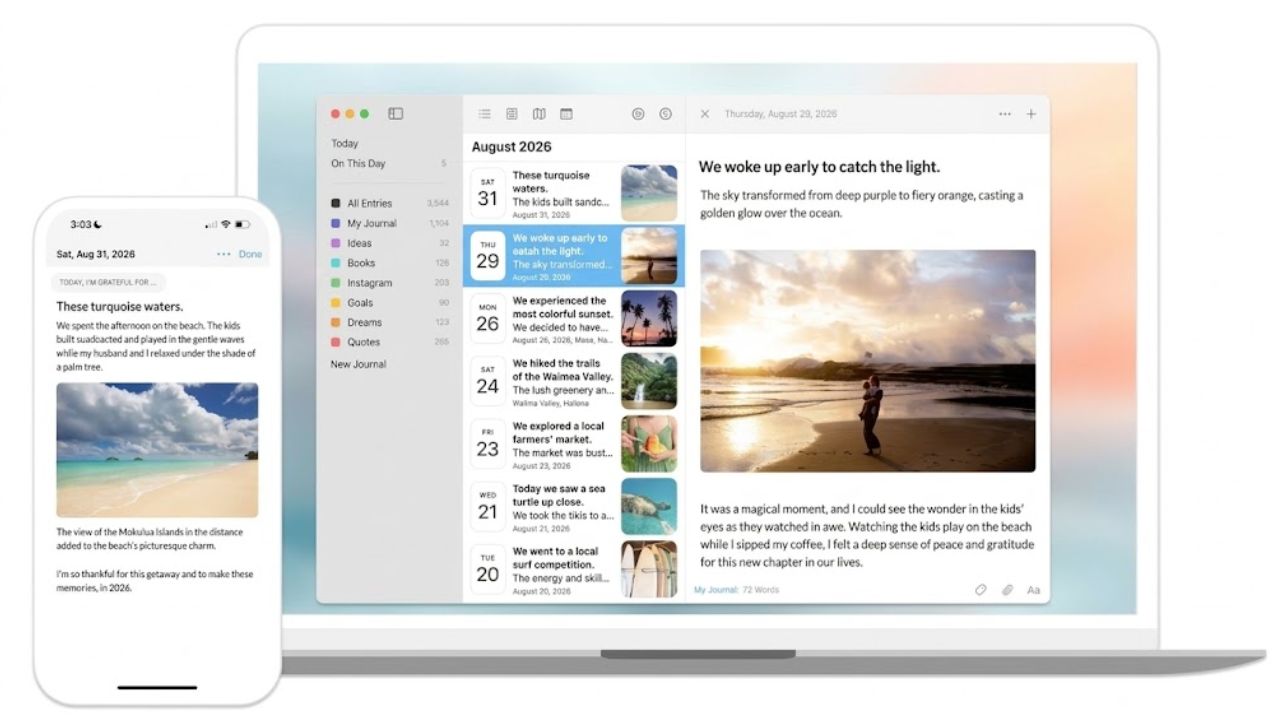
Among the Best Journaling Apps, Day One offers the strongest balance of writing, memory keeping, privacy, and organization. Basic is a useful free plan, with unlimited entries and journals, prompts, one photo per entry, exports, end-to-end encryption, and one-device access.
Silver, listed at $49.99 a year when checked, adds unlimited devices and richer media; Gold adds optional AI. The upgrade suits a photo-rich archive across a phone and computer. Plain-text writers on one device can stay on Basic.
2. Journey: Best Across Platforms
Journey ranks second because it covers Android, iOS, Windows, Mac, Linux, ChromeOS, and the web. It supports formatted text, moods, media, locations, templates, and several exports. Membership was listed at $4.17 a month billed annually, with a lifetime option.
Cross-platform sync and end-to-end encryption are membership benefits, so the free version is not equivalent. Journey fits frequent device-switchers, but its sharing, automation, coaching, and AI tools may feel crowded to a minimalist writer.
3. Daylio: Best for Mood Tracking
Daylio records a day through a mood and a set of activities. Notes, photos, voice memos, goals, and templates add context. That makes it one of the Best Journaling Apps for people who abandon long-form journaling. Content stays in private device storage; optional backups use Google Drive or iCloud.
This is a mobile mood diary, not a comfortable place for several thoughtful paragraphs. Its charts reveal associations, not proof that an activity caused a mood.
4. Diarium: Best Without a Subscription
Diarium is underrated, particularly for someone using a Windows laptop and Android phone. It requires no account, can keep entries on-device, and syncs through OneDrive, Google Drive, Dropbox, iCloud, or WebDAV. Attachments, tags, maps, imports, and several exports make it a capable archive.
Pro is a one-time purchase, but it must be bought per platform. That can reduce the savings across several devices. Diarium favors record keeping over guided reflection.
5. Apple Journal: Best Free Apple Option
Among the Best Journaling Apps for Apple users, Journal has the lowest barrier because it comes with supported devices. Suggestions turn photos, outings, and workouts into possible entries; users can add audio, drawings, locations, and a state of mind. Entries sync through iCloud across supported iPhone, iPad, and Mac devices.
Locking and export tools are included. Apple Journal is the sensible free starting point, but Day One offers deeper organization. Android and Windows users cannot use it.
6. Grid Diary: Best for Prompts
Grid Diary replaces one blank page with several smaller questions about gratitude, work, relationships, lessons, or tomorrow’s priorities. Templates also support reviews, goals, and habits. It helps when deciding what to write is the hardest part.
The official web price was $2.99 monthly or $22.99 annually when checked. Sync and passcode protection are paid. Anyone who ignores prompts should choose a conventional journal.
7. Stoic: Best for Guided Reflection
Stoic is a guided reflection toolkit rather than a plain diary. It combines morning preparation, evening reviews, prompts, mood trends, breathing, meditation, reminders, and streaks. That helps readers who want a ready-made routine but overwhelms anyone seeking only a private writing space.
It is available on Android, Apple devices, and the web. Its documentation specifically describes syncing across Apple devices and the web, so verify current Android sync behavior before subscribing.
8. Reflection: Best AI-Guided Option
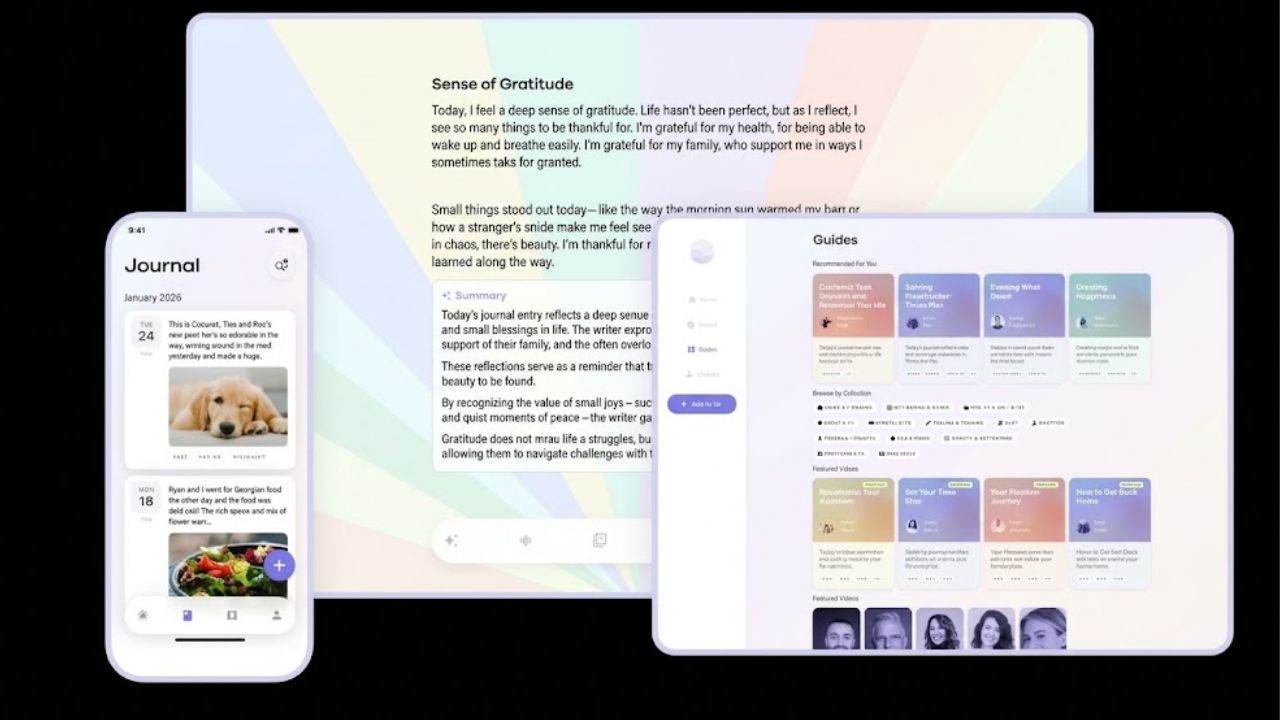
Reflection asks follow-up questions, creates reviews, and identifies themes across earlier entries. The AI can be disabled, leaving prompts, reminders, search, imports, and exports.
The privacy detail matters more than the novelty. Reflection documents AES-256 encryption at rest and TLS in transit, and says entries are not used to train AI models. That is not end-to-end encryption. Consider the difference before sending highly personal entries for AI analysis. Premium was listed at $8 monthly or $5.75 a month annually.
9. Five Minute Journal: Best for Gratitude
Five Minute Journal offers guided gratitude entries, mood tracking, reminders, photos, and a short routine on iOS and Android. It is free to download, with additional features offered through Premium. Its narrow structure is useful for beginners who can manage short answers but not a full page. For complicated events or a detailed life archive, it runs out of room quickly.
10. Penzu: Best for Browser Writing
Penzu remains useful for people who prefer writing longer entries in a browser. The free plan includes unlimited entries, mobile apps, basic customization, and reminders. It feels more like a traditional online diary than a mood or wellness tracker.
Read the plan comparison before calling it a private free journal. Encryption locking, tags, prompts, and PDF export begin with Pro, listed at $19.99 a year when checked. Pro+ was $49.99 and added entry recovery. The paid privacy boundary is the main reason Penzu ranks tenth.
Final Thoughts on the Best Journaling Apps
Do not choose from the table alone. Use one or two candidates for seven ordinary days. Write an entry, add a photo, search for it, inspect the lock and sync settings, and export a copy. Those actions reveal more than polished onboarding.
The Best Journaling Apps make reflection easier while leaving you in control of the record. If an app creates more maintenance than reflection, it is the wrong journal.
Frequently Asked Questions (FAQs)
Are free journaling apps private?
Some are, but “private” can describe several protections. Check local storage, app locking, cloud encryption, end-to-end encryption, and the data-use policy. Free plans may exclude security features shown on the product page.
Can journal entries be moved to another app?
Sometimes. JSON, CSV, plain text, and Markdown are generally better for migration than PDF. Export a few sample entries and inspect the files first. An export button has little value if another service cannot import its format.
Do mood charts show what causes a good or bad day?
No. Charts can reveal patterns worth examining, but they cannot establish cause. Treat mood tracking as a reflection aid, not a diagnosis or substitute for professional care.