
Your development team ships code every day, but something feels broken. Deployments take forever. Testing happens in a chaotic mess. Bugs slip through the cracks. Your team spends more time fixing broken builds than building new features. Sound familiar? You are not alone. Teams everywhere struggle with slow, manual processes that eat up hours and drain morale.
Finding The Best CI/CD Tools For Software Development Teams changes how you work by automating testing, building, and deployment. This means your developers focus on writing code, not babysitting pipelines. I am going to walk you through the top tools on the US market right now.
We will look at what makes each one special, from pricing to insider tips.
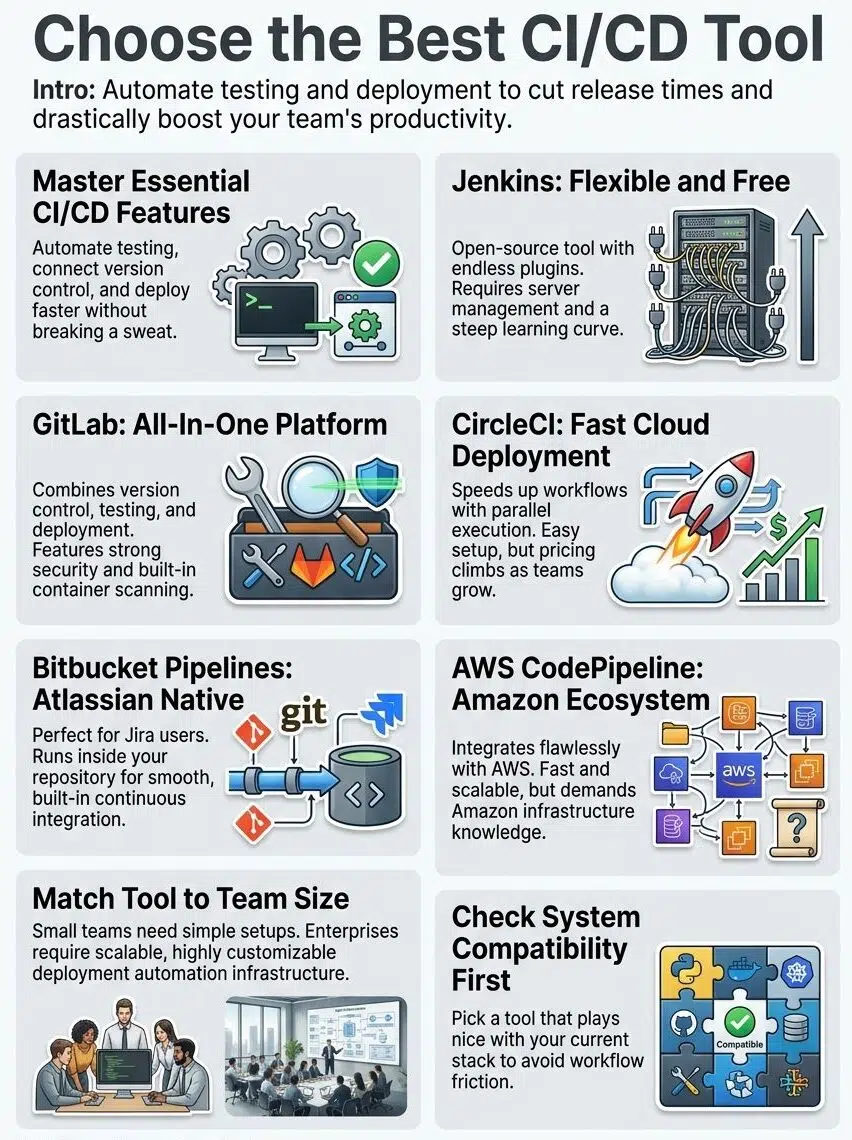
Essential Features of CI/CD Tools
Your team needs tools that work hard, so you avoid the heavy lifting. The right platform connects your code, runs your tests fast, and ships your software without breaking a sweat.
Integration with Version Control Systems
Code integration without version control is like building a house on sand. You need tools that connect smoothly with Git, GitHub, and Bitbucket. Did you know GitHub hit over 100 million developers globally in 2023? That massive user base means most top-tier platforms integrate with it flawlessly.
Developers write code, commit it to their repository, and the automation kicks in immediately. The build process starts, tests run, and deployment happens on its own.
This integration eliminates bottlenecks and keeps your workflow moving fast. Every code change triggers the pipeline automatically, catching bugs early.
Deployment Options: Cloud and On-Premises
After testing completes, you need to decide where your software actually lives. Teams pick between cloud-based solutions and on-premises setups.
Cloud deployment offers speed and flexibility. You skip the hardware headaches, pay only for what you use, and scale up instantly. In the US, Amazon Web Services held about a 31% cloud market share in early 2024. Services like AWS CodePipeline handle the heavy lifting for you automatically.
On-premises deployment gives you total control over your infrastructure and data. Some companies prefer this approach for strict security requirements.
Scalability and Performance Features
Your development team grows fast. Your continuous integration tool must grow with you. Scalability matters because your pipeline handles more code, more tests, and more deployments as your team expands.
A slow pipeline kills productivity. Teams with fast feedback loops ship higher-quality code and retain happier developers.
Performance features handle parallel testing and distributed builds. This ensures developers do not waste time waiting for deployment confirmations.
Configuration Simplicity and Usability
Most development teams want platforms that work right out of the box. Simple configuration matters because your team spends less time wrestling with setup.
Jenkins offers flexibility but demands deep technical knowledge. Over on the r/DevOps subreddit, engineers frequently warn that maintaining Jenkins Groovy scripts easily becomes a full-time job.
Tools like GitLab and CircleCI shine here. They let developers write pipeline code in straightforward YAML files, saving hours of configuration time.
Ensuring Security and Compliance
Security and compliance matter greatly in deployment pipelines. A strong platform protects your work through encryption, access controls, and audit logs.
IBM’s 2024 Cost of a Data Breach Report found that the average cost of a breach in the US reached a staggering $9.36 million. That makes security a direct budget priority, not just an IT concern.
Your tool should support role-based access control. This allows you to assign specific permissions to different team members and maintain a clear audit trail.
Exploring Jenkins for CI/CD
Jenkins stands as one of the oldest and most flexible options available today. Many teams choose Jenkins because it adapts to almost any workflow, from simple builds to complex chains.

Key Features of Jenkins
Jenkins is an open-source automation server that helps teams build, test, and deploy software. It gives you the control needed to create custom workflows.
- Jenkins supports distributed builds across multiple machines. Your team runs tests and deployments in parallel to save valuable time.
- Pipeline as code functionality lets developers write their entire process in a simple script. This makes it easy to manage your workflow alongside your actual code.
- The extensive plugin ecosystem provides over 1,800 plugins. These connect Jenkins to almost every tool your team already uses in the US market.
- Declarative and scripted pipeline options give teams total flexibility. You control how you structure your continuous integration and continuous deployment workflows.
- Integration with version control systems like Git happens seamlessly. Jenkins automatically triggers builds whenever developers push code changes.
- The master-agent architecture enables horizontal scaling. Your team adds more agents as your project complexity grows.
- Real-time feedback through detailed build logs keeps everyone informed. You see test results, build failures, and deployment status instantly.
- Security features include user authentication and credential management. These tools protect your sensitive information and deployment secrets.
- Webhook support allows external systems to trigger builds automatically. This creates a seamless connection between your repository and your delivery pipeline.
- The Blue Ocean interface provides a modern, visual representation of your pipelines. It makes it simpler for team members to understand complex builds.
Advantages and Challenges of Jenkins
Now that you understand its core capabilities, let us examine what makes this platform work well. We also need to look at where it falls short for modern teams.
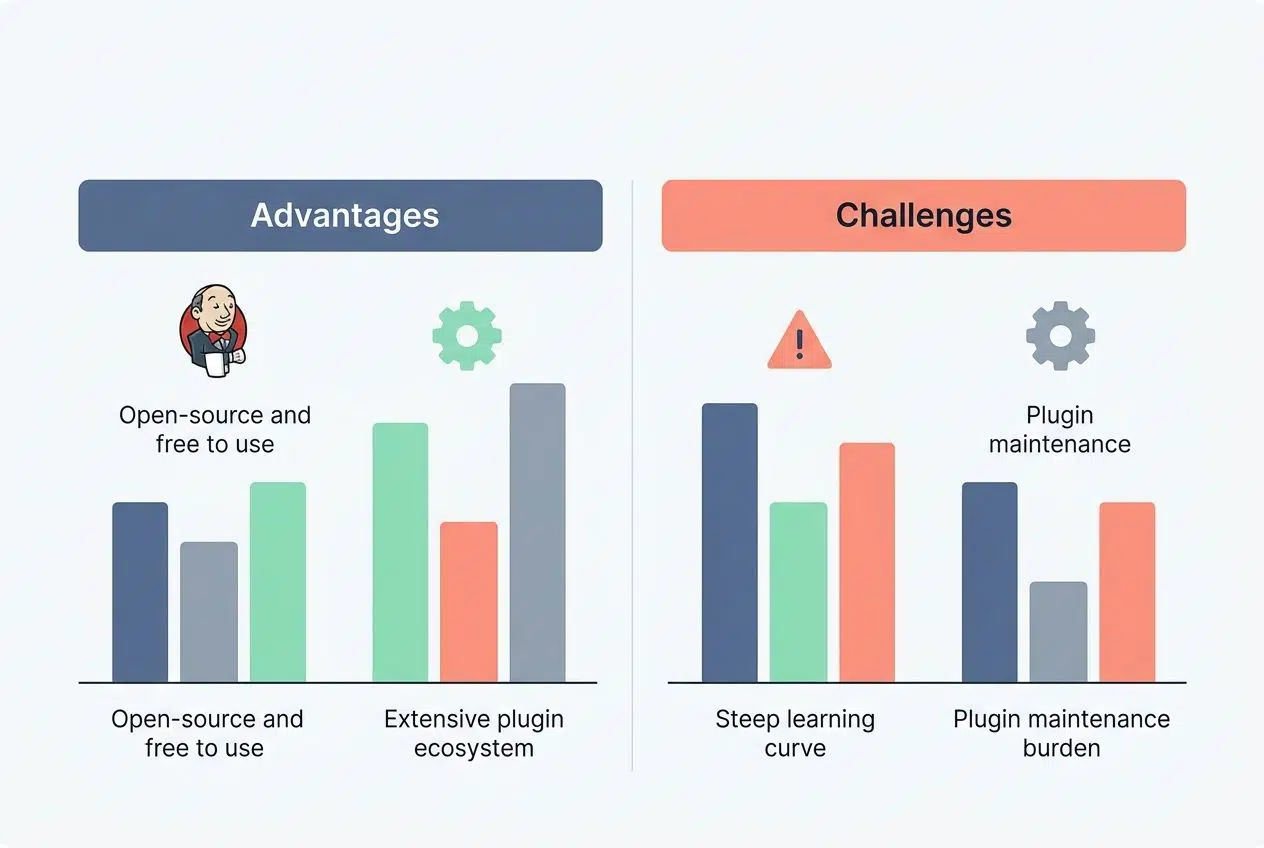
| Advantages | Challenges |
|---|---|
| Open-source and free to use No licensing fees drain your budget. Thousands of organizations run Jenkins without spending a dime on software costs. |
Steep learning curve New team members need time to get up to speed. Configuration requires technical knowledge and constant maintenance. |
| Extensive plugin ecosystem Over 1,800 plugins extend functionality far beyond the core platform. Your specific workflow probably has a plugin waiting for it. |
Plugin maintenance burden Updates sometimes break existing workflows. Compatibility issues pop up frequently between different plugin versions. |
| Highly customizable architecture Adapt the platform to match your exact processes. Flexibility means you control how continuous delivery works for your organization. |
Infrastructure management required Someone must maintain servers and handle updates. Server downtime affects your entire deployment pipeline. |
| Distributed build capabilities Spread workloads across multiple machines for faster execution. Parallel processing reduces build times significantly. |
Complex setup for distributed systems Configuring multiple agents requires expertise. Troubleshooting distributed setups takes considerable time and effort. |
| Works with any technology stack Java, Python, Node.js, Go, and countless other languages run smoothly. Your tech choices never limit what Jenkins can do. |
Manual configuration for each project Repeating setup steps wastes time across multiple repositories. Teams often create custom scripts to automate basic tasks. |
| Large, mature community Questions get answered quickly on forums and Stack Overflow. Thousands of teams share their Jenkins experiences online. |
Outdated user experience The interface feels dated compared to modern CI/CD platforms. The menu structure can confuse newcomers easily. |
Benefits of GitLab CI/CD
GitLab brings your entire development workflow into one platform. This cuts down the back-and-forth between different tools. Your team moves faster, catches bugs earlier, and ships code with confidence.
Core Features of GitLab CI/CD
GitLab packs powerful features that help teams automate their entire software development workflow.
- Built-in version control integration connects your repository directly to your pipeline. Code changes trigger automatic testing immediately.
- Pipeline configuration happens through a simple .gitlab-ci.yml file. This file lives in your project root and controls your automation.
- Docker support lets you run jobs in containers. Your testing and deployment stay consistent across different machines.
- Parallel job execution speeds up your workflow drastically. Multiple tests and builds run at the same time.
- Scheduled pipelines allow you to set specific times for builds. This works perfectly for running heavy tests during off-peak hours.
- Environment-specific deployments let you push code to staging or production. You set different approval requirements for each stage.
- Artifact storage saves build outputs, compiled code, and test reports. Your team accesses them easily for downstream jobs.
- Manual approval gates stop automatic deployments and wait for human review. This gives your team total control over what reaches production.
- Merge request pipelines run tests on proposed code changes. You catch problems early in the development cycle before merging.
- Real-time monitoring shows you exactly what is happening with your builds. You get a clear dashboard and detailed logs.
- Integration with issue tracking connects your code changes to project tasks. It makes it simple to see which issues your deployment fixes.
- Security scanning features detect vulnerabilities in your code automatically. This helps your team maintain compliance effortlessly.
Advantages and Challenges of GitLab CI/CD
Let us examine both the bright spots and the rough patches you will encounter with GitLab. For context, if you need advanced features, the Premium tier currently costs $29 per user per month in the US.
| Advantages | Challenges |
|---|---|
| Integrated Platform Benefits You get version control, CI/CD, and project management all in one place. This eliminates tool switching entirely.Cost EfficiencyOpen-source versions cost nothing. Smaller teams appreciate free tiers that do not compromise core functionality.Faster Feedback Loops Pipelines run quickly. Developers get test results in minutes. This speed means bugs surface earlier. Flexible Deployment Strategies Canary deployments, blue-green strategies, and rolling updates all work perfectly. You control exactly how code reaches production. Strong Security Features Container scanning catches vulnerabilities fast. Secret management keeps credentials safe at all times. Scalability for Growing Teams The platform handles projects of any size smoothly. Resource consumption scales perfectly with your needs.
|
Learning Curve Steepness YAML configuration syntax trips up newcomers. Teams need time before mastering the more advanced features.Performance at ScaleLarge repositories slow down pipeline execution. Thousands of concurrent jobs strain your underlying infrastructure.Resource Consumption Self-hosted runners demand server capacity. Cloud-hosted versions cost real money as your daily usage grows. Integration Complexity Third-party tool connections require manual setup. You spend time writing custom scripts for niche requirements. Debugging Difficulty Pipeline failures sometimes lack clear error messages. Logs get verbose and hard to parse quickly. Feature Overwhelming So many options exist that teams get paralyzed. New users often over-complicate very simple pipelines.
|
Understanding CircleCI in CI/CD Environments
CircleCI stands out as a cloud-based platform that automates your testing and deployment workflows. Teams love it because it integrates smoothly with GitHub.
Major Features of CircleCI
CircleCI helps development teams speed up their software delivery process. Teams rely on this tool to maintain code quality throughout the pipeline.
- Orbs provide pre-built, reusable packages for your workflows. They save time during setup and reduce configuration difficulties.
- Parallel execution capabilities allow multiple jobs to run at the same time. This shortens the time developers spend waiting for results.
- Docker support enables teams to run containerized applications smoothly. Deployment becomes much more consistent across environments.
- Caching mechanisms store dependencies and build artifacts. Subsequent builds run faster and avoid redundant processing.
- Matrix builds let developers test code against multiple configurations simultaneously. You catch compatibility issues early.
- Version control integration connects directly with GitHub, Bitbucket, and GitLab. Your workflow automates whenever developers push changes.
- Insights and analytics dashboards display real-time data about build performance. Teams identify bottlenecks in their delivery process quickly.
- SSH debugging features grant developers direct access to failed environments. You troubleshoot issues without recreating problems locally.
- Scheduled workflows trigger builds at predetermined times. This automates tasks like nightly regression testing easily.
- Secrets management keeps sensitive credentials protected. Teams safely configure different settings for staging and production.
Pros and Cons of Using CircleCI
CircleCI presents a mixed bag for teams seeking a streamlined solution. One pro-tip from power users is to leverage the free tier. CircleCI offers 30,000 free credits per month, which works perfectly for many small US startups.
| Pros | Cons |
|---|---|
| Fast Setup and Deployment Getting started takes minimal time. Teams spin up pipelines without wrestling through complex configurations. |
Pricing Escalates Rapidly Costs climb steeply as teams grow. Small teams may find budgets stretched thin due to the usage-based model. |
| Excellent Documentation and Support Clear guides help teams troubleshoot issues fast. Learning curves flatten considerably for new users. |
Vendor Lock-in Concerns Migrating to other platforms proves difficult. Teams become dependent on their specific ecosystem. |
| Built-in GitHub Integration Native connections work seamlessly out of the box. Version control syncs automatically with zero friction. |
Limited Customization Options Advanced teams hit feature ceilings. Custom workflows require workarounds and extra configuration. |
| Docker and Container Support Running containerized applications works smoothly. Teams leverage modern development practices easily. |
Smaller Ecosystem Fewer third-party integrations exist compared to Jenkins. Teams may need custom solutions for niche tools. |
| Parallel Job Execution Multiple jobs run simultaneously. Build times drop significantly, and feedback reaches developers faster. |
Debugging Complex Issues Logs sometimes lack deep detail. Troubleshooting complex architectural issues takes longer than expected. |
| Cloud-Based Infrastructure No servers require maintenance. Infrastructure scales automatically, saving teams from hardware investments. |
Internet Dependency Network outages halt all operations. Offline work becomes impossible for local development teams. |
Overview of Bitbucket Pipelines
Bitbucket Pipelines brings continuous delivery right into your code repository. Your team stops juggling multiple tools and starts shipping faster.
Main Features of Bitbucket Pipelines
This tool gives your team a smooth way to build, test, and deploy code. It works right inside Bitbucket, so developers stay focused.
- Native integration with Bitbucket repositories means your code triggers workflows instantly. You avoid complicated connections to other services.
- YAML configuration files let teams define their entire pipeline in readable code. This lives alongside your project files for easy team collaboration.
- Docker support powers your builds with containerized environments. Every team member runs tests in identical conditions.
- Parallel execution speeds up your workflow by running multiple jobs simultaneously. You get feedback faster than sequential processing allows.
- Automatic deployments move your code to staging or production environments. This reduces human error completely.
- Built-in security features scan your code for vulnerabilities during the build process. You catch problems early before they reach your users.
- Scalable infrastructure handles projects of any size easily. Large enterprises run hundreds of builds daily without performance issues.
- Detailed logs and real-time notifications keep your team informed. Nobody misses critical failures or pipeline bottlenecks.
- Integration with popular testing frameworks lets you run unit tests automatically. You verify everything within your pipeline.
- Flexible deployment options support Kubernetes, AWS, and Azure. Your team gets the freedom to deploy anywhere.
Strengths and Limitations of Bitbucket Pipelines
Bitbucket Pipelines shines when teams already use Atlassian products like Jira. The integration feels seamless, so developers save time switching between tools.
You get built-in security features, which matters heavily for compliance-focused teams. The standard plan costs around $3 per user per month in the US, making it very budget-friendly.

For startups operating on tight budgets, this native integration avoids the hidden costs and maintenance headaches of connecting third-party platforms.
That said, Bitbucket Pipelines does have some rough edges. The tool lacks the extensive plugin ecosystem that Jenkins offers.
Large enterprises sometimes find that the testing capabilities fall short compared to competitors. Power users often outgrow the platform’s basic capabilities quickly.
Utilizing AWS CodePipeline in CI/CD
AWS CodePipeline connects your development workflow directly to cloud services. This makes deployments faster and smoother for teams already using Amazon.
Key Features of AWS CodePipeline
This continuous delivery service connects all your development stages together. For pricing, AWS charges a flat rate of $1.00 per active pipeline per month in the US, after your first free pipeline.
- Continuous integration capabilities let your team merge code changes frequently. You catch problems early in the build automation process.
- Multiple deployment options give you flexibility. You can push code to on-premises servers or cloud environments easily.
- Visual workflow representation shows your entire pipeline on one screen. You see exactly where your code is at any moment.
- Integration with AWS services like CodeBuild and CodeDeploy creates a seamless ecosystem. You never have to switch between different platforms.
- Third-party tool support means you can connect GitHub, Slack, and other tools. You keep your existing workflow intact.
- Artifact storage automatically manages your build outputs and source code. Nothing gets lost between your pipeline stages.
- Parallel execution speeds up your workflow by running multiple actions at the same time. This reduces the total time to production.
- Real-time notifications alert your team instantly when something fails. Everyone stays informed about the deployment status.
- Version control integration works directly with your repositories. It automatically triggers pipeline runs whenever developers push code.
- Security compliance features help you maintain strict standards. You protect sensitive data throughout each deployment stage.
- Cost-effective pricing charges you only for the active pipelines you use. It remains affordable for teams managing lean operations.
Advantages and Challenges of AWS CodePipeline
AWS CodePipeline shines when you build software within the Amazon ecosystem. It integrates smoothly with tools like EC2, Lambda, and S3.
AWS currently commands nearly a third of the US cloud market, making CodePipeline a natural, cost-saving choice for thousands of companies.
Your build automation moves faster because everything talks to each other natively. Cost savings kick in when you stop paying for separate testing tools.
But here is the catch. AWS CodePipeline demands serious AWS knowledge from your crew. The learning curve gets steep fast, and configuration takes time. If your team runs on different cloud platforms, this tool feels out of place.
Selecting The Best CI/CD Tools For Software Development Teams
Picking the right software makes or breaks your development workflow. You must match your choice to your team’s actual needs and constraints.
Considerations Based on Team Size and Project Complexity
Small teams benefit from platforms that keep things simple and fast. CircleCI handles automation beautifully for lean groups wanting quick deployments.
Large organizations often choose AWS CodePipeline because it scales across multiple projects. Bitbucket Pipelines serves teams already using Atlassian products perfectly. Your version control system influences this choice significantly. Teams using GitHub heavily might gravitate toward CircleCI or GitLab.
Budget Considerations and Licensing Models
Your budget shapes which platform you pick for software development. Open-source tools like Jenkins cost nothing upfront, but you pay through setup time.
When comparing prices in the US market, consider these common licensing models:
- Open-Source: Free to use, but requires paid staff to maintain the servers.
- Per-User Cloud Pricing: Services like GitLab charge a flat monthly fee per developer.
- Pay-As-You-Go: AWS bills you exactly for what you consume each month.
You should calculate your total cost of ownership carefully. Factor in training time, infrastructure expenses, and staff needed for maintenance.
Compatibility with Existing Systems
Your existing software stack matters heavily. Most teams already have testing tools and deployment pipelines running. Jenkins integrates with almost everything under the sun. GitLab works seamlessly if your team uses it for version control.
A tool that clashes with your existing systems creates friction. Compatibility means less configuration work and faster adoption across your entire team.
Final Thoughts
We covered five powerful tools that transform how software teams work. Each platform brings real value to the table. Picking The Best CI/CD Tools For Software Development Teams means matching features with your team’s budget and existing systems.
Take time to evaluate what works best for your specific workflow. Teams that automate their testing and deployment processes ship faster code. They catch bugs earlier and spend less time on repetitive tasks. Start exploring these tools today. Run some tests with your team, and watch how automation lifts your workflow to the next level.
Frequently Asked Questions (FAQs) on The Best CI/CD Tools
1. What are the best CI/CD tools for software development teams?
Jenkins, GitHub Actions, and CircleCI are top choices. GitHub Actions has grown to over 90 million developers using the platform as of 2024, making it especially popular for teams already using GitHub repositories.
2. How do CI/CD tools help software development teams?
These tools catch bugs early by running automated tests with every code change. You can push updates way faster since manual deployment steps are eliminated, which means your team spends less time on repetitive tasks.
3. Are these CI/CD platforms easy to set up for beginners?
Most modern platforms offer starter templates to get you running quickly. CircleCI, for example, provides pre-built configuration files that you can customize in minutes, so you don’t need to be an expert to start automating.
4. Can small teams use the same CI/CD solutions as big companies?
Yes, absolutely! Jenkins powers projects from solo developers all the way up to Fortune 500 companies because the core automation features work at any scale.