

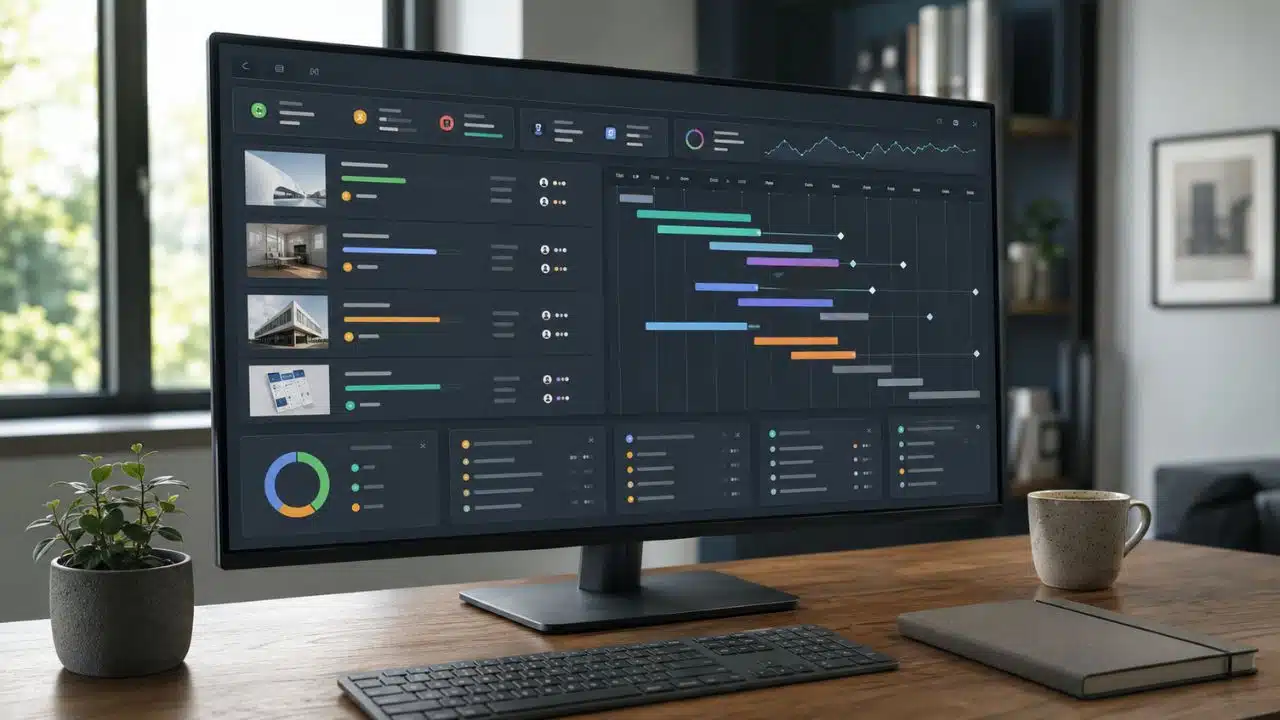
Managing several projects is rarely difficult because people forget how to make task lists. The trouble starts when deadlines overlap, one employee is needed in three places, and a delayed project quietly disrupts everything behind it.
That is why I do not judge the best apps for managing multiple projects by how many boards they let you create. A useful app should show which projects are healthy, where dependencies are breaking, who is overloaded, and what needs attention now.
The right choice also depends on the work. An agency tracking billable hours has different needs from a software team planning releases or an operations department coordinating company-wide initiatives. The ten options below are not interchangeable, and that is precisely what makes the comparison useful.
The Best Multi-Project Apps at a Glance
| App | Best for | Where meaningful multi-project features begin |
| Asana | Cross-functional business teams | Advanced at $24.99 per user monthly, billed annually |
| ClickUp | Extensive features at a lower price | Business at $12 per user monthly, billed annually |
| monday.com | Visual and customizable workflows | Pro at around $19 per seat monthly; native portfolios require Enterprise |
| Wrike | Complex operations and formal workflows | Business at $25 per user monthly; advanced capacity tools require Pinnacle |
| Smartsheet | Spreadsheet-oriented PMOs | Business at $19 per member monthly; full portfolio tools may require Enterprise or add-ons |
| Teamwork.com | Agencies and paid client projects | Accelerate at $24.99 per user monthly |
| Microsoft Planner | Organizations invested in Microsoft 365 | Planner and Project Plan 3 at $30 per user monthly |
| Jira | Software and product programs | Premium at approximately $14.54 per user monthly |
| Zoho Projects | Affordable portfolio management | Enterprise at around $9 per user monthly |
| Notion | Projects closely tied to documentation | Plus at $10 per user monthly |
Prices are generally based on annual billing and may vary by country, team size, taxes, and future packaging changes.
1. Asana: Best Overall for Cross-Functional Teams
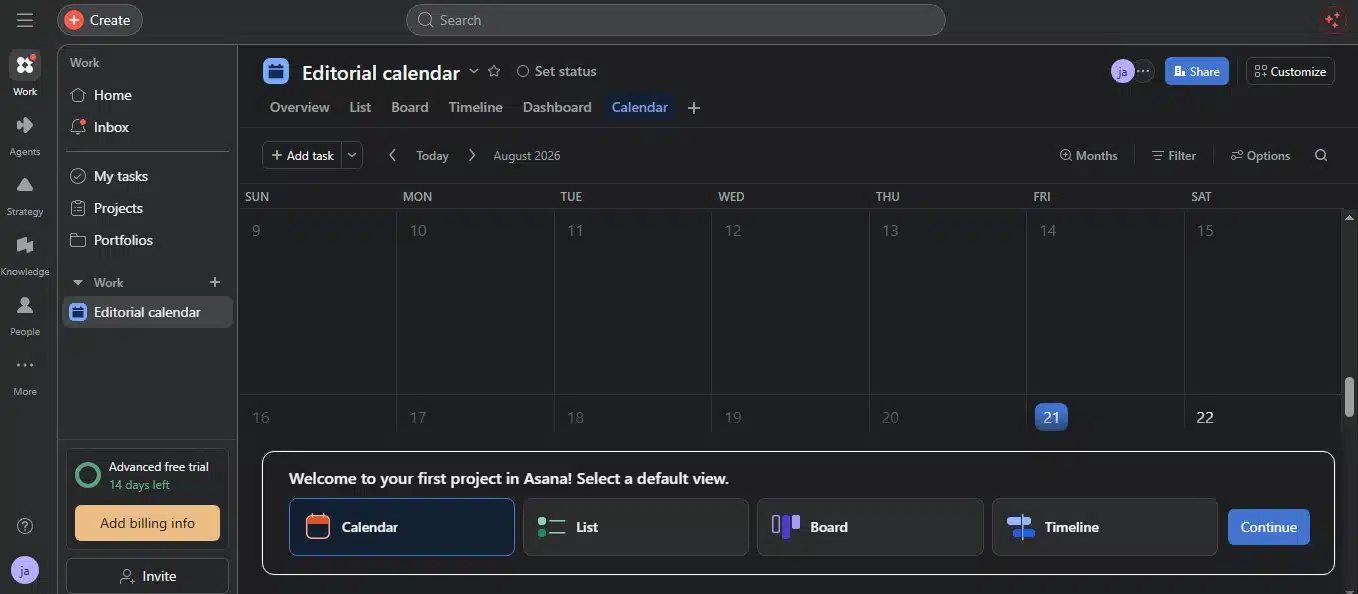
Asana is my default recommendation for a mixed business team managing marketing campaigns, product launches, hiring projects, events, and internal operations.
Its structure is easy to follow. Tasks sit inside projects, projects can be grouped into portfolios, and each portfolio provides a higher-level view of status, milestones, deadlines, ownership, and progress. A manager can see the larger picture without forcing everyone to work from one oversized board.
The Advanced plan includes unlimited portfolios and workload visibility for projects within a portfolio. Broader organization-wide workload and capacity planning require Enterprise. Teams that need rates, budgets, and detailed time-cost reporting may also need Asana’s separate Timesheets and Budgets add-on.
Asana is not the lowest-cost option, but it strikes the best balance between useful portfolio controls and everyday usability. Smaller teams that only need lists and calendars may find Advanced excessive. For departments sharing people and deadlines across projects, the upgrade is easier to justify.
2. ClickUp: Best Value for a Feature-Heavy Workspace
ClickUp makes a strong case on price. It combines lists, boards, calendars, Gantt charts, timelines, dashboards, goals, forms, time tracking, dependencies, custom fields, and workload views in one platform.
The $7 Unlimited plan already includes goals, portfolio management, native time tracking, unlimited Gantt charts, and resource-management features. However, Business at $12 per user monthly is the more practical tier for serious concurrent work because it includes Portfolio Workload Management, advanced dashboard cards, unlimited timeline views, and stronger reporting and automation allowances.
Its weakness comes from the same place as its strength: almost everything can be customized. Without clear rules, one department creates folders, another uses lists as projects, and a third invents 14 custom statuses. The result is technically flexible but operationally confusing.
ClickUp works best when someone defines the workspace structure before the wider team joins. If that governance exists, it offers more multi-project functionality per dollar than most competitors.
3. monday.com: Best for Visual Project Tracking
monday.com suits teams that want visual boards and the freedom to shape workflows around their existing processes.
The Standard plan covers timelines, Gantt charts, calendars, integrations, automations, and guest access. Pro adds time tracking, advanced views, much higher automation limits, and dashboards that can combine information from as many as 20 boards.
For a department managing several campaigns or operational projects, those dashboards may be enough. Project managers can pull deadlines, ownership, workload, and progress into a common view while individual teams continue working from separate boards.
A Pro dashboard should not be confused with monday.com’s full portfolio system. Native portfolio management, advanced resource planning, capacity management, and portfolio-level utilization reporting are Enterprise capabilities. Organizations with a formal PMO should price that version rather than assuming the standard plans will provide the same oversight.
monday.com is approachable and visually clear, but its board-based flexibility still needs discipline. Connecting many inconsistently designed boards does not automatically produce a useful portfolio.
4. Teamwork.com: Best for Agencies and Client Delivery
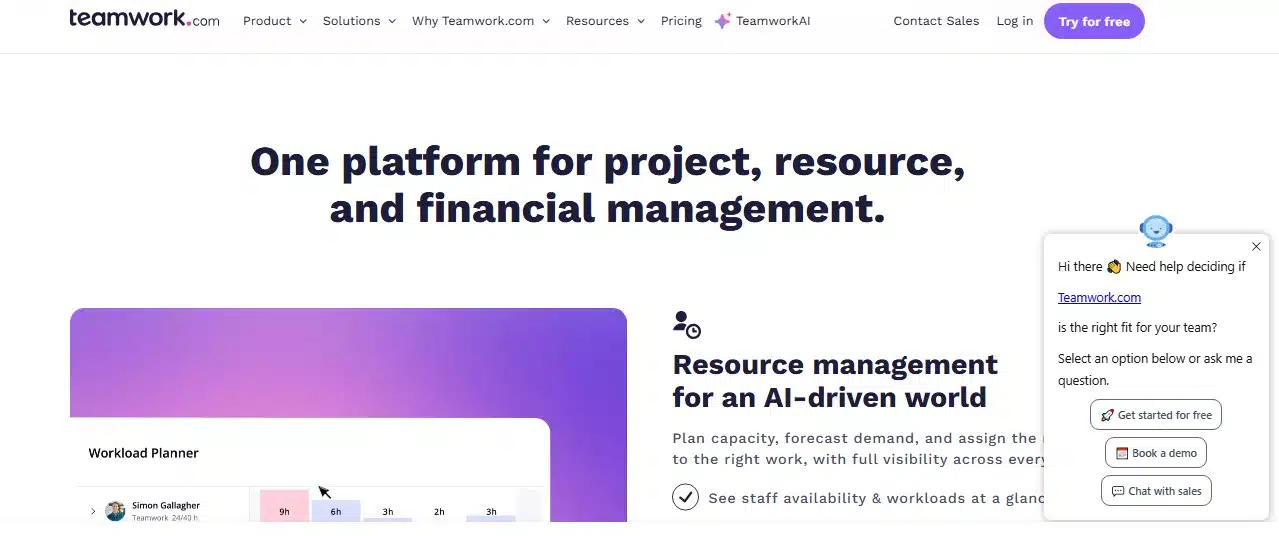
Most project apps focus on completing tasks. Teamwork.com also asks whether the project is consuming too much time or becoming unprofitable.
It connects project schedules with billable hours, costs, rates, budgets, retainers, invoices, capacity, and profitability. That makes it particularly useful for agencies, consultancies, IT service companies, and studios where a missed estimate has a direct financial consequence.
The $9.99 Basics plan covers core project views, templates, and billable-time reporting. Accelerate at $24.99 adds live capacity planning, workload management, time budgets, retainers, invoicing, and more automation.
I would not place Teamwork.com near the top for an internal department with no clients or billable work. Much of its value would go unused. For a client-service business, however, it answers questions that Asana and Notion are not designed to handle without extra systems.
5. Wrike: Best for Complex Operational Work
Wrike belongs in a more formal category. It is built for organizations that need controlled intake, approvals, standardized workflows, resource planning, reporting, and governance across departments.
Business costs $25 per user monthly with annual billing and supports customizable workflows for larger teams. The more advanced resource and capacity tools sit in the custom-priced Pinnacle plan, along with budgeting, billable rates, role management, time tracking, forecasting, and advanced business-intelligence reporting.
That packaging makes Wrike powerful but difficult to recommend casually. A small team that mainly needs tasks, discussions, and deadlines will pay for complexity it does not use. A PMO coordinating high volumes of work across shared departments may appreciate the added control.
Buyers should also examine its billing rules. Business and higher plans require annual subscriptions, and smaller accounts may be sold seats in groups rather than one at a time.
6. Smartsheet: Best for Spreadsheet-Oriented PMOs
Smartsheet is a natural step up for organizations that already manage important work through spreadsheets but need better automation, dependencies, reporting, and permissions.
Its grid remains familiar, while Gantt charts, dashboards, formulas, forms, baselines, workload tracking, and automated workflows add proper project controls. The Business plan includes timeline view, workload tracking, unlimited dashboards, and unlimited reports.
Enterprise introduces native portfolios. Smartsheet also sells Control Center for standardized project creation and aggregated portfolio reporting, while Resource Management adds forecasting, scheduling, demand planning, and time tracking. Depending on the subscription, these may be paid add-ons rather than standard features.
That distinction matters. Smartsheet can become a capable portfolio platform, but its real cost may be higher than the headline Business price once resource planning and governance tools are included.
It is a strong fit for PMOs, construction teams, operations departments, and other data-heavy environments. Teams looking for a lightweight, immediately understandable task app should look elsewhere.
7. Jira: Best for Software and Product Programs
Jira is difficult to beat when multiple engineering teams are coordinating backlogs, releases, sprints, dependencies, and technical initiatives.
Jira Premium includes Plans, which can bring work from multiple projects, boards, and filters into one planning environment. Program managers can compare team capacity, map cross-project dependencies, coordinate releases, build higher-level initiatives, and model scheduling scenarios before committing changes to live project data.
This is more useful than a simple collection of development boards. It connects daily issues and epics to larger programs without requiring every team to abandon its existing workflow.
The qualification is obvious but important: Jira speaks the language of product and software development. A marketing, HR, or editorial team can use it, but that does not mean it should. If the team has no use for backlogs, sprints, issues, or releases, Jira’s power becomes administrative weight.
8. Microsoft Planner: Best for Microsoft 365 Organizations
Microsoft Planner makes the most sense when a company already works heavily inside Teams, Outlook, SharePoint, and Microsoft 365.
The basic version handles team plans, assignments, boards, schedules, and charts. Planner Plan 1 adds premium plans, timelines, dependencies, sprints, subtasks, and read-only access to shared portfolios.
Creating and editing portfolios requires Planner and Project Plan 3, priced at $30 per user monthly with annual billing. It also adds baselines, critical path, task history, and assignment views.
The licensing detail that teams can easily miss is that Planner portfolios accept only premium plans. Existing basic Planner boards cannot simply be collected into a fully editable portfolio. An organization planning to consolidate its current projects should check how many plans and users would need premium licenses before committing.
Planner is not the cheapest option once portfolio access is included. Its advantage is reducing the need to introduce another standalone platform into a Microsoft-centered workplace.
9. Zoho Projects: Best Affordable Portfolio Option
Zoho Projects offers Gantt charts, dependencies, time tracking, budgets, workflow automation, baselines, critical-path analysis, and resource-utilization reporting at prices below many larger competitors.
The Portfolio Dashboard is part of Enterprise, which costs around $9 per user monthly with annual billing in the United States. It brings together information about project status, tasks, issues, ownership, clients, progress, and budget health.
Premium supports unlimited projects, but it does not provide the same portfolio-level oversight. That is an important difference for buyers comparing only project limits.
Zoho Projects becomes particularly appealing when the business already uses Zoho CRM, Books, Invoice, Analytics, or other Zoho services. Teams that depend on a wider collection of third-party integrations should confirm those connections before choosing it purely for the lower price.
10. Notion: Best for Projects Connected to Documentation
Notion earns its place for a different reason. It keeps project briefs, research, meeting notes, specifications, decisions, tasks, and timelines inside the same connected workspace.
Its Projects and Tasks system uses related databases to connect work with its parent project. Teams can create table, board, calendar, timeline, and chart views, then add sub-tasks, dependencies, formulas, rollups, and database automations.
My Tasks can gather assigned work from as many as 10 task databases. Paid plans also support unlimited charts, allowing a team to create a useful progress dashboard.
Notion still requires someone to design and maintain the system. It does not provide the serious capacity forecasting, resource allocation, or workload balancing found in Asana, Wrike, and Teamwork.com.
I would choose Notion when documentation is central to the work and the team’s resource-planning needs are modest. I would not choose it to coordinate a large workforce shared across dozens of time-sensitive projects.
How to Choose Without Overbuying
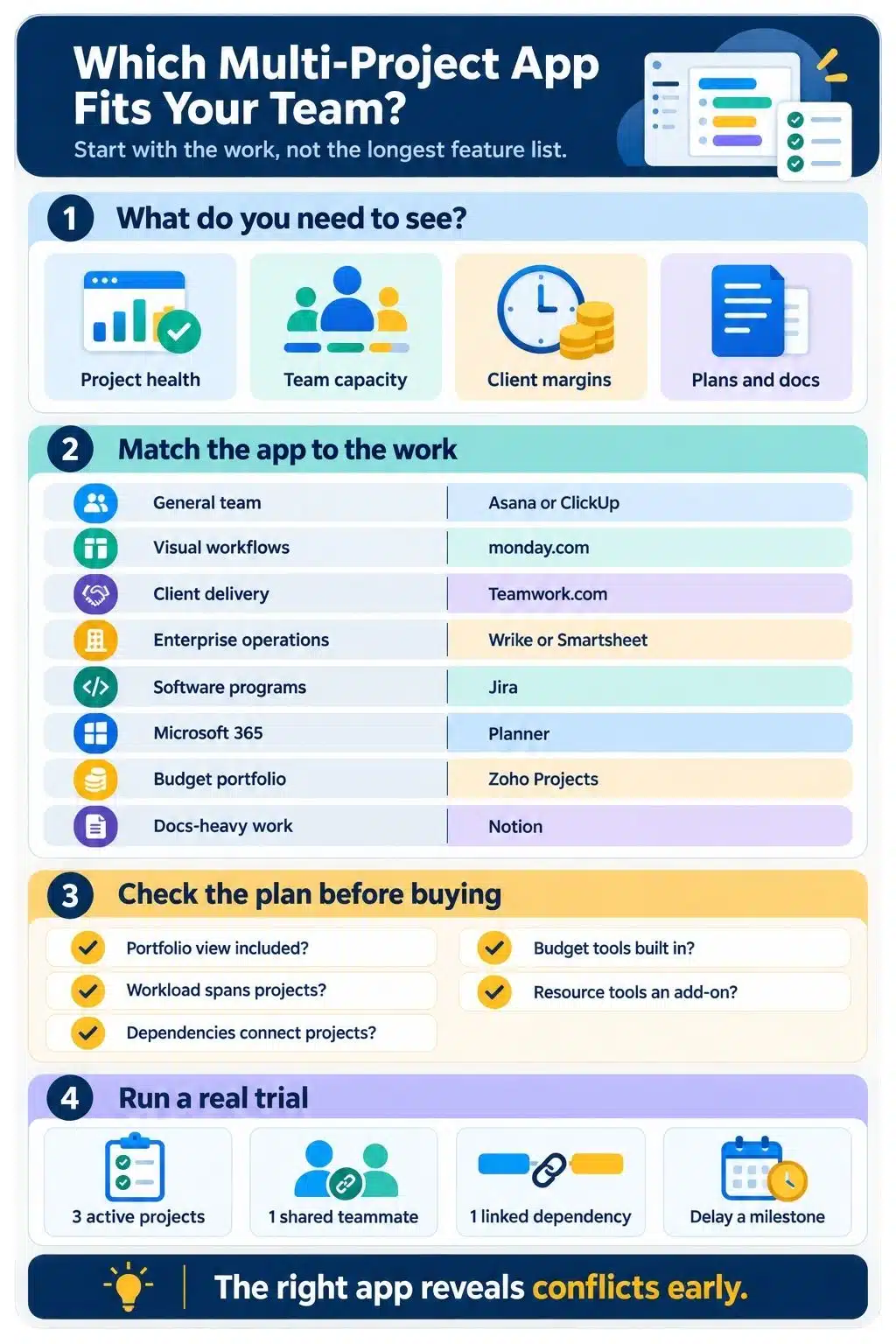
Start with the conflict you need the software to expose.
If leadership needs a high-level view of progress and risk, prioritize portfolio status, milestones, and consolidated reporting. If projects compete for the same employees, workload and capacity planning matter more. Agencies should examine budgets, utilization, billable rates, and profitability. Software teams need cross-team dependencies, releases, and planning hierarchies.
Then check which subscription actually includes those features. The cheapest advertised plan often lets teams create multiple projects but stops short of helping managers coordinate them.
A realistic trial is more useful than a polished demo. Load three active projects, assign the same person to work in each, add a cross-project dependency, and mark one milestone as delayed. The app should make the resulting conflict obvious. If it requires a complicated workaround with three projects, it will not improve when the portfolio grows to 30.
My Practical Recommendation
For most business teams, I would shortlist Asana and ClickUp first. Asana offers the clearer overall structure; ClickUp delivers more features for the price. Agencies should examine Teamwork.com, Microsoft-centered organizations should consider Planner, and software teams will usually get more from Jira.
The best apps for managing multiple projects are not the ones that create the most workspaces. They are the ones that reveal conflicting deadlines, overloaded people, and slipping priorities early enough for the team to do something about them.
Frequently Asked Questions about the Best Apps for Managing Multiple Projects
1. What is the best app for managing multiple projects?
Asana is the strongest all-around option for most cross-functional teams. ClickUp offers better value when a team wants extensive features and has someone who can organize the workspace properly.
2. Can free project-management software handle multiple projects?
Free plans can usually create several projects, which may be enough for an individual or very small team. Portfolio dashboards, workload planning, advanced reporting, and capacity management are commonly restricted to paid tiers.
3. Is ClickUp better than Asana for multiple projects?
ClickUp provides more functionality for less money. Asana offers a cleaner separation between tasks, projects, portfolios, and goals. ClickUp suits teams that want customization; Asana is usually easier to standardize across departments.
4. Should each project have a separate board?
Separate boards or projects make sense when initiatives have different members, workflows, permissions, or schedules. They still need a reliable dashboard or portfolio above them. Otherwise, separating the projects also separates the information managers need to compare.
5. How can I manage multiple projects without overwhelming the team?
Limit active priorities, assign one accountable owner to each project, review shared workload before accepting new work, and hold a regular portfolio review. Software can reveal overcommitment, but it cannot compensate for starting projects without deciding what should pause.























