Your phone dies, and suddenly every login wants a six-digit code you can’t reach. That’s the risk most two-factor authentication apps never warn you about. Ente Auth is the best pick for most people: free, open source, and synced with end-to-end encryption across phones and computers.
Below, you’ll find a side-by-side chart of all nine apps, plus a five-minute backup fix.
Quick Comparison: The 9 Best Two-Factor Authentication Apps
Every app here makes the same standard codes: six digits that refresh every 30 seconds. So the real differences come down to backup, export, and where the app runs. That’s what this chart shows.
| App | Platforms | Encrypted Cloud Sync | Export Your Codes | Best For |
| Ente Auth | iOS, Android, Windows, Mac, Linux, web | Yes, end-to-end | Yes | Most people |
| Proton Authenticator | iOS, Android, Windows, Mac, Linux | Yes, end-to-end | Yes | Privacy plus desktop |
| 2FAS | iOS, Android, browser extension | Optional iCloud or Google Drive | Yes | Beginners |
| Aegis | Android only | No (local backups) | Yes | Android power users |
| Bitwarden Authenticator | iOS, Android | Through Bitwarden account | Yes | Bitwarden users |
| Microsoft Authenticator | iOS, Android | Yes, same platform only | No | Work and Microsoft accounts |
| Google Authenticator | iOS, Android | Yes, not end-to-end | QR transfer only | Simple setups |
| Duo Mobile | iOS, Android | Duo Restore | No | Company logins |
| Yubico Authenticator | iOS, Android, Windows, Mac, Linux | Codes live on the key | No | Highest security |
Key takeaway: If an app won’t let you export, you’re renting your security, not owning it.
How We Ranked These Two-Factor Authentication Apps
Most lists judge two-factor authentication apps on looks and icon packs. Wrong focus. Interface polish won’t help you on the day your phone falls in a lake.
We ranked each app on four questions:
- Can you get your codes back if your phone is lost, stolen, or wiped?
- Is the backup end-to-end encrypted, so the company can’t read your secrets?
- Can you leave? A clean export means no vendor lock-in.
- Is the code open source or independently audited?
The 9 Best Two-Factor Authentication Apps, Reviewed
1. Ente Auth: Best Overall
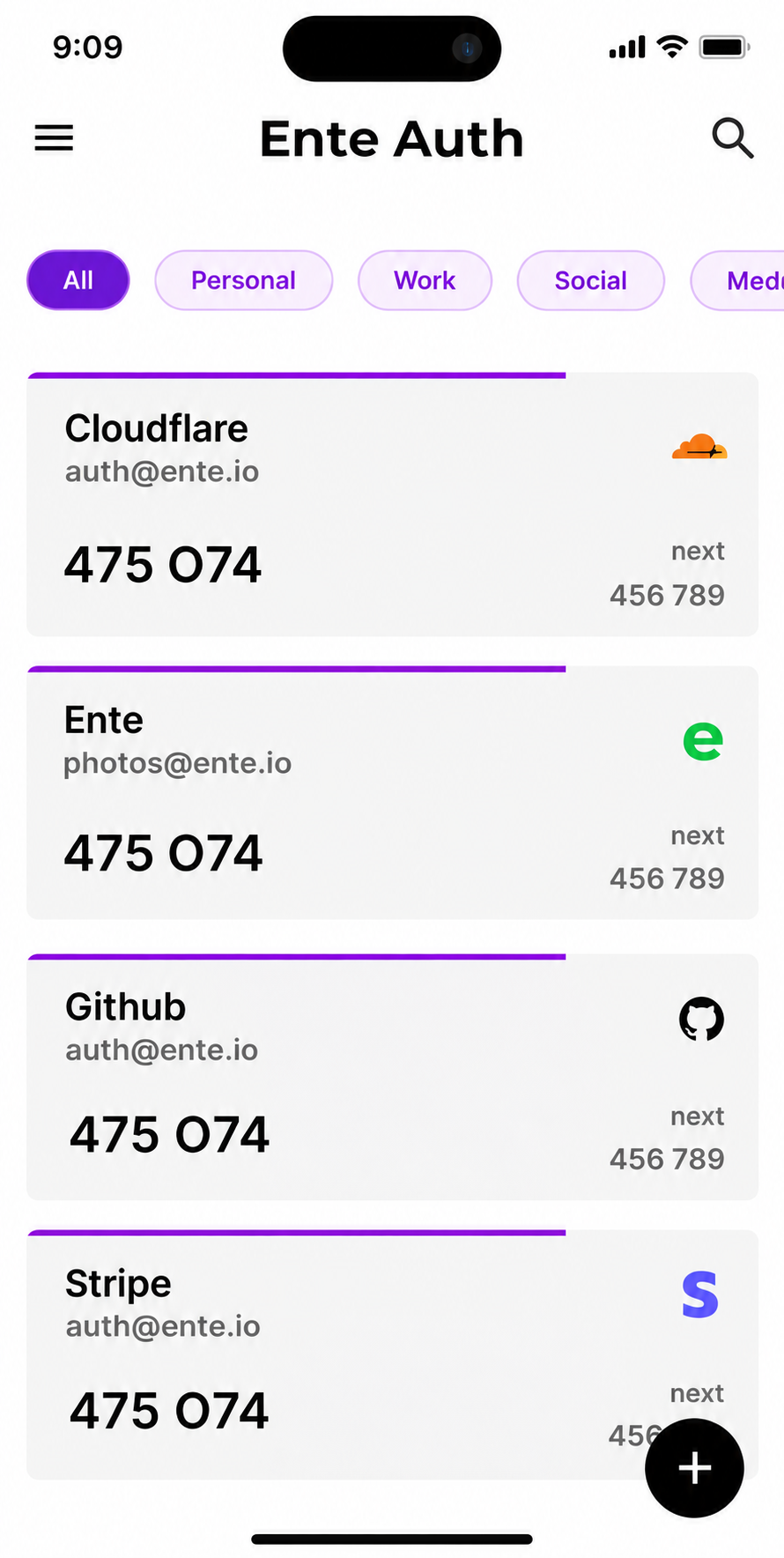
Ente Auth gets the basics right where most two-factor authentication apps cut corners. It’s free, fully open source, and syncs your codes with end-to-end encryption across iPhone, Android, desktop, and a web app. Ente’s platform also went through a Cure53 security audit sponsored by CERN in late 2025.
Picture this: you drop your phone at the airport. With Ente, you sign in on a laptop and your codes are already there.
Cons:
- Lose both your account password and your recovery key, and the synced copy is gone for good. Encryption cuts both ways.
- The 2025 audit focused on the server and platform. Some privacy forum users still want a separate review of the Linux builds.
Who Should Skip This: People who refuse to create any online account, even an encrypted one. Pick Aegis or Proton’s local mode instead.
2. Proton Authenticator: Best for Privacy and Desktop
Proton launched this free, open-source app in July 2025, and it filled a real hole. It runs on iOS, Android, Windows, macOS, and Linux. You can keep codes local only or sync them with end-to-end encryption through a free Proton account or iCloud.
The best part? It imports from other two-factor authentication apps and exports back out, so you’re never trapped.
Cons:
- It’s young. A little over a year on the market is a short track record for something this important.
- Codes don’t autofill in your browser by themselves. That convenience lives in Proton Pass, which pushes you toward another product.
Who Should Skip This: Anyone who wants a long, proven history before trusting an app with their bank login.
3. 2FAS: Best Free Option for Beginners
2FAS is the friendliest of the free two-factor authentication apps. No account needed, a clean layout, and a browser extension that sends codes from your phone to your computer with one tap.
Here’s the catch: the backup goes to your own iCloud or Google Drive. That’s handy, but you should set a backup password, or the file is only as safe as that cloud account.
Cons:
- Privacy forum users note it hasn’t published an independent audit like Ente has.
- The browser extension needs your phone nearby to approve each code. Annoying when your phone is charging in another room.
Who Should Skip This: People who want codes on a desktop without a phone in reach.
4. Aegis: Best for Android Power Users
Aegis keeps everything in an encrypted vault on your phone. No servers. No account. No tracking. You can set automatic encrypted backups to a folder you choose, then copy that file to a USB drive or your own cloud.
It also imports from almost every other app, which makes it a great landing spot for people escaping lock-in.
Cons:
- Android only. Switch to an iPhone and you’ll need to move everything again.
- No sync at all. If you never set up backups, a dead phone means a dead vault.
Who Should Skip This: iPhone users and anyone who won’t manage their own backup files.
5. Bitwarden Authenticator: Best for Bitwarden Users
Bitwarden’s standalone app is free and open source. If you already use the Bitwarden password manager, it can sync codes from your vault, which makes it one of the smoothest two-factor authentication apps for existing customers.
Cons:
- Putting passwords and codes in the same ecosystem means one master password guards both factors. Security pros argue about this for good reason.
- Without a Bitwarden account, it’s a basic local app and backups are on you.
Who Should Skip This: Anyone who wants the second factor kept fully separate from the password vault.
6. Microsoft Authenticator: Best for Work and Microsoft Accounts
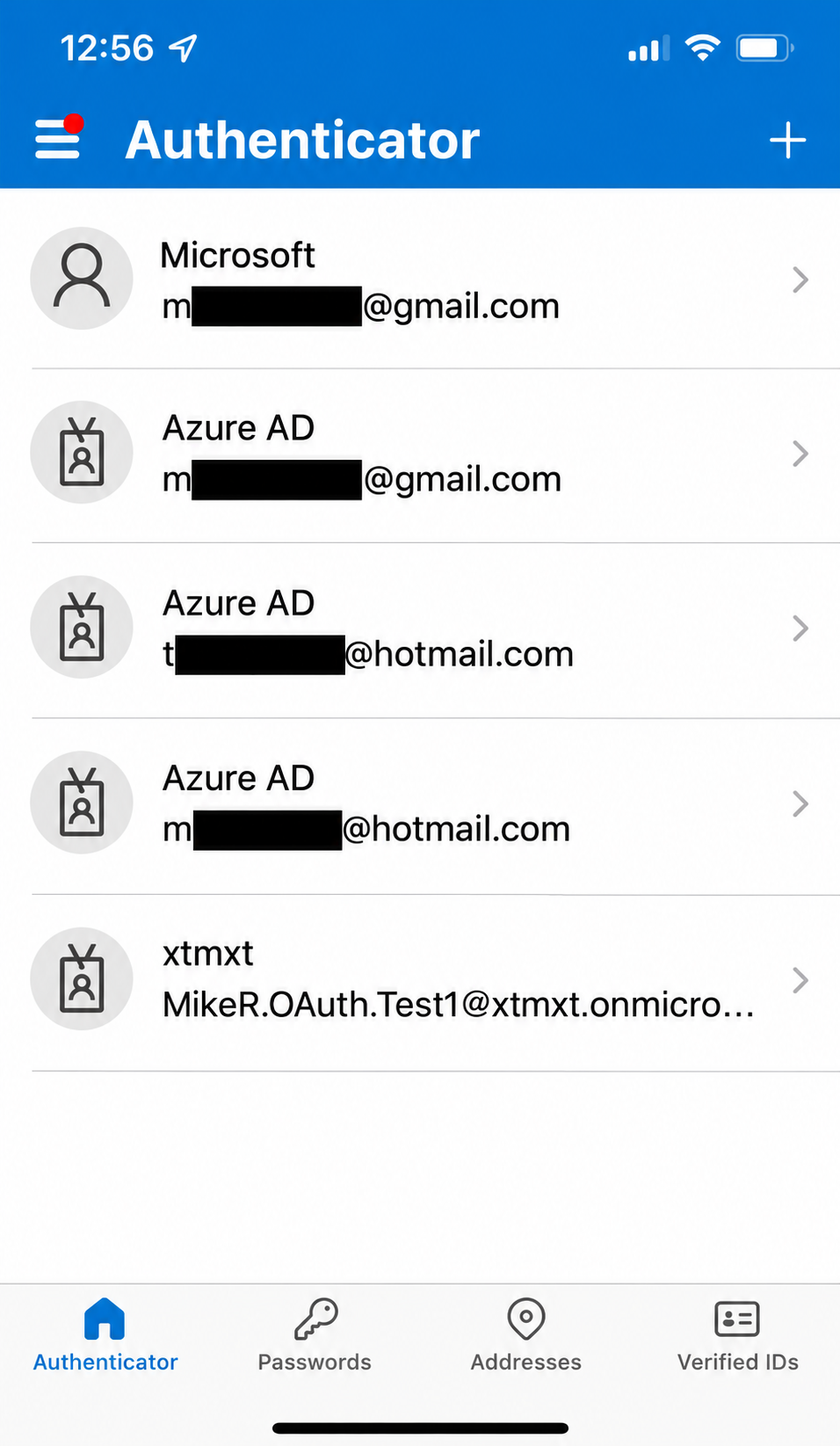
If your job runs on Microsoft 365, you probably need this one anyway. It handles push approvals with number matching for Microsoft accounts, and it works with standard codes for other sites too.
Now, you might be wondering about passwords. Microsoft removed password storage and autofill from the app in mid-2025. Saved passwords now live in Edge.
Cons:
- iPhone backups go to iCloud and Android backups go to your Microsoft account, so you can’t restore across platforms. Switching from iPhone to Android? Start over.
- There’s no export for your third-party codes.
Who Should Skip This: Anyone who switches phone brands or hates lock-in.
7. Google Authenticator: Best for Simple Setups
Google Authenticator is the app most people install first, and it’s simple. It added Google account sync in 2023, which fixed the old “new phone, lost codes” problem.
On the flip side, security researchers found that sync wasn’t end-to-end encrypted at launch, and Google said that protection would come later. Check the current state before trusting it with sensitive accounts.
Cons:
- If someone takes over your Google account, synced codes may go with it.
- Moving codes means scanning QR transfer screens between devices, not saving a backup file you control.
Who Should Skip This: Journalists, activists, and anyone who keeps accounts private from Google. Among two-factor authentication apps, it’s the convenience pick, not the privacy pick.
8. Duo Mobile: Best for Company Logins
Duo, owned by Cisco, is common at universities and offices. On a Duo-protected system, you just tap “Approve.” For personal accounts, it works like any other code app.
Cons:
- Push approvals only work on services that use Duo. For your Gmail, it’s a plain code generator.
- Restoring third-party accounts on a new phone needs the recovery password you set earlier. Forget it and you rebuild by hand.
Who Should Skip This: Home users whose employer doesn’t require it.
9. Yubico Authenticator: Best for Maximum Security
This app stores your secrets on a YubiKey, not on your phone. A YubiKey 5 NFC measures about 18 x 45 x 3.3 mm and weighs about 3 grams, small enough to live on your keyring. Tap it to your phone or plug it into a laptop, and the code appears.
The truth is, this is the strongest setup on the list, because malware on your phone can’t copy the secrets off the key.
Cons:
- You must buy the key, and really you should buy two. One key is a single point of failure.
- Each key holds a limited number of code accounts, and tapping a key on an iPhone for every login gets old fast.
Who Should Skip This: Anyone who loses keys often or wants a free solution.
Why Authy Didn’t Make This List
Authy used to top every roundup of two-factor authentication apps. Not anymore. Twilio shut down the desktop apps in 2024, and the same year attackers abused an unsecured endpoint to confirm about 33 million phone numbers tied to Authy accounts.
The bigger problem? Authy has no export button. Getting out means workarounds. If you’re still on it, move to an app on this list while things still work.
The Biggest Mistake People Make
That brings us to the biggest mistake people make: they set up two-factor authentication apps and never save the backup codes. Here’s the five-minute fix:
- Save each site’s backup codes: when you turn on 2FA. Store them in your password manager or print them.
- Turn on encrypted backup: inside your app today, not after you lose your phone.
- Test a restore: on a second device or tablet once a year.
- Add a second method: for email and banking, like a hardware key or passkey.
Bottom line: No backup means no account. Big mistake.
Are Codes Still Enough in 2026?
Codes from two-factor authentication apps beat SMS by a mile, since texts can be stolen through SIM swaps. But codes can still be phished. A fake login page can grab your code and replay it within those 30 seconds.
Passkeys and hardware keys are tied to the real website, so a lookalike page gets nothing. Use them where sites offer them, and keep an authenticator app for everything else.
If you’re new to this, start with our guide on how to enable two-factor authentication on all your online accounts. For the math behind encrypted sync, read symmetric and asymmetric encryption explained, and browse more in our cybersecurity section.
Frequently Asked Questions (FAQs)
Which two-factor authentication app is the most secure?
Yubico Authenticator with a hardware key, because the secrets never sit on your phone. For a free app, Ente Auth or Proton Authenticator.
Is Google Authenticator safe to use?
Yes, for most people. Just know its cloud sync launched without end-to-end encryption, so your Google account becomes the weak point.
What happens if I lose my phone?
If you turned on encrypted sync or kept backup codes, you restore on a new device. If you didn’t, you’ll need each site’s account recovery process, which can take days.
Can I use one authenticator app on two devices?
Yes. Ente Auth, Proton Authenticator, and Bitwarden sync across devices. With Aegis, you’d import a backup file onto the second device.
Are two-factor authentication apps better than SMS codes?
Yes. App codes are made on your device, so a SIM swap can’t steal them.
Final Thoughts
The best two-factor authentication apps are the ones you can recover and leave. For most people, that’s Ente Auth. Pick Proton for desktop privacy, Aegis for Android control, or a YubiKey for top-tier protection.
Whatever you choose, turn on backup today and save your recovery codes. Do it before you need them.