


Collecting accurate data is vital for sound decision-making. Businesses, researchers, and organizations use structured data collection. This helps them analyze trends, improve operations, and boost efficiency. The right approach depends on factors like accuracy, cost, and scalability.
This article looks at different types of data collection. It addresses the capabilities and limitations inherent in manual and automated approaches. You’ll learn when to use each approach, how they impact efficiency, and what data collection tools can help streamline the process.
Understanding Data Collection Methods
Data collection is how businesses and researchers obtain and evaluate information. The method used depends on accuracy needs, available tools, and the amount of data.
What Is Manual Data Collection?
Manual data collection relies on human effort to gather and record information. It’s common in small businesses, research, and industries where judgment matters.
How it works:
- People enter data into spreadsheets or logs.
- Surveys, interviews, and observations are done without automation.
- Paper or digital data collection form is filled out manually.
Common use cases:
- Field research without digital tools.
- Customer feedback from direct interactions.
- Reports requiring human interpretation.
Pros and Cons
| Pros | Cons |
| Flexible for unique data needs | Prone to human error |
| Good for analyzing opinions and feedback | Slow and time-consuming |
| Requires minimal technology | Hard to scale for large data sets |
What Is Automated Data Collection?
Automated data collection uses software and sensors to gather information with little human input. It’s ideal for handling large amounts of structured data.
How it works:
- Software, sensors, or APIs collect and process data.
- AI detects patterns and trends.
- Data collection tools update databases automatically.
Common use cases:
- Tracking website visitors on e-commerce platforms.
- Monitoring machines in factories.
- Collecting patient vitals in healthcare.
Pros and Cons
| Pros | Cons |
| Faster and more accurate than manual entry | Can be expensive to set up |
| Reduces human error | Requires technical skills |
| Easily scales as data grows | May need adjustments for unique workflows |
For companies managing large data sets, data collection services can streamline the process and improve efficiency.
Key Differences Between Manual and Automated Data Collection
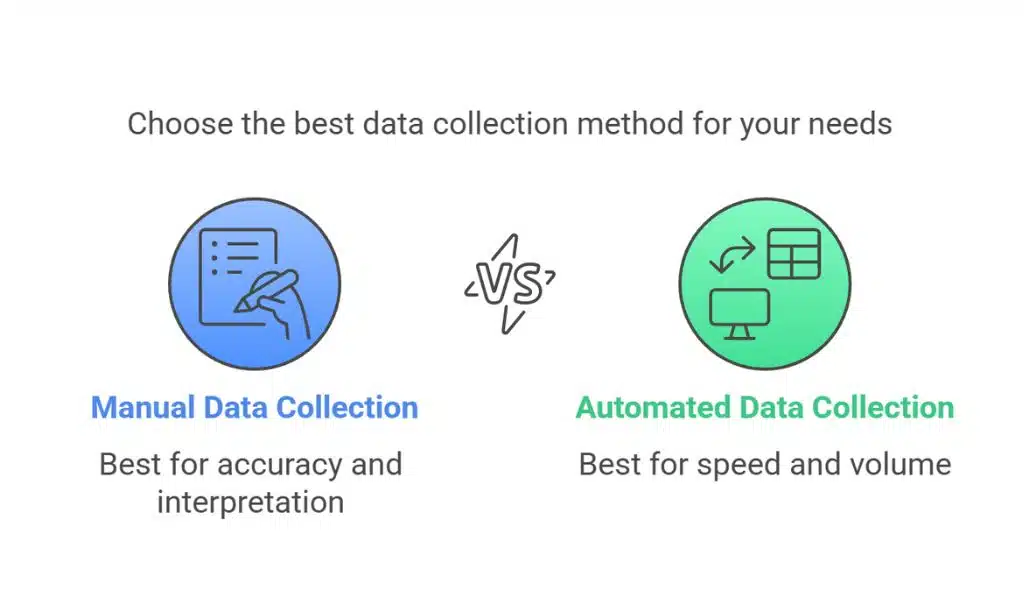
Choosing between manual and automated data collection depends on accuracy, speed, cost, and scalability. Here’s how they compare.
Accuracy and Reliability
- Manual: Prone to human error, misinterpretation, and inconsistencies.
- Automated: Reduces mistakes by minimizing human input. AI-powered systems improve accuracy over time.
Speed and Efficiency
- Manual: Time-consuming, especially for large datasets. Data entry and verification take extra effort.
- Automated: Processes large volumes instantly. Integrates with other systems for real-time updates.
Cost Considerations
- Manual: Low starting cost, but long-term expenses rise due to labor needs.
- Automated: Higher initial investment, but reduces costs over time by cutting manual work.
Scalability and Adaptability
- Manual: Difficult to scale as data grows. Requires more staff and resources.
- Automated: Easily scales with business needs. Works across multiple data sources.
Security and Compliance
- Manual: Harder to track access and ensure compliance with regulations.
- Automated: Provides better data security, encryption, and audit trails for compliance.
Understanding these unique aspects helps businesses select the proper approach. Many opt for a hybrid approach, balancing automation with human oversight.
When to Choose Manual Data Collection
Manual data collection still plays a role in certain industries and scenarios where human judgment, flexibility, or low-tech solutions are needed.
Situations Where Human Input Is Essential
Data requires interpretation
Qualitative insights, such as customer feedback or expert evaluations, need human analysis.
Small-scale or one-time projects
Manual methods work well for short-term studies with limited data.
High-security environments
Some industries, like legal and government, prefer manual handling for sensitive data.
Industries That Still Rely on Manual Processes
- Healthcare: Doctors and nurses record patient notes manually for accuracy and legal compliance.
- Market research: Interviews and focus groups rely on human interaction.
- Manufacturing: Quality control inspections often require manual review.
While manual methods have their place, they’re best suited for specific cases where automation isn’t feasible. Most businesses benefit from a mix of manual and automated processes.
When to Choose Automated Data Collection
Automated data collection is the preferred choice for businesses handling large datasets, requiring real-time insights, or aiming to reduce human error.
Where Automation Provides the Most Value
High-volume data processing
Businesses that collect vast amounts of information daily, such as e-commerce or finance, need automation for efficiency.
Real-time monitoring
Industries like logistics and healthcare rely on instant updates to track shipments or patient vitals.
Repetitive tasks
Using automation for regular data input minimizes errors and releases employees for higher-priority tasks.
Use Cases in Different Industries
- Retail & E-commerce: Tracks customer behavior, sales trends, and inventory changes in real time.
- Manufacturing: Uses IoT sensors to monitor equipment performance and detect failures.
- Healthcare: Collects and analyzes patient data through wearables and medical devices.
For businesses managing growing data needs, automation improves efficiency, accuracy, and scalability. In many cases, combining automation with human oversight offers the best results.
Hybrid Approach: Combining Manual and Automated Methods
In many cases, a mix of manual and automated data collection offers the best balance of accuracy, efficiency, and flexibility. This approach leverages human judgment where needed while automating repetitive tasks.
When a Mixed Approach Works Best
- Complex data analysis. Automated tools process large datasets, while humans interpret nuanced insights.
- Quality control. Machines collect data, but humans verify accuracy and flag inconsistencies.
- Regulated industries. Automation ensures compliance, while manual review confirms data integrity.
Practical Examples of Hybrid Data Collection
Customer feedback analysis
Surveys and reviews are collected automatically, but human teams categorize open-ended responses.
Healthcare records
Patient vitals are tracked via automated devices, while doctors manually update diagnoses and treatment notes.
Manufacturing inspections
IoT sensors detect defects, but manual inspectors verify product quality before shipment.
Balancing Accuracy, Cost, and Efficiency
| Factor | Manual Only | Automated Only | Hybrid Approach |
| Accuracy | High for subjective data | High for structured data | Best of both |
| Cost | Higher labor costs | Higher setup costs | Balanced |
| Efficiency | Slow, labor-intensive | Fast, real-time | Optimized for speed and accuracy |
| Scalability | Difficult to expand | Easily scalable | Adaptable to needs |
A hybrid approach gives businesses the best of both worlds. It uses automation for speed and efficiency, but keeps human oversight for important decisions.
Wrapping Up
Both manual and automated data collection methods have their place, but the right choice depends on your needs. Manual methods are great for small projects and tasks needing human judgment. Automation, on the other hand, works best for efficiently handling large datasets.
Many businesses gain from a hybrid approach. Combining automation for speed and accuracy with human supervision for tough decisions, the goal is to find the perfect mix to enhance productivity, lower costs, and guarantee dependable data.



























