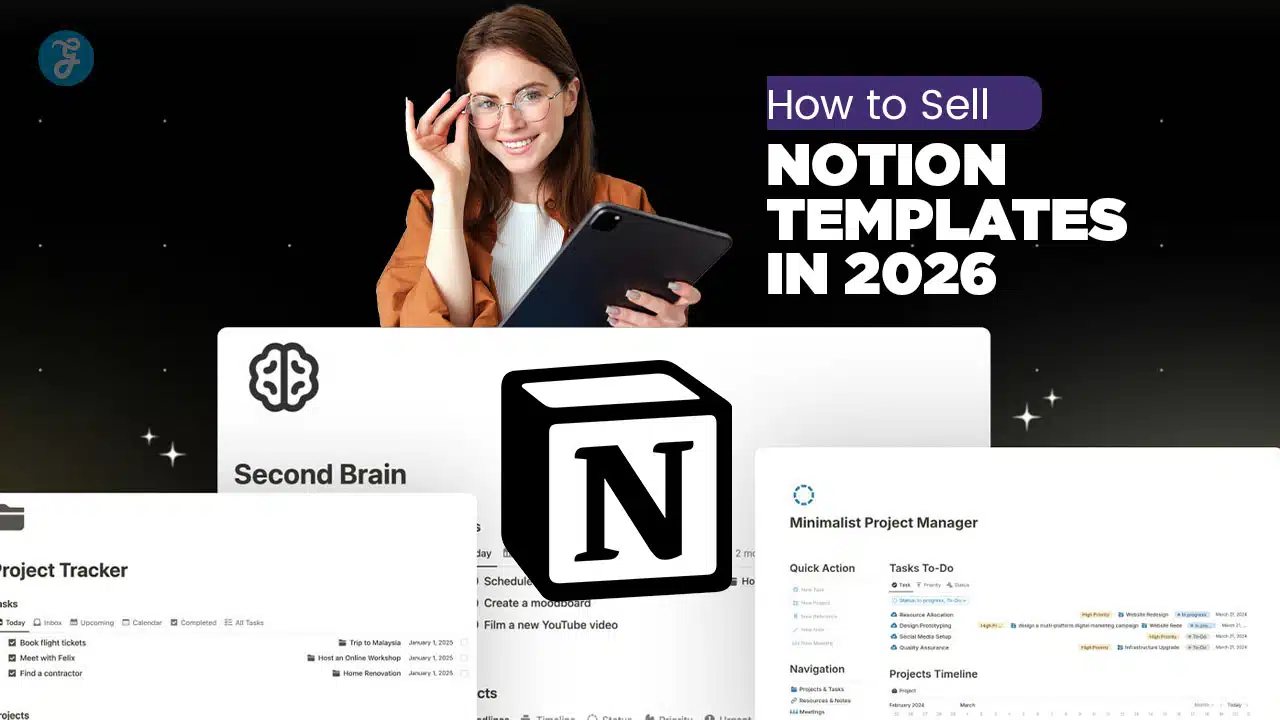
Notion templates are the ultimate “write once, sell forever” asset. In scalable SaaS products, the Holy Grail is always a system with zero marginal cost of replication. That is exactly what a Notion template is. You build a digital solution one time, and it can be sold to an infinite number of users without any extra inventory or shipping costs. In 2024, historical data showed over 96 million active buyers on Etsy alone, proving the massive demand for digital tools. By 2026, this market will have only matured.
You can sell these systems on dedicated platforms like the Notion Marketplace or Gumroad for reliable passive income. This guide will walk you through how to sell Notion Templates and the business strategy in 2026.
The Main Key to Selling Notion Templates in 2026

The key is specificity. General planners are flooded, but specific tools like “Finance Operating Systems” or “Travel Logistics Managers” still command high prices. Experts like Dr. Olivia Carter from Stanford emphasize that transparency is your best sales tool. You must clearly demonstrate exactly how your template solves a complex problem.
Clean, intuitive design is what separates a five-dollar download from a fifty-dollar product. Busy professionals pay for clarity. They want to start working immediately, not spend hours configuring a tool.
Competition is real. Many sellers launch similar dashboards every day. To win, you need to treat this like a software product: release updates, add bonus PDF guides, and actively support your users. Simple strategies make a difference. Bundle a “Project Tracker” with a “Freelance Invoice Generator” to increase your average order value.
Listen to successful sellers. They track competitor pricing on Gumroad and engage with communities on Reddit to find out what features users are begging for.
What are Notion Templates?
Notion templates are pre-configured workspace systems. Think of them as software applications built without code. Users duplicate these pages into their own Notion accounts to instantly gain a structured way to manage data, tasks, or projects.
Technically, these products rely on Notion’s powerful databases and relation features. A simple document is rarely worth paying for. However, a template that links a “Projects Database” to a “Tasks Database” and automatically calculates progress bars offers immediate value. It saves the user the five to ten hours it would take to build that logic themselves.
Templates range from simple “Habit Trackers” to complex “Enterprise Operating Systems” (EOS) that manage entire agencies. For the seller, the model is efficient. You create the master version once. When a customer buys it, they simply click a link to duplicate a fresh copy into their workspace. Your original master remains untouched.
This duplication mechanism is what makes the business model so scalable. You never run out of stock. You never have to pack a box. You simply maintain the master file and let the marketplace handle the distribution.
“A great Notion template is like a shortcut for your brain. It provides the structure so you can focus entirely on the work.”
How To Sell Notion Templates: Step-by-step Guide
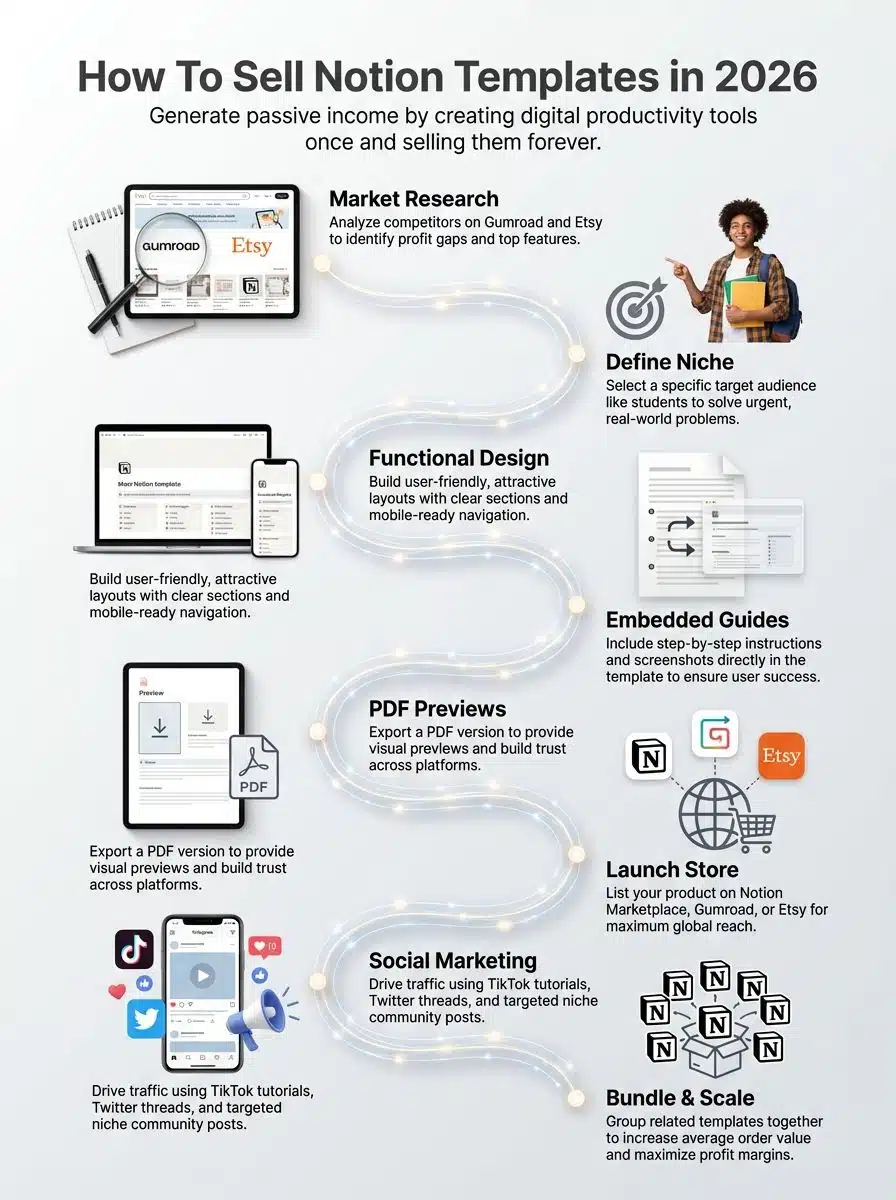
Creating a profitable template requires a balance of engineering logic and visual design. You are essentially building a product that needs to function perfectly for a stranger on their first try.
Step 01: Research your competition
Don’t guess what people want. Use data. Start by browsing the “Best Selling” categories on the “Notion Marketplace” and “Gumroad”. Look for patterns in the top products. You might notice that “Student Planners” are saturated, but “PhD Thesis Managers” have high ratings and fewer competitors.
Use tools like “Google Trends” to spot rising interests. For example, search for terms like “Monk Mode” or “75 Hard” to see if there are spikes in search volume that you can build a template around.
Read the negative reviews on competitor products. This is your gold mine. If users complain that a popular Finance Tracker is “too complicated to set up,” that is your opportunity. Build a simpler version and market it specifically as the “easy-to-start” alternative.
Step 02: Identify a niche and target audience
Broad tools rarely sell well in 2026. Instead of a “Life Planner,” build a “Content Calendar for YouTubers.” Niche products allow you to charge higher prices because they solve expensive problems for a specific group of people.
Identify a “High-Value Problem.” A business owner will happily pay $50 for a “Client Portal” that saves them hours of email back-and-forth. A student might only pay $5 for a homework tracker. Focus your engineering efforts where the pain points are most acute.
Validate your idea before you build. Go to subreddits like “r/Notion” or “r/Productivity”. Look for posts where users are asking “How do I organize X?” If you see the same question three times, you have found a valid product idea.
Step 03: Design a functional and visually appealing template
Function comes first. Your database relations must be unbreakable. Test your template to ensure that if a user deletes a task, it doesn’t break the entire project dashboard. Use Notion’s “Synced Blocks” to create navigation menus that update across all pages automatically.
Visuals drive sales. Use tools like “Figma” or “Canva” to create custom icons and cover headers. A consistent color palette makes your template look like premium software. Many top sellers use a “minimalist aesthetic” with plenty of whitespace to avoid overwhelming the user.
Mobile optimization is critical. A huge percentage of users will access your template on their phone. Test your columns and database views on a mobile device. If a table is too wide, switch to a “List” or “Gallery” view for mobile users.
Step 04: Add clear instructions for users
Assume your user is a beginner. Use Notion’s “Callout Blocks” to place instructions directly inside the template. Do not make them open a separate PDF to learn how to use the tool. Contextual help is best.
Create a “Start Here” page. This should be the first thing a user sees. Include a short video walkthrough using a tool like “Loom”. Seeing the template in action is often faster than reading a manual.
Document your logic. If a formula calculates a “Health Score” based on checkboxes, explain that logic in a toggle block near the database. This builds trust and helps power users customize the tool later.
Step 05: Publish your template
When your template is ready, you need to prepare the “Duplicate” link. In Notion, go to the “Share” menu, click “Publish,” and ensure “Allow duplication as template” is toggled on. This is the URL you will sell.
Protect your master file. Never sell the link to your private workspace. Always create a dedicated “Public” version of the template that is separate from your personal data. This ensures you don’t accidentally share your own grocery list or financial details with buyers.
Create a compelling listing. Your product title should be descriptive, such as “Ultimate Agency Operating System 2.0.” Use keywords that your research uncovered, like “automated” or “dashboard,” in your description to help with search visibility.
Step 06: Create a PDF
Many marketplaces require a file upload to trigger the sale. Create a simple PDF using “Canva” that contains your “Welcome” message and the direct link to the Notion template.
Add value to this PDF. Include a checklist for “Setting Up Your Workspace” or a list of “10 Productivity Tips.” This file is the first thing the customer “holds” after buying, so make it professional.
This PDF also serves as a backup. If you ever change the URL of your template, you can update the PDF on the marketplace without losing your sales history.
Step 07: Set up an online store
You have three main options for selling: “Notion Marketplace”, “Gumroad”, and “Etsy”. Each has different strengths. The Notion Marketplace provides direct access to high-intent buyers right inside the app ecosystem.
Gumroad is excellent for building an email list. It gives you full control over your customer data. Etsy acts as a search engine, bringing you traffic from people who might not know they need a Notion template until they see it.
Connect a reliable payment processor like “Stripe” or “PayPal” if you are building your own site. However, starting with an established marketplace handles the “Merchant of Record” complexity for you, meaning they calculate and remit sales tax on your behalf.
Platforms to Sell Notion Templates
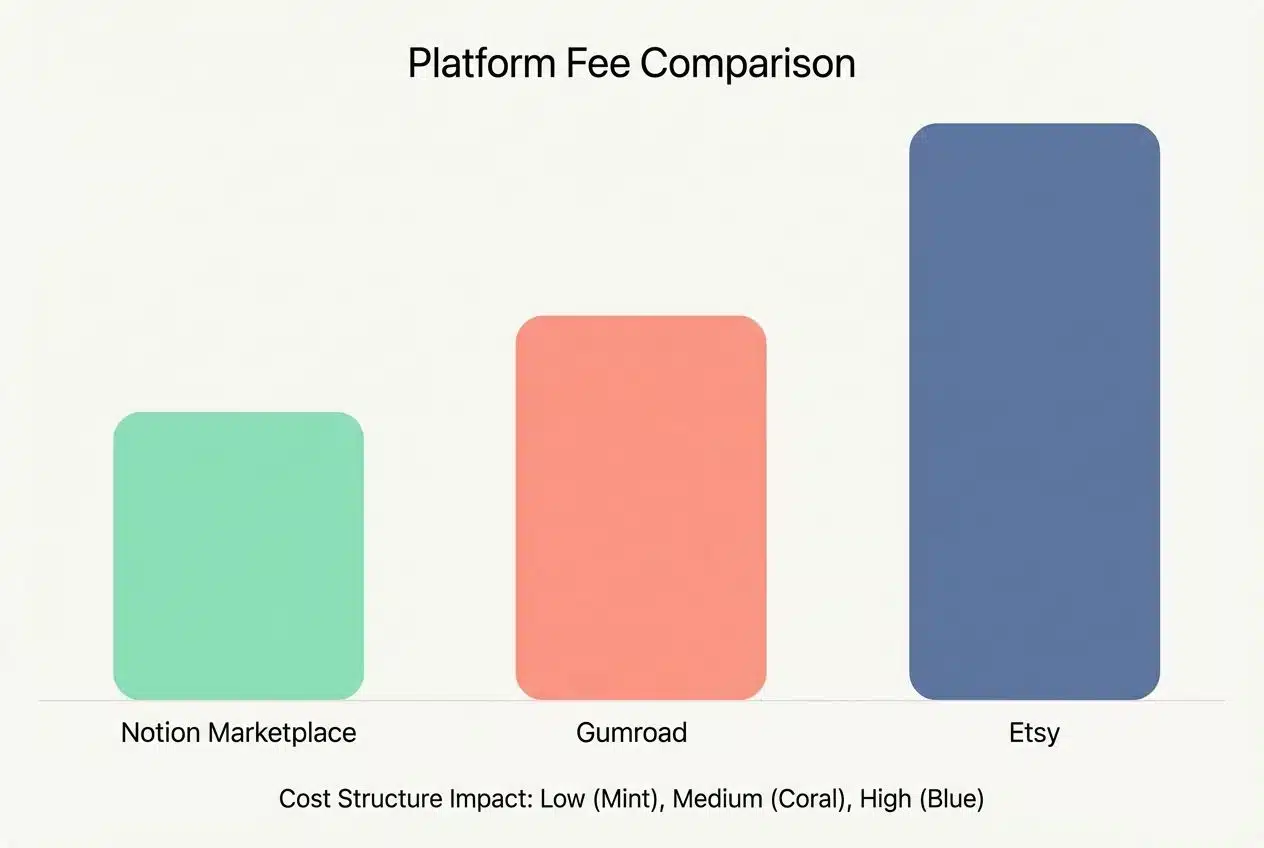
Choosing the right platform affects your fees, your traffic, and your control over customer data. Here is a breakdown of the major players in 2026.
| Platform | Fees (Est. 2026) | Pros | Cons |
|---|---|---|---|
| Notion Marketplace | 10% fee + $0.40 per transaction | Native integration; High trust from users; Handles global taxes. | Strict approval process; Harder to build an email list. |
| Gumroad | 10% flat fee + processing (approx 2.9% + $0.30) | Great for email marketing; “Pay what you want” feature. | Higher fees than some competitors; You must bring your own traffic. |
| Etsy | $0.20 listing + 6.5% transaction + processing (~15% total impact) | Massive existing traffic (96M+ buyers); Good for beginners. | Fees add up quickly; Very competitive; Less control over branding. |
Notion Marketplace
The Notion Marketplace is the official channel. It is a curated experience. Users trust templates here because they know Notion has vetted them for quality and security. If you get approved, you gain access to millions of daily active users who are already looking for solutions.
The 10% fee is reasonable considering the exposure. Plus, Notion acts as the Merchant of Record. This is a huge benefit for sellers who do not want to deal with the headache of calculating VAT for customers in Europe or sales tax in the US.
Gumroad
Gumroad is the standard for the “creator economy.” It is less of a marketplace and more of a checkout tool. It shines if you have a social media following. You can direct your Twitter or YouTube audience to your Gumroad page and capture their emails for future marketing.
The “Pay What You Want” feature is unique. You can offer a simple template for $0+ and let users choose to pay you. This is a fantastic strategy for lead generation. Many creators use this to build a list of 10,000 emails before launching a premium $50 product.
Etsy
Etsy is a search engine. People go there to type in “Planning Dashboard” or “Student Organizer.” If you are good at SEO (Search Engine Optimization), you can get sales here without posting on social media at all.
However, the fees are complex. You pay a listing fee every four months, a transaction fee, and a payment processing fee. You need to price your templates higher on Etsy to maintain the same profit margin as Gumroad.
Why you should sell Notion templates?
The economics of digital products are unbeatable. In a traditional business, selling 1,000 units means manufacturing 1,000 items. With Notion templates, selling 1,000 units costs you exactly the same as selling one. Your profit margin stays near 100% once the initial work is done.
The market is shifting. We are moving toward a “systems-based” economy. People don’t just want information; they want a system to apply it. A book tells you how to budget; a Notion template builds the budget for you. This distinction is why users are willing to pay for templates even when the software itself is free.
It is a low-risk asset. You do not need a warehouse or a loan to start. You can build a template this weekend using the free version of Notion. If it sells, great. If not, you have lost only your time and gained a useful tool for yourself.
Marketing Strategies for Selling Notion Templates
A great product sitting in a digital drawer makes zero dollars. You need a strategy to get eyes on your work.
“TikTok” is powerful for visual demonstrations. Record a 15-second screen capture of your template in action. Show the “Before” (a messy spreadsheet) and the “After” (your beautiful dashboard). Use trending audio to reach a wider audience.
“X (formerly Twitter)” is where the Notion power-user community lives. Adopt a “Build in Public” strategy. Share screenshots of your database logic while you are still building it. Ask for feedback. This creates a group of people who are invested in your success before you even launch.
“YouTube” is for depth. Create a 10-minute tutorial showing exactly how to solve a specific problem using your template. Position yourself as the expert. If your video helps someone organize their life, they will trust you enough to buy your full system.
2. Build an email list with free lead magnets
Do not rely solely on rented land like Instagram. You need to own your audience. Use a tool like “Kit” (formerly ConvertKit) to collect email addresses. Offer a “Lite” version of your template for free in exchange for an email signup.
Create an automated email sequence. When someone downloads your free checklist, send them a helpful email three days later asking how it’s going. Two days after that, offer them a discount on your premium “Pro” system. This automation converts free users into paid customers while you sleep.
3. Join Notion communities to increase visibility
Communities are great, but be careful. Subreddits like “r/Notion” have strict rules against self-promotion. Do not just post “Buy my stuff.” Instead, post a showcase of a cool formula you wrote and offer to explain how it works.
Provide genuine value. If someone asks for help with a database relation, answer their question in detail. You can include a link to your template in your bio or signature. People buy from experts they respect, not spammers they ignore.
Tips for Maximizing Sales
Small optimizations can double your revenue. Treat your shop like a conversion optimization experiment.
Bundling increases your “Average Order Value” (AOV). If you sell a “Habit Tracker” for $10 and a “Goal Setter” for $10, package them together as the “Ultimate Growth Bundle” for $15. The customer feels they are getting a deal, and you earn 50% more per transaction.
Create role-based bundles. A “Student OS” bundle could include a class schedule, a citation manager, and a grade calculator. By solving the entire problem for a specific persona, you make the purchase a “no-brainer.”
Use competitive pricing strategies
Don’t race to the bottom. Pricing your template at $1 signals that it has low value. A price of $19 or $29 suggests a premium tool. Research shows that “Parity Pricing” is also effective. This means adjusting your price based on the buyer’s country, which platforms like Gumroad can handle automatically.
Use “Anchor Pricing.” Offer three versions: a Basic version for $9, a Pro version for $29, and an Enterprise version (with consulting) for $99. Most people will choose the middle option, which is exactly what you want.
Collect and showcase customer reviews
Social proof is everything. Use a tool like “Testimonial.to” to collect video reviews or star ratings. Embed these directly on your Gumroad or Notion Marketplace landing page.
Incentivize feedback. Send an automated email one week after purchase asking for a review. You can offer a 20% discount code for their next purchase as a thank-you. A product with five 5-star reviews will outsell a product with zero reviews every time.
What the Expert Says about Selling Notion Templates
Selling Notion templates is a smart way to earn passive income. You build your template once, then keep selling it over and over. Next, let’s hear from Dr. Olivia Carter, an expert in digital product sales.
Dr. Olivia Carter holds a PhD in Digital Entrepreneurship from Stanford University and has worked with tech startups across the US and Europe for more than 15 years. She has led research on online marketplaces and automation at top institutes like MIT Media Lab and published over 30 papers on digital business models.
Her background gives her deep insight into e-commerce trends, profit strategy, and content monetization. According to Dr. Carter, successful Notion templates should be simple to use but also save time for buyers. Good design helps users get started fast without confusion or stress about setup steps.
Templates that work well are clear, helpful, and let people change things easily. This makes them perfect for busy professionals or students who want solutions right away. She points out that transparency builds trust between sellers and buyers of digital products like Notion templates. Sellers should list what their template does clearly so users know what they will get before buying it.
Following the rules set by platforms such as Gumroad or Etsy boosts safety for both sides. These sites check files for security issues before allowing downloads. For daily use, Dr. Carter suggests picking a specific need rather than trying to create something everyone might want, but no one will really use well. Think budgeting tools for families or task trackers for teachers instead of broad plans not suited to anyone’s real-life needs.
Final Words
The main strength of selling Notion templates is passive income: you make the template once, yet sell forever if demand stays strong, since updates take little effort compared with building new items each time someone buys one.
Downsides are that competition can be tough if too many similar choices crowd the market. Also, some buyers may copy your work, which can reduce long-term gains unless you refresh your offer often or add bonuses like PDFs or video guides.
According to experts like Dr. Carter, making money from repeat sales feels rewarding because you help others stay organized while growing your own online business quietly behind the scenes using simple marketplace tools most people already trust worldwide today. Best of all, new makers with creative ideas always have room because trends shift quickly, so fresh thinking pays off fast!