

Listen to the Podcast:
The developers can now get iOS 17 version 2. Apple is letting anyone with a phone that can run it install the test version of iOS 17 for free.
This month, the company first talked about iOS 17 at WWDC. Apple put out the first developer beta version of iOS 17 soon after the opening event. Usually, you have to pay $99 to download and run any Apple developer beta software, but this year, anyone who joins the Apple Developer Program can try out iOS 17 for free.
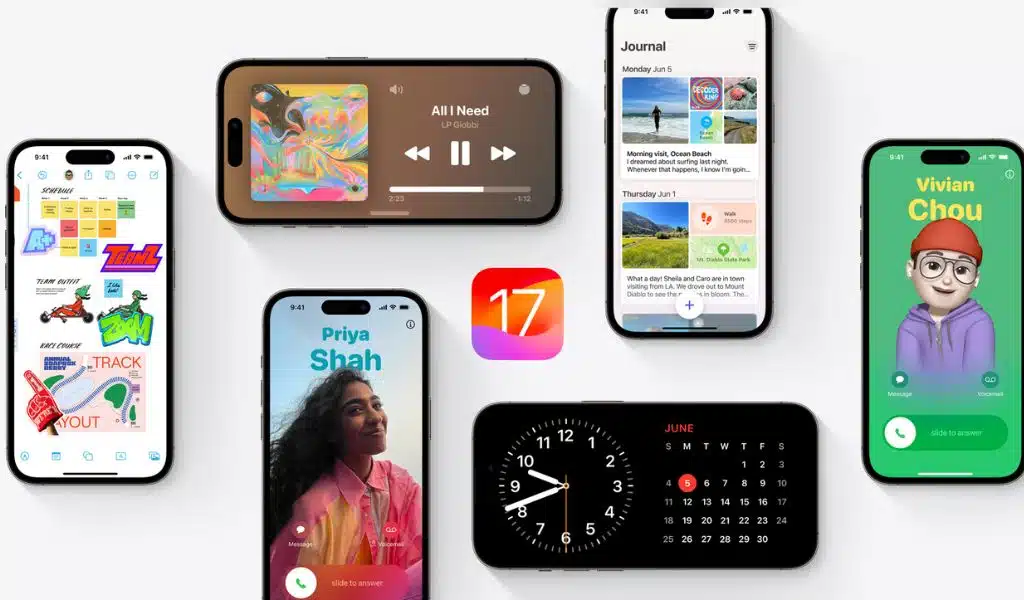
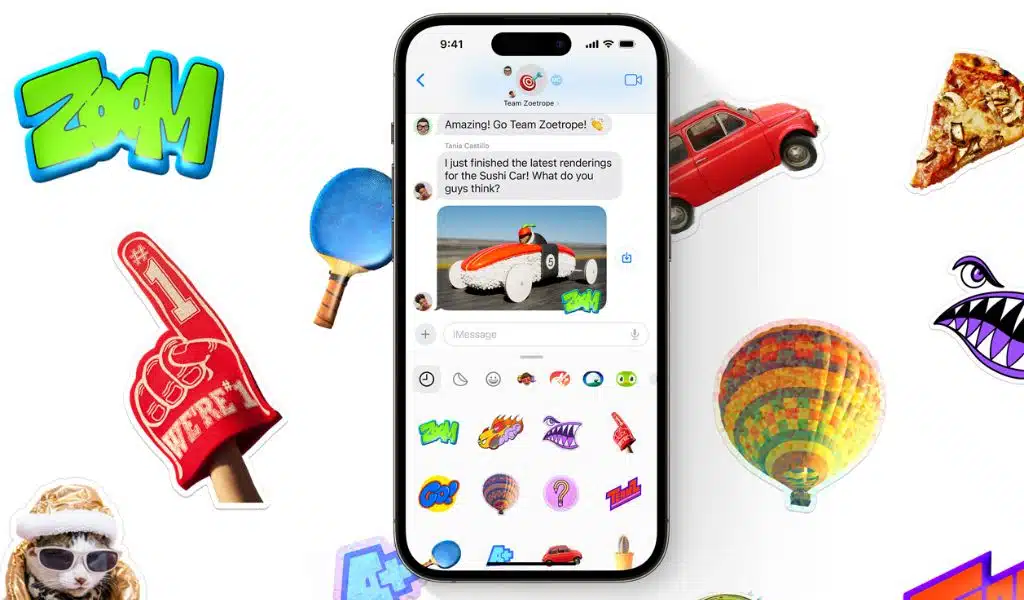
iOS 17 focuses on communication by adding new features to the Phone, FaceTime, and Messages apps, such as personalized contact posters, video messages, a smarter autocorrect, better AirDrop choices, and the Journal app.
You should be aware that developer beta releases like iOS 17 aren’t meant for general use before proceeding to install it, especially given the possibility that they may have unfinished features and other problems that make the iPhone challenging to operate. Instead, these early beta releases are for developers to help them maintain their programs and gain early access to the new features.
In other words, you shouldn’t likely install the developer beta on your main iPhone. Try to locate a spare iPhone that is sufficiently fresh (iPhone XS or later) to support the newest operating system if you truly want to obtain iOS 17 straight away.
If you still want to try it out, we’ll show you how to load the developer version of iOS 17 on your iPhone and what to do if you want to go back to iOS 16.
Want to know more about what was shown at WWDC? Here’s what you should know about Apple’s new virtual reality headset, Vision Pro. Here is everything you need to know about the new 15-inch MacBook Air and MacOS Sonoma.
Before Downloading the iOS 17 Developer beta- What to Know?
Since the iOS 17 developer beta is an early version of the software before it comes out to the public, it could have bugs and other problems.
Again, if you want to download iOS 17, you should do so on a backup or second phone, if you have one. The bugs in the iOS 17 developer version could make your iPhone hard to use by turning off phone calls or text messages or making it very slow. But if you only have your main phone or computer, make sure to back up your iPhone on iOS 16.5 (the latest version of iOS 16) before updating to iOS 17. So, if there are too many problems with the new OS, you can go back to iOS 16.
Also, to run iOS 17, you need an iPhone XS or later. The iPhone 8, iPhone 8 Plus, and iPhone X don’t work with iOS 17, even though they all worked with the iOS 16 developer test last year.
And most importantly, you must be a member of the Apple Developer Program to get the iOS 17 developer version. Full membership costs $99 a year, but as stated above, Apple is now offering a free membership option with limited tools and resources that lets almost anyone download and install the iOS 17 developer beta for free.
You can also wait until next month to join the Apple Beta Software program and get an iOS 17 update that is more stable than the developer version.
How to Enroll in the Apple Developer Program for Free?
If you just want to play around with the iOS 17 developer version for fun, you don’t have to join the Apple Developer Program. You can easily join the developer program and put developer software on your iPhone by using your current Apple ID.
- Visit the Apple Developer website, select Account from the three-dash menu in the top-right corner.
- Log in using the Apple ID you already have.
- After reading the Apple Developer Agreement and checking the appropriate boxes at the bottom, click Submit.
The Apple Developer Program account you currently have is free. Installing the iOS 17 developer beta on your iPhone can be done without going through the next procedure.
How to Enroll in the Paid Apple Developer Program?
You must pay for the Apple Developer Program if you’re a developer and want complete access to all development tools as well as the opportunity to distribute apps on the App Store. Here’s how to sign up on your iPhone:
- Launch the Apple Developer app after downloading it from the App Store, navigate to Account, and select Enroll Now.
- Enter your personal information, read the benefits and instructions, sign in using your Apple ID credentials, then scan your ID to confirm your identification.
- After submitting this information, you must select your entity (often an individual) and accept the terms of the program license agreement.
- Finally, pay the $99 (about £80 or AU$140) annual membership charge for Apple Developers (using Apple Pay).
You will be routed to your Account page in the Apple Developer app after making the payment successfully. Here, you may confirm that you have been enrolled and find out when your membership will expire the next year.
You can Install iOS 17 with an Over-the-air Update on Your iPhone
As with any other new software release on your device, an over-the-air update is the simplest way to obtain the iOS 17 developer beta. You will automatically have the choice to install iOS 17 from your settings once you have joined the Apple Developer Program, whether it is for free or for money. This is how:
- Go to Settings > General > Software Update on your iPhone or iPad.
- Next, select iOS 17 Developer Beta from Beta Updates.
- Return to the new “iOS 17 Developer Beta option” that displays and select Download and Install.
Following the entry of your passcode and acceptance of the terms and conditions, you must wait while the update is deployed. Depending on your internet connection, the procedure could take longer than 20 minutes. You should have access to the iOS 17 developer beta after your phone restarts.
Or Download the iOS 17 Developer Beta Using your Mac
If you don’t have enough storage for over-the-air upgrades, the only option to update to iOS 17 beta without manually freeing up space is through your computer.
- You can download the iOS beta software restore image for your particular device by going to the Apple Developer Program download website, searching for “iOS 17 beta,” and clicking Download Restore Images on your Mac.
- Connect the device to the computer and, if required, input the device passcode or select Trust This Computer.
- Next, launch Finder and choose your device from the Locations sidebar.
- When checking for updates, hold down the Option key while selecting the iOS 17 beta software restoration image that you just downloaded from the Apple Developer website.
Your device will download and install the iOS 17 beta software. When your phone reboots after a short while, you should have access.
Check out the top iPhone model available in 2023 while you’re here. Additionally, if you’re looking for a new computer, have a look at these laptops.
























