Listen to the Podcast:
Do you know how to create a bot for Telegram step by step? Yes, one of the leading instant messaging apps is much more than you think, especially if we compare it step by step with its current main rival, WhatsApp. Sure, most customers aren’t even aware they can play around with bots. Let’s dive into the Telegram bot creator.
Unlike other chat and messaging applications, Telegram was developed to support bots easily and quickly. Thanks to the support for bots in this application, finding and integrating them into groups is possible. All the tools we require to take advantage of bots on Telegram are already there.
Telegram Bot Creator: Step-by-Step Method
Creating a Telegram bot is simple; if you follow the steps we will indicate, you will not have any problems.
- Open the Telegram app and sign in if needed
- Click on the search bar in the upper left corner and go to BotFather
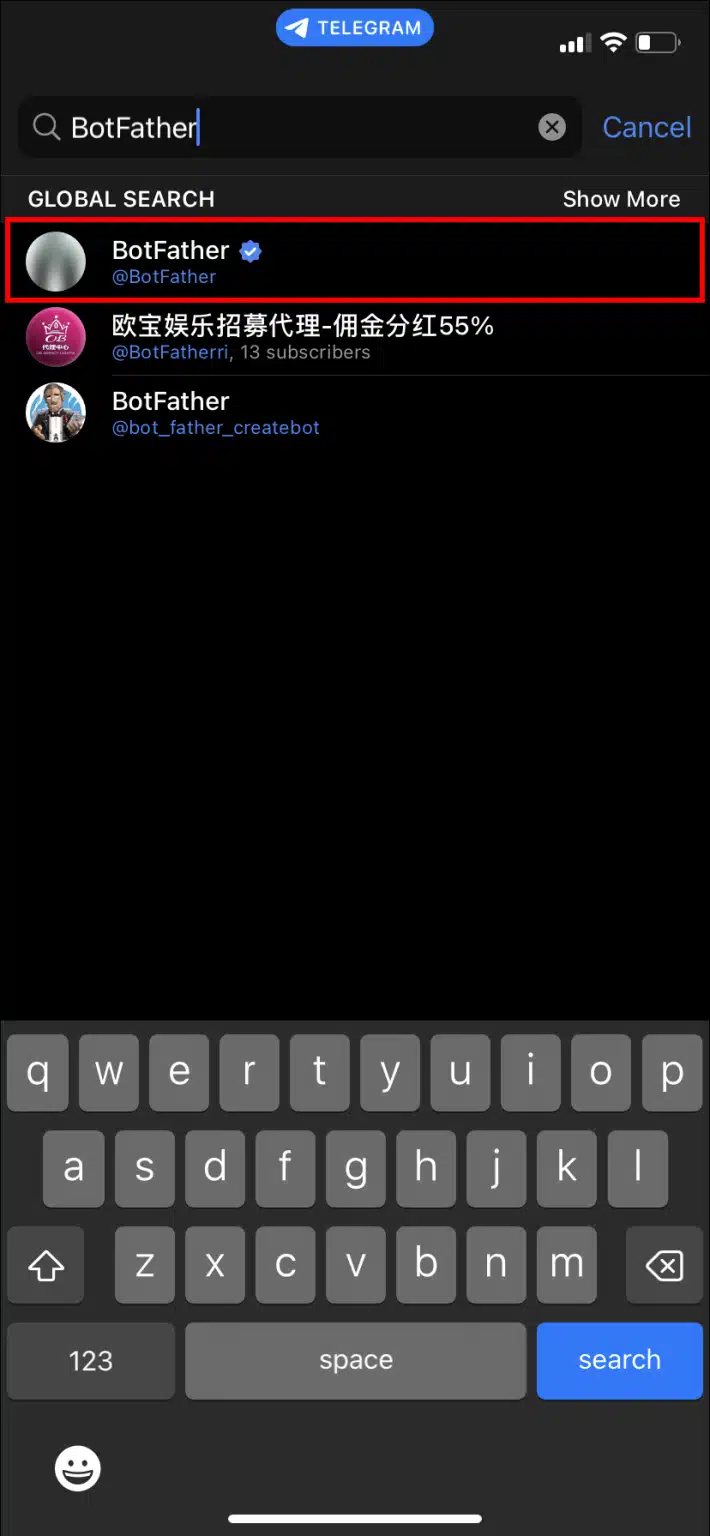
- In the Global Search tab, you will see an account verified and flagged with the @BotFather handle.
- This is the official bot for creating Telegram bots. And, from now on, your best ally, of course.
- Click on the big START button in the chat
- Type or select the command /new bot and send it to start the process
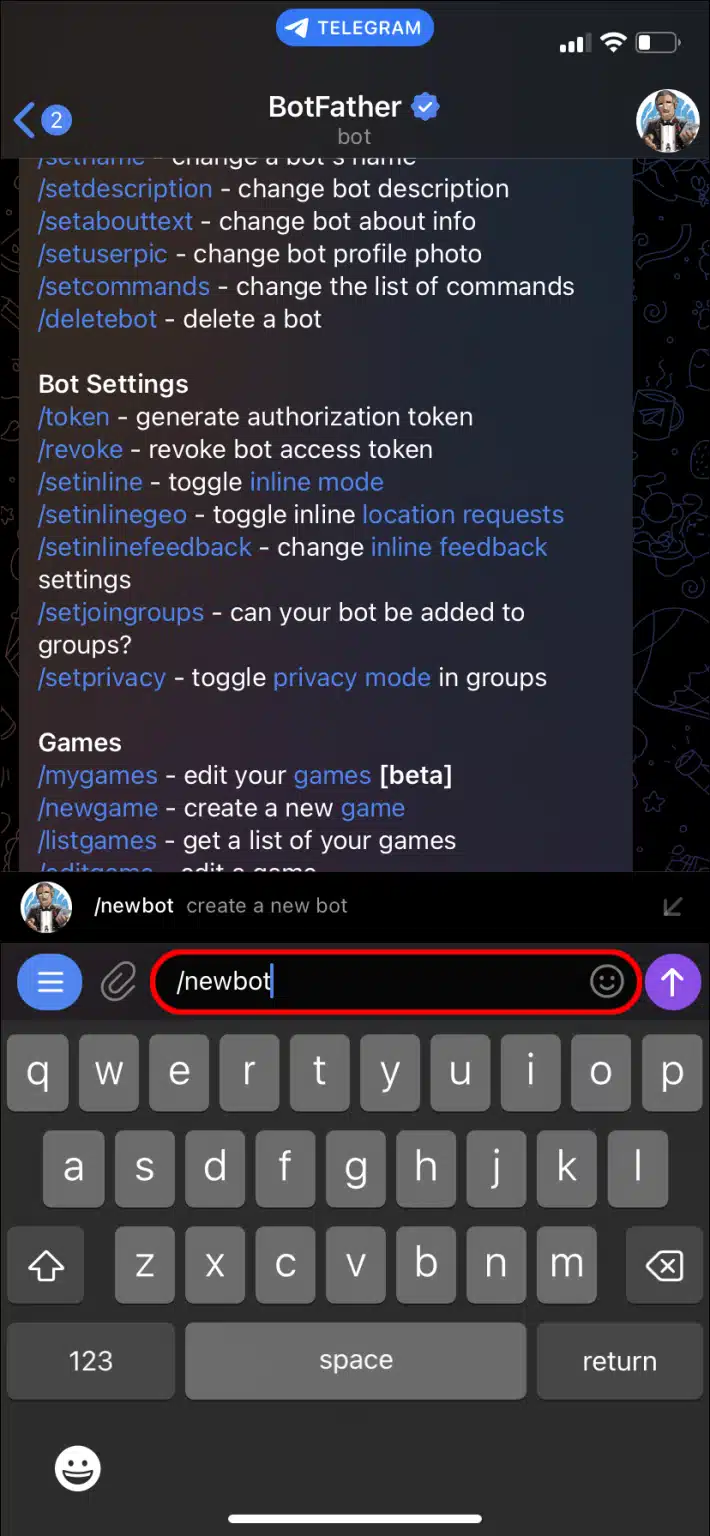
- Choose a name for your bot and submit it, remembering that it should always end with “Bot.”
- Save the API token link that the BotFather sends in response but don’t share it with anyone.
- This token provides full moderation access and control, so keep it safe
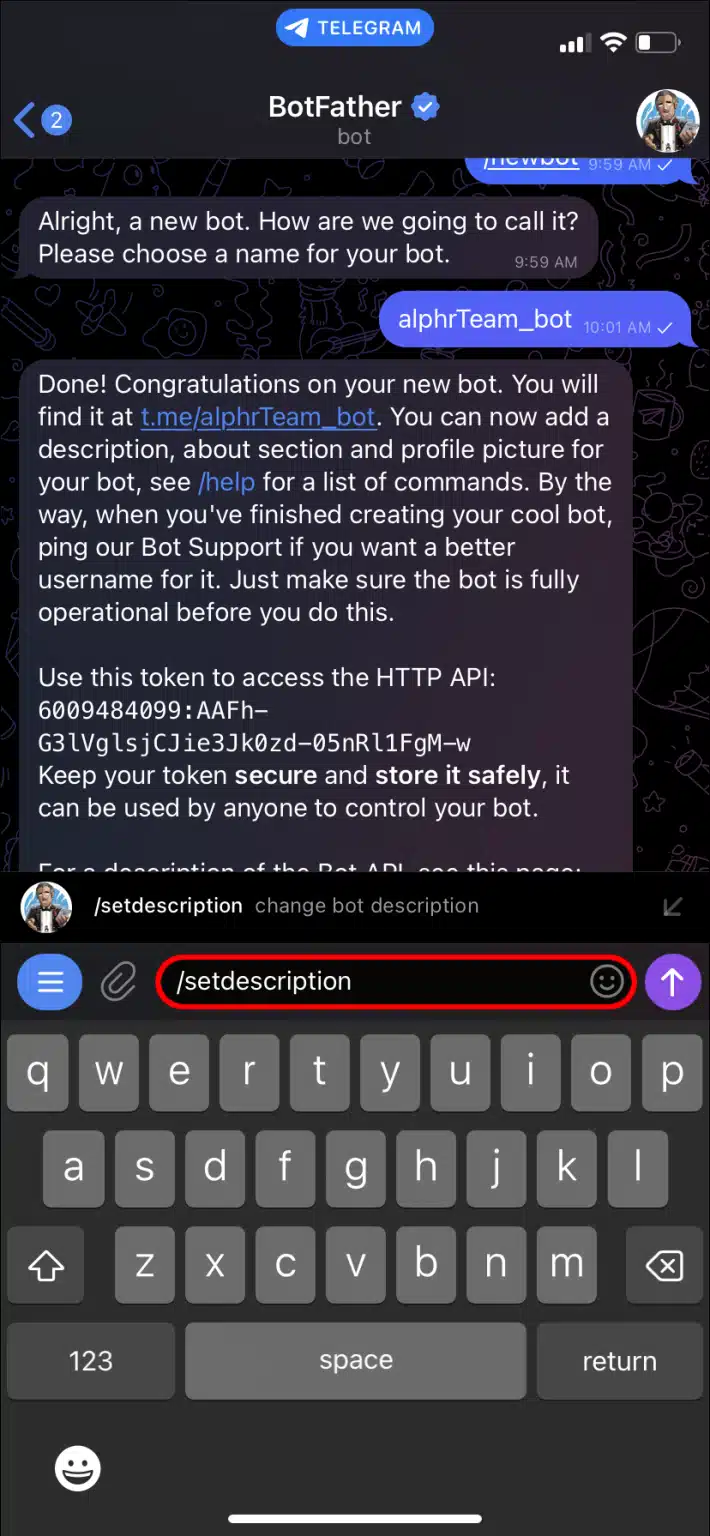
- Add a description to the bot by typing /setdescription and following with the descriptor text.
- This is the message users will see when the bot greets them or opens their details.
- Add an image to the bot by typing /setuserpic and submit the image to add to the bot.
- This is the message users will see when the bot greets them or opens their details.
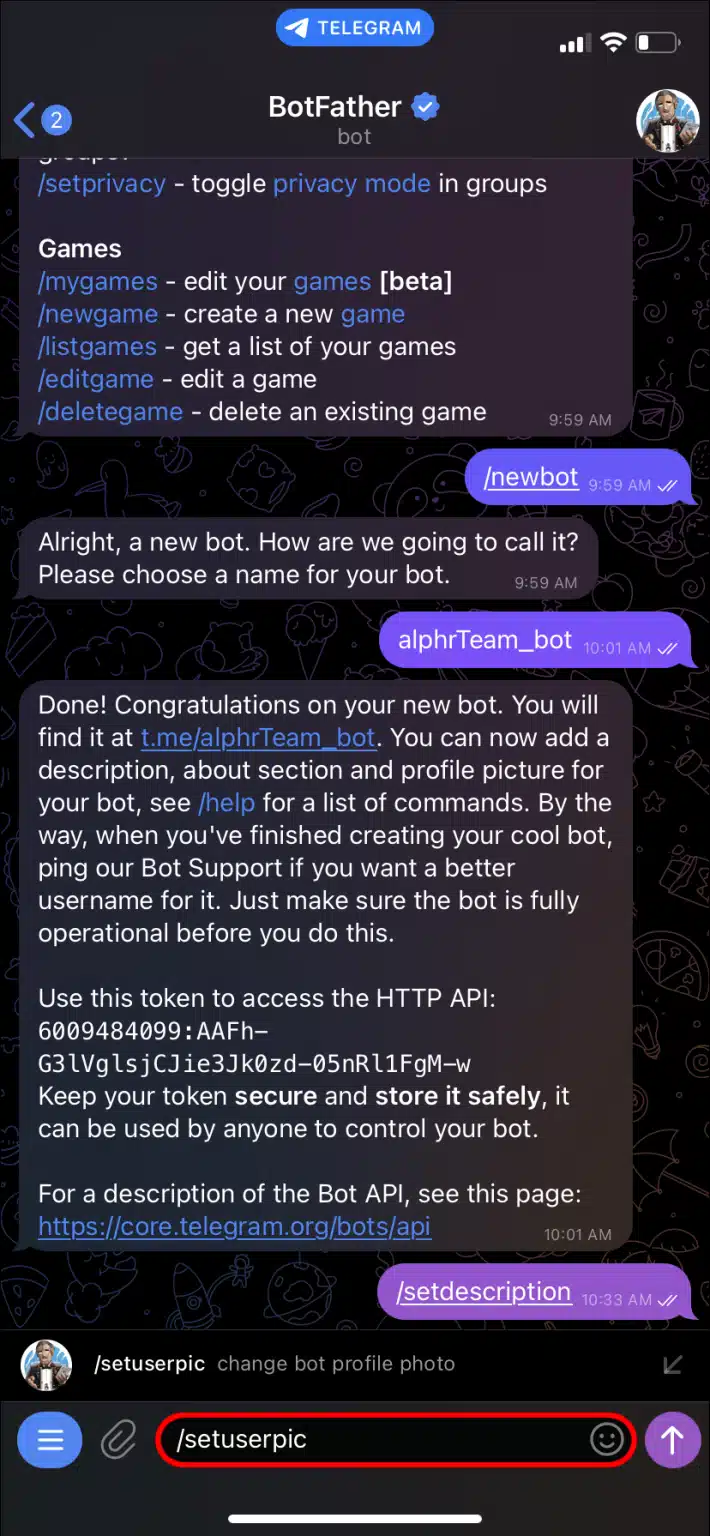
In a nutshell, this is how a Telegram bot profile is made. You should be able to display it by typing the new bot’s username into the search bar and opening it when you click on it.
How to Program it to Be Helpful?
Remember that a newly created bot is essentially a blank slate and must be programmed to be helpful. You can consult the manual of bots that Telegram brings you in the first message exchanged with BotFather. You will discover relevant data and information to automatically add a command or subscribe to services.
Bots must have three basic, essential commands: Start, Help, and Settings. These global commands are available through an interface and allow users to navigate.
Unfortunately, this is where the easy part and length of this guide ends, and that’s because advanced programming will depend on your programming knowledge, usually in Java, C#, or Python.
To have complete freedom over how your bot works, you need to know more about libraries, coding, object-oriented programming, and knowledge of IDEs (such as Visual Studio Code). It’s not that easy.
Final Words
In any case, you can see that what attracts people to Telegram varies depending on each client and what they want. Some use it for encryption and privacy, others because the channels have no member limits. There will be those who choose it for its open source and, of course, fans of being able to implement bots in the app.
In this article, we have covered some of the basics of creating and configuring bots on Telegram. Everything else will depend on your experience in programming or implementation in third-party apps.