Why Do You Need to Reset a PC
Resetting can be used as a last-resort solution if your PC experience some issues that can’t be solved by other methods. You can try performing a factory reset when the computer screen keeps freezing or displaying weird error messages.
It is also recommended to factory reset the PC after getting a severe malware infection. However, it only works when the malware or virus hasn’t impacted your files and folders. You may also need to reset your PC before selling, refurbishing, or giving it away to others.
In addition to that, you might also factory reset your PC to improve its performance. Actually, some experts suggest resetting the PC every six months or every year. Here comes the question: how long does it take to factory reset a PC? For more information, please keep reading the post.
Make a Backup before the Reset Process
To avoid data loss after a factory reset, you should back up your important data to the cloud service or external storage devices like USB flash drives and external hard drives in advance. A simple and direct way to back up the data is to clone the whole disk to another one.
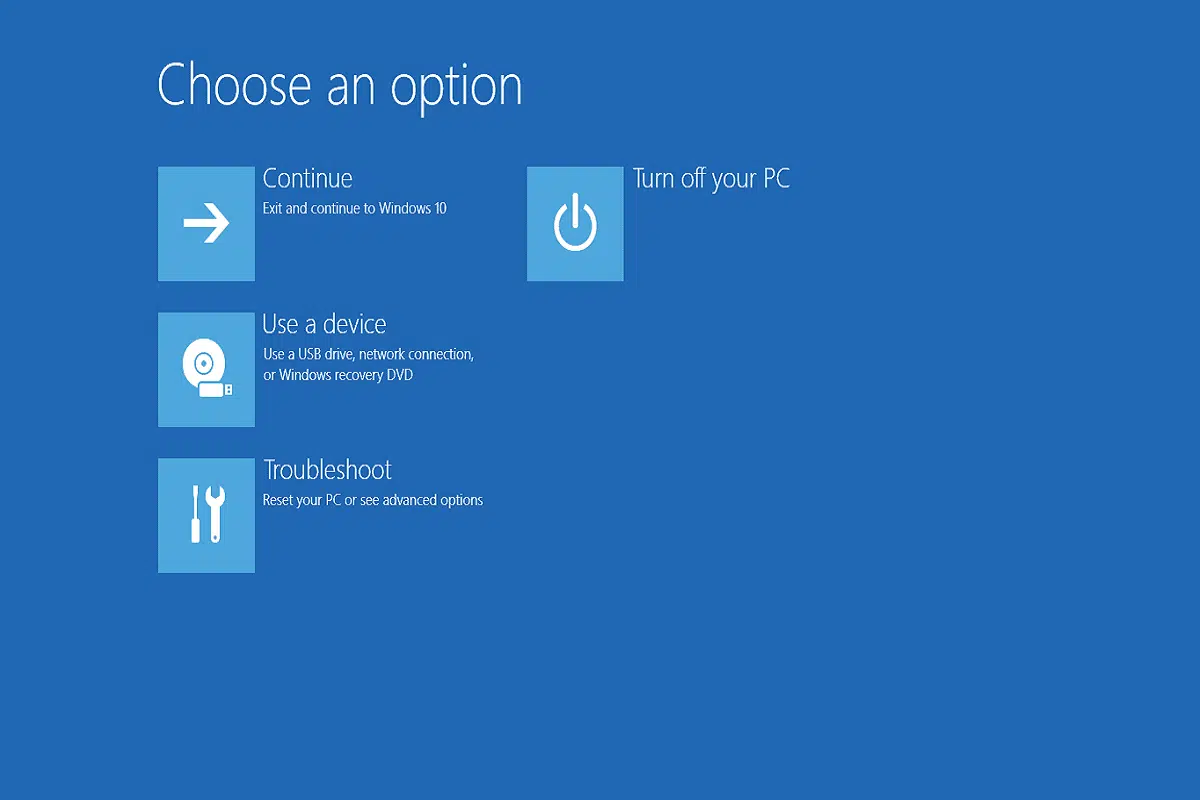
MiniTool Partition Wizard comes in handy. Its Copy Disk feature enables you to do that within a few clicks. If your computer is unbootable, make a bootable USB/CD/DVD on another properly running computer and then boot your PC from it. Then continue the process by following these steps.
On the contrary, if your PC runs normally, directly use the steps below.
Step 1: Connect an external storage device to your PC, and then download MiniTool Partition Wizard from its official website and install it.
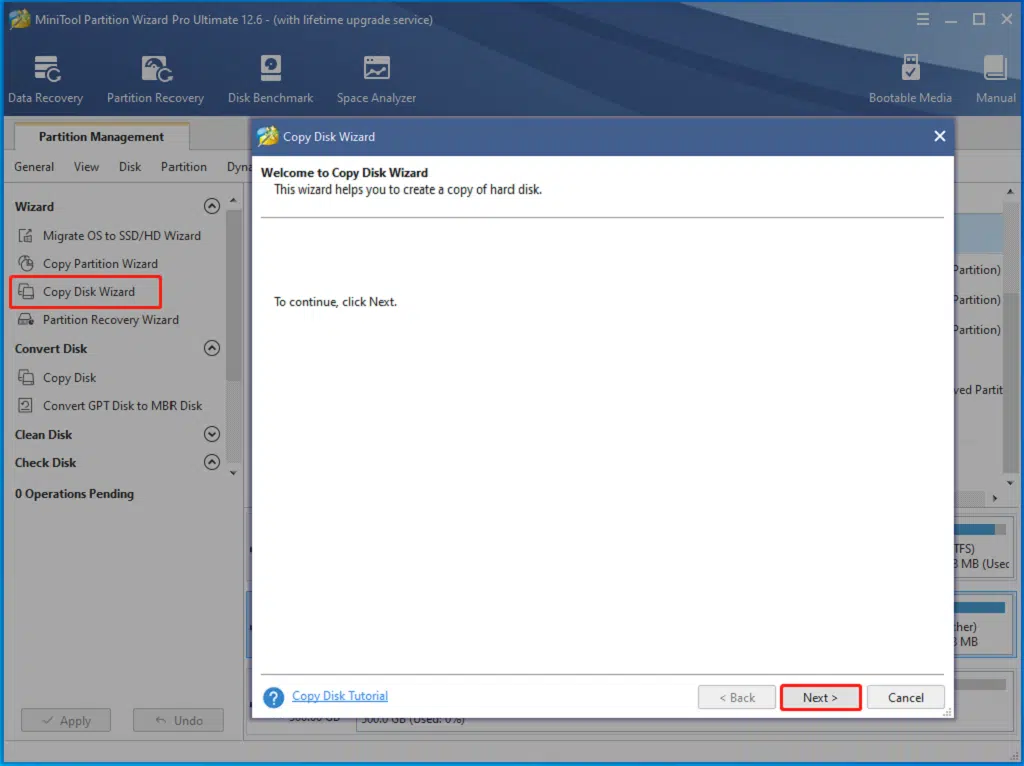
Step 2: Launch this program and click Copy Disk Wizard in the action panel. Then tap Next in the prompted window.
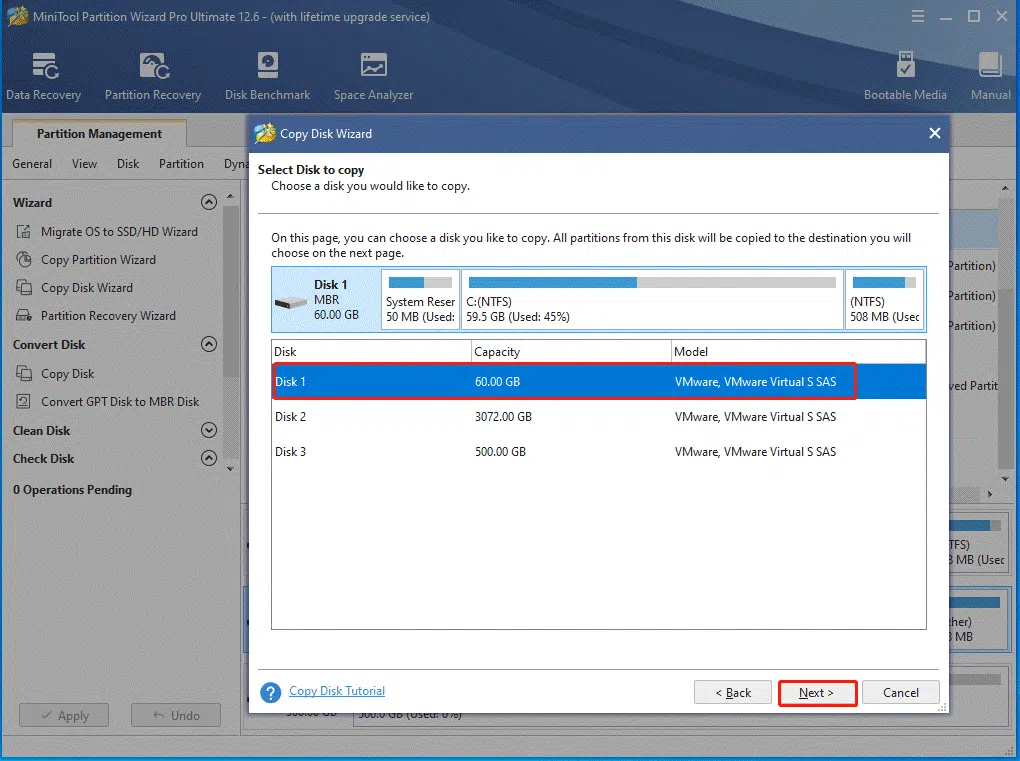
Step 3: Select the disk that holds your data from the list and click Next.
Step 4: In the pop-up window, choose the connected drive and click Next to continue.
Tip: You will get a warning window after you click the Next button. After ensuring that the selected disk doesn’t contain any data, click Yes to move on.
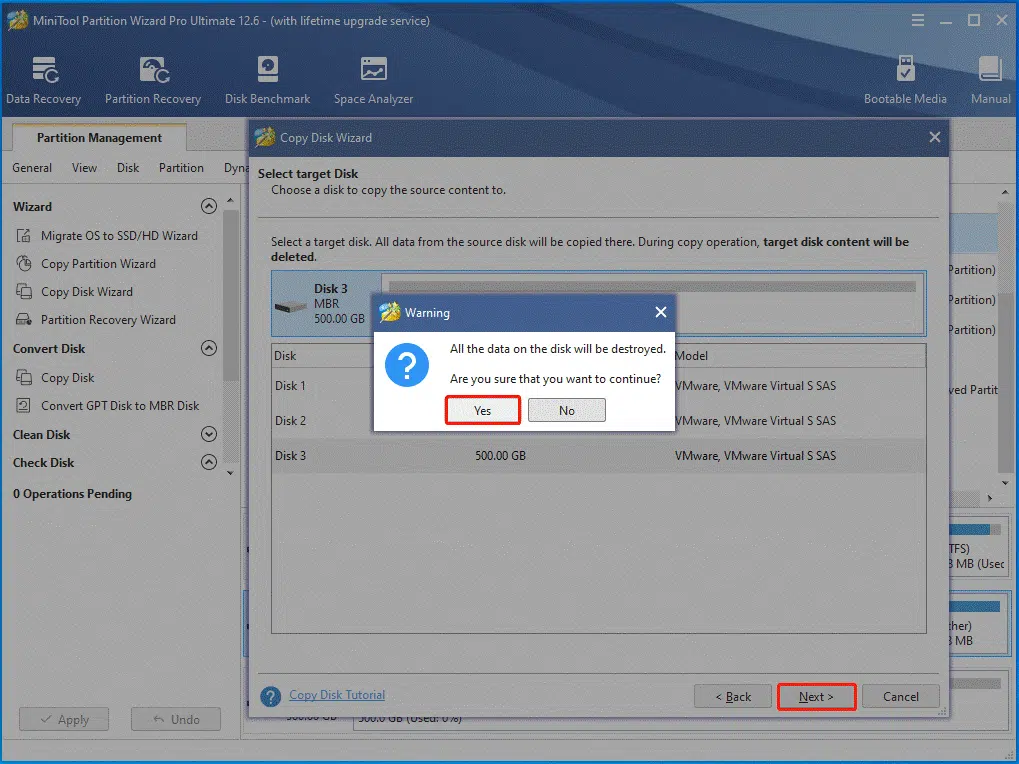
Step 5: Pick copy options and set the location & size of the chosen partition, and then tap Next.
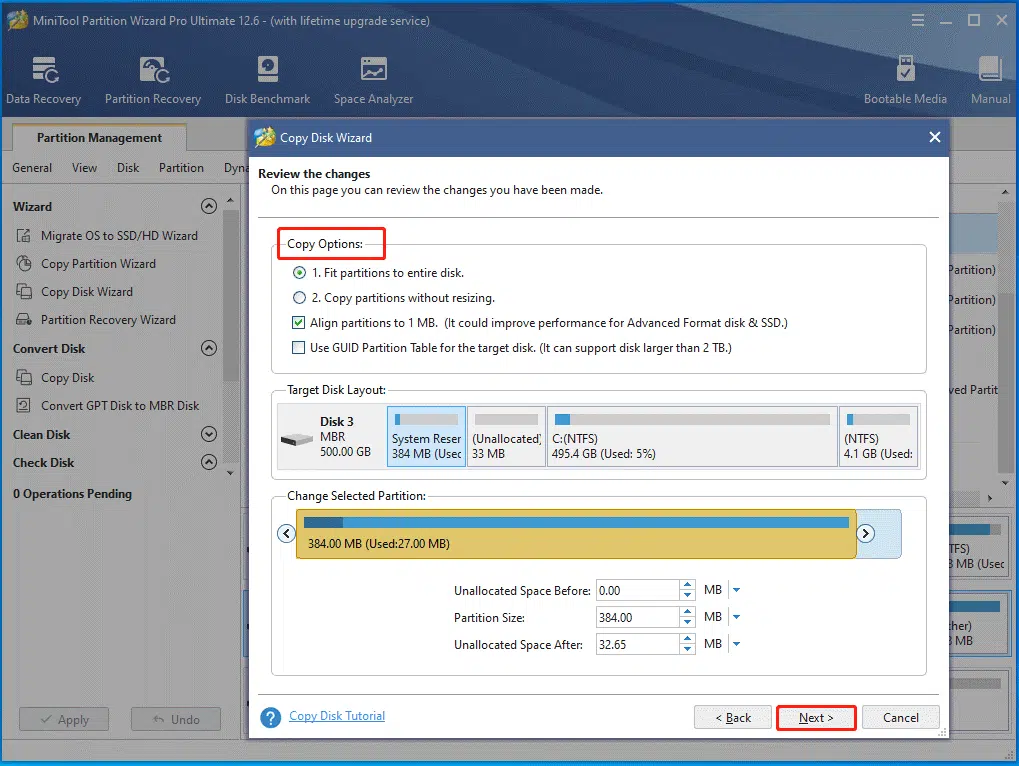
Step 6: Click on Finish > Apply to complete the operation.
How Long Does It Take to Reset a PC?
How long does a factory reset take? Generally speaking, resetting a PC takes you 30 minutes to 3 hours on average. Nevertheless, this process may take you a whole day in certain exceptional cases. The needed time varies depending on multiple elements. Well, possible factors are summarized as follows.
- Reset methods/options: If you choose “Just Remove My File”, the process may take you 2 hours or so. As for the “Full Clean the Drive” option, it needs 4 hours to finish the process. A fresh start requires 20 minutes at least, while a system restore takes 30 to 45 minutes.
- The amount of data on the computer: The greater the number of files, folders, settings, configurations, and programs, the longer the reset time.
- CPU & RAM: Under normal conditions, a higher spec PC will reset more quickly than a PC with a lower spec.
- Hard drive type: A PC with an HDD will take more time to finish the reset process than an SSD-equipped PC.
- OS: The time taken for resetting a PC varies according to the installed system (Windows, macOS, or Linux) on it. Furthermore, the reset time is also different on the specific version and edition of the Windows system.
- Computer brands: A Lenovo laptop takes 30 minutes, an HP laptop requires 15 minutes, a Gaming laptop 30 minutes while an Acer computer needs 5 hours or 3 days to finish the reset process. The time varies according to the specific condition.
- Extra plugins and accessories: The more external devices plugged into your PC, the longer the restoration process will be.
- Issues during the reset process: If the reset process is stuck, the required time would be longer.
How to Reset a PC?
If you want to reset your computer, simply follow these steps.
Step 1: Right-click on the Windows icon on your desktop and tap Settings.
Step 2: Then click Update & Security > Recovery.
Step 3: Tap on the Get started button under the Reset this PC section.
Step 4: Select either Keep my files or Remove everything in the next window.
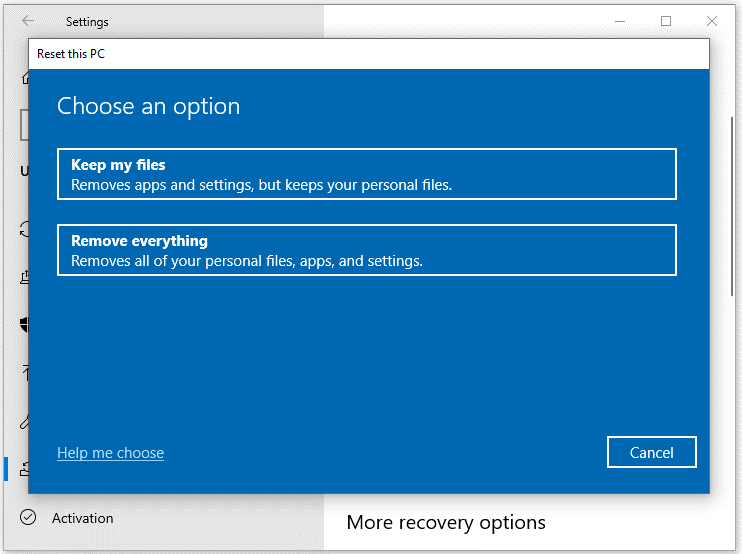
Step 5: Follow the on-screen instructions to finish the reset PC.
How long does it take to factory reset a PC? There’s no definite answer as there are multiple factors that can affect it. The specific time depends on your condition.