
Two tools are up for comparison. One gets a preconfigured workspace and help from the team that built it. The other starts with a blank account. By the time a reviewer measures setup speed, the comparison already favors the tool the publisher owns.
Editorial bias checks catch those advantages where they enter the story, from the shortlist and test setup to the headline and buying links. Start by naming the ownership relationship and defining the reader’s job. Then compare credible alternatives on equivalent terms and give an editor outside the product team the authority to change the verdict.
1. Put the ownership disclosure before the recommendation
Name the publisher, the tool, and the relationship in plain language near the top of the article. Put the disclosure before the first recommendation, ranking table, or purchase link, whichever appears first. A useful opening line might read, “Our publisher owns Tool A, one of the products in this comparison.” If the reviewer helped develop the tool or used access ordinary customers cannot obtain, explain that where it affects the comparison. Use only statements the editor can verify.
Check the mobile preview as well as the desktop page. A disclosure below a sticky purchase button may reach readers after they have already seen the recommendation. Check any version that can circulate separately, such as a comparison card or newsletter excerpt. A reader should be able to identify the relationship without expanding a footnote or visiting an About page.
2. Write the buying criteria before reviewing the products
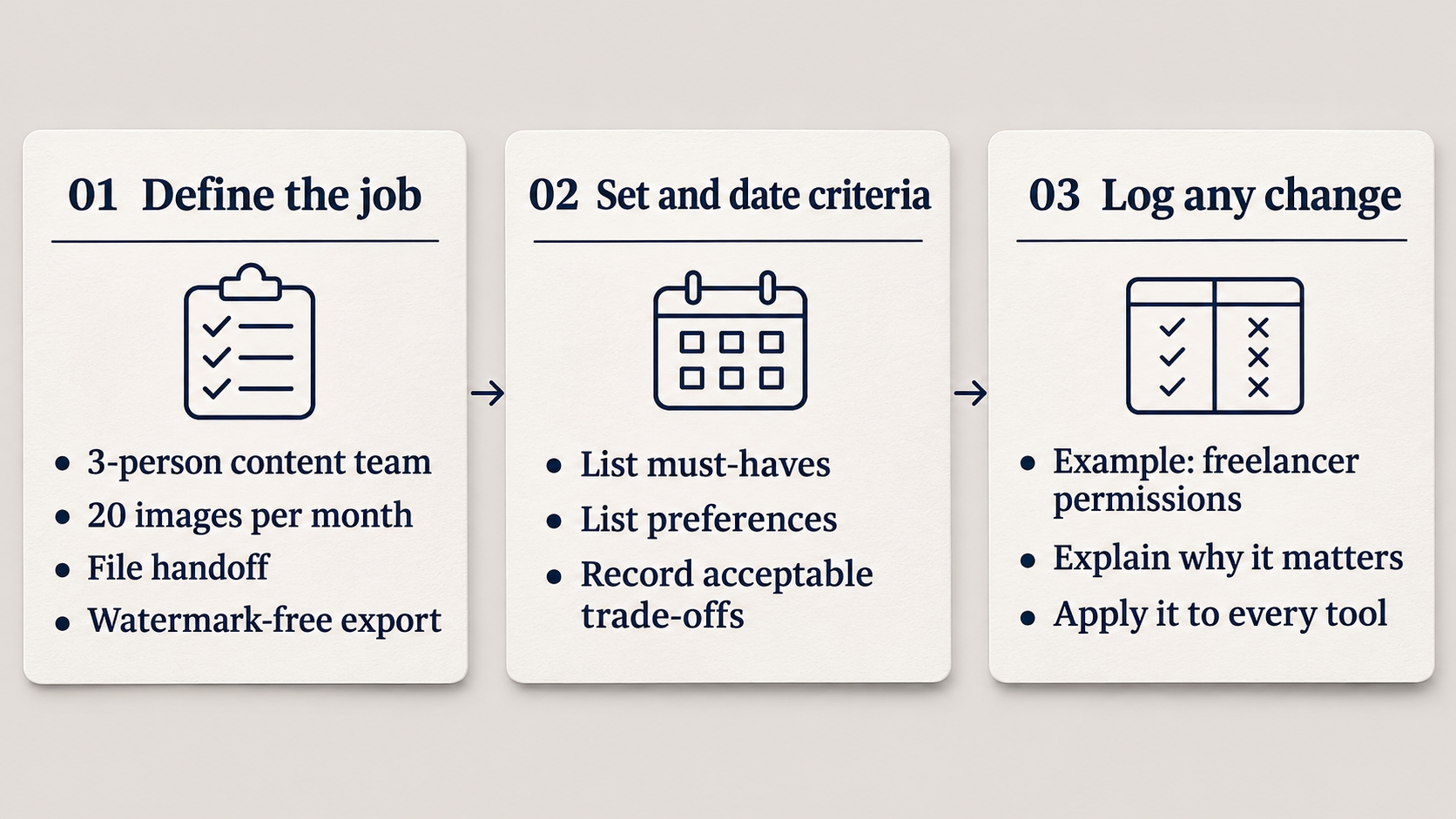
Write one sentence about who is buying the tool and what they need to finish. For a three-person content team, that might mean producing 20 images a month, handing files between teammates, and exporting without a watermark. Turn that sentence into required capabilities and preferences. Record which requirements can rule a product out and which trade-offs are acceptable.
Save a dated copy with the assignment. A review may reveal a missing criterion, such as needing separate permissions for freelance contributors. Record why it matters, then apply it to every product. If the new criterion lifts the publisher’s tool to first place, the change log gives the final editor a concrete decision to examine. Google’s review guidance also recommends focusing on the factors that matter to the buyer and explaining which products fit particular uses.
3. Give credible alternatives a fair place on the shortlist
Build the shortlist around the reader’s workflow, budget, and market. Look for the product a buyer would genuinely consider if the publisher’s tool were unavailable. For a newsletter team that wants consistent layouts, that could be a template editor, even if the owned product is marketed primarily as an image generator.
Write down why the strongest alternative belongs and why any obvious candidate was excluded. “Requires a minimum of 10 seats” is useful when the reader needs three seats. “Built for a different audience” needs a specific reason, such as a workflow that depends on a designer the target team does not have. Apply the same eligibility rules to the owned tool and revisit the shortlist if a competitor was passed over for a limitation the owned tool also has.
4. Match the plans, access, and starting conditions
Choose the lowest publicly available plan on each tool that can complete the required workflow. Plans can have different names and prices while serving the same buying need. Record the date checked, country, currency, billing cadence, seat count, and usage limits. Translate annual commitments and mandatory add-ons into the amount the reader would actually pay.
If hands-on work is possible, start both products with equivalent accounts and provide the same files, instructions, setup time, and retry allowance. Decide in advance whether timing starts at account creation or at the beginning of the task, and count the same steps for each tool. If testing began with an internal template or privileged support, repeat the affected task under customer conditions or narrow the claim to describe the setup actually used.
5. Hold each claim to the same evidence standard
Match the source to the claim. A public plan page can support a statement about listed export formats. A retained output can substantiate that a reviewer exported a file under recorded conditions. A walkthrough can show how the vendor presents a workflow. Treat those as different kinds of evidence for every tool, including the one whose team can answer questions in Slack.
Give each comparison row a source, date, and plan. For a hands-on finding, keep the input, output, and enough detail to repeat the task. Where access or documentation leaves a question open, write “unverified” and explain the buying implication. A missing entry in a feature table establishes that the documentation leaves a gap. An explicit plan restriction can establish that the feature is unavailable on that plan. Follow the same standard for both products and keep the source trail in the edit file. Editorialge’s fact-checking policy calls for verifiable sources and cross-checking where possible.
6. Look for a case where the owned tool loses
Pick a realistic buying scenario where the owned tool’s biggest advantage matters less. If it makes single-image edits quickly, try a brief that depends on batch export and a teammate’s approval. Keep any result that would change the reader’s choice and report the condition that produced it. Record failed attempts and apply the same retry rules so the article reflects the work a buyer is likely to face.
Run the same check on the prose. A competitor that requires manual file naming and an owned tool with the same requirement should receive descriptions of comparable specificity. “Flexible export workflow” and “extra administrative work” can describe the same steps while steering readers toward different judgments. Describe the action, who performs it, and how often it occurs.
7. Check whether the page gives both products a fair reading
Read the headline, quick answer, table, captions, and link labels without the body paragraphs. That is how a reader may encounter the comparison while scanning. Check whether all those elements make the same conditional recommendation. If the table shows that the owned tool fits solo buyers and a rival fits teams, a headline that calls the owned tool “best overall” erases a decision the evidence supports.
Review placement too. A bright sign-up button beside one product and a buried text link for its strongest rival can steer the reader even when the prose is balanced. Give meaningful alternatives visible routes to inspect their plans. If any links earn revenue, make sure the relevant relationship is disclosed and check that the commercial arrangement had no role in product order, picks, or coverage.
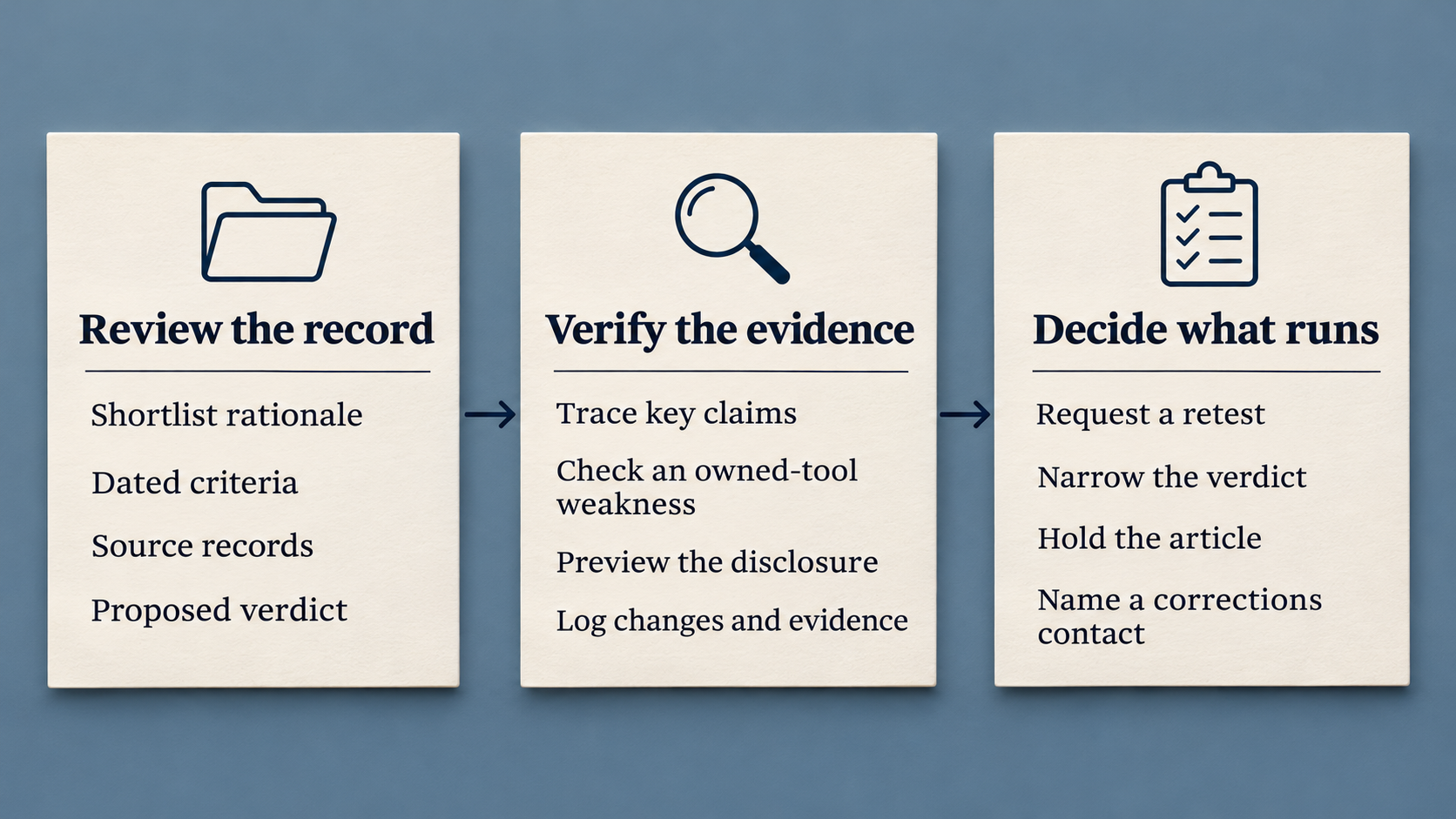
Send a reviewer outside the owned tool’s product and sales teams the shortlist rationale, dated criteria, source records, and proposed recommendation. Ask the reviewer to trace the most consequential claim for each tool, inspect a material weakness of the owned product, and check the disclosure in the page preview. Have them document any changes and the evidence behind the final wording.
Product staff can flag an inaccurate feature description and supply documentation. The editor responsible for release decides how much the correction changes the recommendation and can require a retest, narrow the verdict, or hold the article. Assign a contact for post-publication corrections and retain enough evidence to distinguish a factual error from a later plan change. Editorialge’s corrections policy outlines how verified errors are corrected and disclosed.
How the checks change a recommendation
This fictional example uses a three-person newsletter team that needs watermark-free images, separate editor accounts, and shared templates. The draft finding is “Tool A costs less.” The editor checks whether that claim survives when both products are priced for the same job.
| Buying factor | Tool A, publisher-owned | Tool B, competitor | Editorial action |
|---|---|---|---|
| Monthly cost for three editors | $36 at $12 per editor | $29 for up to three editors | Compare $36 with $29 for the stated team. |
| Watermark-free export | Listed on plan page | Listed on plan page | Describe it as documented. Keep output quality out of the verdict until tested. |
| Shared template editing | Listed on plan page | Plan documentation unclear | Treat the lower-cost option as conditional until editing access is verified. |
A defensible recommendation would read, “Tool B is $7 cheaper per month for three editors, provided its plan lets all three edit shared templates. Tool A is the documented option for teams that need that access confirmed today.” If the editor verifies that Tool B meets the requirement, the cost recommendation can become firm. One unresolved capability can change the buying advice more than a page of feature highlights.
Make the verdict traceable
The fastest way to use these editorial bias checks is to trace each recommendation back to a reader requirement, comparable evidence, and an editor with the authority to revise it. If the case for buying the publisher’s tool depends on a different standard of proof or a plan the reader cannot obtain, revise the claim before it reaches the page.