


To audit internal links, export Google Search Console’s internal-link and page-performance data, crawl your website from its homepage, and compare both with your published URL inventory. That comparison helps you find broken paths, overlooked pages, and important content that deserves a clearer route from related articles or navigation.
The useful output is a repair list: which source page needs editing, which destination it should link to, and how you will verify the change. A spreadsheet of link counts alone cannot make those decisions.
This walkthrough uses Search Console and Screaming Frog SEO Spider as examples. It is based on their documentation, not on a live audit of a particular website.
Understand What Each Dataset Can Tell You
Search Console and a crawler answer different questions. Google’s Links report documentation says its data is a sample, groups pages by canonical URL, and combines duplicate links. It also includes links discovered over time, including some that may no longer exist.
| Dataset | Use it for | Avoid assuming |
|---|---|---|
| Search Console internal links | Reviewing Google’s reported linking patterns | Every current link appears |
| Search Console page performance | Identifying pages with search visibility | A missing row means zero demand |
| Homepage-based crawl | Checking reachable pages and current link paths | It discovers every published URL |
| CMS inventory and XML sitemaps | Finding URLs to compare against the crawl | Every listed URL belongs in search |
Keep the two link counts in separate columns. A difference is a reason to investigate, not evidence that one tool is broken.
If source pages, destinations, and anchor text are unfamiliar terms, start with Editorialge’s guide to internal linking fundamentals.
1. Set the Scope Before Exporting Anything
Write down the hostname, protocol, sections, and languages included in the audit. A crawl limited to one subdomain should not be compared without adjustment to a Search Console property covering multiple subdomains.
Create a short list of priority destinations: a useful evergreen guide, an active service page, a category hub, or another page central to your readers’ needs. Record why each matters. This prevents a privacy policy with thousands of footer links from becoming your model for every article.
Prepare three working tables:
- URL inventory: one row per known URL, preserving its original address and discovery source.
- Link inventory: one row per source-to-destination link, including anchor text and placement when available.
- Fix queue: issue, source URL, target URL, proposed change, owner, and verification status.
Save dated raw exports separately. You will need them if a later comparison produces unexpected results.
2. Export the Relevant Search Console Reports
Open the intended property and go to Links → Internal links → Top linked pages → More. Export that table. Select a priority destination to inspect the reported pages linking to it, and export relevant detail where available.
Google limits single-table exports to 1,000 rows. The larger “Latest links” and “More sample links” exports concern external links; they are not a workaround for exporting a complete internal-link graph. An absent URL is therefore not proof that no internal links exist.
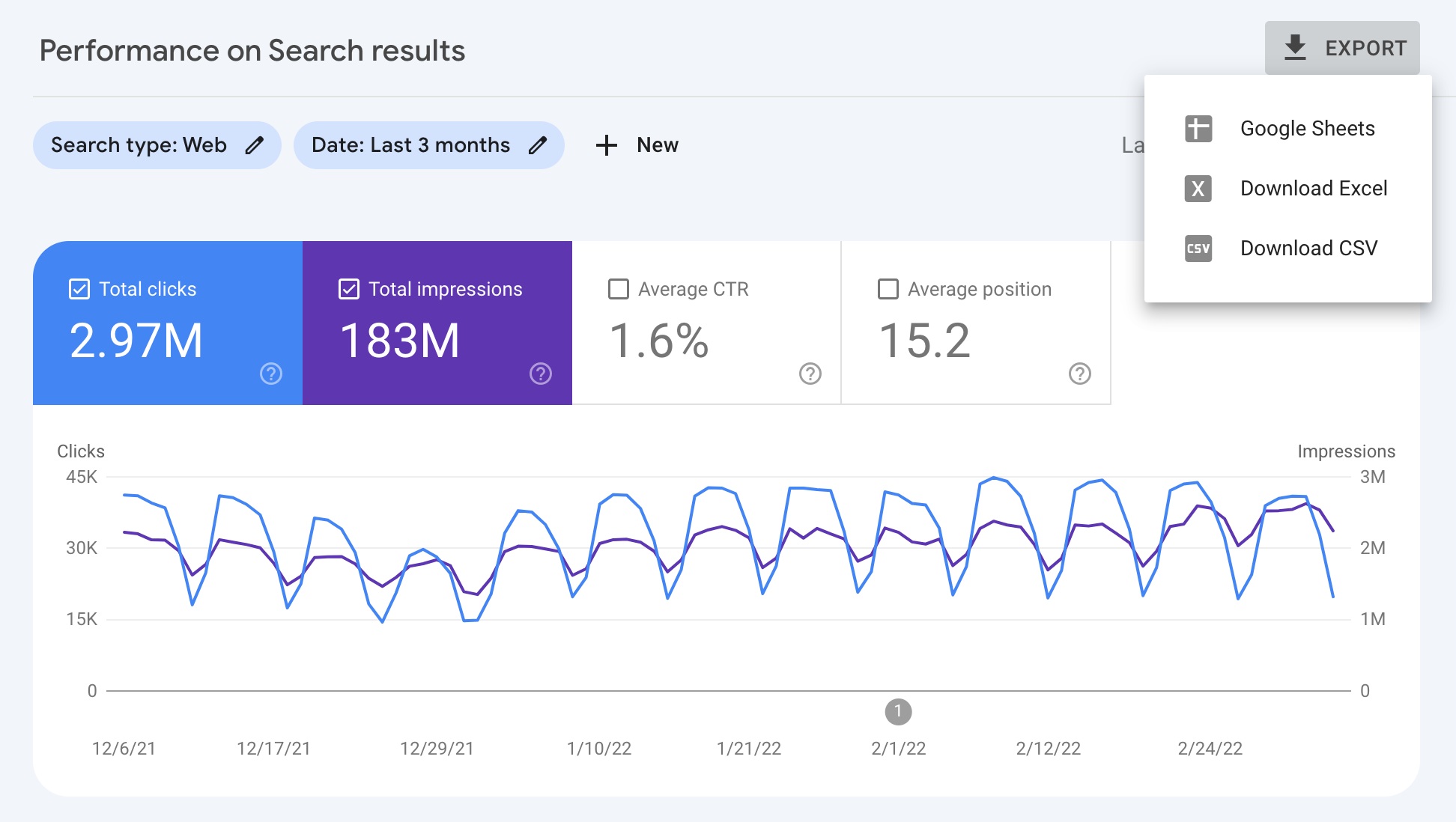
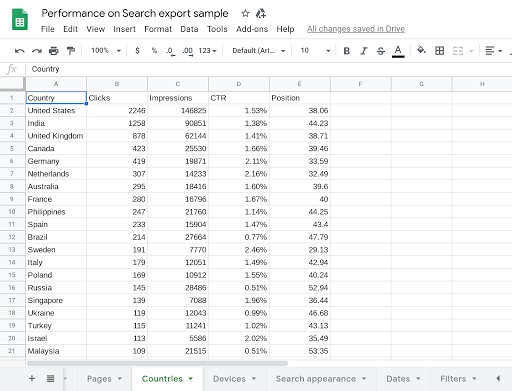
Next, open Performance → Search results, choose a consistent reporting period, and select Pages. Export clicks, impressions, CTR, and average position. Record search type and any country or device filters so that a colleague can reproduce the selection.
A recent three-month period is a workable editorial starting point; seasonal content may need a longer comparison. That is an audit choice, not a Google requirement.
Google explains that most page-performance data is assigned to the canonical URL. Keep this in mind when an address in your crawl has no matching performance row. It may be a duplicate of the URL receiving the data.
Use performance to choose what to investigate. A page with impressions and little contextual support is worth reviewing, but its average position does not establish that internal links caused its performance.
3. Run a Crawl That Preserves Discovery Paths
In Screaming Frog, use Spider mode, enter the homepage, and crawl the agreed scope. Save the crawl and its settings. For this baseline, avoid adding sitemap or Search Console URLs as extra starting points: you want a record of what ordinary internal links can reach.
Record exclusions, crawl limits, robots handling, rendering mode, and whether the crawl completed. Use a crawl speed appropriate to your server. If important navigation relies on JavaScript, investigate rendered links instead of assuming an HTML-only crawl represents the whole site.
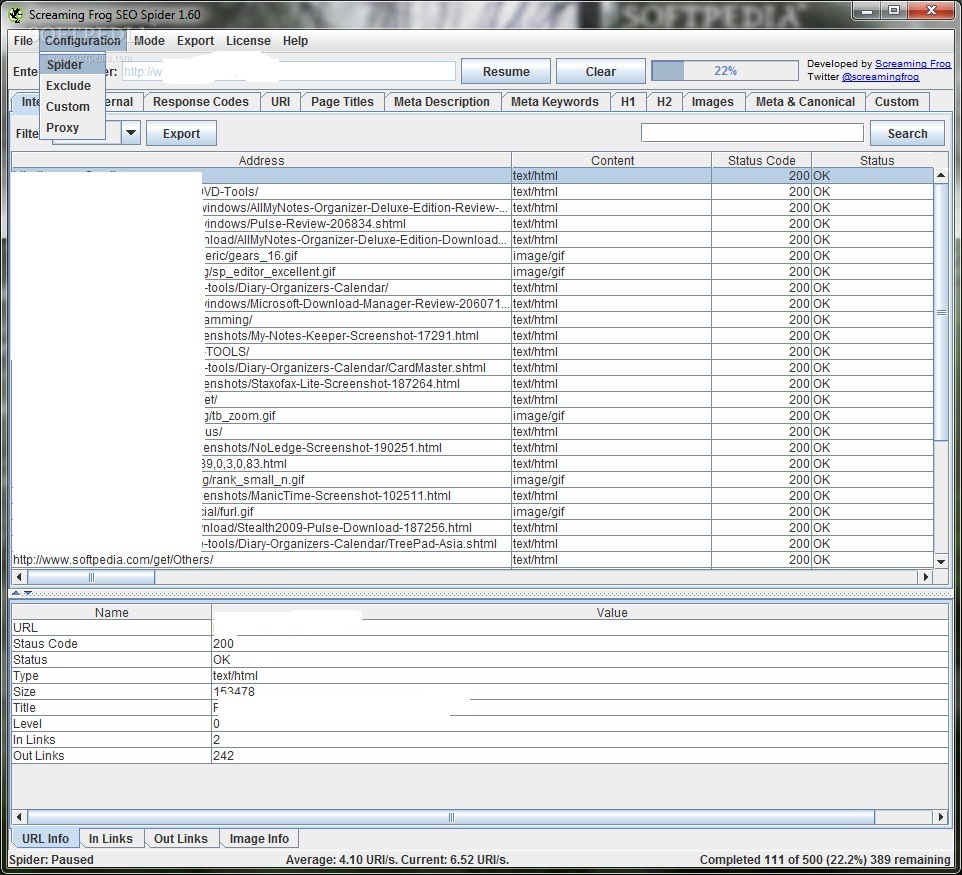
Screaming Frog’s missing-page troubleshooting guide explains why scope, configuration, and the path from the starting URL matter. A crawler blocked from a section cannot tell you that section has no internal links.
Export the page inventory with these fields where available:
| Field | Audit purpose |
|---|---|
| Address and status code | Identify live pages, redirects, and errors |
| Content type | Separate HTML pages from other resources |
| Indexability and directives | Investigate unintended search exclusions |
| Canonical URL | Identify alternate and preferred addresses |
| Crawl depth | Measure the shortest discovered path from the starting page |
| Unique inlinks | Count distinct linking source pages |
Also export link-level data. In Screaming Frog, selecting a destination and opening the Inlinks tab helps identify the source pages that need editing. Its broken-link tutorial documents this workflow and bulk exports.
Keep “all links” distinct from “unique linking pages.” A navigation link and a body link on the same source page should not become two independent endorsements in your analysis.
4. Reconcile URLs Without Hiding the Problems
Combine the CMS inventory, sitemap URLs, crawl results, and relevant Search Console exports into one master list. Retain the original URL and add separate columns for the final redirect destination, declared canonical, and comparison key.
Normalize conservatively. You can remove a fragment for a page-level comparison while retaining it in the link inventory. Do not automatically lowercase paths, remove meaningful parameters, or treat trailing-slash variants as equivalent. Verify actual site behavior first.
For example, an old article may link to /guide-old/, which redirects to /guide/. Grouping both under the final destination helps match performance data, but deleting the old address from your working records would hide the link that needs repair.
Use a full outer join, or its spreadsheet equivalent, so URLs found in only one dataset survive the merge. For missing values, record “not present in export” instead of inserting zero. Reserve zero for a measured value within a stated scope.
5. Investigate Orphan Candidates
Compare your published URL inventory with the URLs reached by the homepage crawl. Pages found only in the CMS, sitemap, or Search Console become orphan candidates.
Screaming Frog’s orphan-page workflow combines discovery sources and supports crawling newly found URLs. In that workflow, an absent crawl-depth value can help identify URLs not reached through internal links. Integrated features may require a license; a separately exported inventory can still support a manual comparison.
Before confirming an orphan, check whether the baseline crawl was truncated, excluded the section, or missed rendered navigation. Also consider an isolated group: several articles may link to one another while none is reachable from the main site.
Then decide what the page needs. A valuable guide may need a link from its topic hub and a relevant older article. A retired campaign page may need removal or an appropriate replacement. A duplicate URL may need canonical cleanup. Adding links to every unmatched address would create new problems.
6. Turn Findings Into Specific Repairs
Repair Broken Destinations and Unnecessary Redirects
Filter for internal error responses, then inspect their source links. Correct a typo, restore an accidentally removed page, or link to a genuinely relevant replacement. If no useful replacement exists, remove the link and revise the sentence.
Investigate server errors and access-denied responses before editing content; those may be transient or crawler-specific. A successful HTTP response also deserves a visual check if the page displays a “not found” message.
For redirecting destinations, update the source to the intended final URL when practical. Fix template links in the template. Do not redirect every deleted article to the homepage merely to clear a report.
Review Important Pages With Weak Routes
Screaming Frog’s internal-linking audit guide covers crawl depth and linking relationships. Use those measurements to compare similar pages within your own site.
A priority guide reached only through several archive pages deserves inspection. A deep historical article may be perfectly appropriate. There is no need to force every URL into an arbitrary three-click target.
Separate body links from navigation and footer links where possible. A large raw count can conceal the absence of links from articles discussing the same subject. Choose source pages because the destination answers a reader’s next question.
For publishing sites, this work also connects to broader technical SEO for publishers, especially category navigation and access to older coverage.
Check Anchor Text and Crawlability
Google’s link guidance recommends descriptive, concise anchor text and crawlable links using an HTML <a> element with an href attribute. It states, “Every page you care about should have a link from at least one other page on your site.”
Replace vague wording where a more informative phrase fits. “Download the invoice checklist” sets a clearer expectation than “click here.” Read the whole sentence after editing; do not force keywords into it.
Check links to noncanonical or unintentionally excluded destinations too. Some noindex pages are useful navigation destinations, so the directive alone does not justify removing a link.
7. Prioritize the Queue by Reader Impact
The following examples are hypothetical, not findings from a measured site audit.
| Finding | Proposed action | Priority rationale |
|---|---|---|
| Main navigation points to a removed service page | Correct the shared navigation destination | Repeated failure on a core journey |
| Useful evergreen guide is unreachable from the main site | Add relevant hub and article links | Restores a route to important content |
| Older articles link through an avoidable redirect | Update those source links | Cleans up working but indirect paths |
| Footer policy page has many inlinks | Usually retain the links | High count alone is not a defect |
Assign each repair an owner and a test. “Improve internal linking” is not an actionable ticket. “On the invoicing hub, link the checklist paragraph to the current checklist URL; verify the destination and recrawl the hub” is.
8. Verify the Fix Before Measuring Search Results
After deployment, visit changed source pages and follow the links. Check the destination, visible anchor, and whether the expected link exists in the HTML or rendered HTML. Recrawl with comparable settings to confirm that errors are gone and intended paths are discoverable.
For selected important URLs, use Search Console’s URL Inspection tool to review indexed information and, where needed, run a live test. The live test checks the current page; it does not prove indexing or predict Google’s canonical choice.
Log the deployment date. Review performance over a comparable period, keeping device, country, search type, and seasonality in mind. A four-week review can be a useful first checkpoint, but it is not a promised ranking timeline. Content changes, demand, and other site work can affect the same results.
Close the audit when each priority issue has a documented resolution or an explicit reason to remain open. The strongest evidence of completion is a working route to the right page, backed by a repeatable crawl and a clear change record.