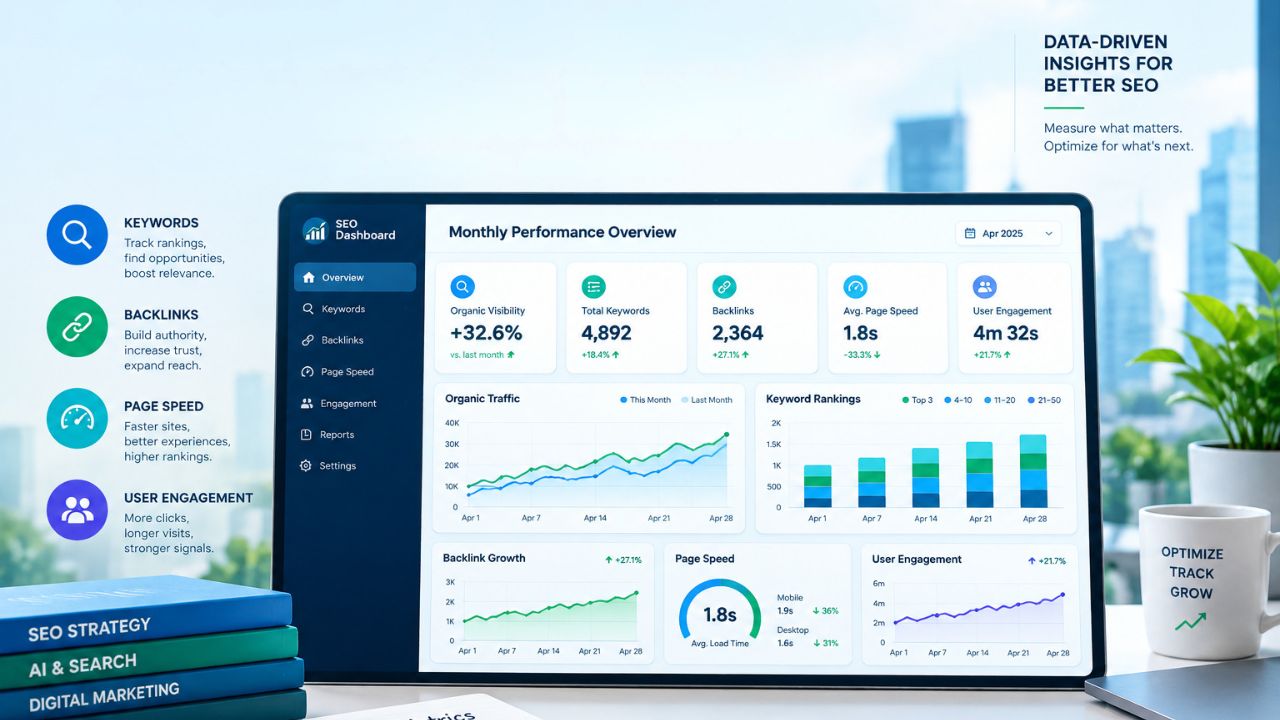
I’ve been writing and editing SEO content since 2017. For most of those years, a monthly report meant rankings, clicks, and backlinks. That report now misses something big: whether ChatGPT, Perplexity, or Google’s AI features mention your site at all. Below are the GEO metrics to track every month, based on what I check as Acting Editor at Editorialge.
The good news is that Google gave us better data this year. Since June 3, 2026, Search Console has had separate reports that pull out impressions from AI Overviews, AI Mode, and AI features in Discover, and Google says it had rolled these out to all websites worldwide by August 31, 2026. GA4 also added a built-in “AI Assistant” channel in May 2026 that needs no setup. Free data is finally good enough to start.
Why GEO Metrics to Track Every Month Work Better Than Daily Checks
AI answers are unstable. A small change in how a prompt is worded can give a completely different answer from the same model on the same day. If you check daily, you end up chasing noise. A monthly view shows you the real trend.
This is where I made my first mistake. Early on, I pulled a huge amount of data for one search term and tried to use all of it. I couldn’t decide what to add to the article and what to leave out. You don’t need every data point. What finally worked was picking one topic and committing to it.
The same rule applies to tracking. A short list of GEO metrics to track every month is better than a giant dashboard nobody reads.
The 7 GEO Metrics to Track Every Month
1. AI Citation Frequency: The Core of GEO Metrics to Track Every Month
A citation is when an AI answer links to your page as a source. A brand can be mentioned without a link, but a citation lists your site as a source. Each month, track how many of your chosen prompts cite your domain and which URLs get picked.
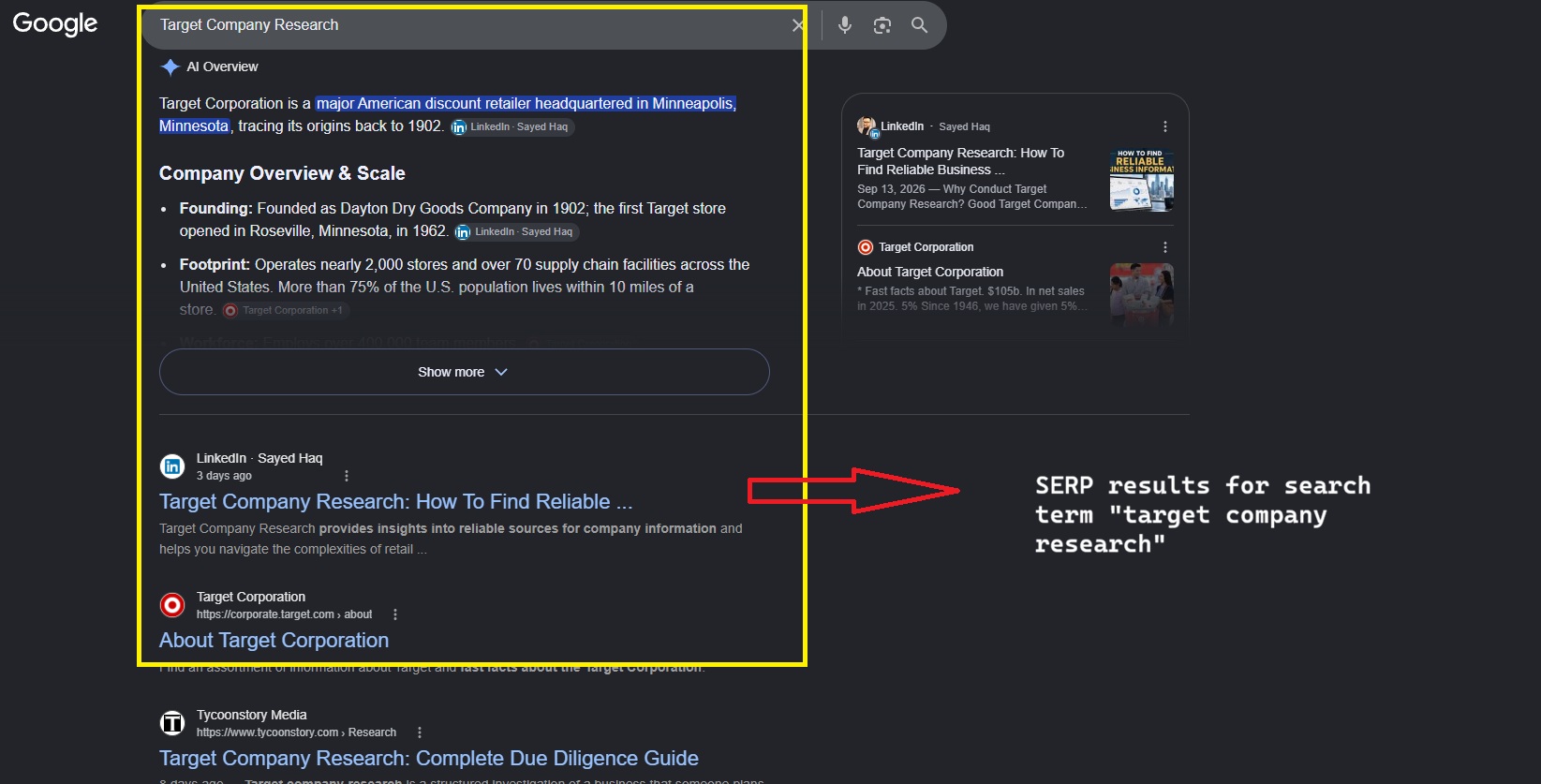
Here’s a real example. I wrote a LinkedIn article on target company research. I added direct answers near the top and replaced older points with fresher, factual data. After those changes, it started showing up in AI answers for “Target Company Research.”
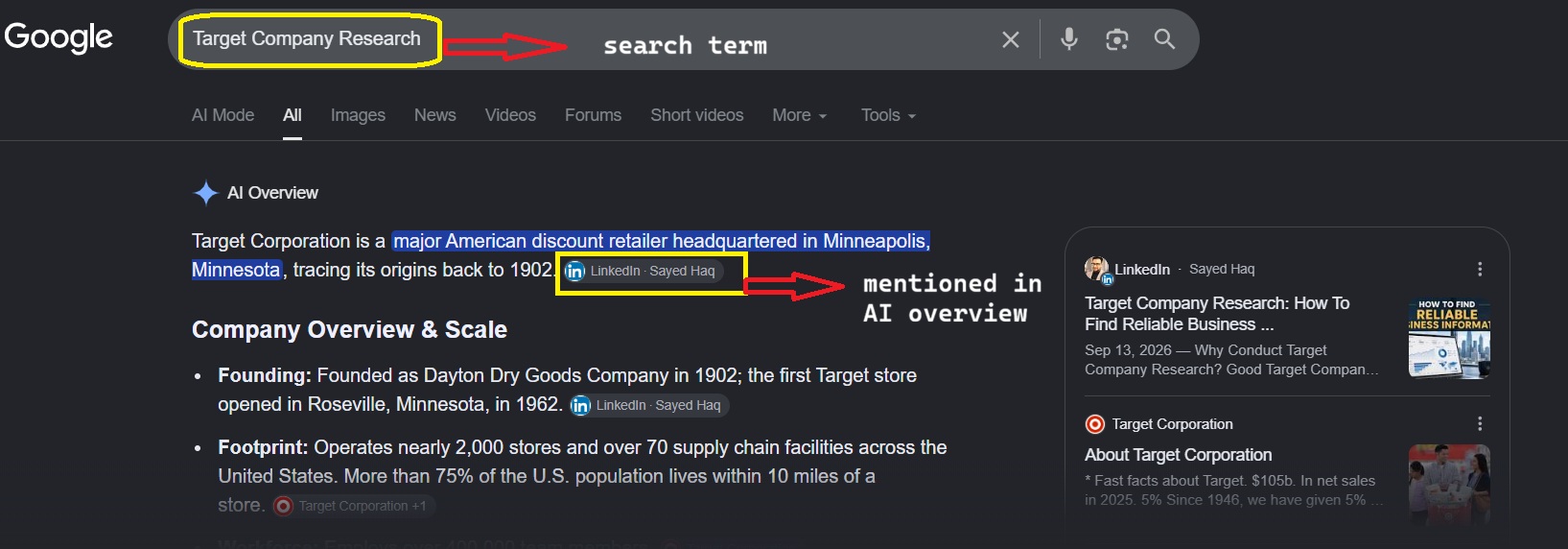
There was no trick involved. I gave clear answers and used current facts, which is also what trust signals are about. I explain more in how E-E-A-T and GEO connect.
2. Brand Mention Rate: The Unlinked Side of GEO Metrics to Track Every Month
Mentions without links still count. They show whether AI tools know your brand exists. Also note where your name appears. A brand named in the main answer is much more prominent than one tucked into a footer or related suggestion.
Many mentions come from other people’s pages, not yours. Tools like Ahrefs Brand Radar show which URL a mention came from, so you can see whether it was your own site, a Reddit thread, a review roundup, or a competitor’s blog. That’s why off-site work still matters. Read more on why backlinks still matter.
Share of voice tells you how you compare with rivals. One simple formula is your AI mentions divided by the total AI mentions for all brands in your category, times 100.
You don’t have to calculate it by hand. Semrush’s Brand Performance reports track share of voice and sentiment across Google AI Overviews, AI Mode, ChatGPT, Perplexity, and Gemini, and they update weekly. Keep your competitor list small, around three to five sites you actually compete with.
4. AI Referral Traffic in GA4: The Click Side of GEO Metrics to Track Every Month
Open GA4 and look for the AI Assistant channel. Before this update, AI chatbot visits all landed in the Referral bucket by default.
The channel has gaps, though:
- It isn’t retroactive, so AI traffic from before the update stays in the old channels.
- Clicks from Google’s AI Overviews and AI Mode still count as organic search.
- Sources disagree on whether Perplexity is included, so check your referral report too.
Don’t judge this metric by volume alone. AI visits are often a small slice of total traffic, so watch the direction over several months.
5. AI Overview and AI Mode Impressions: Google’s Part of GEO Metrics to Track Every Month
In Search Console, open the Generative AI performance report. It breaks down impressions by page, country, device, and date, but it has no click, CTR, or query data yet.
Here’s how I’d use it. Export the pages that get AI impressions, then compare them with their normal organic clicks. If a page gets more AI impressions but fewer clicks, it’s a good candidate for a refresh.
6. Sentiment and Accuracy: The Quality Check in GEO Metrics to Track Every Month
Being mentioned isn’t enough if the AI gets your brand wrong. Otterly AI tracks sentiment and shows how AI platforms describe brands in their answers.
Still, read your top answers yourself each month. Look for old facts, wrong details, or a competitor described as the better option. When you find an error, fix the page the AI is probably pulling from.
7. Conversions From AI Visitors: The Business End of GEO Metrics to Track Every Month
Filter your GA4 key events by the AI Assistant channel. Newsletter signups, contact forms, and sales all count. This is the metric that proves GEO is worth the time. I cover this in more depth in GEO ROI metrics.
Tools I Use for GEO Metrics to Track Every Month
I’ve worked with Semrush, Ahrefs, and Otterly AI, mostly through free trials and free tools. You can get surprisingly far that way.
- Semrush AI Visibility Toolkit: Good for share of voice and sentiment.
- Ahrefs Brand Radar: Good for finding which pages and domains AI tools cite. As of July 2026, it covers Google AI Overviews and AI Mode along with ChatGPT, Perplexity, Gemini, and Microsoft Copilot.
- Otterly AI: The easiest to start with. The Lite plan costs $29 a month for 15 prompts, and every tier comes with a 7-day free trial that doesn’t need a credit card.
- Profound: I tried it. The free trial was too limited for me to judge it properly, and I wasn’t sure about the pricing.
If your budget is zero, Search Console, GA4, and a fixed list of manual prompts will cover most of these GEO metrics to track every month.
A Simple Routine for GEO Metrics to Track Every Month
- Keep one fixed prompt list and use the exact same wording each month.
- Export the Search Console Generative AI report.
- Check both the AI Assistant and Referral channels in GA4.
- Pull your tool’s citation, mention, and share of voice data.
- Read your five most important AI answers yourself.
- Pick one page to improve, and only one.
Step 6 is the lesson from my early mistake. Too many changes at once and you won’t know what worked.
Final Thoughts
You don’t need an expensive platform to start. You need a steady habit. Set up the free Google reports this week, write 10 to 15 prompts that match what your readers ask, and log the results once a month. After three months, the GEO metrics to track every month will show you which pages AI trusts and which ones need work. Then fix one page at a time.