
Have you ever thought about what really happens if someone breaks into your web app? It is a scary thought, especially since users trust you with their passwords and personal details. Without proper web app authentication, hackers can steal everything.
I found a recent statistic that really opened my eyes. A 2025 IBM report showed that the average cost of a data breach in the US hit a record $10.22 million. The good news is that you can prevent most of these attacks just by setting up a secure login system. Over 60% of data breaches happen because of weak or stolen passwords.
Grab a cup of coffee, and let’s go through the steps together. I will show you exactly how to implement authentication in your web app and keep your users safe.
Basics of Authentication for Web Apps
Authentication acts as the bouncer at your web app’s front door. It verifies that users are exactly who they claim to be before granting access to protected pages. Think of it like showing your ID at a concert. The security team checks your identification, confirms you are on the list, and then lets you inside.
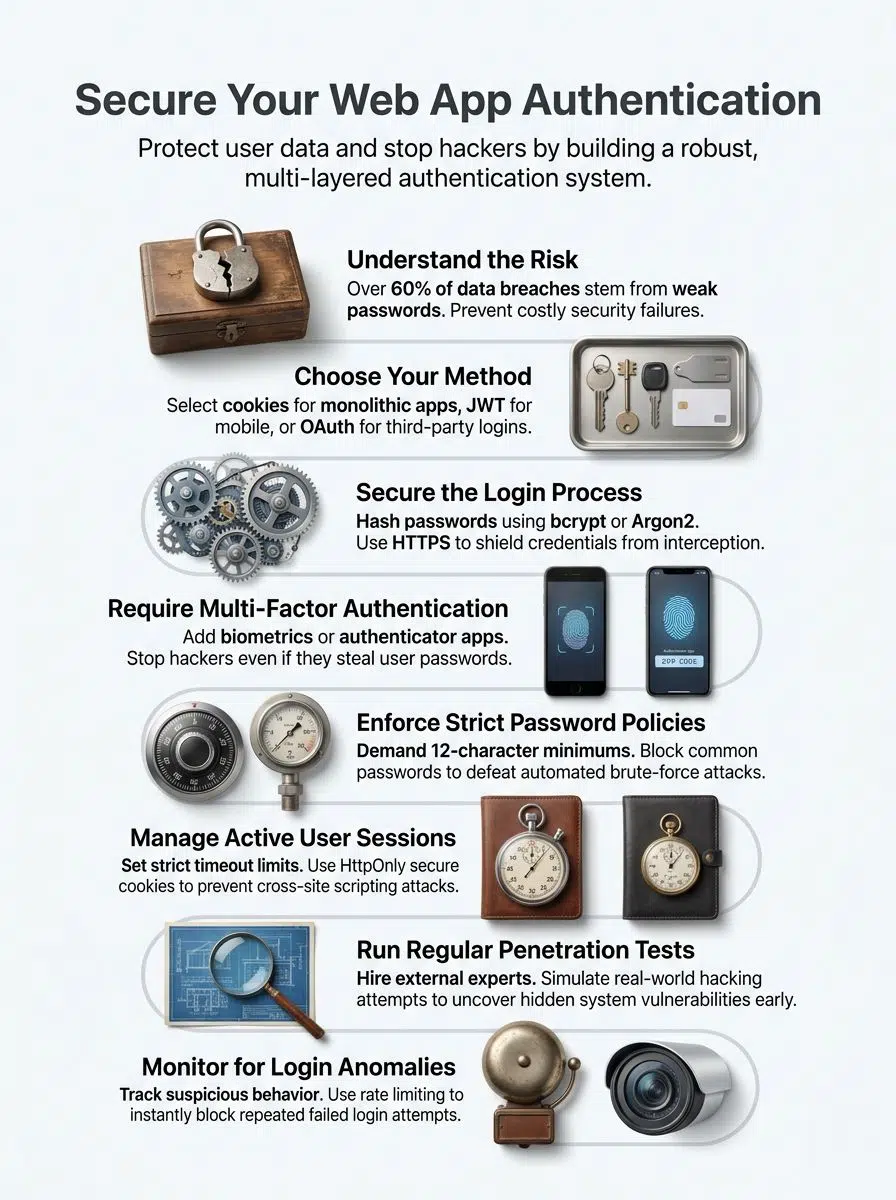
Web apps use user verification to protect sensitive data and maintain user trust. Without solid methods in place, intruders could easily walk into your system and cause serious damage.
A 2025 IBM Cost of a Data Breach report found that phishing is the most expensive initial attack vector, averaging $4.8 million per breach in the US.
Identity management platforms like Auth0 or Microsoft Entra ID often sit at the core of these systems today. They track who users are and which parts of your app they can reach. Access control works directly with identity management to determine what each verified user can actually see and modify.
Different methods exist to fit different security needs. Some apps use simple password-based systems. Others layer on multifactor authentication for extra protection.
Key Authentication Techniques
Three main approaches exist for protecting your web app. Each method has specific strengths, and picking the right one makes a huge difference for your security strategy.
Cookies-Based Authentication
Cookies store user login information on the client’s browser after a successful login. Your server creates a session token, places it in a cookie, and sends it back to the user’s device.
Each time the user visits your site, their browser automatically sends this cookie. Your server reads it, verifies the session, and grants access without asking for a password again. This works perfectly for traditional web applications where users stay on your site for extended periods.
Security really matters when you use cookies. You must protect them from common exploits using standard flags.
- Always set cookies to expire after a set time so old sessions become invalid.
- Mark your cookies as “HttpOnly” to prevent JavaScript from stealing session data.
- Use the “Secure” flag to guarantee cookies only travel over encrypted HTTPS connections.
- Apply the “SameSite” attribute to block cross-site request forgery attacks.
Token-Based Authentication (JWT)
Cookies work well for many sites, but they have limits for modern development. Token-based authentication takes a different path. This method uses JSON Web Tokens, or JWT, to verify identity.
Instead of storing data on the server, a JWT puts all the required information right into the token itself. The token travels with each request you make. Your server checks the token and grants access if it is valid.
This approach cuts down on server storage. It makes your system much faster. A major benefit of JWTs is that they are stateless. This makes them perfect for modern Next.js applications or serverless backends, because the server does not need to look up session data in a database.
Many developers pick JWT tokens for password security and identity management because it scales easily. It keeps your login systems very lean across mobile apps and single-page applications.
Third-Party Authentication (OAuth, OpenID, SAML)
If you want to skip the heavy lifting of building a custom login system, third-party authentication methods offer a smart shortcut. OAuth, OpenID, and SAML let your app delegate identity verification to trusted providers.
Your users log in through established platforms like Google Identity Services or GitHub. You get verified credentials without storing passwords yourself. This cuts down on security risks since you avoid managing sensitive password data directly.
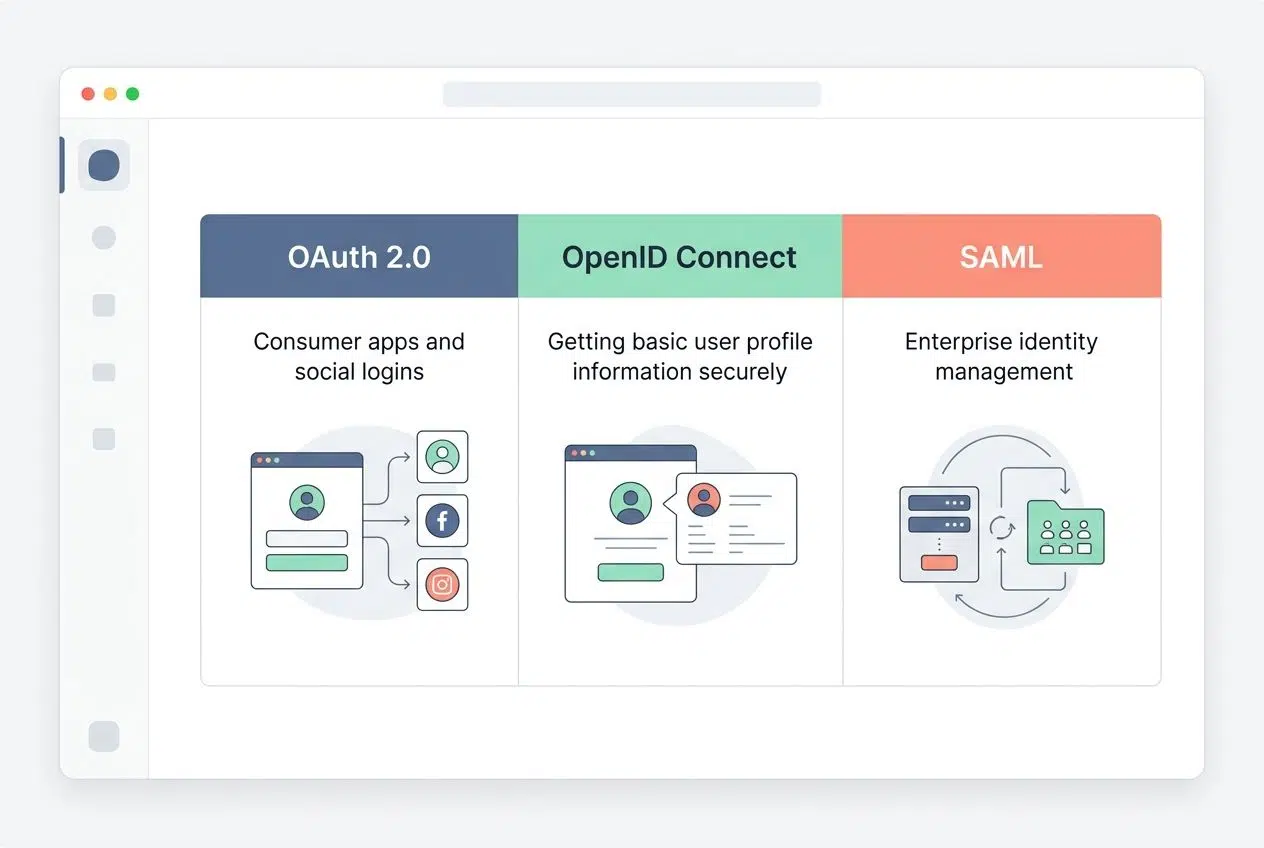
| Protocol | Best Used For | Common Example |
|---|---|---|
| OAuth 2.0 | Consumer apps and social logins | Logging in with a Facebook or Google account |
| OpenID Connect | Getting basic user profile information securely | Signing into a mobile game using an Apple ID |
| SAML | Enterprise identity management and corporate security | Using Okta or Microsoft Entra ID for workplace access |
Implementing Authentication in Your Web App
Now you will learn how to put authentication into action. We will cover picking the right method, setting up secure logins, and adding extra layers of protection.
Selecting the Appropriate Authentication Method
Picking the right method shapes your entire security strategy. Your choice depends on your app’s size, your user base, and your specific needs.
Small applications might use cookie-based authentication for simplicity. Large platforms often use token-based authentication with JWT tokens for better flexibility across devices. Third-party authentication works great if you want users to log in fast using accounts they already have.
Your app’s architecture guides this selection too. Microservices benefit greatly from JWT tokens since they work across different services without shared sessions. Traditional apps handle cookie-based authentication very well.
Mobile apps almost always need token-based systems because cookies do not travel well on phones. The method you select today becomes the foundation for your entire user verification system. Pick one that aligns with your growth plans.
Establishing a Secure Login Process
A secure login process forms the foundation of your defense against unauthorized access. Your users expect their accounts to stay protected from day one.
- Collect user credentials through an encrypted HTTPS connection to shield passwords from interception.
- Hash all passwords with strong algorithms like bcryptjs or Argon2. This ensures attackers cannot read the actual passwords if they breach your database.
- Implement rate limiting on login attempts. Tools like express-rate-limit block excessive failed tries and stop brute force attacks.
- Add a secure password reset feature that sends verification links to registered emails.
- Validate user input on both the client side and server side. Reject suspicious data patterns immediately.
- Create clear error messages that do not reveal whether an email exists in your system. This prevents hackers from harvesting valid user accounts.
- Set session timeouts that log users out after periods of inactivity.
- Log all login attempts with timestamps and IP addresses.
Adding Multi-Factor Authentication (MFA)
Multi-factor authentication adds serious muscle to your login process by demanding more than just a password. This extra layer stops hackers cold.
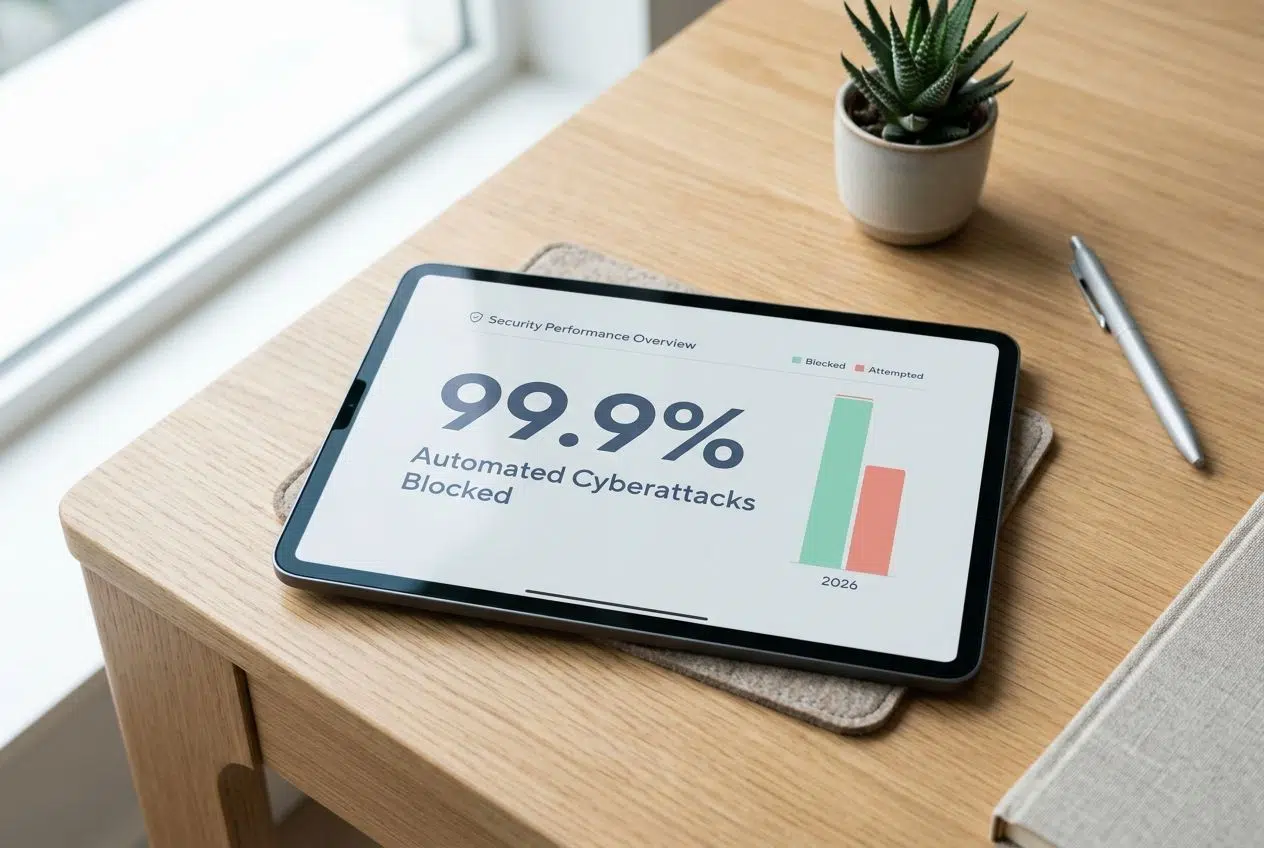
I read a recent 2026 security report that showed multi-factor authentication blocks nearly 99.9% of automated cyberattacks.
- Text messages deliver one-time codes that expire fast. This makes stolen credentials useless on their own.
- Authenticator apps like Google Authenticator or Authy generate time-based codes. Users enter these after their password for a second security checkpoint.
- Biometric verification uses fingerprints or facial recognition to confirm the person logging in is the actual owner.
- Physical security keys, like a YubiKey, offer the absolute strongest form of identity verification available today.
- Push notifications send alerts to registered devices. Users can simply tap to approve or deny login attempts in real time.
- Provide backup codes so users have a safety net if they lose their phone or primary device.
Authentication Best Practices
Smart practices form the backbone of your web app’s defense against attackers. You want to build multiple layers of protection to keep user data completely safe.
Enforcing Secure Password Policies
Your web security depends heavily on password strength. Weak passwords are like leaving your front door wide open.
The National Institute of Standards and Technology updated its specific password guidelines in late 2024. They completely changed how we handle password security. You should drop the old rules that force users to include special symbols or numbers. Instead, length is the new standard.
- Require a minimum password length of 15 characters for maximum security. Long passphrases take centuries to crack.
- Stop forcing users to change their passwords every 90 days. Frequent resets actually cause users to create weaker, predictable passwords.
- Block commonly used passwords. You can check new passwords against known breaches using the HaveIBeenPwned API during the user registration process.
- Lock accounts temporarily after five failed login attempts within 15 minutes.
- Combine these modern password policies with multifactor authentication for exponential protection.
Strengthening Session Management
Session management controls how long users stay logged in and what they can access. You must set expiration times so inactive users get logged out automatically.
This protects your web app from attackers who try to hijack abandoned sessions. Shorter timeouts work much better for sensitive areas like banking or payment pages. Always store session data securely on your server or in a fast, in-memory database like Redis.
Assign each session a random ID that changes regularly. Attackers cannot guess or reuse old session tokens if you rotate them frequently. Track session activity and log out users if something looks highly suspicious, like a login from a new country just five minutes after a local login.
Monitoring and Managing Security Incidents
Security incidents happen fast, and your response speed changes everything. You need solid systems to catch problems before they spiral out of control.
- Set up real-time alerts using monitoring tools like Datadog or Splunk. These notify your team the moment suspicious activity occurs.
- Track all login attempts across your platform. Include failed tries and successful access from unusual devices.
- Create a detailed incident response plan. Outline exactly who does what when a breach happens, so confusion does not slow you down.
- Establish a dedicated security team to monitor access control systems around the clock.
- Communicate with affected users quickly after any breach. Explain what happened and tell them exactly how to protect themselves.
Testing and Monitoring Authentication
You need to test your authentication methods regularly. This helps you catch vulnerabilities before real attackers exploit them.
Perform Regular Penetration Testing
Penetration testing acts like a live fire drill for your web app. It is a proactive approach to security protocols that keeps you one step ahead.
- Hire external security experts to attack your app intentionally. They will simulate real hacking attempts on your login systems.
- Schedule tests at least twice per year. Quarterly testing is even better for apps handling sensitive data.
- Use automated tools like OWASP ZAP or Burp Suite to scan your endpoints for common vulnerabilities.
- Simulate attacks on your JWT tokens to find weaknesses in how your app validates credentials.
- Document every vulnerability the testers discover. Rank them by severity so your developers fix the worst gaps first.
Monitor Login Attempts and Anomalies
Tracking login attempts helps you spot weird behavior before it turns into a disaster. Your app needs a system that watches for strange patterns automatically.
- Use a logging service like AWS CloudTrail to record every single login event.
- Flag geographic impossibilities immediately. If a user logs in from New York and then Tokyo ten minutes later, lock the account.
- Monitor for credential stuffing attacks. Attackers often buy stolen passwords from other sites and try them against your login page.
- Keep detailed audit logs that show exactly who accessed what information. This makes investigations much easier.
- Review your login data regularly to identify specific attack trends.
Wrapping Up
Authentication stands as the strict foundation of web security. Your web app needs strong identity verification to protect user data and maintain complete trust.
We covered cookies, JWT tokens, and OAuth throughout this guide. These methods work together to create secure login systems. Modern password policies keep accounts safe from brute force attacks, and multi-factor authentication adds a massive layer of protection that hackers simply cannot bypass easily.
Your security protocols need constant attention. Test your systems regularly through penetration testing to find weak spots. Monitor login attempts and watch closely for strange patterns in user access.
Session management keeps active sessions secure. Access control limits what each person can do within your app. A smooth user registration process verifies real users properly right from the start.
Start applying these steps today to securely implement authentication in your web app. Your users will feel totally confident using your platform, and you will sleep much better at night knowing their data is locked down tight.
Frequently Asked Questions (FAQs) on Web App Authentication
1. How do I start adding authentication to my web app?
Pick an authentication method like passwords, social logins (Google, Facebook), or magic email links, then add a login form and connect it to your user database. If you want to save development time, services like Auth0 or Firebase Authentication can handle the setup for you.
2. What is the safest way to store user passwords?
Always hash passwords using bcrypt or Argon2, never store them as plain text. The 2023 OWASP guidelines recommend using bcrypt with a cost factor of 10 or higher to protect against brute-force attacks.
Yes, you can use OAuth to let users sign in with accounts like Google or Apple ID, which saves them from creating another password. A 2024 study by LoginRadius found that 73% of users prefer social login for faster, easier access.
4. How do I protect routes so only logged-in users can access certain pages?
Set up route guards or middleware in your code that check if a user is logged in before displaying private content. If they’re not authenticated, redirect them straight to the login page to keep restricted areas secure.