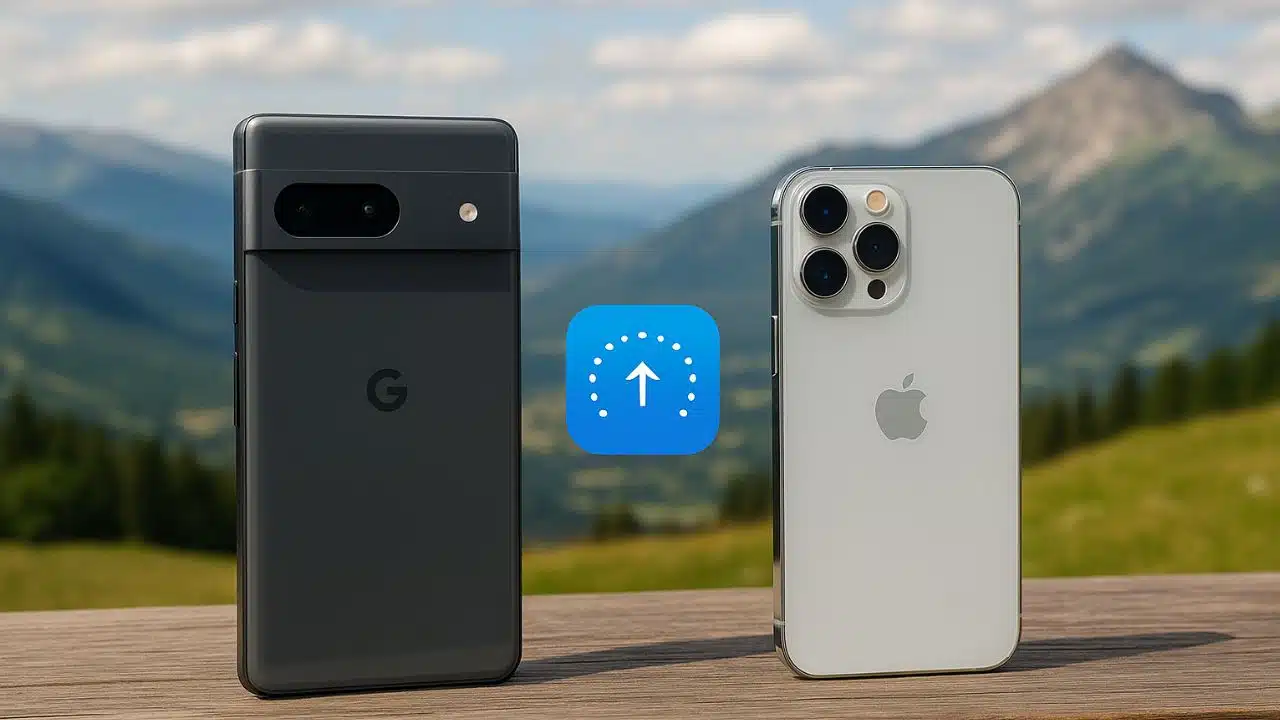
Google has taken a bold and surprising step by introducing a new capability for its latest Pixel 10 smartphones: the ability to send photos, videos, and other files directly to iPhones using Apple’s AirDrop technology. This marks the first time an Android device has been able to connect seamlessly with Apple’s tightly controlled sharing ecosystem—and Google built it entirely on its own, without Apple’s involvement.
This development represents a major shift in how cross-platform file sharing could work in the future, challenging the historical divide between iOS and Android. AirDrop has long been one of Apple’s most popular features, offering quick, wireless, peer-to-peer file transfers between iPhones, iPads, and Macs. While Android devices have Quick Share, it has previously only worked within the Android ecosystem. Google’s new approach bridges that gap and even does so without routing any data through external servers.
Google explained that its goal is simple: sharing should “just work,” regardless of what device someone owns. The company says users should not have to worry about platform differences when they want to send a moment, file, or photo with friends or family. According to Google’s statement, this new capability is built using its own independent implementation that mimics the AirDrop protocol closely enough to communicate directly with Apple devices.
Google also emphasized security. Before development was completed, the system underwent a comprehensive review by a third-party security firm, as well as Google’s internal privacy and security teams. The company’s platforms security and privacy vice president, Dave Kleidermacher, reassured users that the file transfers are direct, encrypted, and fully peer-to-peer. No servers are used as intermediaries, meaning shared content is not stored, logged, or analyzed. Only the sender and the receiver can access transmitted data—mirroring how AirDrop itself works.
Apple did not collaborate on the feature nor contribute any technology. In fact, Apple was not part of the development process at all. At the time of the announcement, the company had not issued any official comment. Despite Apple’s absence, Google confirmed that the feature is fully functional in everyday usage scenarios. Early tests show that a Pixel 10 Pro can send images and files to an iPhone 17 Pro Max without any noticeable lag or technical issues. The same Pixel device can also send files to a nearby Mac, extending compatibility across the entire Apple ecosystem.
However, Apple users need to make one manual adjustment before receiving files. To accept transfers from a Pixel 10, an iPhone must temporarily switch its AirDrop visibility setting to “Everyone for 10 minutes.” This mode opens a time-limited window where iPhones can be discovered by nearby devices outside of a user’s contact list. Apple automatically resets the setting to “Contacts Only” once the 10-minute period expires as a built-in privacy measure. This means users will need to re-enable it each time they plan to send or receive files from a Pixel device.
For now, the feature is exclusive to Google’s newly released Pixel 10 lineup. That includes the standard Pixel 10, Pixel 10 Pro, and Pixel 10 Pro Fold. Google says the rollout is happening gradually, so not all users may have access to the feature immediately. Broader Android compatibility has not yet been announced, but Google is expected to expand support over time.
The implications of this update go beyond simple convenience. It subtly pushes back against the long-standing fragmentation between Android and iOS. For years, consumers have experienced limitations due to closed ecosystem decisions—especially regarding messaging and file sharing. Google’s move suggests growing momentum toward interoperability, a shift that has been increasingly encouraged by global regulatory pressures. Even though Google did not cite regulations directly, the timing aligns with a broader trend toward cross-platform openness, including industry adoption of Wi-Fi-based peer-to-peer standards that AirDrop relies on.
Still, some practical limitations exist. The feature does not work when an iPhone is set to “Contacts Only” mode, because Apple restricts deeper access to the AirDrop protocol. Full integration would require Apple’s cooperation, which remains uncertain. And since the rollout is limited to Pixel 10 devices, most Android users will not benefit from this capability yet.
Despite those constraints, the breakthrough is significant. Real-world tests show smooth, fast transfers that behave nearly identically to standard AirDrop communication between Apple devices. For everyday users—especially families and friends who use different phones—this is a meaningful improvement that reduces friction and eliminates unnecessary barriers.
Overall, Google’s independent engineering effort demonstrates both technical achievement and a push toward a more unified digital experience. If expanded beyond the Pixel 10 series and potentially embraced by Apple in the future, this could mark the beginning of true cross-platform wireless sharing—an advancement that users have wanted for more than a decade.