Taylor Swift is one of the most influential cultural icons of our time. Her music blends storytelling, emotion, and aesthetics in a way that creates entire worlds—worlds her fans, affectionately called Swifties, have long wished to step into. With the launch of Google Gemini’s AI Editor, that wish is no longer limited to imagination. Fans can now transform their everyday photos into visuals inspired by Taylor’s songs and eras, recreating the magic of her albums in seconds.
This guide brings you 10 free, ready-to-use AI prompts—plus a bonus—that are directly inspired by Taylor Swift’s most beloved tracks. From the enchanting glow of Fearless to the dark cinematic textures of Bad Blood and the dreamy loneliness of Midnights, these prompts give you a chance to reimagine yourself in Taylor’s world.
Why Taylor Swift + Gemini AI Is a Perfect Match
Taylor’s Visual World
Taylor Swift has built more than albums—she’s created aesthetic universes. Each era comes with its own colors, moods, and imagery:
- Fearless glows with golden fairytale romance.
- Red is autumnal heartbreak wrapped in nostalgia.
- 1989 pulses with neon retro-pop energy.
- Folklore drifts into enchanted forests and soft indie vibes.
- Midnights explores quiet solitude under cool blue tones.
- The Tortured Poets Department experiments with gothic drama and raw emotion.
Gemini AI is uniquely suited to capturing these worlds because its prompt-based editing system lets users translate moods into images. A few descriptive words can summon sunsets, neon skylines, or foggy bridges that feel like they were pulled from Taylor’s music videos or album covers.
Accessible Creativity for Everyone
Unlike professional editing software that requires advanced skills, Gemini AI gives fans and casual creators the ability to produce cinematic-quality edits instantly. The tool is free to try, and the only limit is how creative you want to get with your prompts.
A Playground for Swifties
Swifties are known for their creativity and attention to detail—whether in fan art, online edits, or social media posts. These prompts provide a foundation, but you can customize them endlessly: combine outfits from one era with backdrops from another, shift lighting to match your mood, or even turn a casual selfie into a magazine-worthy cover shot.
The 10 Taylor Swift Song-Inspired Gemini AI Prompts
Each of these is crafted to reflect the emotional tone, fashion, and atmosphere of its corresponding Taylor Swift song or era.
1. 1989 – Retro Pop Icon
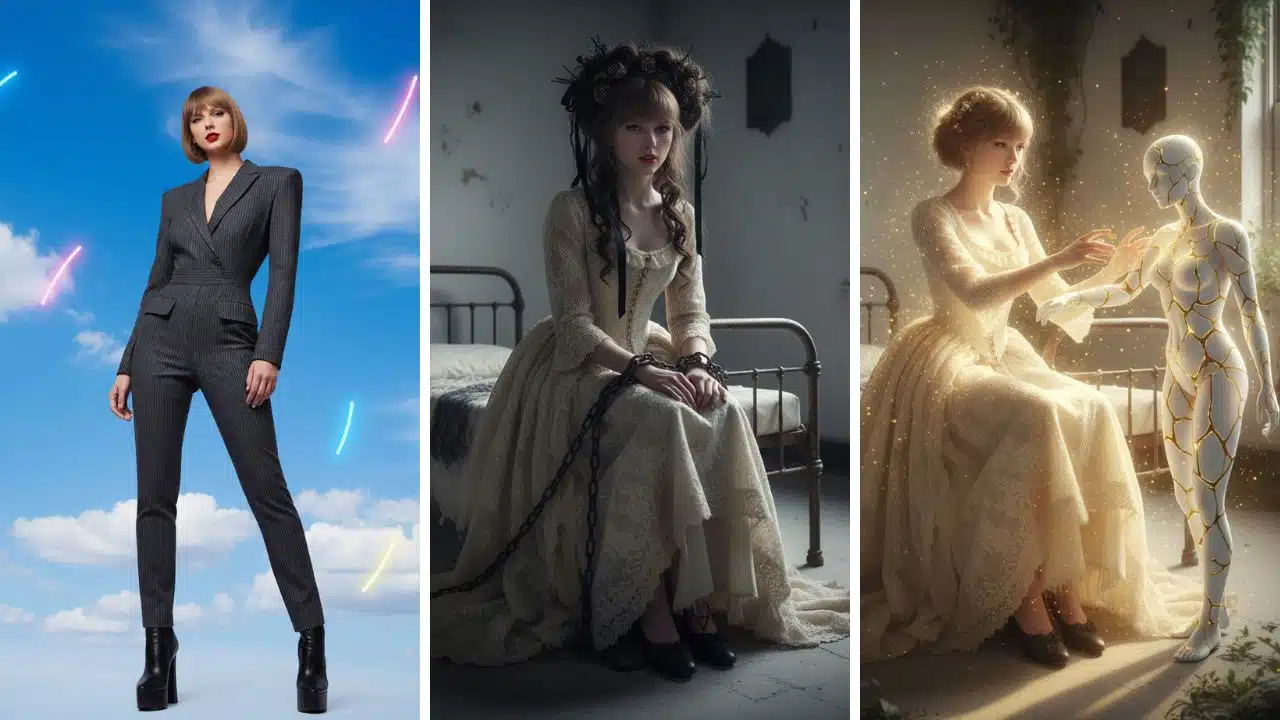
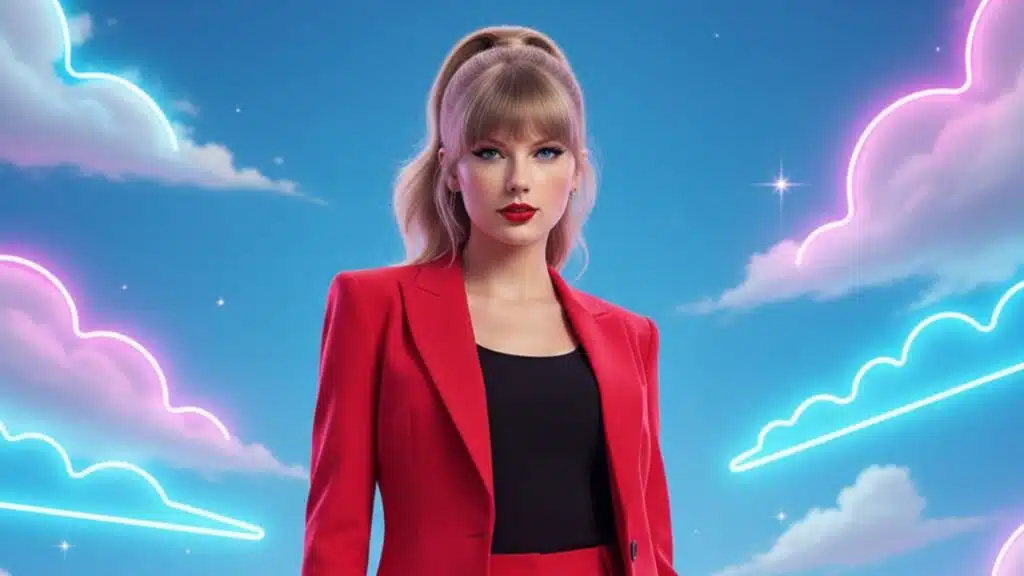
Chic girl with bold red lips in a sleek, tailored outfit, standing against a bright blue sky with soft neon-lit clouds, cinematic clean lines and high-fashion vibe, playful retro-pop energy, sharp contrasts highlighting her face and silhouette.”
- Why it works: 1989 is all about sleek pop reinvention. This look mirrors Taylor’s bold new image in that era—minimalist yet colorful, stylish yet carefree.
- Best use: City street portraits or studio selfies you want to give a polished, editorial edge.
2. Fearless – Love Story Fairytale
A dreamy, romantic portrait of a beautiful young woman in a glowing golden ball gown. She stands gracefully with a serene expression, her long flowing hair softly curled. The atmosphere is magical, with warm sunset light, soft candlelight in the background, and whimsical golden sparkles floating around her.”
- Why it works: Fearless embodied youthful romance and fairytale magic. This prompt captures that golden, timeless glow.
- Best use: Outdoor evening photos or formal shots where you want to create a princess-like transformation.
3. Red – All Too Well Nostalgia
“A cinematic portrait of a young woman in an oversized knit sweater. She is softly lit in warm, golden-red autumn tones. Her expression is gentle and emotional, evoking nostalgia and melancholy. The style is semi-realistic with a vintage filter, emphasizing her natural beauty and dreamy atmosphere.”
- Why it works: Red is remembered for heartbreak, nostalgia, and the warmth of autumn imagery.
- Best use: Casual portraits, cozy indoor photos, or autumn-themed outdoor shots.
4. Folklore – Cardigan Enchanted
“Reimagine this photo as an ethereal, enchanted forest scene. The subject is wearing a flowing vintage dress, with a misty, dreamy atmosphere. The color palette is muted and cinematic, with a soft, ethereal glow filtering through the trees.”
Why it works: Folklore is Taylor’s most mystical and introspective era, inspired by nature, storytelling, and cottagecore aesthetics.
Best use: Outdoor shots in greenery, forest backdrops, or any photo you want to make dreamy and otherworldly.
5. 1989 – Bad Blood Vengeance
“Transform this photo into a dark, action-movie poster. The subject is in a black leather jacket, standing in a futuristic cityscape at night. The lighting is moody and dramatic, with neon purple and blue tones, and a slightly grainy, high-contrast effect.”
- Why it works: This mirrors the edgy, cinematic intensity of the Bad Blood music video, where Taylor became a fierce action heroine.
- Best use: Night shots, urban backdrops, or cosplay-style portraits.
6. Lover – Romantic Dreamscape
Girl bathed in soft glowing light against a pastel pink and blue sky, heart-shaped details subtly in the background, whimsical romantic energy with dreamy atmosphere, serene focus on her gentle expression and flowing silhouette.”
- Why it works: Lover is soft, pastel, romantic—this visual recreates its dreamy optimism.
- Best use: Couple photos, sky shots, or lighthearted selfies.
7. The Tortured Poets Department – Fortnight Gothic
Girl in a distressed vintage gown with dramatic Victorian hairstyle, sitting chained to a bed in a stark white asylum room, eerie gothic atmosphere with cold dramatic lighting, haunting mood capturing fear and fragility, clear focus on her emotional face.”
- Why it works: This reflects the dark, theatrical imagery of Taylor’s latest era. It’s haunting but deeply emotional.
- Best use: Black-and-white portraits, moody fashion shots, or themed projects.
8. The Tortured Poets Department – So Long, London
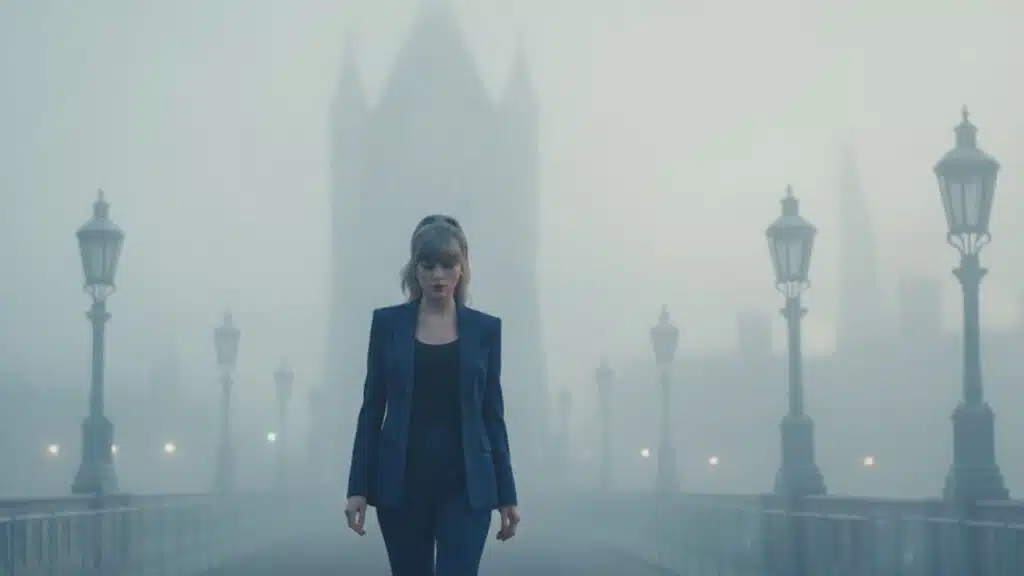
“Turn this photo into a melancholic London-inspired scene. The subject is walking slowly across a fog-covered London Bridge at dawn, with faint city lights blurred in the background. The mood is heavy and reflective, with cool gray-blue tones, soft fog surrounding, and the subject’s silhouette and facial expression shown clearly, capturing longing and sadness.”
- Why it works: Taylor’s London references are iconic. This prompt reflects heartbreak wrapped in city melancholy.
- Best use: Walking shots, rainy-day portraits, or travel photos.
9. Midnights – You’re on Your Own, Kid
“Reimagine this photo with a contemplative, midnight aesthetic. The subject is standing alone in a deserted street at night. The lighting is low and moody, with cool blue tones, and a subtle film grain effect, creating a feeling of introspection and quiet solitude.”
- Why it works: Midnights dives into themes of solitude, self-reflection, and late-night emotions.
- Best use: Night portraits, moody street photography.
10. 1989 – Wildest Dreams Cinematic
Give this photo a vintage Hollywood, sepia-toned cinematic look. The subject is in a flowing dress, with wind-swept hair, standing in a vast, open landscape. The mood is dreamy and glamorous, with a soft, slightly blurred focus.”
- Why it works: This captures the dreamy glamour of Wildest Dreams—a mix of old Hollywood elegance and romantic longing.
- Best use: Outdoor landscapes, travel photos, or flowing outfit shots.
Bonus Prompt: The Tortured Poets Department – I Can Fix Him
Reimagine this photo as an ethereal fantasy artwork. The subject, a girl in soft glowing light, has her arms outstretched as she tries to mend a fragmented, glowing figure made of cracked porcelain and gold (kintsugi effect). The atmosphere is magical, dreamlike, and hopeful, with golden sparkles illuminating her clear face, emphasizing determination and fragile beauty.”
- Why it works: This prompt combines fragility with hope, reflecting Taylor’s lyrical storytelling about flawed love and resilience.
- Best use: Artistic self-portraits, conceptual edits, or fantasy-style photos.
How to Use Gemini AI Prompts
- Upload your photo into Gemini AI Editor.
- Paste a prompt from this list and adjust details to fit your look or mood.
- Experiment with modifiers like “cinematic portrait,” “oil painting effect,” or “soft studio lighting.”
- Mix eras—for example, try Folklore’s enchanted forest with Lover’s pastel palette.
- Save favorites for consistent themes across multiple photos.
Creative Tips for Swifties
- Hybrid Styles: Mix moods—combine 1989 neon city with Fearless golden gown.
- Keyword Play: Words like “dreamy atmosphere,” “golden hour,” or “gothic noir” can completely change the vibe.
- Social Media Ready: Create a themed photo series—post each edit as a “tracklist” of your personal Taylor-inspired era.
The Bigger Picture: Fan Creativity in the AI Era
Taylor Swift has always celebrated fan engagement. With AI tools like Gemini, fans can actively participate in her storytelling by visually recreating the emotional journeys of her songs. This is part of a larger cultural shift—where AI is not just about efficiency but about expanding human imagination.
It’s important to use these tools responsibly—AI isn’t a replacement for artists or professional photographers, but rather a way to democratize creativity and give fans new ways to express themselves.
Final Takeaway
With these 10 Gemini AI prompts, Swifties can reimagine their photos in the spirit of Taylor’s most iconic eras. Whether you want the fairytale glow of Fearless, the nostalgic heartbreak of Red, the dreamy mysticism of Folklore, or the dark gothic tone of The Tortured Poets Department, you now have the tools to bring those visions to life.
Every photo becomes more than an image—it becomes a piece of Taylor-inspired art, a personal track in your own visual album.