
Hey there, are you a web developer struggling to keep up with endless tasks and tricky bugs? Did you know that Chrome holds a huge 65.55% market share in 2025, making it the go-to browser for most developers? Well, I’ve got just the thing to help you out, a list of 10 must-have browser extensions from the Chrome Web Store to boost your web development game.
Stick around, you’ll love this!
Key Takeaways
- Chrome holds a 65.55% browser market share as of January 2025, per StatCounter, making it a top choice for developers.
- Web Developer Extension, updated on February 11, 2025, is a key toolbox for debugging and testing on Chrome.
- React Developer Tools simplifies debugging React apps, saving time for frontend developers.
- Lighthouse audits web pages for performance and accessibility, checking over 50 best practices from Google and Mozilla.
- Live Server Web Extension, highlighted on February 13, 2025, offers real-time previews for faster coding.
Web Developer Extension: A toolbox for debugging and testing
Dive right into the magic of the Web Developer Extension, a must-have for anyone coding for the web. This handy tool, available on Google Chrome, acts like a Swiss Army knife for web developers.
It packs a punch with features for tweaking CSS, managing cookies, inspecting images, and handling forms with ease. If you’re debugging or testing a webpage, this extension saves the day, every single time.
Picture yourself fixing a tricky layout issue; this toolbox has got your back. With Chrome holding a massive 65.55% browser market share as of January 2025, per StatCounter, most of you are likely using it already.
Updated last on February 11, 2025, the Web Developer Extension stays fresh for all your web development needs. Grab it from the Chrome Web Store, and watch your productivity soar!
React Developer Tools: Simplify React application debugging
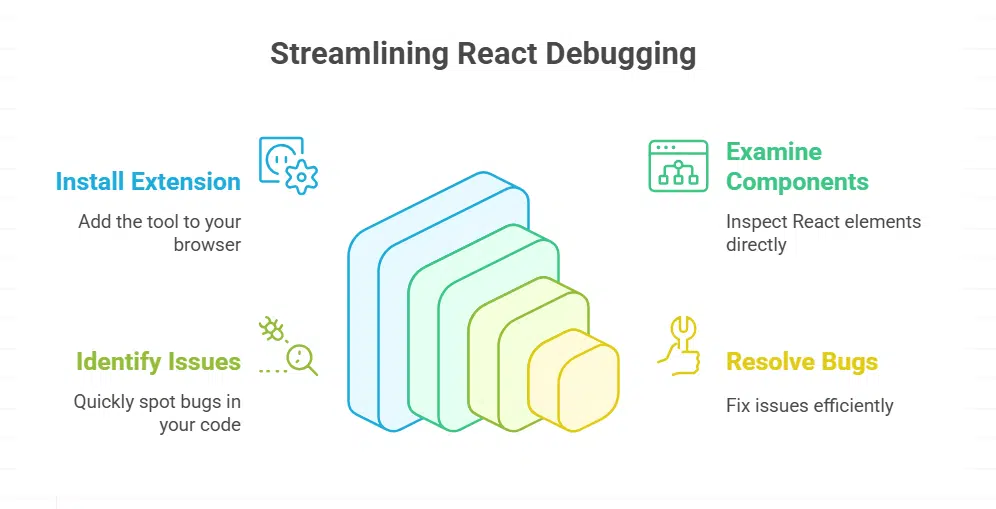
Hey there, fellow coders, let’s talk about a revolutionary tool for anyone working with React. React Developer Tools, an essential Chrome extension, makes debugging React applications incredibly simple.
It allows you to examine React components directly in your browser, saving you tons of time. Consider it a reliable companion, always there to help you identify issues quickly.
Got a tricky bug in your web application? This tool, found on the Chrome Web Store, assists you in exploring the DOM and resolving issues effortlessly. It’s ideal for frontend development, enhancing your efficiency at no cost.
Simply look it up in the Google Chrome browser, install it, and begin debugging like an expert with Chrome Developer Tools or even BrowserStack Live. How awesome is that?
JSON Viewer: Easily view and format JSON files
Check out JSON Viewer, folks, it’s a real game-changer for handling JSON files. This handy Chrome extension structures your JSON data with syntax highlighting and sorting, making it super easy to read.
If you’re into web development or API testing, this tool cuts through the mess like a hot knife through butter.
Ever stared at a jumbled JSON mess and felt lost? JSON Viewer, available on the Chrome Web Store, formats it neat and tidy in a snap. It supports debugging too, so you can spot issues fast.
With Chrome holding a 65.55% browser market share as of January 2025, per StatCounter, tools like this are a must for many developers out there.
Wappalyzer: Identify technologies used on websites
Hey there, let’s chat about a handy tool for web development called Wappalyzer. This awesome browser add-on helps you peek behind the curtain of any website. It shows you the tech stack they’re using, like the CMS, frameworks, and even databases.
Pretty neat, right?
Got a site you admire? Pop open Wappalyzer, and it spills the beans on their web technologies. Since Chrome holds a huge 65.55% market share as of January 2025, per StatCounter, you’ll likely use this in the Chrome Web Store.
It’s a real time-saver for frontend development, letting you spot tools and tricks without digging through code.
ColorZilla: Extract and manage color codes
Folks, let’s chat about a handy tool for web developers and designers alike, ColorZilla. This awesome Chrome extension acts like a trusty sidekick for handling colors on any website.
It comes packed with a color picker, a gradient analyzer, and even an eyedropper tool to grab exact shades with just a click. Need a specific hue for your project? ColorZilla snags those color codes, often in hex format, faster than you can say “design magic.”.
Now, imagine tweaking a site’s look without guesswork. With ColorZilla, you pull colors straight from any page, making frontend development a breeze. It’s perfect for matching tones or building palettes for responsive design.
Plus, it’s right there in your Google Chrome browser, easy to access via the Chrome Web Store. For anyone crafting web applications or polishing user experience, this tool saves time and keeps your colors spot-on.
Lighthouse: Analyze website performance and accessibility
Hey there, let’s chat about a handy tool called Lighthouse that can boost your web development game. This awesome gem, found in Google Chrome extensions, audits web pages for performance, SEO, and accessibility.
It’s like having a trusty sidekick pointing out where your site shines or stumbles, so you can fix issues fast.
Dig into what Lighthouse offers, and you’ll see it checks vital stuff like speed and user experience. It flags problems with color contrast or slow load times, making sure your site works for everyone, including those using a screen reader.
With clear reports on over 50 best practices from Google, Mozilla, and W3C, it’s a must-have for any developer crafting responsive designs in 2025.
Dimensions: Measure elements for precise design adjustments
Let’s chat about Dimensions, a handy tool for web developers who crave precision. This browser extension lets you measure webpage elements in pixels, making design tweaks a breeze.
Whether you’re adjusting layouts or checking spacing, Dimensions gives you exact numbers to work with, just like Page Ruler.
Ever struggled to align a button perfectly? With Dimensions, you can nail those tiny details fast. It’s a must-have in your web development toolkit, especially for frontend tasks on browsers like Google Chrome, which holds a huge 65.55% market share as of January 2025, according to StatCounter.
Grab it from the Chrome Web Store and see the difference!
Hey there, folks, ever struggled with tweaking browser cookies for your web projects? EditThisCookie is your go-to chrome extension for handling this tricky task with ease. It lets you manage cookies globally or just for specific domains, keeping things neat and tidy.
Plus, you can import JSON files to tweak settings fast, saving you a heap of time on web development tasks.
Now, imagine wrestling with cookie issues without a handy tool, a real headache, right? With EditThisCookie, you get easy access to modify data as needed for testing or debugging. Since Chrome holds a massive 65.55% browser market share as of January 2025, per StatCounter, this add-on fits right into most developers’ toolkit.
Just install it from the Chrome Web Store, confirm the permissions, and customize it for your specific needs. How cool is that for boosting your productivity?
Live Server Web Extension: Instantly preview changes in real-time

Live Server Web Extension is a game-changer for web development. It lets you see changes to your code right away, no refresh needed. Imagine coding a webpage and watching it update live, like magic.
This tool saves time and keeps your workflow smooth. For developers using Google Chrome, which holds a 65.55% market share as of January 2025 per StatCounter, this extension is a must-have from the Chrome Web Store.
Got a project deadline? Live Server helps you test and tweak on the fly. Pair it with other productivity tools, and you’re set to build dynamic web applications fast. Published on February 13, 2025, this list highlights why real-time previews matter.
Stick with this add-on, and watch your frontend development soar to new heights.
CSS Viewer: Inspect and analyze CSS properties
CSS Viewer is a handy tool for web developers like you, folks. It lets you inspect CSS properties just by hovering over elements on a webpage, making your design work a breeze.
Ever struggled to figure out the styling behind a cool button or font? With CSS Viewer, a quick hover reveals all the hidden details, saving you tons of time. This Chrome extension, riding high with Chrome’s 65.55% market share as of January 2025 per StatCounter, fits right into your web development toolkit for frontend tasks.
Takeaways
Hey there, web developers, let’s wrap this up with a bang! You’ve got the scoop on 10 awesome browser extensions to supercharge your work in 2025. Why not dive right in, and test tools like React Developer Tools or Lighthouse on your next project? Trust me, tweaking your setup with goodies from the Chrome Web Store will save you heaps of time.
Drop a comment below if you’ve got a favorite add-on to share!
FAQs on Must-Have Browser Extensions for Web Developers
1. What are some must-have chrome extensions for web development in 2025?
Hey, if you’re diving into web development, grab some handy tools from the Chrome Web Store. Extensions like React Developer Tools and ColorPick Eyedropper can save your bacon when tweaking frontend frameworks or picking hues for CSS inspection. They’re user-friendly and mesh well with Google Chrome, making your coding life a breeze.
2. How can browser addons help with debugging tools?
Listen up, debugging doesn’t have to be a thorn in your side. Addons like Web Developer Extension offer neat tricks to disable JavaScript or spot broken links in a snap, especially when paired with Edge or other web browsers.
3. Why should software developers care about JSON Viewer or JSON Formatter?
Yo, if you’re wrestling with JavaScript Object Notation, a JSON Viewer or Formatter is your best pal. These tools tidy up messy data, letting software developers and QA testers read and tweak API testing results without breaking a sweat on any Chrome web browser.
4. Can extensions assist with cross-browser testing, like Internet Explorer testing?
Absolutely, cross-browser testing, even for old relics like IE6, IE7, IE9, or IE11, gets less painful with the right kit. Internet Explorer testing extensions help mimic those outdated environments, so you don’t pull your hair out ensuring user experience (UX) holds up across the internet.
5. What’s the deal with productivity tools like Session Buddy or Lorem Ipsum Generator?
Picture this, you’re juggling tabs like a circus act, and Session Buddy swoops in to save your web browsing chaos. Or, when you need dummy text for layouts in frontend development, a Lorem Ipsum Generator spits it out faster than you can say ‘placeholder.’ These productivity tools, often found as Chrome-extension goodies, keep your workflow smoother than a buttered slide.