The print-on-demand (POD) industry is expanding rapidly, offering countless opportunities for creative entrepreneurs.
Whether you’re a beginner looking to create your first design or a professional aiming to scale your POD business, using the right tools can make all the difference.
In this article, we dive deep into the top 10 must-have tools for creating custom POD designs in 2025, providing detailed insights into their features, advantages, and practical applications.
1. Adobe Illustrator
Adobe Illustrator has long been the industry standard for creating professional-grade vector artwork, and its relevance continues to grow in 2025. Ideal for everything from logos to illustrations, Illustrator allows designers to create scalable designs that retain their quality, regardless of the size or medium they’re used on.
Key Features:
- Vector-Based Design: Illustrator’s vector tools allow for precision and scalability, ensuring your designs can be resized for any product without losing resolution.
- Advanced Typography Tools: With built-in font management, path adjustments, and creative text manipulation, Illustrator is perfect for creating custom lettering and typography-based designs for t-shirts, hoodies, and more.
- Seamless Integration with Adobe Creative Cloud: Adobe Illustrator integrates smoothly with other Adobe tools like Photoshop and InDesign, allowing you to work across platforms efficiently.
- Artboards and Multiple Canvas Support: You can work on multiple designs within one project, switching between canvases to refine different POD designs simultaneously.
Expert Tips:
- Use Global Colors: If you’re creating multiple designs, using global colors in Illustrator helps maintain consistency across your entire POD product line.
- Smart Guides: Take advantage of Illustrator’s smart guides to align and distribute elements perfectly. This is especially helpful for creating symmetrical designs, a common requirement for apparel.
Best For:
- Professional designers creating custom logos, typography, and scalable graphics
- Complex vector art for a variety of POD products
- Print-ready artwork that requires high-quality precision
2. Canva
Canva remains a fan favorite due to its ease of use, large template library, and vast selection of fonts, graphics, and photos. In 2025, Canva’s continuous improvements and user-friendly features still make it one of the go-to tools for POD designers who need quick and attractive designs.
Key Features:
- Pre-made Templates: Canva offers thousands of customizable templates for t-shirts, mugs, posters, and more. Templates help speed up the design process, especially for beginners.
- Drag-and-Drop Functionality: The simple interface allows users to drag and drop elements, making it easy to create stunning designs without advanced design skills.
- Brand Kit: Canva Pro users can create a brand kit, which helps ensure that your designs are consistently aligned with your brand’s colors, fonts, and logos.
- Collaborative Tools: Canva allows team collaboration, making it an ideal platform for POD businesses that involve multiple designers or project managers.
Expert Tips:
- Group Elements: If you’re using multiple design elements, group them together to maintain your design’s structure and alignment across products.
- Use Canva’s Resize Feature: The resize feature allows you to easily adjust your design for different POD products with just one click.
Best For:
- Beginners or small business owners looking for quick, professional designs
- Entrepreneurs who need to create various designs in a short amount of time
- Those who need a simple, intuitive design platform
3. Procreate
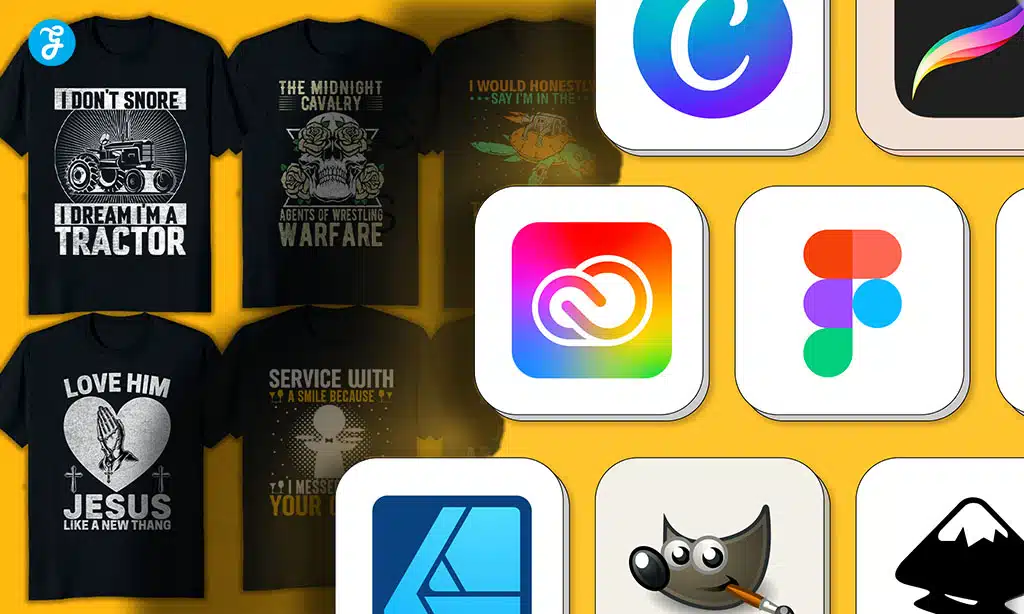
Procreate is a top choice for digital artists, particularly those who enjoy hand-drawn illustrations. It’s a versatile design tool that allows users to create unique artwork for POD products with a tactile, creative feel.
Key Features:
- Intuitive Touch Interface: Designed for iPad, Procreate offers a natural drawing experience with an Apple Pencil, providing an unmatched creative process.
- Custom Brushes: Procreate offers hundreds of brushes and allows users to create custom brushes, giving designers infinite possibilities for texture, patterns, and styles.
- Layering System: Procreate supports an advanced layering system, which allows for complex designs with multiple elements, providing maximum flexibility and control over your artwork.
- Animation Capabilities: Procreate supports animation, so if you’re looking to make animated product designs for POD merch (like video marketing), this is a great feature to explore.
Expert Tips:
- Use the QuickShape Tool: This tool helps you create perfect shapes, like circles and squares, by simply holding down the stylus after drawing the shape. It’s perfect for geometric patterns and illustrations.
- Explore Blend Modes: Procreate’s layer blend modes can help create shadows, textures, and lighting effects that make your designs stand out.
Best For:
- Artists who want to create detailed, hand-drawn illustrations and digital art
- POD designers working on custom artwork for apparel, accessories, and home goods
- Creatives looking for a mobile design solution with intuitive, professional features
4. Placeit
Placeit is an online platform that focuses on creating mockups and promotional material for POD designs. The platform is particularly known for offering high-quality, ready-to-use product mockups, saving designers time and effort.
Key Features:
- Extensive Mockup Library: Placeit offers a vast library of product mockups across categories like apparel, tech gadgets, home decor, and more.
- No Software Required: Everything can be done directly on the website, eliminating the need to download or install software.
- Customizable Templates: Users can easily upload their designs and apply them to a wide range of pre-made mockups, adjusting them to fit the product style.
- Video Mockups: You can even create video mockups to showcase how your designs will look on products in motion, a great option for social media marketing.
Expert Tips:
- Match Mockup Style with Your Branding: Choose mockups that reflect your brand’s aesthetic, whether that’s minimalist, boho, or urban. Consistency in mockup style helps build your brand image.
- Add Context: Use lifestyle mockups that show your designs in real-world settings, which can be more persuasive to potential customers.
Best For:
- Creating professional product mockups for marketing
- Entrepreneurs with limited design experience who need high-quality visuals quickly
- Showcasing how designs will look on real-world products
5. GIMP
GIMP is a robust, free, open-source alternative to Photoshop, offering many of the same advanced features. It’s ideal for designers who want to manipulate images, retouch photos, or create composite artwork without the cost of premium software.
Key Features:
- Advanced Image Editing: With tools for photo manipulation, retouching, and color correction, GIMP allows you to create sophisticated product designs.
- Customizable Interface: Users can adjust GIMP’s interface to suit their workflow, making it a flexible choice for designers of all experience levels.
- Plug-ins and Extensions: GIMP supports various plug-ins and extensions, which can extend its functionality for specific design needs.
- Cross-Platform Support: GIMP is available for Windows, macOS, and Linux, making it a versatile choice for designers using multiple platforms.
Expert Tips:
- Use Layer Masks: Layer masks in GIMP allow you to blend images and create professional-grade compositions for POD designs.
- Optimize for Print: Adjust your image resolution and color modes in GIMP to ensure your designs print clearly and vibrantly.
Best For:
- Budget-conscious designers who need powerful image manipulation tools
- Artists looking for an alternative to Adobe software
- Complex, layered photo-based designs for POD products
6. Mockup World
Mockup World is a fantastic resource for free high-quality mockups, especially for POD designers who need to visualize their designs on products. It offers everything from simple t-shirt mockups to intricate book cover designs.
Key Features:
- Wide Range of Free Mockups: Mockup World hosts thousands of free downloadable mockups, including popular POD items like t-shirts, phone cases, and coffee mugs.
- High-Resolution Files: All mockups are high-quality and professionally designed, which helps showcase your designs in the best possible light.
- Simple Download and Use: Mockups are ready to download and use, making it an efficient solution for designers who need quick, professional visuals.
Expert Tips:
- Focus on Lifestyle Mockups: When choosing mockups, opt for lifestyle images that show your product in real-world contexts. It adds an emotional appeal, helping potential customers visualize the product in their daily lives.
Best For:
- POD designers who need free, high-quality mockups
- Users looking for easy-to-use, ready-made visuals
- Those on a budget who want professional mockup resources
7. Adobe Photoshop
Adobe Photoshop is an indispensable tool for many POD designers. Known for its versatility and powerful editing features, it excels in working with raster graphics, photo manipulation, and high-quality image outputs for print.
Key Features:
- Pixel-Perfect Editing: Photoshop is ideal for detailed image editing, allowing you to manipulate pixels for precise control over your designs.
- Text and Layer Effects: Photoshop offers advanced text editing tools, making it easy to create standout typography-based POD designs with drop shadows, gradients, and textures.
- Integration with Illustrator: If you’re using Illustrator for vector designs, Photoshop’s ability to work seamlessly with Illustrator files enhances your workflow.
- Smart Objects: This allows for easy resizing without losing quality, ideal for creating mockups and other editable product visuals.
Expert Tips:
- Use Actions to Automate Tasks: Photoshop’s actions feature allows you to automate repetitive tasks, like resizing images, which can save you a lot of time.
- Work in CMYK: Since POD products are printed, make sure your designs are created in CMYK mode, as this ensures the colors will look accurate in print.
Best For:
- Professional designers who need high-quality image manipulation and photo-based designs
- Complex, layered designs involving raster graphics or photo editing
- Businesses that require a detailed and versatile design tool for a variety of POD products
Takeaways
The tools discussed in this article are the foundation for creating stunning custom designs for your POD business in 2025. Whether you’re a seasoned professional or just starting, each tool offers unique features to help you bring your creative ideas to life.
The right tool for you depends on your design style, skill level, and the type of products you intend to create. By mastering these tools, you can ensure your POD business thrives and stays ahead of the competition.
Start experimenting with these tools today and see how they can transform your creative workflow into a streamlined process that maximizes both quality and efficiency.