

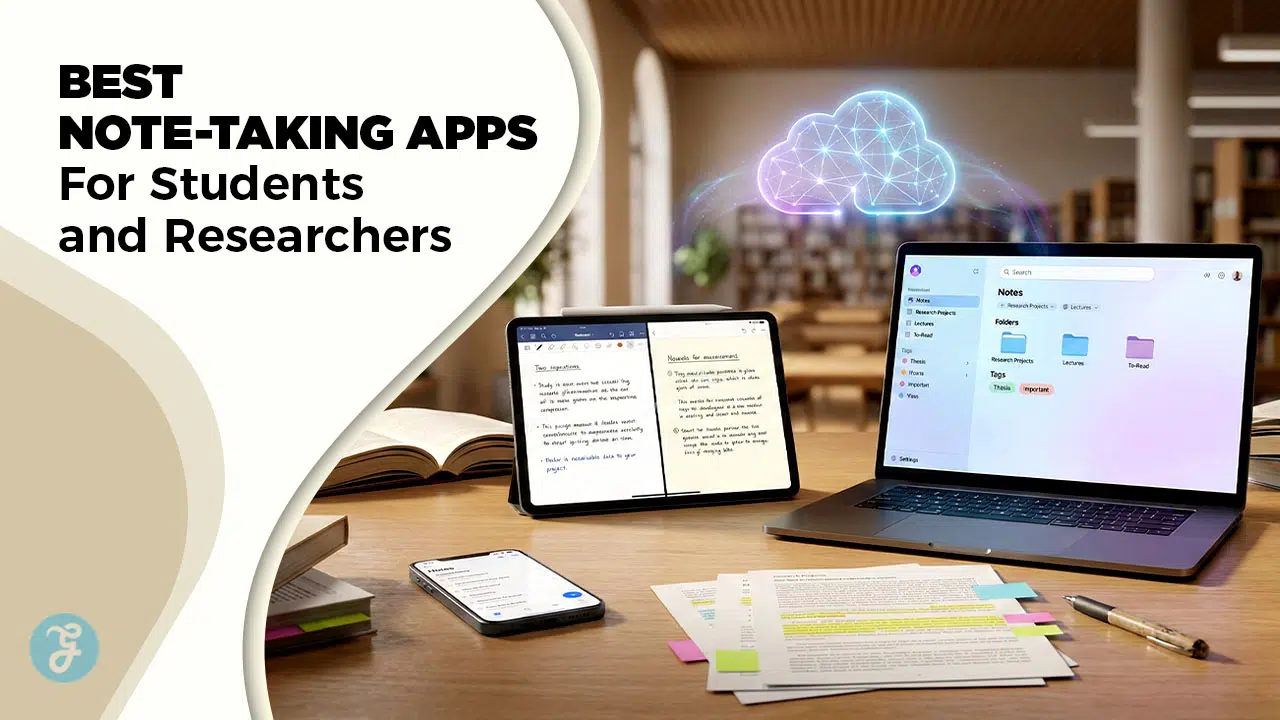
Selecting the best note-taking apps for students and researchers 2026 is the most critical decision an academic can make to streamline their workflow. In 2026, the traditional “digital notebook” has evolved into a “personal knowledge graph” that uses local-first AI to connect disparate ideas and automate citations. Today’s top apps are no longer just places to store text; they are intelligent engines that help you synthesize complex data and prepare for exams with minimal manual effort.
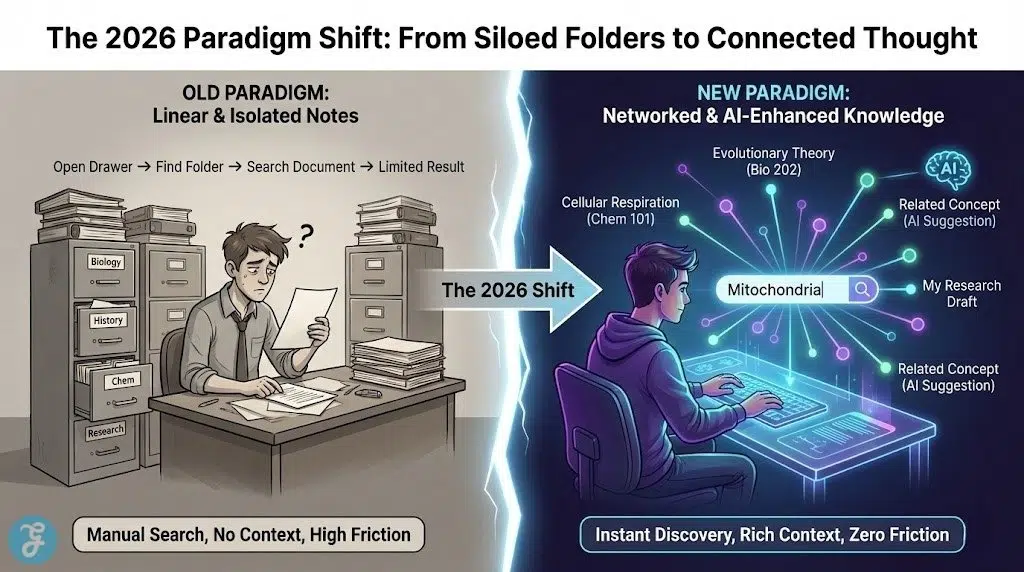
The 2026 academic landscape is defined by “Networked Thought.” Students and researchers now prioritize tools that offer bidirectional linking—allowing them to see how a lecture from three months ago relates to a current research project. The best note-taking apps for students and researchers 2026 focus on speed and privacy and “local-first” AI, ensuring that your intellectual property remains on your device while still benefiting from powerful summarization and search capabilities.
Selection Criteria For Our Top Rankings
We evaluated over twenty-five platforms to identify the most effective solutions for higher education and professional research. Our team focused on tools that reduce the “friction of capture” and maximize the “utility of retrieval.” The following table illustrates the weighting system used to determine the top contenders for 2026.
| Criterion | Weighting |
| Networked Thinking (Linking) | 35% |
| Local-First Privacy & AI | 25% |
| PDF & Citation Management | 20% |
| Cross-Platform Sync Speed | 20% |
Analyzing The 10 Best Note-Taking Apps for Students and Researchers 2026
The following selections represent the most reliable and feature-rich note-taking platforms currently available to the academic community. Each site has been chosen for its unique ability to solve modern research challenges like information overload and fragmented references. These tools provide the digital foundation needed to excel in competitive academic environments.
1. Obsidian
Obsidian is the top choice for researchers who value privacy and long-term data ownership. It is a “local-first” app where all your notes are stored as simple Markdown files on your own computer. In 2026, its “Graph View” has become more interactive, allowing users to visualize the strength of connections between different research papers. It is a vital resource for anyone building a “Second Brain” that they intend to keep for decades.
Special Features:
-
Bidirectional linking that creates a visual web of your knowledge
-
Huge community plugin ecosystem for everything from Kanban boards to LaTeX
-
Totally offline functionality ensuring your research is always accessible
Things To Consider:
-
Steeper learning curve compared to simple apps like Apple Notes
-
Syncing across multiple devices requires a paid “Obsidian Sync” subscription
Best For: Long-term researchers and PhD students building a knowledge base
2. Notion
Notion remains the undisputed king of semester organization. It is more than a note-taker; it is a database-driven workspace where you can manage your syllabus and deadlines and lecture notes in one place. In 2026, “Notion AI” can now scan your entire workspace to answer complex questions like “What are the core arguments from all my psychology readings this month?” It simplifies the bridge between daily tasks and deep academic study.
Special Features:
-
Highly flexible database views (Calendar, Gallery, Kanban, List)
-
Collaborative workspaces perfect for group projects and lab teams
-
Free “Plus” plan for students with a verified .edu email address
Things To Consider:
-
Performance can lag if your workspace becomes extremely large
-
Requires an internet connection for full functionality and AI features
Best For: Undergraduate students managing complex class schedules
3. Microsoft OneNote
OneNote is the best free “all-rounder” for students who use a mix of typing and handwriting. Its “Infinite Canvas” allows you to place text and images and ink anywhere on the page, mimicking a physical whiteboard. In 2026, Microsoft has integrated “Copilot” directly into the ink engine, allowing it to solve handwritten math equations and suggest formulas in real-time. It provides a great user experience for those already in the Microsoft 365 ecosystem.
Special Features:
-
Completely free with 5GB of cloud storage (often expanded by schools)
-
Best-in-class ink-to-math and ink-to-text conversion for STEM students
-
Robust web clipper that preserves the formatting of research articles
Things To Consider:
-
The interface can feel a bit cluttered compared to minimalist apps
-
Search functionality within large PDFs can sometimes be slow
Best For: STEM majors and students who prefer handwriting on tablets
4. Goodnotes 6
Goodnotes 6 is the premier app for students who want a digital version of a physical paper notebook. It specializes in high-fidelity handwriting and provides a “paper-like” experience on iPads and tablets. In 2026, it features “Interactive Exam Practice” where the AI identifies mistakes in your handwritten practice tests. It reveals the intent behind “digital analog” by keeping the feel of a pen while adding the power of a computer.
Special Features:
-
Beautifully designed digital planners and notebook covers
-
AI-powered handwriting recognition that makes your scribbles searchable
-
“Study Sets” that turn your handwritten notes into flashcards automatically
Things To Consider:
-
Moving toward a subscription model (though a one-time purchase exists)
-
Primarily optimized for Apple devices, with limited features on Windows/Android
Best For: Heavy tablet users and fans of aesthetic digital journaling
5. Notability
Notability is famous for its “Audio Note” feature, which is essential for lecture-heavy courses. As you record a lecture, the app syncs your handwriting to the audio timestamp. In 2026, it has introduced “Live Transcript” which turns the lecture into a searchable text document in real-time. It bridges the gap between hearing a professor and actually retaining the information during review sessions.
Special Features:
-
Best-in-class audio-to-text synchronization for lecture review
-
Unique “Pencil” tool with tilt-activated shading for diagrams and sketches
-
Split-view functionality allowing you to view two notes side-by-side natively
Things To Consider:
-
Most advanced features are locked behind a yearly subscription
-
The organization system (Dividers/Subjects) is less flexible than folders
Best For: Students in fast-paced lectures and auditory learners
6. Zotero 8
Zotero is the “researcher’s secret weapon” for managing citations and PDFs. It isn’t just a note-taker; it is a full-scale reference manager that automatically formats bibliographies. In 2026, Zotero 8 features a unified “Reader & Note Editor” that lets you extract annotations from PDFs directly into your research drafts. It simplifies the bridge between reading a source and citing it in your final paper.
Special Features:
-
One-click browser connector that saves full papers and metadata instantly
-
Automatically generates citations in over 10,000 different styles (APA, MLA, etc.)
-
Open-source and free to use, with affordable cloud storage upgrades
Things To Consider:
-
Not designed for “daily notes” or task management
-
The user interface is more functional and “academic” than modern apps
Best For: Graduate students and professional researchers writing papers
7. RemNote
RemNote is built specifically for students in memorization-heavy fields like Medicine or Law. It combines note-taking with “Spaced Repetition” (flashcards). Every bullet point you write can be instantly turned into a flashcard. In 2026, its “AI Flashcard Generator” can scan your lecture slides to create a full study deck in seconds. It reveals the intent behind “active recall” by integrating study and note-taking into one single flow.
Special Features:
-
Integrated Spaced Repetition System (SRS) that tells you when to study
-
“Image Occlusion” flashcards for memorizing diagrams and anatomy
-
Deep PDF annotation tools that link directly to your flashcard decks
Things To Consider:
-
The “bullet-only” outliner format can feel restrictive for some writers
-
Mobile apps are functional but not as powerful as the desktop version
Best For: Medical, Law, and STEM students preparing for exams
8. Heptabase
Heptabase is the top choice for “Visual Researchers” who need to map out complex ideas on a whiteboard. It uses a “Card-based” system where every note is a card that can be placed on multiple visual boards. In 2026, it is highly rated for its “Deep Research” workflow, allowing you to drag highlights from a PDF directly onto a map to see connections. It provides a great user experience for those who think in spatial patterns.
Special Features:
-
Powerful “Map View” for brainstorming and visual project planning
-
Bi-directional linking combined with a physical, spatial layout
-
High-speed performance and excellent offline support for deep focus
Things To Consider:
-
Requires a monthly subscription with no permanent free tier
-
Currently lacks a robust mobile experience for quick captures
Best For: Visual thinkers and researchers working on complex theories
9. Logseq
Logseq is the “Privacy-First” alternative to tools like Roam Research. It is an outliner that focuses on “Daily Notes”—you write everything in a chronological journal, and the app uses tags to organize it for you. In 2026, it is favored by researchers who want the speed of an outliner with the privacy of local storage. It simplifies the bridge between messy daily thoughts and structured research outcomes.
Special Features:
-
Block-based linking that allows you to reference specific sentences elsewhere
-
Built-in PDF annotator that links directly to your outline blocks
-
Open-source and local-first, ensuring you always have control of your data
Things To Consider:
-
The “Outliner” (bullet-point) style is mandatory and cannot be turned off
-
Learning to use “Queries” to find data requires some technical skill
Best For: Privacy-conscious researchers and fans of “Daily Note” workflows
10. Evernote
Evernote has completed its “Redemption Arc” in 2026 with a modernized interface and lightning-fast search. While it was once seen as “old-school,” it is now the best app for building a massive, searchable library of everything. Its “AI Search” allows you to ask questions like “Find the note where I talked about renewable energy last year” even if you didn’t tag it. It bridges the gap between an archive and a modern productivity tool.
Special Features:
-
The best web clipper in the world for saving articles and images and PDFs
-
Optical Character Recognition (OCR) that searches text inside images
-
Integrated “Tasks” and “Calendar” for managing academic deadlines
Things To Consider:
-
The free tier is very limited (50 notes and 1 device only)
-
Subscriptions are among the most expensive in the note-taking space
Best For: Students who want a reliable and searchable “digital filing cabinet”
2026 Academic Note-Taking Overview
The market has shifted toward “Local-First” applications that work flawlessly offline and sync data directly between devices without a central cloud server. Most leading apps now feature “Contextual AI” that suggests related notes as you type. This comparison highlights the primary strengths of the three industry leaders in the 2026 landscape.
| Platform Name | Primary Advantage | Best Study Method |
| Obsidian | Total Privacy & Linking | Zettelkasten / PKM |
| Notion | All-in-One Dashboarding | Project Management |
| RemNote | Built-in Spaced Repetition | Active Recall / STEM |
How To Choose The Right Note-Taking App
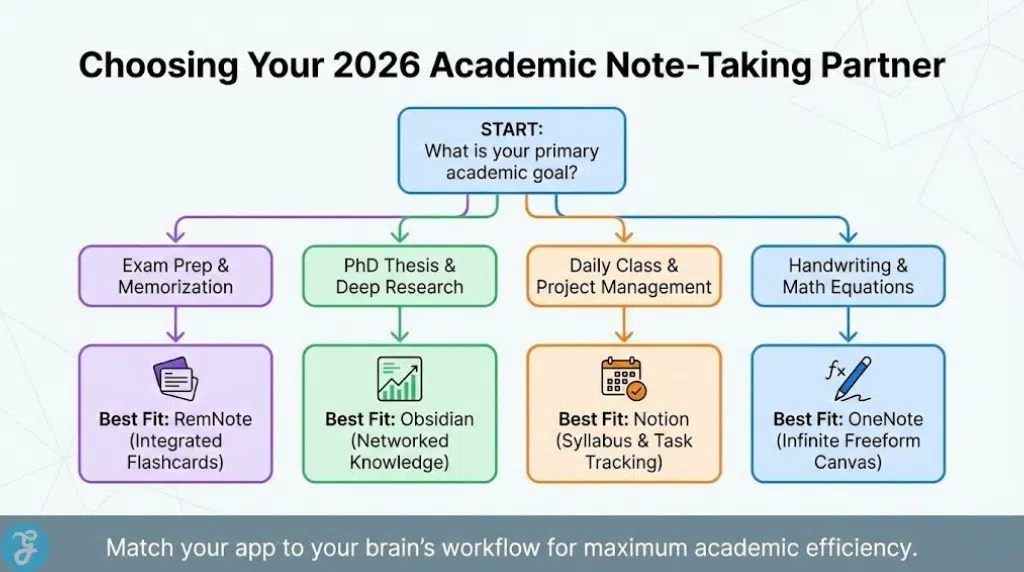
Choosing an app depends on whether you prioritize “Structured Outlining” or “Visual Mapping.” You should audit your major and your primary study device—for example, medical students need RemNote’s flashcards, while history researchers need Obsidian’s linking. This comparison matrix helps you align your specific academic goals with the most appropriate software.
| Academic Goal | Recommended App | Primary Benefit |
| Exam Prep / Memorization | RemNote | Integrated Flashcards |
| PhD Thesis / Research | Obsidian | Networked Knowledge |
| Daily Class Management | Notion | Syllabus & Task Tracking |
| Handwriting & Math | OneNote | Infinite Freeform Canvas |
Final Thoughts
Winning the battle for academic success in 2026 means moving beyond passive reading to active synthesis. The best note-taking apps for students and researchers 2026 mentioned here provide the intelligence and connectivity needed to master any subject. By selecting a system that mirrors how your brain works—whether through visuals or lists or links—you ensure your notes become a lifelong asset rather than a forgotten file.





















