

One mistyped campaign name can split a client’s report into separate rows. A link checker helps find that mistake before the ad, email or social post goes live—but checking the text of a URL is only one part of campaign quality assurance.
These eight distinct tools document checks for UTM-tagged links. We reviewed their published descriptions on November 10, 2026; this is a research-based comparison, not a hands-on ranking. The products’ suggested fixes and channel predictions should be checked against your client’s naming rules and analytics configuration.
What to check before a campaign launch
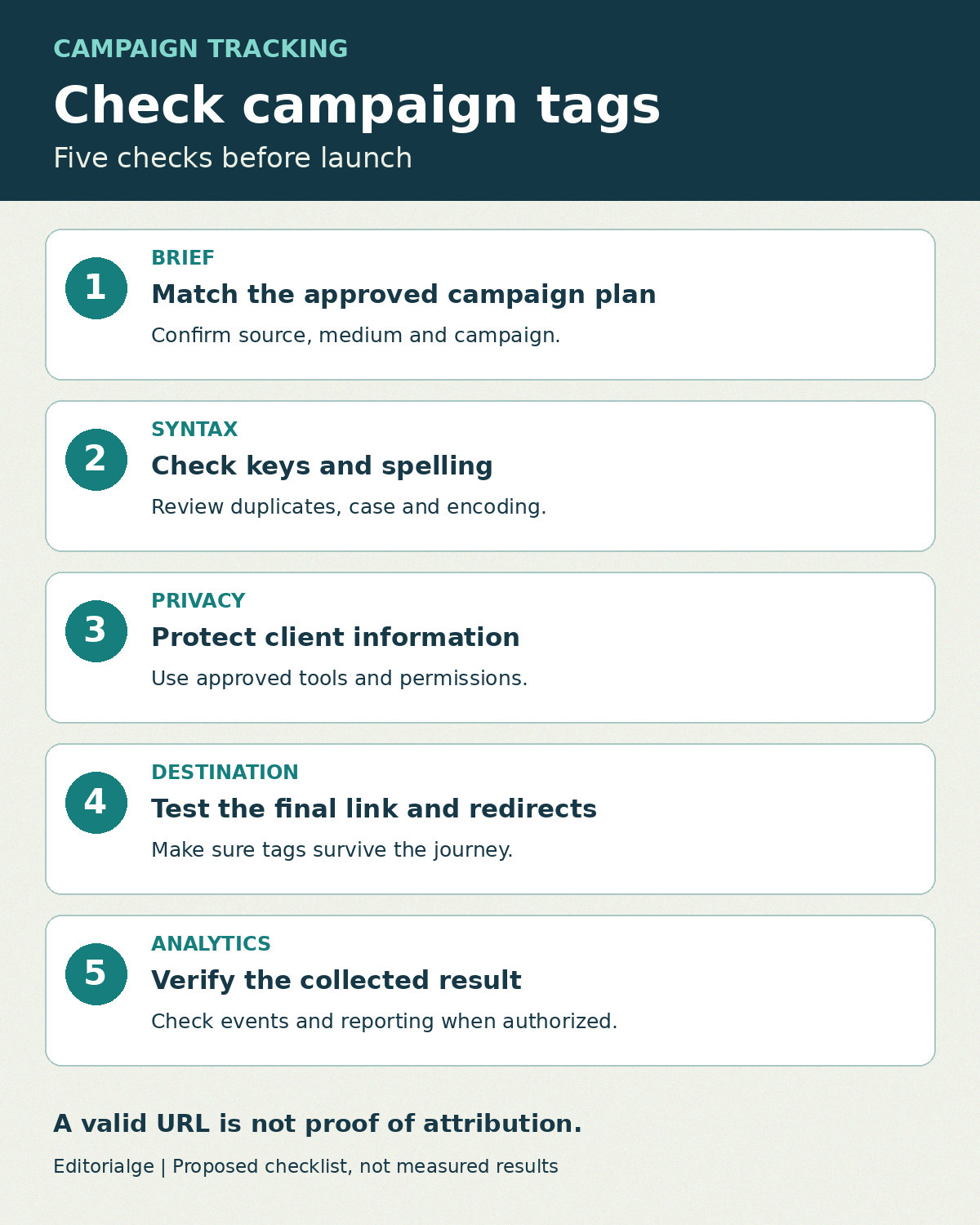
For manually tagged links, compare source, medium and campaign with the approved brief, then inspect spelling, capitalization, duplicate keys and placement in the URL. Google recommends supplying relevant campaign parameters when manual tagging is used; its campaign URL guidance explains the available fields. A team convention is not the same as a universal Google requirement: an auto-tagged Google Ads link can have a valid measurement setup without a manual UTM set.
Check the exact final link from its intended placement. Open it in an approved test environment, observe redirects, and verify the resulting event and reporting dimensions where access and consent allow. A syntax checker cannot prove that a tag fired or that a conversion was attributed as intended. Avoid pasting confidential client links or identifiers into a third-party tool without authorization.
How the tools were selected
Each item publicly describes checking or auditing an existing tagged URL, not just building one. The order is not a performance ranking. No client links were submitted and no tool was independently tested for this article. Check current limits and privacy terms before using a client’s data.
| Tool | Documented check | Useful fit | Limit to confirm |
|---|---|---|---|
| UTMTool | Checks multiple tagged links and indicates likely channel | Reviewing a small launch batch | Text check does not replace redirect testing |
| Tag Docket | Flags missing fields, duplicate names and fragment placement | Reviewing a larger batch | Client naming rules need separate review |
| MySmartCoPilot | Checks UTM fields and channel predictions | Investigating likely channel classification | Predictions are not the client’s actual GA4 result |
| FeuTex | Extracts fields with configurable strict checks | Exporting a review list | Strict requirements reflect a chosen convention |
| Reavlo | Audits link values for consistency | Spotting naming variants in a batch | Does not open links or follow redirects |
| UTM Tools | Flags duplicate or noncanonical keys and encoding issues | Inspecting one complicated link | Check suggested edits against the approved brief |
| Toolverge | Flags repeated parameters, case and spaces | Quick browser-based checks | Its rules may differ from client conventions |
| GaaS bulk validator | Checks manual tags and notes click identifiers | Batch review mixing tagged and auto-tagged links | A note is not proof of reporting accuracy |
1. UTMTool: Review a small batch of campaign links
UTMTool’s link checker says it accepts up to 50 links and identifies issues in parameters while suggesting a likely default channel. Its page states that pasted links stay in the browser. Use it to surface candidates for review, then compare each value with the campaign brief.
The checker reads the link text; the vendor separately notes that this does not establish whether redirects or analytics tags work. Verify privacy claims and test final destination behavior independently.
2. Tag Docket: Scan a larger batch
Tag Docket’s checker documents checks for missing fields, repeated parameter names and tags placed after a URL fragment. It says users can submit up to 500 links. That can help an agency screen a long export before a human review.
The vendor says the check does not know an individual agency’s approved naming rules, so keep a separate source-of-truth register. Its page describes processing requests and rate limiting; obtain permission before submitting client URLs.
3. MySmartCoPilot: Inspect likely channel assignment
MySmartCoPilot describes a UTM checker that evaluates common fields and offers channel predictions. It discusses inconsistent capitalization and double encoding, both useful prompts for inspecting an exported campaign link.
Treat the result as a prediction based on published rules, not a reading of your client’s GA4 property. Custom channels, auto-tagging and actual collected data require separate investigation.
4. FeuTex: Choose strict or extraction checks
FeuTex documents a checker that accepts multiple URLs, extracts tags, offers a strict-field option and can produce CSV output. That flexibility may help when an agency needs a review file rather than just a corrected link.
The strict option expects source, medium and campaign by default. Switch the review approach when the client’s approved setup legitimately uses other signals. Confirm data handling before entering sensitive campaign URLs.
5. Reavlo: Find inconsistent naming across links
Reavlo’s auditor describes grouping similar spellings of source values for review without automatically renaming them. It says the audit runs in the browser and can analyze a provided analytics export.
The vendor explicitly says its check does not open links or inspect redirects, later-added ad-platform tags, custom GA4 channels or Google platform labeling. Use those limits to define follow-up tests, rather than calling its audit a launch approval.
6. UTM Tools: Examine duplicate keys and encoding
UTM Tools presents a checker and a worked example involving a mixed-case key, a duplicate and a double-encoded value. Its page says checking occurs locally in the browser. It can be useful when a single long URL is difficult to inspect visually.
Do not blindly replace values in the corrected suggestion. Preserve non-UTM query parameters that the destination needs, and compare each change against the client’s agreed taxonomy and the final ad-platform template.
7. Toolverge: Run a simple per-link review
Toolverge says its UTM checker flags repeated parameters, uppercase letters and spaces, and notes unfamiliar medium values. It states that the tool runs in the browser. A reviewer can use the flags as a checklist for a small set of links.
Its default rules reflect a particular convention. Capitalization is not always an error in isolation; the practical problem is inconsistency with the client’s chosen naming system and its effect on reporting.
GaaS describes a bulk validator using a manual-tagging convention and calls out detected click identifiers for review. Its documentation explicitly distinguishes its own expected fields from the possibility of a valid auto-tagged Google Ads setup.
That distinction is useful in mixed campaign exports. Confirm that identifiers and URL values should be shared with the service, and check actual analytics collection separately; a pass or warning is not a measurement guarantee.
A client-ready preflight register
The following is a fictional example. Keep real client identifiers and unpublished offers out of public tools unless the client has authorized their use.
| Placement | Approved source / medium | Expected campaign | What to verify | Decision |
|---|---|---|---|---|
| Newsletter | newsletter / email | spring_launch | Exact values and final destination | Pass only after testing |
| Paid social | linkedin / paid_social | spring_launch | Compare final rendered macro values | Hold until values are known |
| Google Ads | Per approved account setup | Per approved plan | Check auto-tagging and manual-tagging interaction | Review, not automatic failure |
For each real link record the owner, destination, approved parameters, exact placement, final URL, redirect result, analytics test and reviewer decision. Google’s manual and auto-tagging guidance explains why the two setups need to be evaluated together.
No. A valid-looking URL can lose parameters in a redirect, fail to trigger a tag or be forwarded to another channel. Check the exact user journey and the relevant analytics report. Our guide to dark social and attribution gaps explains why a campaign label is not a complete history of how a visitor found a link.
Use automated checkers to find likely problems quickly, then use the campaign brief, a real redirect test and authorized analytics evidence to make the release decision.