A support bot can promise to connect a customer to a person without actually creating a ticket, selecting the right queue, or carrying the conversation across. That gap is why escalation needs its own prelaunch tests.
These 8 AI support evaluation tools can help test parts of that workflow. Some provide datasets and experiment comparisons; others supply programmable checks or agent metrics. None replace testing your actual help desk integration. This is a documentation-based comparison, checked November 10, 2026, rather than a hands-on ranking.
What an Escalation Test Must Prove
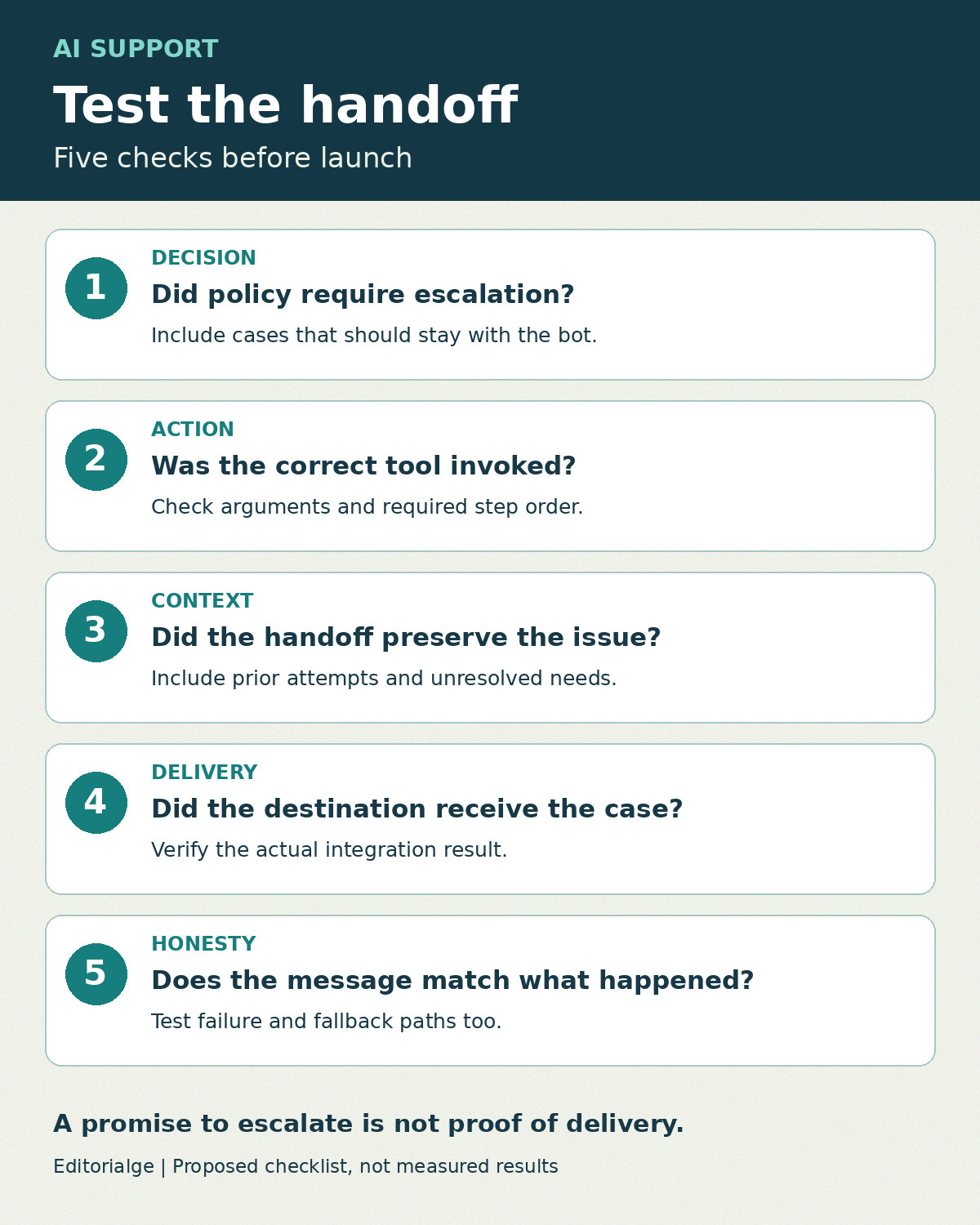
Separate the decision to escalate from the action that completes the handoff. A useful test checks whether the agent recognized the trigger, invoked the correct operation, passed accurate context, and received confirmation from the destination. A polite response alone cannot prove those steps happened.
For background on deployment patterns, see our guide to AI agents for customer support. The tools below address evaluation of those systems, rather than choosing a customer-facing support platform.
How the Tools Were Selected
Each option has official documentation covering repeatable evaluation, custom scoring, or checks on agent tool use. The comparison prioritizes the evidence a team can inspect: test inputs, reference behavior, actual outputs or traces, and individual failures. The escalation applications described below are proposed configurations, not claims that every product includes a ready-made escalation detector.
The list is not exhaustive and its order is not a performance ranking. Prices and plan entitlements are omitted because the appropriate configuration depends on usage, deployment and model costs. Before purchasing, verify retention, access controls, hosting requirements, export options and charges for the exact plan.
| Tool | Useful documented capability | Suggested escalation check | Main limitation to plan for |
|---|---|---|---|
| LangSmith | Offline datasets and multiple evaluator types | Compare expected and observed handoff behavior | Your escalation policy still needs explicit test labels |
| Langfuse | Dataset experiments with externally executed agents | Compare versions on the same support cases | Integration events must be captured by your application |
| Braintrust | Customer-support datasets and custom judge scorers | Review escalation wording against a policy rubric | A text judge cannot confirm ticket delivery |
| Arize Phoenix | Datasets for structured conversational inputs and outputs | Preserve reproducible multi-message test cases | You must define the scoring and downstream evidence |
| Promptfoo | Custom JavaScript assertions | Check structured route and ticket-result fields | Only supplied outputs are visible to an assertion |
| DeepEval | Expected-versus-actual tool-call checks | Check the escalation tool and arguments | Name-only matching can be too permissive |
| Ragas | Tool-call sequence and argument evaluation | Check identity verification before a handoff operation | The reference sequence must reflect real policy |
| TruLens | Custom evaluation criteria and feedback functions | Grade handoff explanations against a tailored rubric | Judge alignment requires human-labeled examples |
1. LangSmith: Compare Escalation Behavior Across Versions
LangSmith documents offline evaluation on curated datasets alongside code-based and model-based evaluators. Its evaluation documentation distinguishes predeployment testing from monitoring production behavior.
For support escalation, create cases with expected outcomes such as answer, clarify or hand-offs. Compare a prompt change against the same cases instead of relying on a few convincing demonstrations. Where your application exposes tool calls, check the actual action separately from the final response.
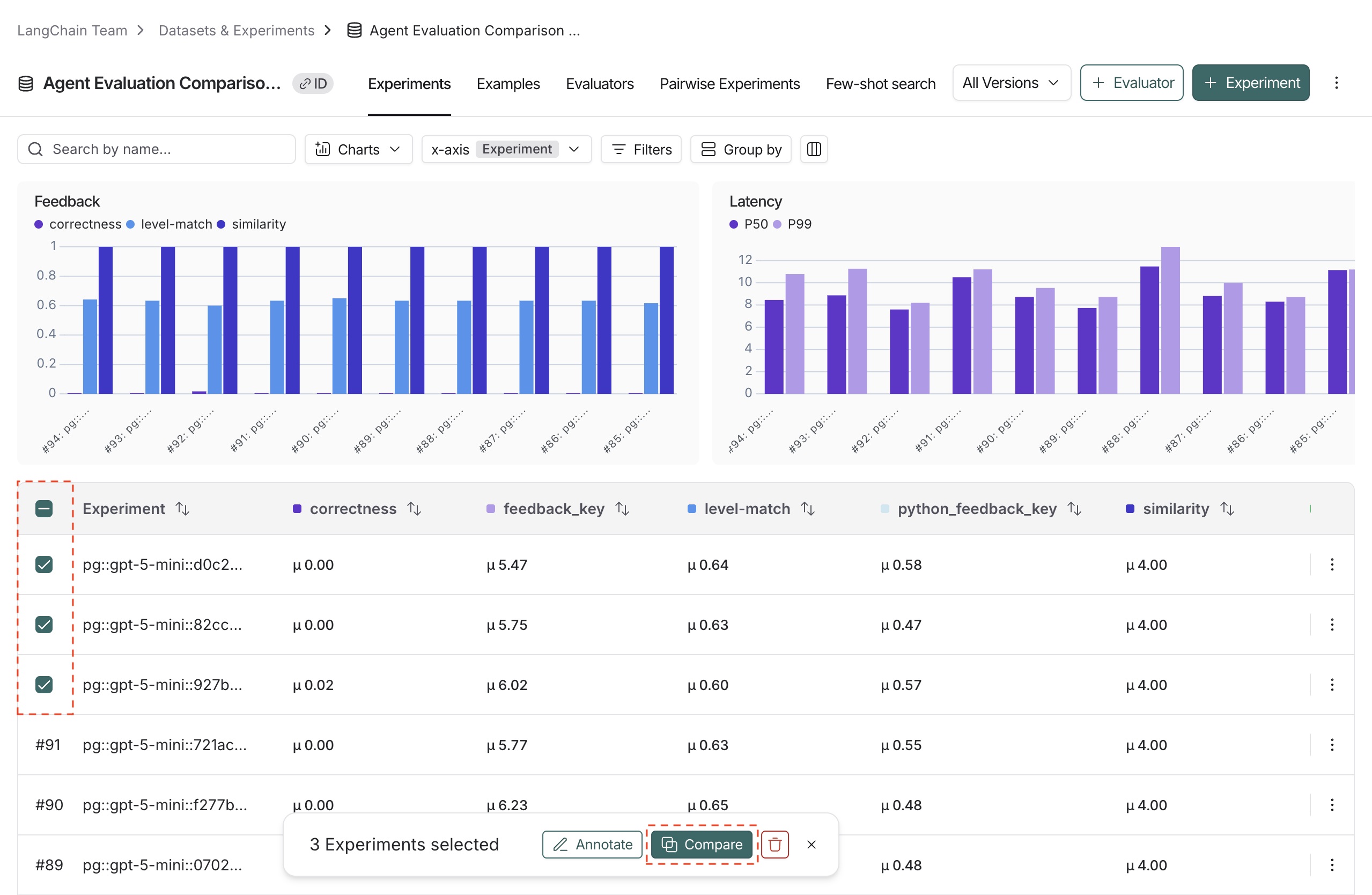
This is a useful fit when developers need experiment comparisons. The limitation is policy design: the platform cannot decide which refunds, security complaints or repeated failures your business requires a human to handle. Label those cases before evaluating a new version.
2. Langfuse: Connect a Fixed Dataset to Your Own Agent
Langfuse’s offline evaluation guide describes fetching a dataset, running an agent externally, and sending results back to the platform. It also documents prompt experiments, trace scoring and annotation queues.
Use that pattern when the support application already has a runnable test interface. Keep the conversation and expected route fixed while changing the prompt or model. Include outputs from the handoff integration in the captured result so reviewers can distinguish a routing mistake from a failed ticket request.
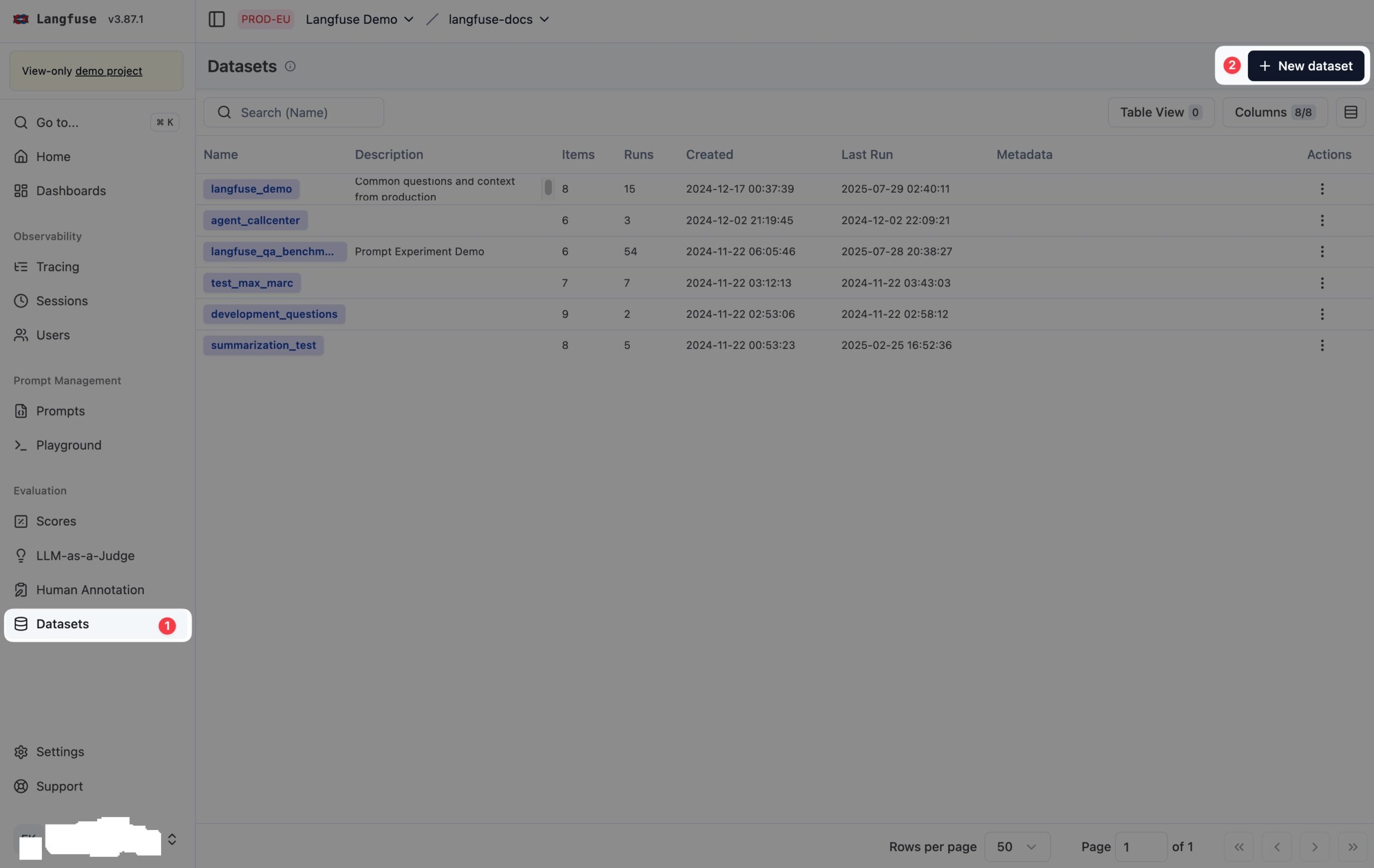
The practical fit is an engineering team that wants to retain control of execution. The additional work is instrumentation: if the application returns only a chat message, the evaluation does not automatically gain evidence of what happened in the help desk.
3. Braintrust: Build a Support-Specific Review Rubric
Braintrust’s official introductory evaluation lesson uses customer-support queries, a dataset, a custom LLM-as-judge scorer and saved experiments. That workflow can be adapted to evaluate whether a handoff explanation follows a support policy.
A proposed rubric might check whether the response states the next step, avoids an unsupported promise, and accurately summarizes the unresolved issue. Have support staff label examples of acceptable and unacceptable explanations before trusting the judge.
This fits collaborative prompt review. Its boundary is operational evidence: a response that says a ticket was opened is not proof that the ticket exists. Pair the wording review with a deterministic check of the help-desk response.
4. Arize Phoenix: Keep Conversational Test Cases Reproducible
Phoenix documents datasets containing structured inputs and outputs, including serialized chat messages. Its dataset documentation also describes golden datasets with reference outputs.
For escalation testing, retain the preceding conversation rather than testing only the last request. “That still did not work” has a different meaning after several failed troubleshooting attempts than it does at the start of a chat. Store the expected route and the relevant policy alongside the case in a consistent structure.
Phoenix is worth considering when reproducible conversational cases are the priority. A dataset is only the foundation, however: your team must still define evaluators and connect observed handoff results to the test. Do not treat storing an ideal answer as validation of ticket creation.
5. Promptfoo: Assert Exact Handoff Fields
Promptfoo supports custom JavaScript assertions that inspect outputs and return a pass/fail result or score. This gives developers a direct way to express concrete checks.
For example, a test adapter could return a structured object with the selected queue, escalation reason and ticket-operation result. An assertion can compare those values with the expected case. This is a proposed adapter design, not a built-in help-desk connector.
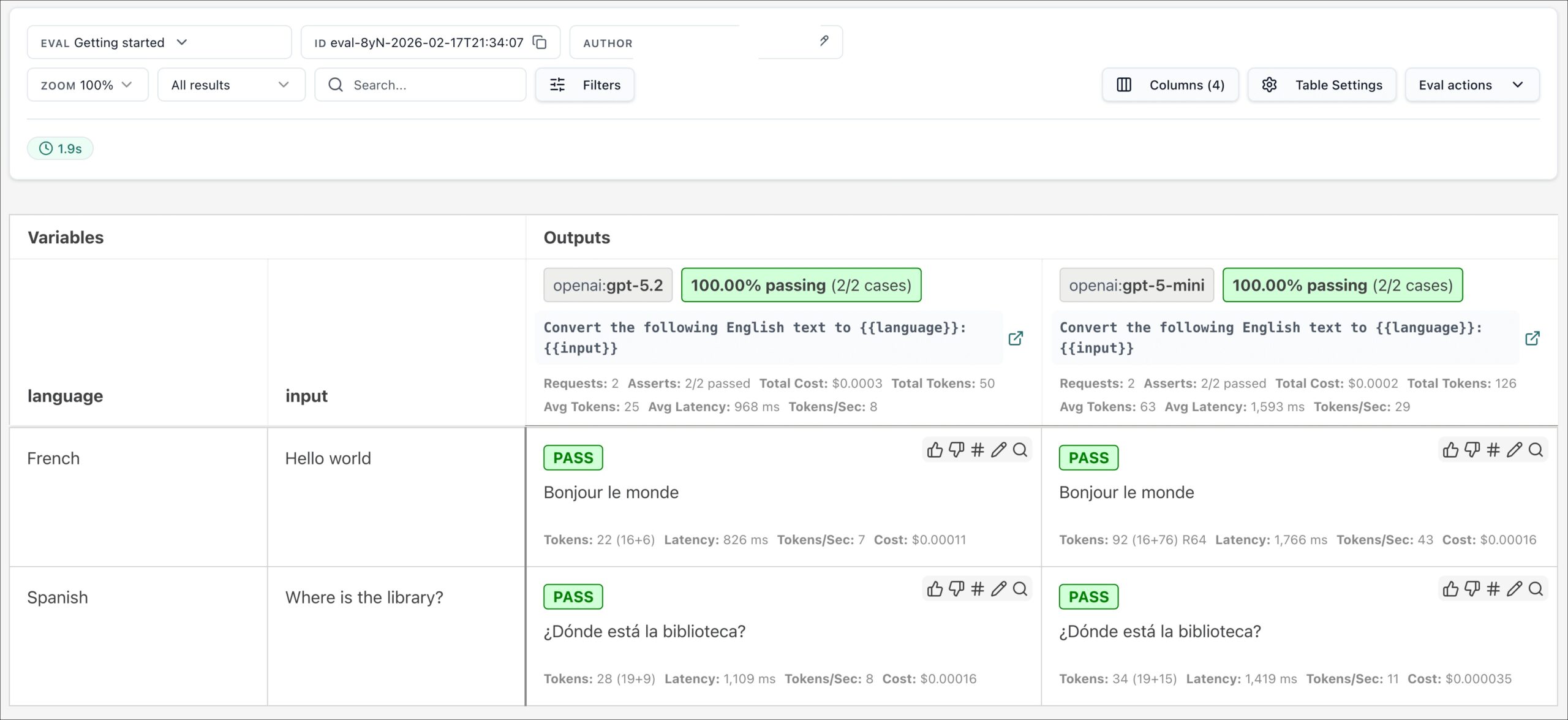
Choose this approach when precise fields matter more than a broad language-quality score. Its limitation is observability: a fabricated ticket identifier in model-generated text should never satisfy the test. Feed assertions the trusted integration response, and run only reviewed configurations and scripts.
6. DeepEval: Verify the Handoff Tool and its Arguments
DeepEval’s Tool Correctness metric compares actual tool calls with expected tools. The documentation explains that matching can extend beyond names to parameters, outputs and ordering.
That is directly useful when escalation is implemented as a tool call. A case can expect a particular operation with the correct destination and context. Tighten the matching rules to catch a valid tool invoked with the wrong customer or queue.
The main caution is configuration. Name-only matching may accept a call that is operationally wrong. Also test the receiving system separately: selecting the right tool does not by itself establish that its network request succeeded or that a human queue received the case.
7. Ragas: Check Ordered Escalation Steps
Ragas documents ToolCallAccuracy for comparing actual calls with references, including their sequence and arguments. Its agent metrics documentation distinguishes strict ordering from flexible ordering.
A support test can use strict ordering where the workflow requires verification before a sensitive account action, followed by escalation. Flexible ordering is more suitable when independent information gathering can happen in either order.
This fits teams with clearly specified tool workflows. The limitation is the reference itself: an overly rigid expected sequence can penalize an equally valid route, while a permissive reference can miss a policy breach. Document which steps are mandatory and which are implementation choices before interpreting results.
8. TruLens: Tailor Evaluation to Your Escalation Policy
TruLens documents extensible feedback functions and custom metric criteria. Its guidance recommends validating judge configurations against human labels rather than assuming that a general evaluator matches a specific task.
Use a custom rubric for the parts of a handoff that are difficult to express as exact matches: whether the summary preserves the unresolved problem, whether the explanation is clear, and whether it makes commitments the support team cannot meet.
This approach fits teams willing to maintain evaluation criteria alongside their support policy. Its limitation is judge reliability. Keep examples that were not used to tune the rubric, inspect disagreements, and avoid letting a strong language-quality score cancel out a failed routing check.
A Sample Escalation Test Register
The following cases are hypothetical examples, not measured product results. Replace their policies and destinations with your own approved rules. Use synthetic or properly sanitized customer information.
| Case | Expected behavior | Evidence required | Failure to catch |
|---|---|---|---|
| Customer explicitly requests a person | Follow the business’s human-support policy | Actual route, handoff result and customer-facing explanation | Repeated bot troubleshooting instead of the required handoff |
| Repeated troubleshooting fails | Escalate at the policy-defined limit | Conversation history and attempted steps | Resetting the loop or losing prior attempts |
| Requested action exceeds agent authority | Refer to the authorized team without promising approval | Action log and precise handoff summary | Unauthorized action or unsupported promise |
| Ticket service is unavailable | Report the failure truthfully and follow the fallback policy | Integration error and final message | Claiming a ticket was created when it was not |
| Routine supported question | Answer within scope when no escalation is needed | Relevant approved information and final outcome | Unnecessary transfer to a human |
For each case, record a stable ID, policy version, expected decision, required tool calls, expected queue, required context, actual result and reviewer disposition. Record the model, prompt and integration versions too. Otherwise, a later failure may be impossible to reproduce.
Choose Around the Evidence You Can Capture
If you only have final text, begin with response rubrics and acknowledge that operational handoff remains untested. If you have structured tool calls, add argument and sequence checks. If you control a staging help desk, verify that a ticket actually arrives with its required fields and that the customer sees a truthful confirmation.
For selecting the destination platform itself, our comparison of customer support tools for SaaS teams covers the broader support stack. An evaluation layer should test the behavior of that stack, not become a substitute for it.
Keep separate results for missed escalations, unnecessary escalations, incorrect routing, lost context and false success messages. Define acceptable outcomes with the responsible support team; there is no universal score that makes every support agent ready to launch.
Questions to Resolve Before Rollout
Can an evaluation tool prove a human received the case?
Only if the test includes trustworthy evidence from the receiving workflow. A model’s final response, or even a correct requested tool call, is insufficient by itself. Check the destination record and the relevant assignment state in a controlled environment.
Should every difficult request be escalated?
Use your approved scope and support policy. A useful test set includes cases where escalation is required and cases where it is unnecessary, so a system cannot appear successful simply by transferring everything.
What should stop a launch?
Define the release criteria before running the comparison. Treat failures involving prohibited actions, false handoff confirmations or required context loss as explicit issues to resolve rather than hiding them inside an average score. Keep the failed cases and rerun them after each relevant change.