


Stuck at school or work and want to play something fun? Unblocked Cookie Clicker is a great way to enjoy gaming without restrictions. This blog will show you how to play, build strategies, and boost your progress fast.
Get ready to click cookies like never before!
Key Takeaways
- Cookie Clicker Unblocked is free, works in browsers like Chrome or Firefox, and does not need downloads. It’s great for school or office play.
- Focus on upgrades (like “Reinforced Index Finger”) and buildings (Grandmas, Farms) to boost cookie production quickly.
- Use smart clicking techniques with a mouse or auto-clicker to grow cookies per second faster.
- Achievements give bonuses that speed up growth; aim for milestones like billions of baked cookies.
- Prestige mode resets progress but rewards you with heavenly chips for stronger tools in future gameplay.
How to Play Cookie Clicker Unblocked
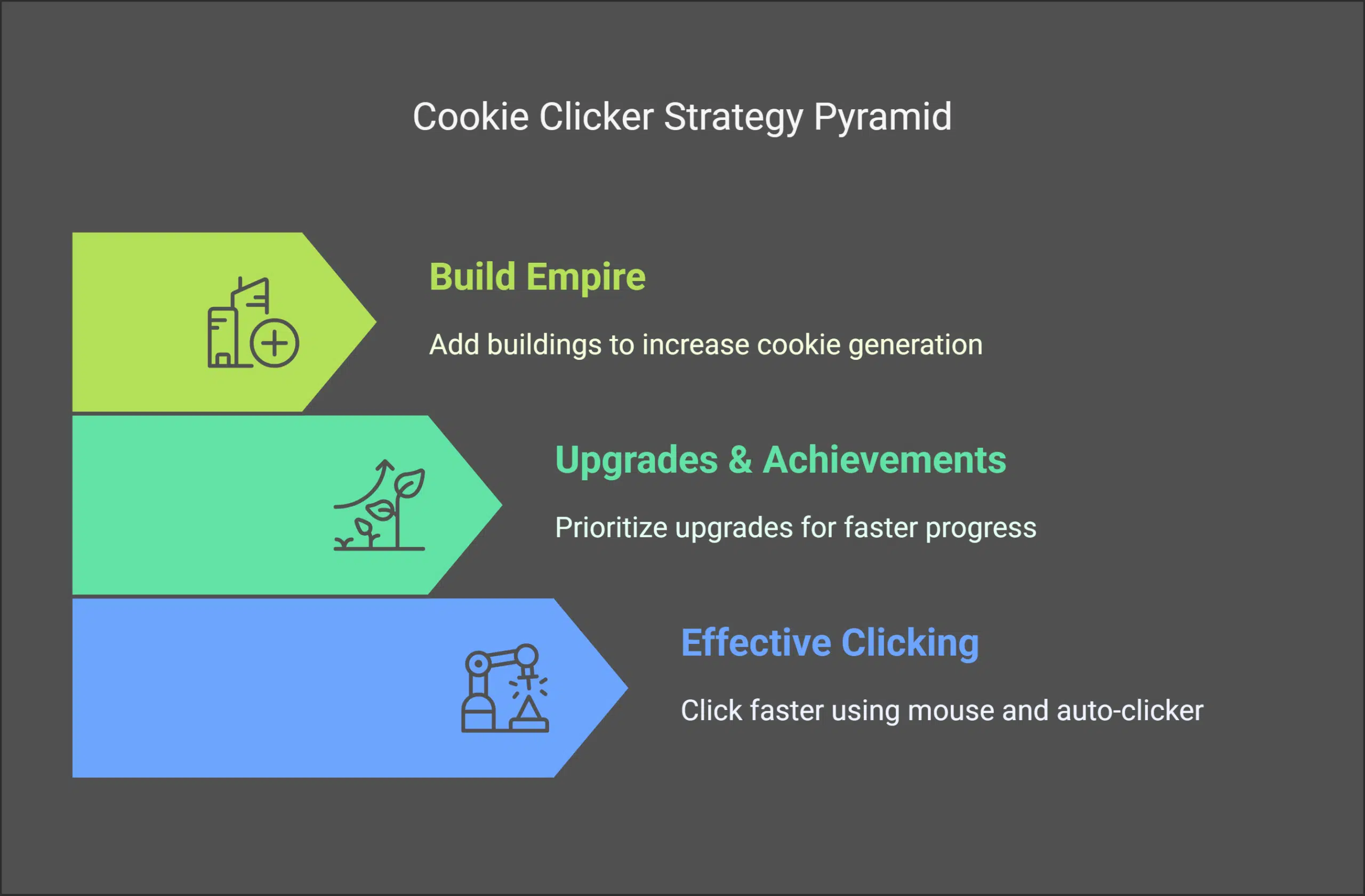
Playing Cookie Clicker unblocked is simple and fun, but it takes strategy. Build your skills by clicking faster, choosing smart upgrades, and growing your cookie stash.
Focus on effective clicking
Click smart, not hard. Start by focusing on the large cookie in the center of your screen. Use a mouse for faster clicks instead of relying on tough keyboard presses. Boost speed with tools like an auto-clicker or simply use both hands! Timing matters too—click consistently and avoid gaps to maximize cookies per second.
Upgrade cursors early to boost production. These upgrades will work while you click, doubling efficiency. Don’t overlook JavaScript settings in your browser; it keeps the game running smoothly.
Refresh with Ctrl+F5 if things lag—you don’t want to lose valuable time earning cookies!
Prioritize upgrades and achievements
Upgrades and achievements can significantly increase your cookie production. Prioritizing them early will help you progress faster in this engaging idle game.
- Invest in buildings like Grandmas, Farms, and Factories. These consistently generate cookies while you focus on enhancements.
- Select upgrades that improve production rates. For instance, “Reinforced Index Finger” increases clicking power.
- Monitor achievements carefully. They provide bonuses to your cookie generation.
- Don’t overlook small upgrades like Cursor stacking. Every improvement plays a part in accelerating your empire’s growth.
- Use cookies smartly by planning your purchases. Save enough before major upgrades or unlocking new achievements.
- Explore the Prestige system later in the game for heavenly chips. These provide bonus items and stronger tools.
Keeping these strategies in mind makes building a massive cookie empire both enjoyable and satisfying!
Grow your cookie empire by adding buildings like Grandmas, Farms, and Factories. Each building boosts the number of cookies you make per second. Use your cookies wisely to buy upgrades that unlock faster production rates or special perks.
Set goals for achievements to gain bonuses. Reach milestones like baking billions of cookies or producing a certain amount in seconds. Exchange extra cookies for Legacy upgrades when resetting to start even stronger! Always aim high—your factory might just become unstoppable!
Benefits of Playing Cookie Clicker Unblocked
You can play Cookie Clicker unblocked in schools or offices without worry. It works directly in your browser, so no downloads are needed. This makes it simple for K-8 students and educators to access as a fun idle gaming option.
The game improves strategy skills by letting you experiment with upgrades and tactics. Players grow their cookie empire while refining decision-making over time. Playing an incremental game like this teaches patience and planning, all while having fun baking endless cookies!
Tips to Maximize Your Cookie Production
Producing more cookies in Cookie Clicker is both fun and challenging. Focus on smart strategies, and you’ll see your cookie count soar.
- Click rapidly to start building your cookie stockpile early. Using a proper clicking technique can speed things up, especially with an auto-clicker if allowed.
- Invest in upgrades as soon as possible. These improve production rates and unlock new features to grow your empire faster.
- Keep track of achievements during gameplay. They often provide secret boosts that increase your total cookie output significantly.
- Use Prestige mode after collecting enough cookies for heavenly chips. This action resets progress but rewards you with lasting perks for future games.
- Refresh the page if JavaScript stops working or bugs appear. Simply pressing ctrl+f5 can fix many common browser issues instantly.
- Play on updated browsers like Chrome or Firefox only. Modern browsers enable the smooth functioning of the game and avoid glitches during lengthy play sessions.
- Balance spending between buildings and upgrades wisely over time periods of growth cycles within a session focus long term increases
Takeaways
Cookie Clicker Unblocked is a fun way to relax and test your strategy skills. It’s free, simple, and easy to play online. Build your cookie empire while crushing achievements like a pro.
Whether at school or home, this game offers endless entertainment. Start clicking now—those cookies won’t bake themselves!
FAQs
1. What is Cookie Clicker, and why is it so addictive?
Cookie Clicker is an idle clicker game where you bake cookies by clicking on a giant cookie. The more you click, the more cookies you make. It’s simple yet oddly satisfying—kind of like popping bubble wrap!
2. Where can I play unblocked Cookie Clicker online for free?
You can play unblocked Cookie Clicker online for free using resources like GitHub or Tynker. These platforms host projects made to let players enjoy the game without restrictions in places like schools or offices.
3. Why do people use Tynker or GitHub to access games like this?
Tynker and GitHub are popular because they offer ways to share fun projects made by developers, including games like Cookie Clicker, even in environments with strict internet filters such as K-8 schools.
4. Is it safe to play this game at school or home?
Yes, if you’re using trusted websites like Tynker or GitHub as your main resource, it’s generally safe to play online at school (with permission) or at home.
5. Who created Cookie Clicker?
Cookie Clicker was originally created by Orteil as a project that quickly became famous worldwide—including in the United States—for its simple but important gameplay mechanics: just keep clicking!






















