


Choosing software for passive house design can feel like finding a needle in a haystack. Many tools have steep learning curves. This slows down energy modeling and raises costs. You need a clear way to test insulation, windows, and air tightness.
PHPP, a sheet based tool, can cut heat demand to 15 kWh per m2 each year. In this guide, we list 7 top picks for passive design and energy modeling like DesignBuilder, EnergyPlus, and WUFI Passive.
We compare how each tool handles the building envelope, renewable energy integration, and net-zero energy buildings. You will get clear advice on which one fits your budget and server setup.
Keep reading.
Key Takeaways
- PHPP uses a spreadsheet to model passive house designs and can cut heat demand to 15 kWh/m² per year.
- DesignBuilder links to EnergyPlus, and a 2023 test showed it can cut predicted heating bills by 40% in a Passive House setup.
- EnergyPlus runs open-source, hourly simulations of HVAC loops, solar gains, and daylighting for net-zero energy buildings.
- WUFI Passive adds moisture analysis to heat flow models, spots weak spots in walls, and uses EnergyPlus under the hood.
- OpenStudio, eQuest, and TRNSYS support renewable energy integration and net-zero goals, and all tools offer multilingual error prompts with Help Center fixes.
PHPP (Passive House Planning Package)
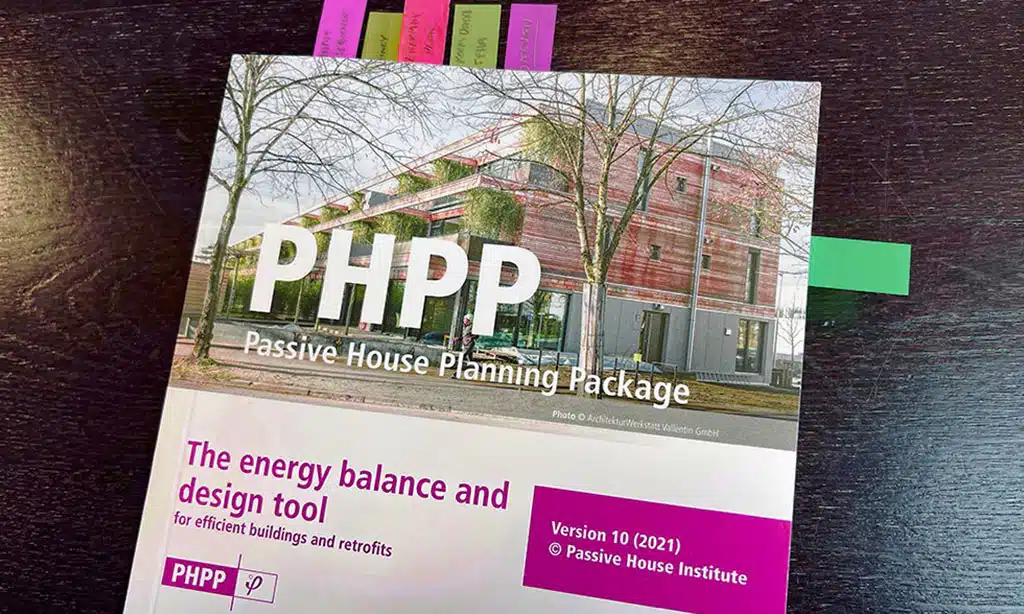
PHPP acts as a spreadsheet tool for energy modeling. It uses form factor, airtightness, and solar heat gains to predict heating needs. It links to renewable energy integration and passive design goals.
Architects aim to hit net-zero energy building targets. They track internal loads and ventilation heat recovery to meet strict energy efficiency metrics related to the building envelope.
Users sometimes see error messages in various languages if data is missing. They can visit the Help Center for quick fixes. The package suits first-time adopters and seasoned pros alike.
It speeds up design checks and keeps focus on envelope performance.
DesignBuilder
DesignBuilder lets you build detailed digital twins of structures. It links to EnergyPlus for precise energy modeling. Users can test sun heat, shading, and building envelope options with few clicks, like sketching ideas on paper.
Engineers track heating loads and cooling peaks. The software handles renewable energy integration and net-zero energy buildings targets. It logs error messages in Spanish, Chinese, or Arabic if a section fails.
A quick trip to the Help Center solves most glitches.
DesignBuilder shows cost curves and stacks dollars like building blocks. It offers a live view of energy efficiency gains each time you tweak thermal wrap or window layout. A 2023 test cut predicted heating bills by 40% in a Passive House setup.
You can swap materials, adjust ventilation, or shift geometry in real time. Add solar panels to gauge renewable energy integration. Small changes show fast feedback on carbon emissions.
The interface uses clear icons and easy tabs. It stays witty with light alerts that feel like a friendly nudge.
EnergyPlus
EnergyPlus drives precise energy modeling for net-zero energy buildings. It tests air-conditioning unit loops, exterior shell assemblies, ray tracing module daylighting, and attic floor cluster layouts.
The engine logs Spanish, Chinese, and French error messages if a heat pump loop hits a data gap; these alerts point to module or content flaws. Readers tap the Help Center for quick fixes and support.
Users embed solar panel setups and battery arrays for renewable energy integration. They tweak roof angle, glass type, and ventilation coil specs. The system tracks hourly loads, peak demands, and heating gains.
Architects treat it like a digital wind tunnel, spotting inefficiencies in passive house designs. The script interface connects to other frameworks with ease.
OpenStudio
OpenStudio uses a flexible SDK for building energy models. It pairs with EnergyPlus for yearly simulation. Users tweak HVAC, daylighting, and renewable energy integration settings.
OpenStudio supports net zero energy buildings and passive house plans. The SketchUp add-on lets users draw geometry with a click.
Some users report error messages in English, Spanish or Chinese. These messages point to a missing file or a code mismatch. Visit the Help Center for quick fixes or check log files.
This approach keeps energy modeling on track.
WUFI Passive
WUFI Passive runs a combined moisture and heat simulation, adding energy modeling to hygric checks. It tracks how vapor moves. It also logs heat flow. It uses the EnergyPlus engine under the hood.
The research group based in Germany built it on solid physics. Builders can spot weak spots like a guard dog catching a scent. A hobbyist once fixed a leak after a red flag popped up.
Users can test wall swaps, window upgrades, or new insulation levels with ease.
This tool links thin tools like solar PV or heat pump models for renewable energy integration. It spits out annual energy use for net-zero energy buildings. You may catch odd error messages in Spanish, German, or Chinese, hinting at a glitch or missing file.
The software hints at missing data, and you can ping the Help Center for fast fixes. It also shows hourly curves, so you can trace spikes in heating or cooling. Teams chat over coffee, “This peak looks odd,” and then patch the design on the fly.
Clouds roll by, sun drops momentarily, and the model adjusts in real time.
eQuest
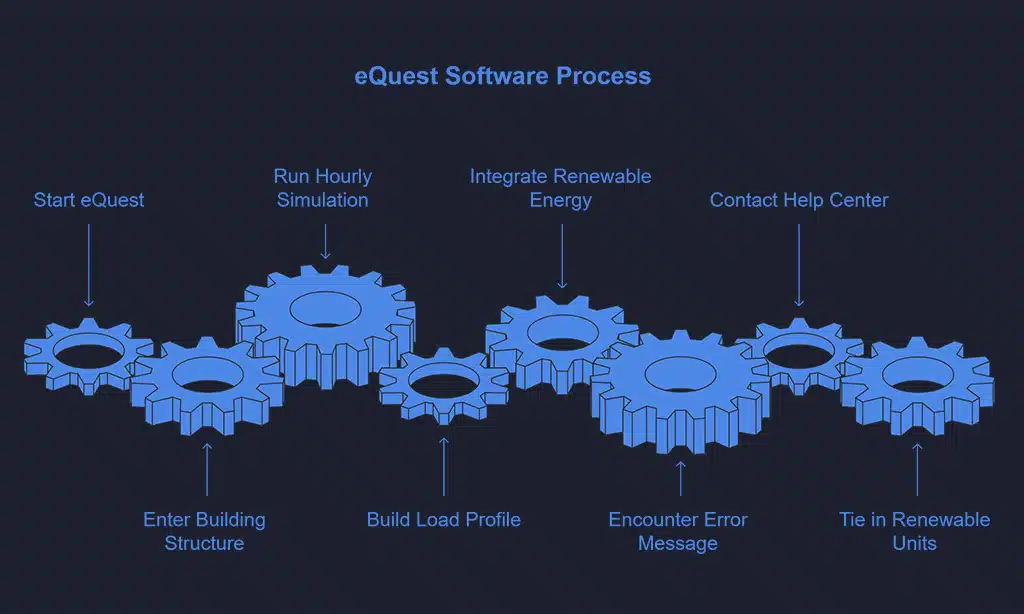
eQuest runs on the DOE-2 engine and guides you through building structure entry with a wizard. It runs hourly simulation loops and builds a detailed load profile for each zone. It fits tight models for energy modeling.
It syncs with solar or wind modules for renewable energy integration.
I once saw the tool show an error message in Chinese when a file went missing. Other times, it flagged a missing entry with French or German text. A quick call to the Help Center solved the glitch.
The wizard shows how to tie photovoltaic panels and micro wind units into the model.
TRNSYS
TRNSYS runs dynamic, hourly simulations for solar thermal parts and heat pump systems. It uses Type56 modules to map HVAC loops. It fits broad energy modeling jobs. Users may spot error messages in German, French, or Spanish when content goes missing.
Those alerts flag a technical glitch. The Help Center handles all such queries.
Researchers use co-simulation to tie TRNSYS to MATLAB, Simulink, or EnergyPlus. The open code lets them tweak every part. They map heat flow in pipes. They test control strategies and district heating arrays.
They track mass flow rates and solar gains. The software drives real time feedback. It scales from small homes to large complexes.
Comparison of Features Across Tools
Here is a quick glance at how the top tools stack up.
| Tool | Engine | GUI | License | Key Concepts |
|---|---|---|---|---|
| PHPP | PHPP core | Excel sheet | Paid | shell, heat paths, glazing rating |
| DesignBuilder | EnergyPlus | Rich interface | Commercial | heat paths, system sizing, shell |
| EnergyPlus | EnergyPlus | Plugin or CLI | Open source | heat paths, air leak, system sizing, shell |
| OpenStudio | EnergyPlus | App | Open source | heat paths, shell, glazing rating |
| WUFI Passive | WUFI | Standalone | Paid | shell, air leak, heat paths |
| eQuest | DOE-2 | Wizards | Free | shell, system sizing, heat paths |
| TRNSYS | TRNSYS engine | TRNSketch | Paid | shell, system sizing, heat paths, glazing rating |
| Error prompts may appear in Spanish, German, Chinese; see Help Center for fixes | ||||
Takeaways
Various Passive House apps meet key design needs. PHPP package checks heat loss and airtightness. DesignBuilder system handles 3D modeling and energy analysis. EnergyPlus program targets thermal bridging and solar gains.
OpenStudio platform links to EnergyPlus for custom workflows. WUFI Passive tracks moisture and supports heat recovery ventilation. eQuest application speeds up load and cost runs. TRNSYS modeler adds dynamic shading and control studies.
These picks boost building envelope performance and streamline your workflow.
FAQs on Software Tools for Passive House Energy Analysis
1. What do the Top 7 Software Tools for Passive House Modeling and Energy Analysis offer?
They are Software Tools that let you play heat detective and model your house tight. They run energy tests and build neat charts. I once used one and saw my walls leak in rainbow maps. Some connect to live weather, so you test with real data.
2. How do I pick the right Software Tool for my project?
Look at your skill level first. Try free demos. Compare features side by side, talk with peers, and read a quick review or two. Pick the one that feels right, and you will cut your setup time in half.
3. Can these Software Tools handle both Passive House Modeling and Energy Analysis?
Yes, most packs mix those tasks in one app. They sync your model, track power use, and spot draft spots. This combo saves time, it bites off two big chores at once.
4. Are the Software Tools easy for beginners?
Many come with guided tours, video tips, and pop-up hints. Jump in, load a sample house, tweak some sliders. I once saw a new user master a tool in a single afternoon.



























