

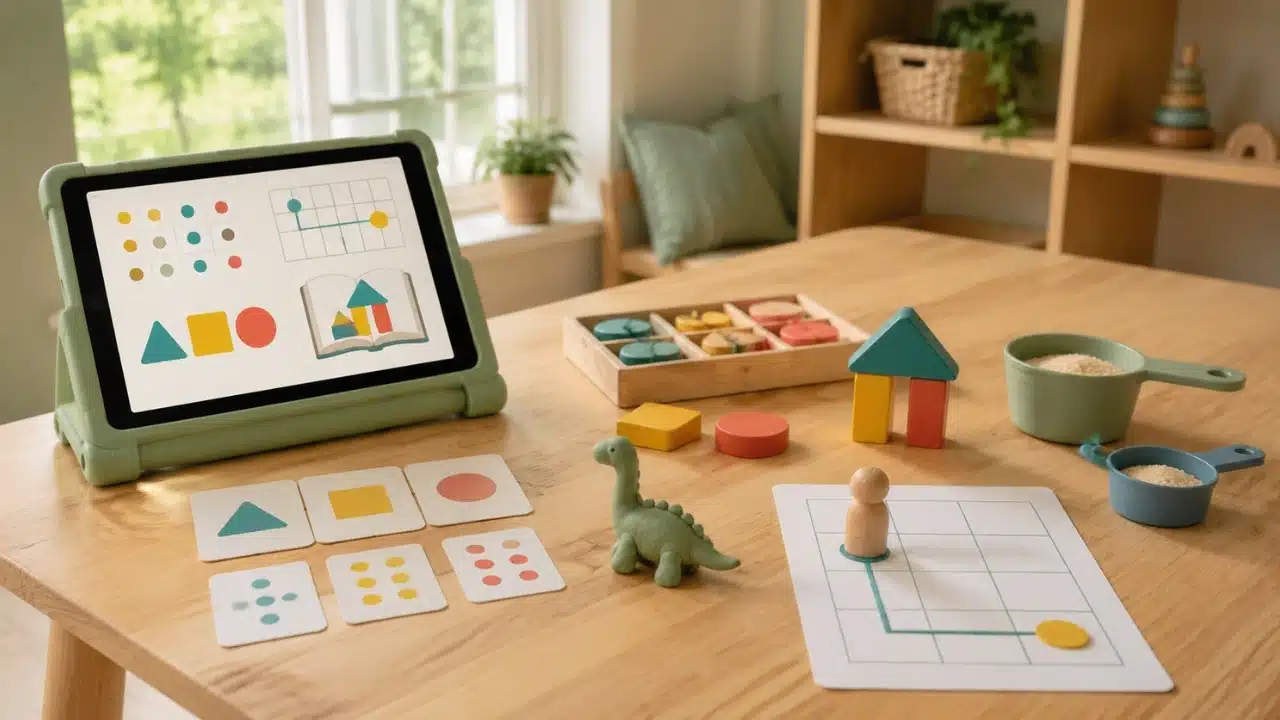
Educational apps introduce foundational concepts in math, reading, and spatial logic, but screen time alone is rarely enough for deep cognitive retention. Pairing digital lessons with offline educational activities for kids helps young learners bridge abstract touchscreen interactions with tangible, real-world experiences.
This multi-sensory approach strengthens motor skills, improves memory consolidation, and turns digital passive viewing into active physical understanding.
| Activity | Digital Concept Extended | Core Skill Developed | Materials Needed |
| 1. Letter & Shape Scavenger Hunt | Tracing & identification apps | Spatial awareness & observation | Household items, paper, marker |
| 2. Play-Doh Model Building | 2D geometry & biology games | Fine motor control & 3D visualization | Modeling clay or Play-Doh |
| 3. DIY Physical Card Matching | Digital memory & matching modules | Tactile memory & object association | Index cards, markers |
| 4. Storytelling Role-Play | Interactive storybooks & reading apps | Narrative comprehension & empathy | Props, costumes, open space |
| 5. Tactile Sensory Bin Sorting | Coding logic & pattern apps | Categorization & executive function | Rice/beans, small toys, bowls |
| 6. Kitchen Science Simulations | Physics & biology simulation apps | Hypothesis testing & cause-effect | Baking soda, vinegar, measuring cups |
| 7. Sidewalk Chalk Number Hop | Number line & counting games | Gross motor skills & sequential math | Outdoor chalk, paved space |
| 8. Recipe & Measurement Math | Fraction & culinary math games | Practical measurement & proportional reasoning | Ingredients, measuring spoons |
| 9. Paper Grid Map Making | Spatial coding & navigation apps | Directional logic & spatial mapping | Grid paper, crayons, small toys |
9 Offline Educational Activities for Kids That Extend Screen Lessons
1. Letter and Shape Scavenger Hunts
When kids practice tracing letters or identifying geometric shapes on a tablet, the experience stays confined to two dimensions. Transition this concept to the physical world by sending children on a room-by-room scavenger hunt to find real objects that match the targeted letters or shapes. Finding a circular clock or a book with an “S” title encourages kids to translate screen symbols into their physical environment.
2. Play-Doh and Clay Model Building
Apps frequently feature 2D representations of animals, geometric structures, or anatomical models. Using modeling clay to recreate digital characters or shapes engages small hand muscles while building spatial awareness. Following early childhood development guidelines confirms that tactile manipulation of physical materials is essential for transforming abstract visual information into lasting mental models.
3. DIY Physical Card Matching Games
Digital matching games teach memory recall, but clicking a screen lacks tactile feedback. Recreate your child’s favorite digital card games using index cards and markers. Shuffling, flipping, and physically organizing physical cards demands hand-eye coordination and spatial mapping that touchscreen taps simply cannot replicate.
4. Interactive Storytelling Role-Play
Reading comprehension apps introduce narrative structure, character motivations, and vocabulary. After a digital story session, invite children to act out the plot using dress-up clothes or stuffed animals. Re-enacting narrative arcs deepens emotional comprehension, builds expressive language skills, and allows kids to experiment with creative dialogue.
5. Tactile Sensory Bin Sorting
Early coding apps and logic games rely heavily on sorting items by color, size, or conditional rules (e.g., “if red, place here”). Fill a shallow container with rice or dried beans and hide colorful buttons or blocks inside. Challenge your child to sort the items using tongs or scoops based on specific sorting algorithms learned in their favorite logic app.
6. Kitchen Science Simulations
Physics and chemistry apps allow children to mix virtual elements safely, but they lack real-life sensory feedback. Replicate simple digital experiments at home using safe household items, such as combining baking soda and vinegar to show chemical reactions. Utilizing hands-on learning strategies helps children observe real-world cause and effect, temperature changes, and texture shifts firsthand.
7. Sidewalk Chalk Number Line Hops
Counting apps often feature number lines where digital avatars jump forward or backward. Draw a giant number line with chalk on a driveway or sidewalk and have your child physically jump between numbers as they solve basic addition or subtraction problems. Linking physical movement to numerical concepts activates kinesthetic memory and reinforces mathematical sequence.
8. Real-World Recipe and Measurement Math
Cooking apps introduce concepts like fractions, liquid volume, and time management. Bring those concepts into the kitchen by baking simple recipes together. Measuring ingredients using measuring cups and counting spoons transforms digital fraction modules into a delicious, practical math application.
Block-based coding apps teach children to navigate characters across a grid using directional arrows (up, down, left, right). Draw a large grid on paper or set up a tile-floor grid using painter’s tape. Have your child draw directional arrows on paper cards to “program” a toy figure’s path from a starting point to a destination, reinforcing spatial orientation offline.
Bridging Digital Screentime and Physical Play: A Balanced Reality
The uncomfortable truth about modern educational technology is the existence of the “transfer deficit”: young children often struggle to transfer knowledge gained on a smooth two-dimensional screen to three-dimensional physical problems. While colorful animations and instant feedback loops make apps highly engaging, relying exclusively on digital media can limit the development of fine motor skills, spatial depth perception, and emotional resilience.
Looking toward the future, as AI-generated learning apps and augmented reality platforms become more pervasive, the line between digital instruction and real-world execution will blur. However, artificial intelligence cannot replace the neurodevelopmental benefits of physical manipulation, tactile exploration, and unstructured play. The most effective educational framework is not choosing between screen time and physical play, but using apps as a digital blueprint that sparks hands-on, real-world exploration.
Frequently Asked Questions (FAQs) About Offline Educational Activities for Kids
Why are offline educational activities for kids necessary if an app is already educational?
Apps excel at teaching recognition and repetition, but physical activities develop fine motor skills and spatial awareness. Combining digital lessons with hands-on practice helps bridge the transfer deficit so kids can apply concepts to real-world situations.
How long should offline learning activities last after screen time?
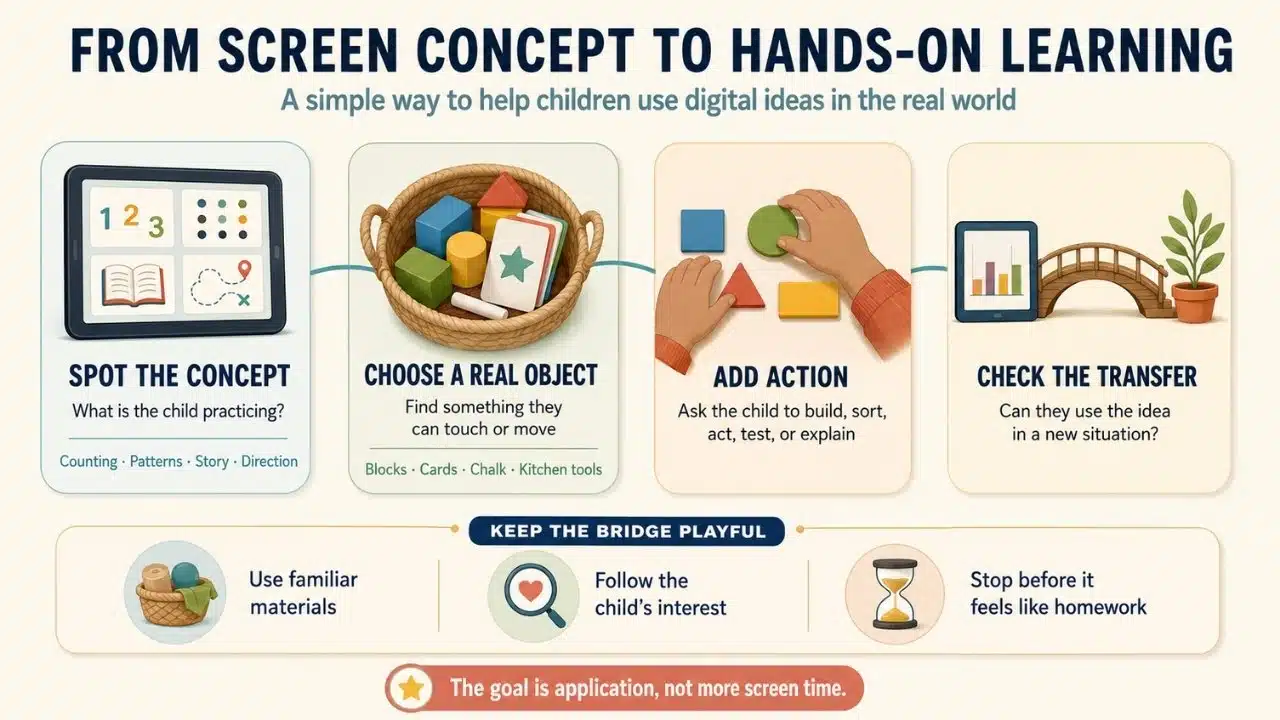
Keep offline activities short and flexible, aiming for 10 to 20 minutes directly following an app session. The goal is to reinforce concepts through play while the digital lesson is fresh in their memory, without making it feel like extra homework.
What is the video transfer deficit in early childhood learning?
The video transfer deficit refers to a young child’s difficulty applying information learned from a 2D screen to 3D real-life situations. Physical activities help bridge this cognitive gap by letting kids interact with physical objects directly.
How do I pick the right offline activity to match my child’s app?
Identify the core concept of the digital game, such as pattern recognition, counting, or letter tracing. Choose an offline activity that uses physical objects like chalk, modeling clay, or household items to practice that exact same concept.
Can offline activities reduce screen time resistance in children?
Yes, transitioning directly from an app to a related hands-on game creates a smooth bridge out of screen time. Because the physical activity relates directly to the app they were enjoying, children experience less frustration when turning off the device.






















