

Microsoft Say Goodbye to Cortana

Microsoft Say Goodbye to Cortana

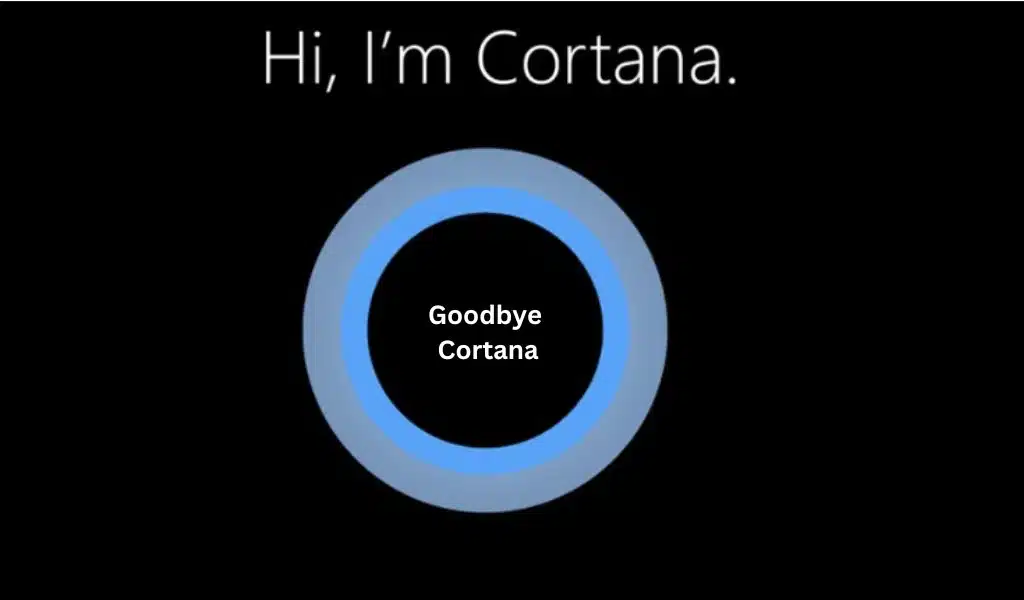
Later this year, Microsoft will stop making the Cortana app for Windows. This news comes just a few days after the release of Windows Copilot, an advanced AI assistant powered by OpenAI’s GPT language model.

At the Build conference in May, Microsoft showed off its newest tool, Windows Copilot. It’s in the taskbar, where Cortana used to be, but it can do a lot more than the old Windows helper. Once it is widely available, it will help you do things like summarize material, edit text, make inquiries, and manage your computer’s settings, among other things.

“We’re changing some things about Windows that will affect people who use the Cortana app. As of the end of 2023, we will no longer offer Cortana as a stand-alone app for Windows… This change only affects Cortana on Windows. Your productivity helper, Cortana, will still be available on Outlook mobile, Teams mobile, Microsoft Teams display, and Microsoft Teams rooms,” says the blog post.

“We know that this change may affect how you work in Windows, so we want to help you make the switch to the new choices as easily as possible. Now, you don’t have to click the Cortana icon and open the app to use voice. Instead, you can use voice and meet your work needs with different tools.

The ‘End’ Started in 2020

Cortana was first shown by Microsoft in 2015 as part of Windows 10. Users could use mouth commands to set reminders, open apps, and ask questions.

But Microsoft has slowly taken Cortana out of the Windows experience over the years. With the release of Windows 11, the digital assistant lost its place on the desktop and was no longer a part of the first boot experience. In 2020, Microsoft stopped supporting the Cortana app on iOS and Android and other devices, like Surface headphones, that used Cortana.

Even though Cortana won’t be available in Windows, it will still be available in Outlook mobile, Microsoft Teams mobile, Teams display, and Teams groups.

Microsoft has not said when Cortana will be taken out of Windows, so that date is unknown.

It is clear that Microsoft is putting a lot of effort into its set of AI tools, like the Bing robot and Microsoft 365 Copilot.



Subscribe to Our Newsletter

Related Articles

Top Trending

How to Enable Two-Factor Authentication
How to Enable Two-Factor Authentication on All Online Accounts
A Guide to a Minimalist Lifestyle in a Busy City
resistance band routines
13 Resistance Band Routines to Build Strength at Home: Say Goodbye to Boring Workouts!
Technical SEO Audit Checklist
Technical SEO Audit Checklist for Websites: Complete Guide
best gaming mice for every hand
The 11 Best Gaming Mice That Suits the Hands of All Sizes

Fintech & Finance

HONOR 600 Pro vs HONOR 600 Lite 5G
HONOR 600 Pro vs HONOR 600 Lite 5G: Full Comparison with Expected India Pricing
How to Dispute a Credit Card Charge Successfully
How To Dispute A Credit Card Charge Successfully
How to Protect Yourself from Financial Scams
Financial Scam Prevention Tips to Protect Your Money
The Truth About Buy Now Pay Later Services
best UK current accounts 2026
9 Best UK Current Accounts with the Highest Interest and Best Perks in 2026

Sustainability & Living

A Guide to a Minimalist Lifestyle in a Busy City
Green Hydrogen Fuel
The Rise Of Green Hydrogen As A Clean Fuel Source
energy-efficient LED lights and appliances
Benefits of Using Energy-Efficient LED Lights and Appliances
Wind Power Global Energy Markets
How Wind Power Is Reshaping Global Energy Markets
Circular Economy Basics
Circular Economy Explained: Why Waste Is A Design Flaw

GAMING

best gaming mice for every hand
The 11 Best Gaming Mice That Suits the Hands of All Sizes
Best Gaming Monitors Compared
9 Best Gaming Monitors Compared: Unlock Next Level Gaming
Custom Mechanical Keyboard
DIY: Build a Custom Mechanical Keyboard That Feels Like Yours
Best Indie Games Of Recent Years
The 7 Best Indie Games Of Recent Years You Should Not Miss
open-world games done right
The 9 Best Open-World Games Done Absolutely Right

Business & Marketing

The Truth About Buy Now Pay Later Services
Guest Posting In 2026
Guest Posting In 2026: Is It Worth It? And How To Do It Right
New Zealand social media marketing
13 Critical Facts About How New Zealand's Small Market Forces Brands to Be Creative on Social Media
Cold Email in 2026
Cold Email In 2026: What Works, Lands In Spam, And What Converts
Entrepreneurial Spirit Promotes Social Change

Technology & AI

How to Enable Two-Factor Authentication
How to Enable Two-Factor Authentication on All Online Accounts
Frehf
The Secrets of Frehf: Your Complete Guide to Understanding Frehf
AI Animation Styles Explained
AI Animation Styles Explained: The Smart Way to Make AI Videos Feel Professional
Check Your Real Internet Speed
How to Check Your Real Internet Speed and Detect ISP Throttling
Custom Mechanical Keyboard
DIY: Build a Custom Mechanical Keyboard That Feels Like Yours

Fitness & Wellness

resistance band routines
13 Resistance Band Routines to Build Strength at Home: Say Goodbye to Boring Workouts!
beginner home workouts
9 Beginner Home Workouts to Try for Real Results: Start Your Fitness Journey!
setting realistic fitness goals
Setting Realistic Fitness Goals: A Beginner’s Practical Guide That Actually Works
best home workouts guide
39 Home Workout Routines for Every Fitness Level to Get Fit Without a Gym
beginners fitness guide
Beginner’s Complete Fitness Guide: A Practical Beginners Fitness Guide for Real Life





















