
LLM gateway platforms for routing requests across providers give your application a common way to direct model calls, control fallback behavior and observe usage. The right choice depends on who operates the gateway, where requests may go and how much control you need over failures.
This research-led comparison draws on provider documentation checked November 17, 2026. It is not a hands-on ranking. Features, pricing and deployment options change; verify the exact plan and configuration before committing production traffic.
What We Checked
On November 17, 2026, we inspected three public documentation pages. Cloudflare’s fallback example describes switching from Workers AI to OpenAI after an error; Vercel’s configuration separates an ordered list of fallback models from provider preference; and Kong’s AI Proxy Advanced page identifies its enterprise license requirement. These checks help you frame reliability and budget questions, but they are documentation inspections—not deployments, measured performance tests or proof that a particular account can use each feature.
LLM gateway platforms for routing requests across providers compared
| Platform | Where it fits | Check before choosing |
|---|---|---|
| LiteLLM | Teams operating a configurable proxy | Operating and security responsibilities |
| Cloudflare AI Gateway | Teams using Cloudflare infrastructure | Provider credentials and route configuration |
| Vercel AI Gateway | Applications using Vercel and its AI SDK | Model and provider availability |
| OpenRouter | Teams wanting a model marketplace endpoint | Provider routing and data terms |
| Portkey AI Gateway | Teams defining conditional routes and fallbacks | Current product name and deployment terms |
| LLM Gateway | Teams comparing hosted and self-hosted paths | License and enterprise feature boundaries |
| Kong AI Gateway | Organizations extending API gateway operations | Plugin and edition requirements |
1. LiteLLM: control routing in a proxy
LiteLLM documents a router that selects deployments and handles retries and fallbacks. A platform team can group deployments behind a model name, then define the next model group when the first route fails. That can make application configuration simpler while retaining operational control.
Self-hosting also means you own deployment, patching, secrets and capacity. Check the exact release, license boundaries and security advisories. Test streaming and tool calls as well as simple text: a shared interface does not guarantee identical provider behavior.
2. Cloudflare AI Gateway: route through existing edge infrastructure
Cloudflare documents fallback providers for request errors and configured timeouts. Its dynamic routing options can make an existing Cloudflare setup attractive when teams want a central place to manage model traffic.
Check which providers, models and credentials are supported for your route. A timeout is a policy decision: switching too quickly can increase cost or abandon work that would have succeeded. Verify data handling and allowed destinations for every fallback.
3. Vercel AI Gateway: separate model fallback from provider preference
Vercel documents a list of fallback models and provider ordering controls. If the primary model is unavailable, the gateway can try another model; provider selection within each model is a separate decision. That distinction helps an application team specify both a preferred model and an acceptable delivery route.
Availability differs by model and provider. Confirm that your backups support the context size, structured output, tools and streaming events your application needs, then record which route actually served each test.
4. OpenRouter: compare routes through a marketplace
OpenRouter provides a common endpoint for multiple models and documents provider routing and fallback. It can be useful when a team wants to explore several model-serving options without building a separate integration for each one.
Review provider filters, pricing, retention and the applicable route before sending sensitive inputs. A provider fallback does not remove dependence on the gateway itself. Maintain a separate recovery plan for a gateway-wide outage if the application requires one.
5. Portkey AI Gateway: configure conditional policies
Portkey documentation describes fallback, load balancing and conditional routing configurations. These policies can suit teams that want to direct different requests through different routes while keeping application code focused on the task.
Confirm the current product name, commercial terms and which controls are included in the deployment you are considering. An elaborate routing policy still needs tests for error classes, allowed providers and the quality of each backup model.
6. LLM Gateway: compare hosted and self-hosted operation
LLM Gateway documents routing and automatic retries to another provider. Its product materials also describe hosted and self-hosted options, giving a team a choice about who runs the infrastructure.
Read the current license and any separate enterprise terms before adopting the self-hosted version. For the hosted route, check fees, provider-key handling and whether a fallback can use prepaid credits when a provider key is unavailable.
7. Kong AI Gateway: extend an API management environment
Kong’s AI gateway capabilities build on its wider API gateway approach. For a team that already manages APIs through Kong, an AI routing layer may fit established practices for gateways, credentials and traffic control.
Kong identifies the AI Proxy Advanced plugin as part of AI Gateway Enterprise, so confirm the license and edition before budgeting. Check supported providers and configuration for the exact version. Existing API expertise helps, but token usage, model-specific parameters and fallback quality introduce new operational questions.
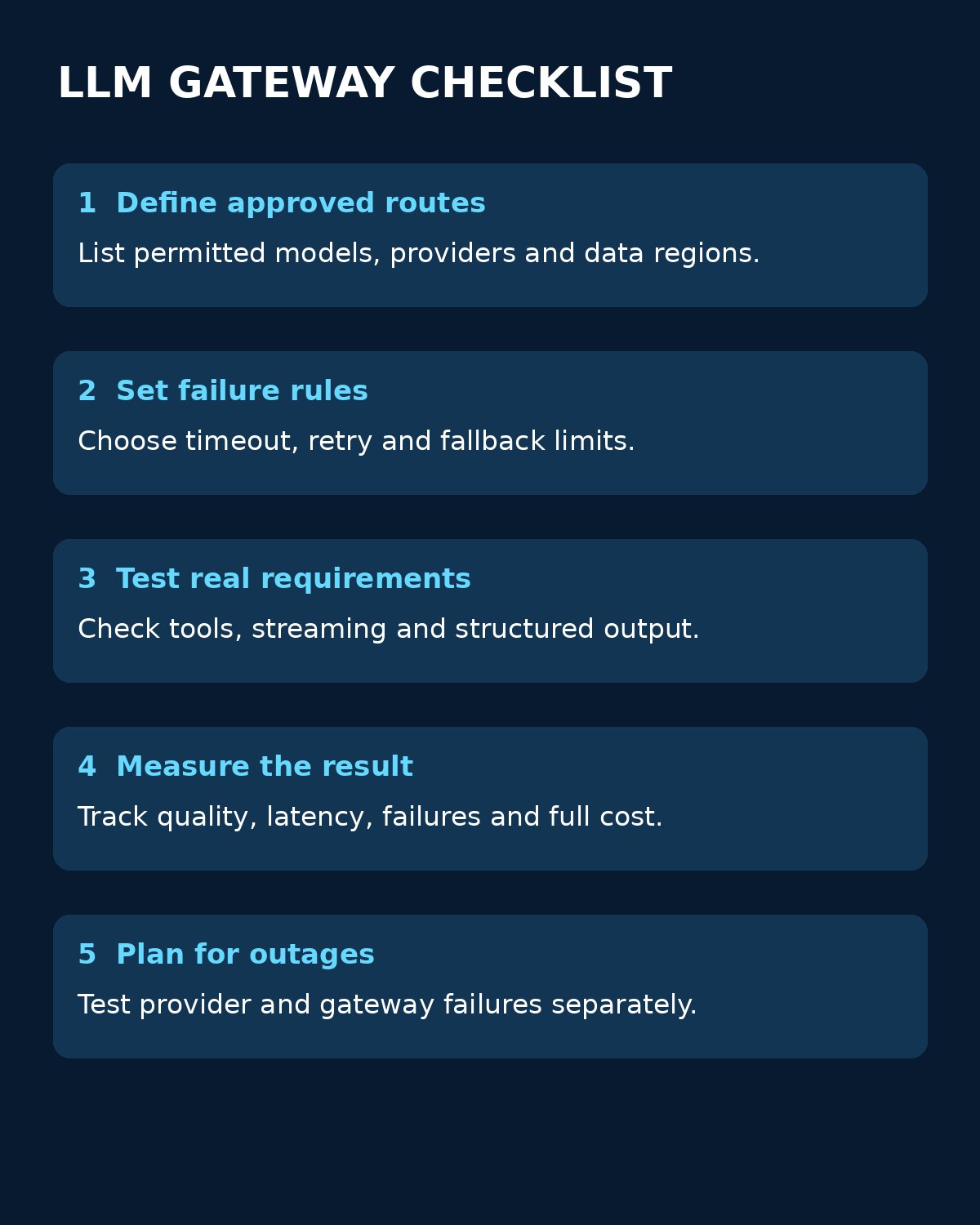
Choose the route before you choose a winner
Start with a real workload: the input types, expected concurrency, required output format, acceptable latency and permitted data destinations. Compare managed services against the time your team can actually spend operating a proxy. Include gateway fees, model charges, failed attempts, observability and support in the cost of an accepted result.
- List approved providers and models, including region, retention and contractual restrictions.
- Define which errors trigger a retry or fallback and the maximum total time and spend per request.
- Run the same representative, non-sensitive test cases through each permitted route. Include tools, streaming, structured output and large inputs where relevant.
- Record the selected provider, model, usage, failures and final result. Check that logs do not expose secrets or unnecessary user data.
- Simulate an unavailable provider and a gateway outage separately. Confirm your application can fail safely when every route is unavailable.
Routing can change both the answer and its cost. A lower-priced fallback that fails your quality threshold is not a saving. Evaluate outputs against a fixed rubric before enabling automatic model substitution, and consider approval boundaries before routing to a new processor.
For the related provider decision, read Editorialge’s guide to choosing an enterprise LLM API. The NIST AI Risk Management Framework provides a broader way to organize risk ownership and evaluation.
Choosing LLM gateway platforms for routing requests across providers
Choose LLM gateway platforms for routing requests across providers by testing the complete path, not just comparing model lists. A gateway should make approved routes observable and controllable; it cannot guarantee the accuracy of an answer or eliminate your responsibility for data, reliability and cost.